Go Browser: Private,Pure,Fast
- 531
- 4.7
- Installs
- —
- Price
- Free
Screenshots

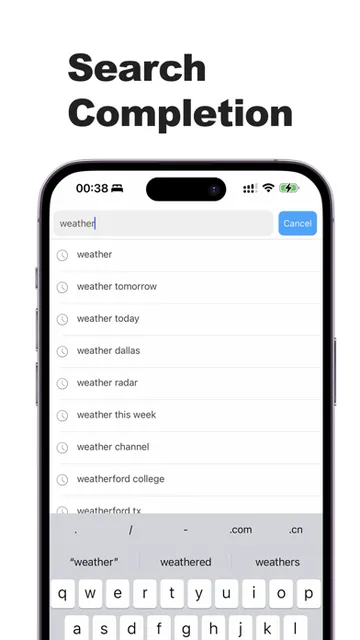
Analysis by Reviewed APKs
Go Browser: Private,Pure,Fast is a web browser for iPhone and iPad, with a focus on private browsing and straightforward navigation. I see it as a practical option for people who want quick access to incognito mode, ad blocking, and one-tap data clearing without making their browser routine feel complicated. Its feature set sounds useful for everyday searches, though it is not a replacement for every tool or privacy choice online.
A quick private search
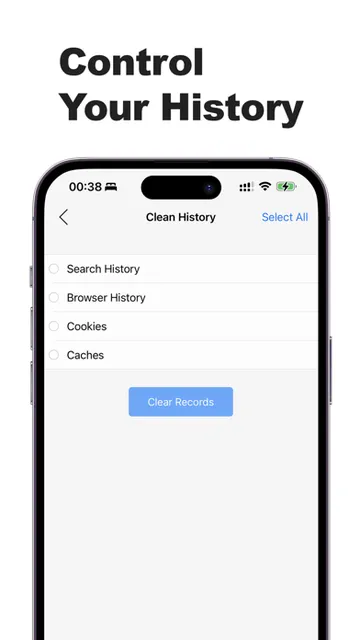
Imagine looking up a gift idea during a lunch break on a shared iPad, then handing the device back without wanting your browsing session left open. Go Browser puts incognito mode within easy reach and also offers a one-tap way to clear data. That makes its central job easy to understand: browse, search, and tidy up the session without digging through a complicated set of privacy controls.
When I first considered that kind of moment, the appeal was less about dramatic secrecy and more about having a simple routine. I could open the browser for a quick search, move between tabs if I needed to compare pages, and clear data when I was finished. The app describes its privacy tools as protection for browsing data, but I would still treat them as one part of a sensible browsing routine.
A focused browser alternative
On an iPhone or iPad, Safari is the obvious everyday comparison because it is already familiar to many users. Go Browser makes a more focused pitch: incognito mode, ad-blocking tools, zoomable pages, tab switching, favorites, and one-tap data clearing. Those features may suit someone who wants privacy options close at hand rather than a browser chosen mainly for a broader ecosystem of services.
This is still a web browser, not a VPN, a full security suite, or a promise that every website will behave privately. The description mentions privacy protection and ad blocking, but it does not establish that every ad or tracking method is blocked. I would choose it for ordinary browsing with convenient privacy features, not as a substitute for careful decisions about accounts, websites, or sensitive information.
Small habits that help
A useful way to approach Go Browser is to decide what each session is for. I might use incognito mode when I want a browsing session separate from my usual routine, then clear data with one tap when I am done. The app also supports switching tabs and revisiting favorites, so those simple actions can keep a short research session from becoming a jumble of open pages.
Zoom is another small feature worth using deliberately. When a page feels cramped on a phone, adjusting its size can make reading more comfortable; on an iPad, it can help when a page layout is awkward. I would keep favorites for sites I revisit and use tabs for temporary comparisons. That is not a complex system, but it makes the browser’s stated tools easier to put to work.
More From Our News Desk

Zoom Meetings, Google Meet, or Teams: Which Is Easiest to Join?

How I Build a Free Streaming Lineup With Tubi

Why Crunchyroll Is the Default Anime App for So Many Fans

YouTube TV: A Practical Guide to Cutting Cable

Rummikub and the Small Comfort of Phone Games

TeamViewer Remote Control or AnyDesk for Helping Family?
Who may enjoy it
I would recommend Go Browser to iPhone and iPad users who want a browser with privacy-oriented conveniences close at hand. Incognito mode, one-tap data clearing, ad-blocking features, tabs, favorites, and page zoom cover a useful range of everyday needs. It may especially appeal to someone who often does quick searches, compares a few pages, or wants a separate-feeling browsing session without fussing with a long setup.
It may be less compelling if you are already happy with your current browser and do not need its particular privacy tools. People looking for a complete security service, extensive customization, or features beyond those described should compare options before switching. I would also keep expectations measured: the app presents ad blocking and privacy features, but a browser alone cannot make every online activity private.
Go Browser: Private,Pure,Fast is developed by DropletApps LLC and is listed in the Tools category for iOS. It is free to download on the Apple App Store. The store information gives it a 4.7 rating from 531 ratings. Its content rating is 17+, and the minimum requirement is iOS 15.6.
The current version shown is 7.4.2. The app was released on October 5, 2023, and its most recent update was January 23, 2026. These details provide a useful snapshot of the app’s store record; version requirements and other store information can change as the developer updates it.
A closer look at everyday browsing
Opening and getting started
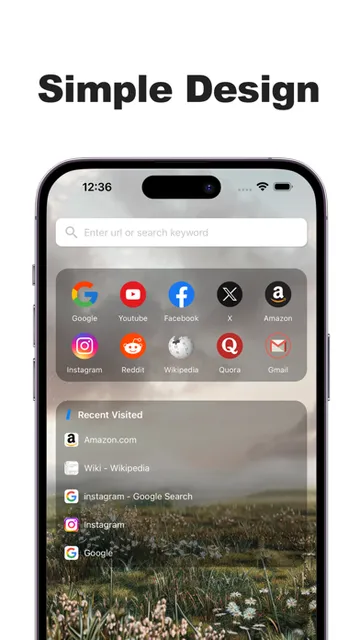
Go Browser’s first impression is its compact purpose. It is presented as a privacy-focused browser rather than a general collection of unrelated tools, and the main ideas are easy to grasp: search the web, use incognito mode, manage tabs, and clear data. I appreciate that kind of clear starting point when I only want to look something up and get on with my day.
The app is designed for iPhone and iPad, and its stated minimum requirement is iOS 15.6. The description emphasizes a user-friendly experience and quick access to privacy features. I would begin by trying a normal browsing session, then checking how incognito mode and data clearing fit my habits. That gives a better sense of whether its approach feels natural than judging it by a feature list alone.
The daily browsing rhythm
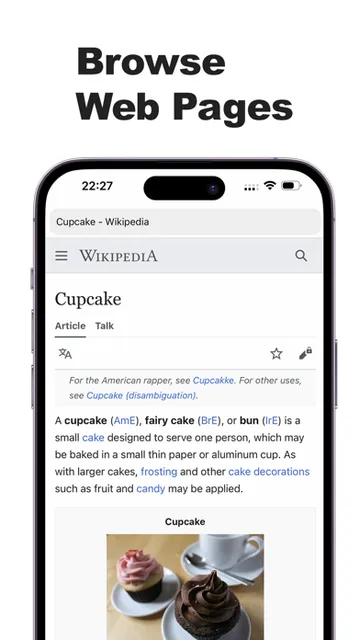
The day-to-day flow described for Go Browser is familiar: search for information, open pages, switch between tabs, and return to favorites. Those are the basic movements that make a browser useful for errands, reading, and quick comparisons. Page zoom adds a practical adjustment when text or a layout is difficult to view on a smaller screen.
What gives this routine a different emphasis is the easy access to incognito mode and a one-tap data-clearing option. I can see those tools being useful when I want to keep a particular session separate or simply finish by clearing browsing data. They are convenient controls, though I would not assume they change how a website handles information I provide directly.
Privacy tools up front
Incognito mode is one of the clearest features in the description, and the app frames it as a way to shield browsing data from prying eyes. The appeal is straightforward: a private-browsing option is close at hand, rather than hidden behind a complicated workflow. The additional one-tap data-clearing feature gives users another simple way to tidy up after a session.
Ad blocking is also part of the pitch. The description says Go Browser helps keep intrusive ads away, which could make browsing less cluttered on pages where its tools apply. I would describe that as a helpful feature, not an assurance that every advertisement disappears. The practical value will depend on the pages being visited and how the browser’s blocking behaves there.
A simple research routine
For a small research task, I would start with a search, open a few relevant pages in tabs, and switch between them while comparing details. If I find a site I expect to use again, I can revisit it through favorites. Zoom is there for pages that are hard to read at their default size, while incognito mode can serve a session where I prefer that browsing option.
When the task is over, one-tap data clearing offers a straightforward finishing step. That routine uses the app’s stated features without turning a quick search into a project. I would still be thoughtful about what I enter into websites and which accounts I use; browser controls do not replace those choices. For ordinary reading and comparisons, the small set of tools feels easy to remember.
Limits to keep in mind
The description gives a broad privacy-focused overview, but it does not spell out every technical detail of how the privacy and ad-blocking features work. I would avoid treating the browser as a complete answer to online privacy or expecting every site to look and behave exactly as it does elsewhere. Its strongest case is convenience: several useful browsing controls are gathered in one app.
The app’s stated feature set is also fairly focused. It covers browsing, tabs, favorites, zoom, incognito mode, ad blocking, and data clearing, but the supplied information does not establish a wider set of tools. If you rely on a particular capability beyond those basics, check the current App Store information before switching. That is a sensible step for any browser choice, especially when your routine depends on a specific feature.
Go Browser: Private,Pure,Fast makes sense as a focused alternative for iPhone and iPad users who want incognito mode, data clearing, and ad-blocking tools within a familiar browsing routine. Tabs, favorites, and zoom round out the everyday basics. I like the emphasis on accessible controls, while keeping expectations realistic about what a browser’s privacy features can do.
I would try it if those conveniences match the way you browse and you are comfortable evaluating a browser on its own merits. If your current setup already works well, there is no pressing reason to switch. For people who want a simple browser with privacy-oriented options close at hand, Go Browser is worth a look.
Go Browser Frequently Asked Questions
What is Go Browser: Private,Pure,Fast used for?
Go Browser: Private,Pure,Fast is a web browser for everyday searching and browsing, with features including incognito mode, ad blocking, tabs, favorites, page zoom, and one-tap data clearing. It is aimed at people who want privacy-oriented controls as part of their browser routine. Those tools can be useful, but they do not make every online activity private.
Which devices support Go Browser: Private,Pure,Fast?
Go Browser: Private,Pure,Fast is available for iOS devices, and its description specifically mentions iPhone and iPad. The minimum requirement shown is iOS 15.6. For the latest device compatibility details, check the app’s current Apple App Store information, since requirements can change with updates.
What iOS version does Go Browser: Private,Pure,Fast require?
The stated minimum requirement for Go Browser: Private,Pure,Fast is iOS 15.6. If you are unsure whether your device can run it, check the current App Store information before downloading; compatibility details may vary as the app is updated.
Does Go Browser: Private,Pure,Fast cost money?
Go Browser: Private,Pure,Fast is listed as free to download on the Apple App Store. Store details can change, so it is worth checking the current listing for the latest information about pricing or any optional purchases before installing.
Is Go Browser: Private,Pure,Fast suitable for everyday use?
It may suit iPhone and iPad users who want a straightforward browser with incognito mode, data clearing, tabs, favorites, zoom, and ad-blocking features. It may not suit someone seeking a broader security service or a feature set beyond the browser tools described. I would treat its privacy options as useful conveniences, not as a substitute for careful browsing.
Pros
- Incognito mode and one-tap data clearing make privacy controls easy to reach.
- Tabs, favorites, and page zoom support practical everyday browsing.
- Ad-blocking features may help reduce intrusive ads while browsing.
Cons
- The supplied feature description does not explain the technical scope of its privacy tools.
- Ad blocking is described as helpful, not as a way to remove every ad.
- Its listed features may feel limited to users seeking more than browser basics.
- Category
- Tools
- Version
- 7.4.2











