GHome work with Gosund
Listed on Google Play as “GHome - GHome Smart”
- 31.57K
- 3.7
- Installs
- 1.00M
- Price
- Free

Screenshots
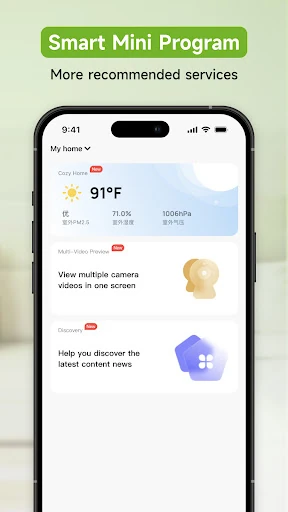
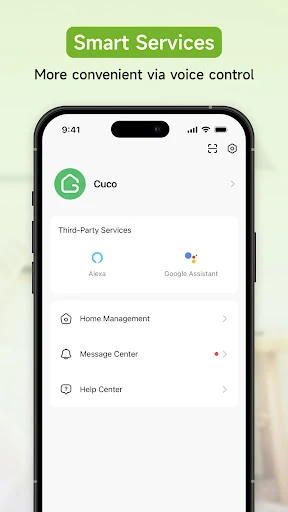
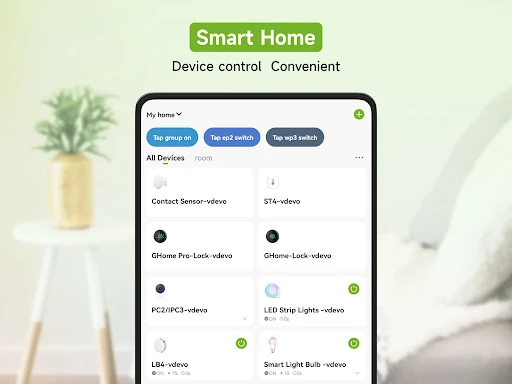
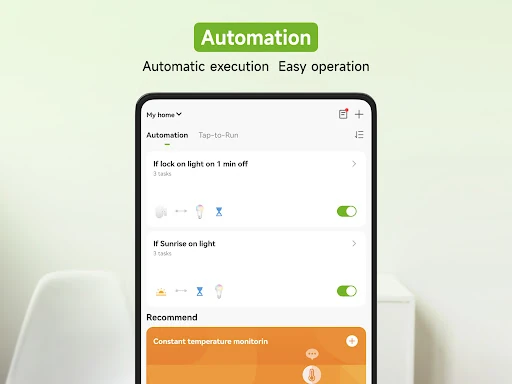
Analysis by Reviewed APKs
GHome - GHome Smart is a home-control app for people with compatible GHome and NiteBird devices. It brings appliance controls, voice-assistant support, notifications, and automatic device actions into one place. After looking at what it offers, my take is that it makes the most sense as a practical companion to an existing setup, rather than a reason on its own to buy smart-home gear. Its appeal depends on the devices you already use.
A Handier Home Routine
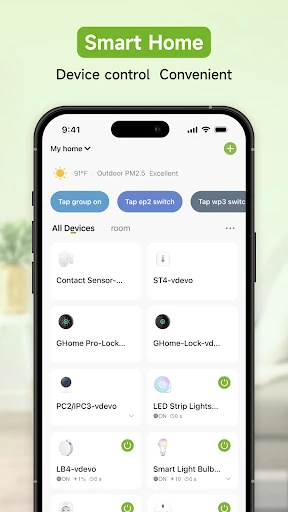
Imagine leaving home in the morning and realizing a connected appliance is still running. GHome is designed to let you control household devices remotely, so you can check in and act through the app instead of waiting until you return. I like that basic premise because it addresses a familiar, small annoyance: home controls are more useful when they are available at the moment you remember you need them.
At home, the same idea can make everyday device management less scattered. The app can add multiple appliances, giving you one place to manage supported GHome and NiteBird devices. Its notifications are intended to provide timely information about the home, while automatic actions can respond to conditions such as time, temperature, or location. That combination points toward a useful routine, not just a collection of remote-control buttons.
A Companion, Not a Whole Ecosystem
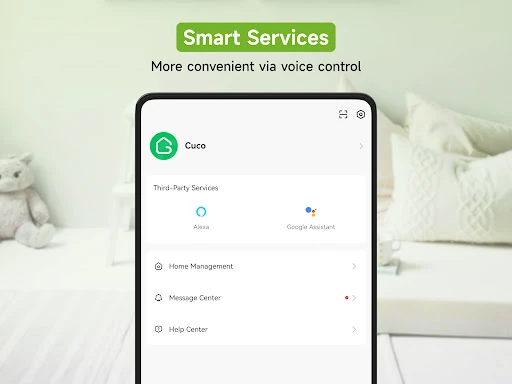
GHome is best understood as a control point for GHome and NiteBird devices. If those are already part of your household, bringing their controls into one app can be more convenient than treating each appliance as a separate task. The app also supports voice control through Amazon Echo and Google Home, which may fit naturally into a home where those assistants are already in use.
It is not a general-purpose home-management app, and it is not a substitute for compatible connected appliances. Its usefulness depends on having devices it can control, so it is a narrower choice than a tool meant to organize every part of a household. I would not choose it expecting unrelated services or features beyond device control, automation, sharing, and home notifications.
Make Small Habits Count
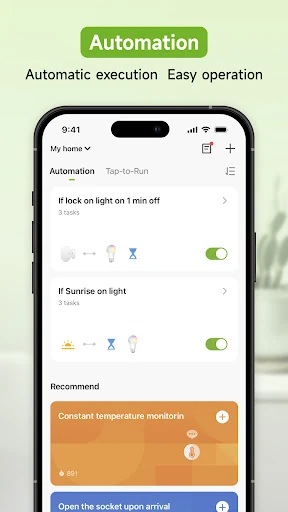
The app’s automatic linkage can be more useful when it reflects routines you already follow. Actions can be based on time, location, or temperature, so it may suit repeated moments such as arriving home or a regular point in the day. I would start with one simple, understandable routine rather than trying to automate everything at once; it is easier to see whether the behavior genuinely helps.
Sharing a device with family or friends is another practical option when more than one person needs access. Notifications can also help keep you informed without opening the app just to check in. For a smoother setup, I would add the appliances I actually use first, confirm that the controls make sense, and then explore voice control or automatic actions where they fit.
More From Our News Desk

Zoom Meetings, Google Meet, or Teams: Which Is Easiest to Join?

How I Build a Free Streaming Lineup With Tubi

Why Crunchyroll Is the Default Anime App for So Many Fans

YouTube TV: A Practical Guide to Cutting Cable

Rummikub and the Small Comfort of Phone Games

TeamViewer Remote Control or AnyDesk for Helping Family?
Who Will Find It Useful
I would recommend GHome to someone who already owns compatible GHome or NiteBird appliances and wants a single app for remote control. It is a particularly reasonable fit for households where people share access, or where voice control through Amazon Echo or Google Home is part of the routine. The app’s combination of device controls, notifications, and automatic actions gives those users several ways to make connected appliances easier to manage.
It may be a poor match if you do not have supported devices, or if you want a broad smart-home hub for products outside the GHome and NiteBird range. People who prefer to operate every appliance directly may also find little reason to add another app. I would treat the app as useful supporting software: its value comes from how well it fits the hardware and habits already in your home.
GHome - GHome Smart is a Lifestyle app from Shenzhen Gosund Technology Co., Ltd. On Google Play it has more than 1 million installs and a 3.7-star rating from about 31,600 ratings. It is free to download, and the provided store facts indicate that it contains ads. The content rating is Everyone.
The current version in the provided facts is 5.8.5. The app was released on March 19, 2019, and its last update is dated September 22, 2026. No minimum Android version is included in the available app facts, so check Google Play for the requirement for your device.
Making Connected Devices Easier to Manage
First Look and Setup
When I first opened the description of GHome, what stood out was its practical scope: control appliances, connect multiple devices, and keep home information within reach. The intended setup is centered on GHome and NiteBird products, rather than a promise to work with every smart device. That makes the first decision a straightforward one: check whether the appliances you want to manage belong in this ecosystem.
The app describes its network connection process as quick, though the real experience will naturally depend on your setup and devices. I would approach setup with the appliances I most want to control in mind, rather than adding everything at once. Once a device is connected, having its control available in the same app is the core benefit to evaluate.
Everyday Device Control
Day to day, GHome’s main job is to make supported household appliances controllable from one app, including remotely. That is a modest but useful promise: instead of needing to be beside an appliance, you can use the phone as a convenient control point. Adding several appliances can also reduce the sense that each connected item needs its own separate place in your routine.
I can see this being handy in ordinary moments, like wanting to check on a device after leaving or changing what is running at home. The app also supports notifications intended to provide real-time information about the home. Those alerts are most useful when they give you a reason to act; the description does not specify the exact events or types of notification available.
Automation and Sharing
The feature that gives GHome more than a manual-control role is intelligent linkage. Its description says devices can run automatically based on location, temperature, and time. Those triggers suggest ways to connect an appliance to a familiar routine, such as a time of day or a change in conditions, without having to operate it manually on every occasion.
Sharing a device with family and friends can make a connected appliance less tied to one person’s phone. The app also supports voice control with Amazon Echo and Google Home, which can be useful when reaching for a phone is inconvenient. I would consider these additions most valuable when they simplify an existing habit, rather than adding complexity just for the sake of automation.
A Simple Evening Check
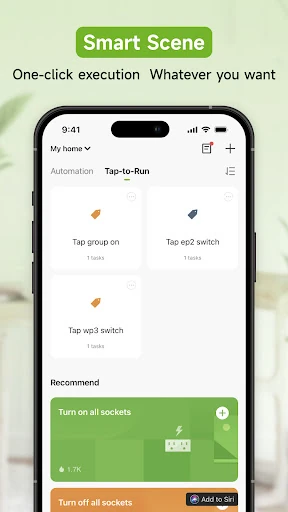
A realistic way to use GHome is to make it part of a quick evening check. I would open the app to manage the supported appliances I have added, then use any relevant notification or remote control when something needs attention. If a particular task happens at the same time each day, an automatic action based on time may be worth exploring.
For a shared household, device access can help family members use the same connected appliances, while voice control may suit moments when hands are busy. I would keep the routine focused: choose the devices that matter, use only the automatic actions that make sense, and treat the app as a convenience rather than another system that needs constant attention.
Know the Boundaries
The main limitation is compatibility. GHome’s described purpose is to control GHome and NiteBird devices, so the app is not automatically useful just because a home has connected appliances. I would verify that the devices you own are supported before building a routine around the app. Without compatible hardware, its remote controls and automation have little to work with.
There is also a practical distinction between a feature being available and it fitting every home. Location-, temperature-, and time-based actions will matter differently depending on what devices are installed and what routines the household follows. The app’s 3.7-star Google Play rating suggests a mixed overall reception, so I would keep expectations grounded and judge it by how reliably it supports your particular setup.
GHome - GHome Smart has a clear role: bring compatible GHome and NiteBird appliance controls, notifications, sharing, and some automatic behavior together. I like that it covers both hands-on remote control and routines that can respond to time, temperature, or location, while also supporting Amazon Echo and Google Home voice control.
I would try it if I already owned compatible devices and wanted a more convenient way to manage them. If my appliances were outside that ecosystem, or I wanted a broad smart-home app, I would look elsewhere. For the right household, GHome is a focused companion with useful everyday potential.
GHome Frequently Asked Questions
What is GHome - GHome Smart used for?
GHome - GHome Smart is used to control household appliances from GHome and NiteBird, including remotely. It can manage multiple appliances in one app and supports notifications, device sharing, voice control through Amazon Echo and Google Home, and automatic actions based on location, temperature, or time.
Which phones and devices can use GHome - GHome Smart?
GHome - GHome Smart is an Android app available through Google Play. It is intended to work with GHome and NiteBird devices, and it supports voice control with Amazon Echo and Google Home. Check Google Play for current device compatibility and the Android version required for your phone.
What Android version does GHome - GHome Smart require?
The Android version requirement can vary with the app and your device. Check the Google Play listing for the current requirement before installing GHome - GHome Smart, especially if you are using an older phone.
Does GHome - GHome Smart cost money?
GHome - GHome Smart is free to download, and the provided facts indicate that it contains ads and does not offer in-app purchases. Store details can change, so check Google Play for the current information before downloading.
Is GHome - GHome Smart right for my household?
It may suit your household if you have compatible GHome or NiteBird appliances and want remote controls, notifications, sharing, or supported voice control in one app. It is less suitable if you do not use those devices or want an app for a wider range of smart-home products.
Pros
- Combines controls for multiple GHome and NiteBird appliances in one app.
- Supports remote control and automatic actions based on time, location, or temperature.
- Offers device sharing, home notifications, and voice control through Amazon Echo and Google Home.
Cons
- Its usefulness depends on owning compatible GHome or NiteBird devices.
- Google Play shows a 3.7-star rating, indicating a mixed reception.
- The app contains ads.
- Category
- Lifestyle
- Version
- 5.8.5











