Gatewise Multifamily Access
- 1.55K
- 3.7
- Installs
- 500.00K
- Price
- Free

Screenshots
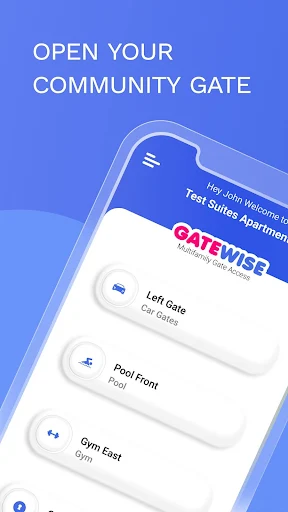

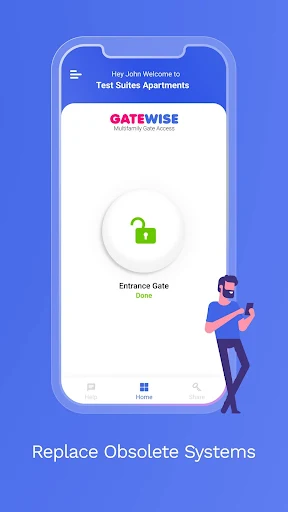
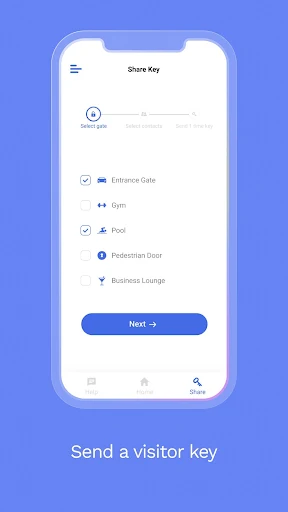
Analysis by Reviewed APKs
Gatewise Multifamily Access is for residents whose apartment community uses Gatewise to open its main gate from a phone. Its job is deliberately narrow: tap the app button instead of reaching for a clicker, key fob, or smart card. I like that clear purpose, though it also means the app’s usefulness depends on your property using the system. For the right resident, it can make arriving home a little simpler.
Coming Home With Gatewise
Picture a familiar end-of-day routine: I pull up to my apartment community, the gate is closed, and I would usually have to find a clicker or card before I could enter. With Gatewise in place at the property, the intended alternative is to open the app and tap its button to open the main gate. That is a small task, but it happens at exactly the point when I want access to be straightforward.
When I first considered the app’s job, what stood out was how little it asks me to learn. This is not a general-purpose property dashboard in the supplied description; it is a phone-based way for tenants to open the main gate. If my community already uses Gatewise, the app can take the place of carrying a separate access device for that purpose. If it does not, installing the app alone will not provide that access.
A Focused Alternative to Fobs
Gatewise makes most sense alongside the access methods it is meant to replace: clickers, key fobs, and smart cards. Rather than pulling one of those out when I reach the gate, I can use the app button. That is a practical distinction, not a promise that every step of apartment living moves onto a phone. The described job is opening the main gate, and I would judge the app by how well it serves that specific moment.
I would not treat Gatewise as a broad building-management tool or assume it handles every entrance, guest, or resident request. The available description focuses on tenants opening the main gate through the app. That makes it less relevant to someone seeking a full home automation setup or a general communication hub. It is also property-dependent: the app is useful only in the context of a community that uses Gatewise.
Make the Tap a Habit
A simple routine is likely the best way to make Gatewise useful. When I know I am heading home, I can keep the phone accessible before reaching the gate, then open the app and tap its button when needed. That is not a new feature so much as a small habit that avoids fumbling for a separate fob. It also keeps the app’s purpose clear: use it for the gate, rather than expecting it to manage unrelated parts of the property.
I would keep any existing access device close at hand until I had established that the app works for my normal arrival routine. That is sensible preparation when changing from a physical item to a phone-based method. I would also check with the property about whether Gatewise is the system residents are meant to use. The app’s value comes from matching the community’s access setup, not simply from having it installed.
More From Our News Desk

Zoom Meetings, Google Meet, or Teams: Which Is Easiest to Join?

How I Build a Free Streaming Lineup With Tubi

Why Crunchyroll Is the Default Anime App for So Many Fans

YouTube TV: A Practical Guide to Cutting Cable

Rummikub and the Small Comfort of Phone Games

TeamViewer Remote Control or AnyDesk for Helping Family?
Who Might Find It Useful
I would recommend Gatewise to a tenant whose multifamily community uses it and who would rather open the main gate with a phone than carry a clicker, key fob, or smart card. It is especially easy to understand if the main frustration is that one extra item in a pocket or bag. The app’s focused purpose is its appeal: it addresses a recurring arrival task without asking residents to learn a large collection of unrelated tools.
It may not suit someone whose property does not use Gatewise, or someone expecting an all-in-one resident portal with broad management features. Residents who prefer a physical access device may also see little reason to switch. I would first confirm with the community that Gatewise is part of its access setup, then decide whether replacing the usual gate device with a phone fits my own routine.
Gatewise Multifamily Access is published by Gatewise Incorporated and is categorized as a Tools app on Google Play. The store reports over 500,000 installs and a 3.7-star rating from about 1,500 ratings. Its content rating is Everyone. The app was released on October 5, 2018, and the listed current version is 9.0.14.
The app is free to download, with no in-app purchases or ads indicated in the supplied store facts. Its last update is dated October 6, 2026. No minimum Android version is provided in the supplied facts, so I have left that detail out rather than guess. Residents should check Google Play for device compatibility before installing.
A Small App for a Daily Arrival
A Clear First Impression
When I first opened the idea of using Gatewise, the appeal was easy to grasp: use an app button to open the main gate instead of carrying a separate access item. There is no need to learn a complicated purpose before deciding whether it fits. The key first step is not exploring a long feature list; it is finding out whether the apartment community uses Gatewise for its gate.
Setup details are not described in the supplied app information, so I would avoid assuming exactly how a resident account is created or linked to a property. In practical terms, I would confirm the community’s process and make sure the phone is ready before relying on the app for an arrival. That little bit of preparation matters more here than a flashy first-run experience.
The Everyday Gate Moment
Day to day, Gatewise is built around one repeated action: when I reach the main gate, I use the app button to open it. That narrow focus is easy to remember. I do not have to think of it as a complete digital home or a replacement for every physical key. It is a phone-based alternative to a clicker, key fob, or smart card for the gate access described.
What makes this useful is the setting. A gate is something residents may encounter on ordinary trips home, so replacing a separate item with a phone can simplify that moment. At the same time, I would keep my expectations measured. The supplied description does not explain how the app behaves in every situation, so I would follow the property’s guidance and avoid assuming more than the stated gate-opening function.
The Useful Difference
The feature that stands out is also the whole pitch: residents can tap an app button to open the main gate. It is a direct alternative to carrying and using a clicker, key fob, or smart card. I appreciate that the core use is easy to explain, because residents do not need to imagine a complicated workflow to understand why they might install it.
That clarity also helps set a sensible boundary. I would not count on Gatewise for visitor invitations, notifications, remote door access, or other functions unless the property or current store information specifically confirms them. The supplied description establishes the main-gate action, so that is the feature I can evaluate. For a resident who wants that one convenience, a focused tool may be preferable to a broader app they would rarely use.
A Practical Arrival Routine
A realistic routine might start before the drive home: I check that my phone is with me, and when I reach the community gate, I open Gatewise and tap the button. That replaces the familiar search through a bag or console for a separate access device. It is not a dramatic change, but repeated small conveniences are often the ones I notice most in a routine.
I would make the switch gradually rather than treating the app as my only option from the first day. After confirming that the property supports Gatewise, I would use it for ordinary arrivals and keep the existing fob or card available until I was comfortable with the change. This is a cautious workflow, not a claim about a backup feature in the app. The property can explain what residents should do if access does not work.
Keep Expectations Grounded
The main limitation is that Gatewise depends on the property’s access setup. A phone app cannot replace a gate system that the community does not use, and the described function is specifically about opening the main gate. That makes it less versatile than a broad resident-services app might be. I would check that the community supports Gatewise before spending time setting it up or changing how I carry access items.
There is also less to recommend if I am already happy with a physical clicker or card. Moving an established routine onto a phone only helps if the app is convenient in my circumstances. The supplied details do not spell out every compatibility or setup condition, so I would check Google Play and ask the property about practical requirements. Those are sensible checks for a property-linked access tool, not reasons to expect extra features.
Gatewise Multifamily Access has a clear, modest role: it lets tenants at participating communities use an app button to open the main gate instead of relying on a clicker, key fob, or smart card. I like the practicality of that focused idea, especially for residents who already keep a phone close at hand.
I would recommend it to residents whose property uses Gatewise and who want a simpler way to handle that regular gate-opening moment. If your community does not use it, or you expect a full suite of resident services, it is unlikely to be the right fit. Confirm the property’s setup first.
Gatewise Frequently Asked Questions
What is Gatewise Multifamily Access used for?
Gatewise Multifamily Access is for tenants in multifamily communities that use Gatewise. Its described purpose is to let a resident open the main gate by tapping a button in the app, as an alternative to using a clicker, key fob, or smart card. Check with your property to confirm whether it uses Gatewise.
What devices and platforms support Gatewise Multifamily Access?
The supplied store information describes Gatewise as an Android app on Google Play. The minimum Android version is not provided in the facts available for this review, and compatibility can vary by device. Check the Google Play store page for current device requirements before installing.
What Android version does Gatewise Multifamily Access require?
The minimum Android version is not stated in the supplied facts. Requirements can change as an app is updated, so check the current Google Play store information on your device before downloading. You can also ask your property whether it has any setup guidance for residents using Gatewise.
Does Gatewise Multifamily Access cost money?
The app is listed as free on Google Play, with no in-app purchases or ads indicated in the supplied facts. Store details can change, so it is worth checking the current Google Play page before installing. Whether your community uses Gatewise is a separate practical question to confirm with the property.
Is Gatewise Multifamily Access right for my apartment?
It may suit you if your multifamily community uses Gatewise and you want to open its main gate with a phone instead of carrying a clicker, fob, or card. It is less useful if your property does not use the system or you want a broad resident-services app. Ask your property about its access setup.
Pros
- Replaces a separate clicker, key fob, or smart card for the described main-gate task.
- The core action is simple to understand: tap the app button to open the gate.
- Free to download, with no in-app purchases or ads indicated in the supplied facts.
Cons
- Useful only when the resident’s multifamily community uses Gatewise for gate access.
- The supplied description focuses on the main gate, not a broader set of resident services.
- The minimum Android requirement is not included in the supplied facts.
- Category
- Tools
- Version
- 9.0.14











