Fun Print
- 18.23K
- 3.9
- Installs
- 10.00M
- Price
- Free
Screenshots
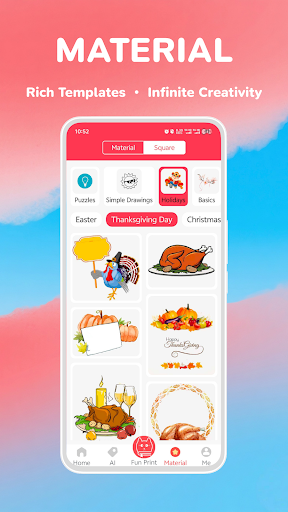
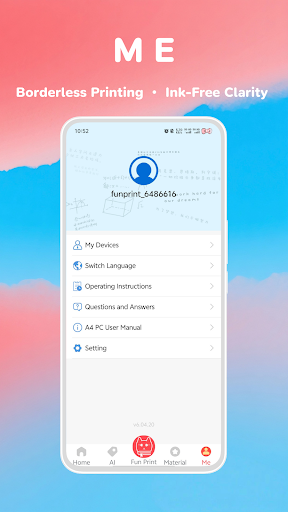
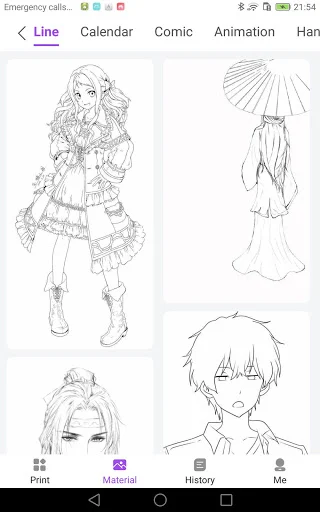
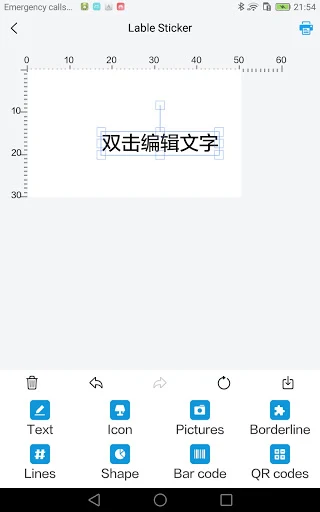
Analysis by Reviewed APKs
Fun Print is a companion app for a small pocket printer, built around turning photos, notes and lists into paper you can stick somewhere or share. It suits people who like quick labels, reminders and little printed keepsakes more than anyone seeking a full photo-printing service. I like the range of simple jobs it covers, though its appeal depends on having a compatible printer and paper rolls.
A Note You Can Hold
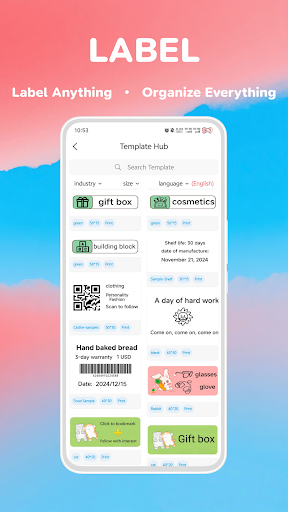
Imagine planning a busy Saturday and wanting the grocery list somewhere more visible than your phone. With Fun Print, I could prepare a to-do list or memo, then print it on a small roll for the fridge or a notebook. The same basic flow could turn a photo into a little sticker or print a short message for someone. It is a practical, tangible alternative to leaving every reminder buried in an app.
The app also makes room for less routine moments. I could picture printing a snapshot after a family gathering, using a banner for an event, or keeping a small note beside a project I am working on. Those are modest jobs, not elaborate scrapbooking projects, and that is part of the attraction. Fun Print aims to move small bits of information and images from the phone onto paper without making each one a major production.
A Pocket Printer Companion
Fun Print makes most sense alongside its small mobile pocket printer. Rather than sending an order to a commercial photo lab or arranging delivery, the idea is to pair a nearby printer over Bluetooth and print on supported rolls, including post-it and sticker paper. The app describes QR-code scanning as the pairing method. That points to quick, personal output rather than large prints or a polished album of professional photo products.
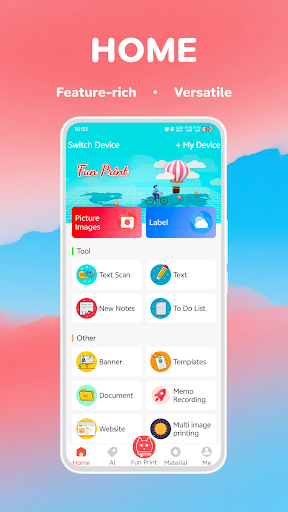
It is also not a general-purpose printer driver or a replacement for a full design suite. The listed jobs are focused: text, memos, to-do lists, photos, web content and banners. I would choose it for a label, a reminder, or a small keepsake, not for high-resolution wall art or documents where precise formatting matters. The printer and paper format are central to the experience, so this is a specialized tool rather than a standalone printing service.
Small Habits That Help
I would get the most from Fun Print by deciding what deserves a physical reminder before opening the app. A short shopping list, a one-line note, or a label for a box is easier to use when it stays concise. For photos, choosing a clear image before printing helps keep the result purposeful, especially when the goal is a small sticker rather than a large display.
It can also slot into a few repeatable routines. I might print a to-do list at the start of a project, keep a memo near the place where I need it, or make a small banner for an occasion. Having different paper rolls available gives those jobs distinct uses. I would treat the app as a quick output step, not a place to build a complicated collection of designs.
More From Our News Desk

Zoom Meetings, Google Meet, or Teams: Which Is Easiest to Join?

How I Build a Free Streaming Lineup With Tubi

Why Crunchyroll Is the Default Anime App for So Many Fans

YouTube TV: A Practical Guide to Cutting Cable

Rummikub and the Small Comfort of Phone Games

TeamViewer Remote Control or AnyDesk for Helping Family?
Who Will Enjoy Fun Print
I would recommend Fun Print to people who already have, or are considering, a compatible pocket printer and want an approachable way to print small items from a phone. Its mix of photos, memos, lists, stickers and banners gives it more everyday uses than a photo-only companion. Parents, students, hobbyists and anyone who likes a visible paper reminder may find that kind of quick output genuinely handy.
It may be a poor fit if you do not want a dedicated printer, expect large or high-detail photo prints, or mainly need conventional office documents. The app's job is deliberately small-scale, and the paper rolls shape what it can do. I would also think about whether I actually use printed notes or stickers in daily life; if everything stays digital for you, the printer-centered workflow may feel like extra effort.
Fun Print is an Android Tools app from yintibao. Google Play shows more than 10 million installs and a 3.9-star rating from about 18,000 ratings. It is free to download, and the provided store details say it contains no ads and offers no in-app purchases. Its content rating is Everyone, which fits an app focused on everyday printing tasks.
The supplied app details give version 8.10.14, a release date of November 5, 2021, and a last update date of October 14, 2026. Fun Print is for Android, but the minimum Android version is not included in the available details. Device requirements can change between releases, so it is sensible to check the Google Play page for compatibility with a particular phone.
Making Small Prints Part of the Day
First Look and Setup
When I first opened Fun Print, the central idea was easy to understand: choose a small thing from the phone and send it to a pocket printer. The feature list covers photos, text, memos, lists and banners, so it is clear this is not only for snapshots. That focus makes the app feel approachable, especially if what I want is a quick paper reminder rather than an involved design session.
The setup depends on pairing the app with its printer. Fun Print describes Bluetooth pairing through QR-code scanning, which gives the process a concrete starting point instead of asking me to hunt through a broad list of devices. I would make sure the printer is nearby and ready before beginning. The app is a companion to that hardware, so installing it alone does not provide a way to print.
Everyday Printing
For daily use, the most appealing jobs are the ones that benefit from being seen or handled: a short to-do list, a reminder, a note, or a label-like sticker. I can imagine printing a list before leaving home and placing it where I will notice it. That small change matters more than it sounds; a physical slip can be easier to spot than a phone notification when the phone is in another room.
Photos make the experience more personal. Instead of leaving a favorite moment only in a camera roll, I could print it on sticker paper or keep it with a note. I would still think of the output as a small memento rather than a conventional photo print. The app's stated emphasis on post-it, sticker and other paper types gives the physical format a role in deciding what to print.
More Than Photos
What surprised me about the feature mix is how many jobs are text-first. Fun Print includes printing memos, text and to-do lists, alongside photos and an image box. That makes it useful for small bits of organization as well as keepsakes. A person could use the same printer for a note on a desk one day and a tiny image for a journal the next.
The app also names mini fax, small words, web surfing and printing, and banner printing among its features. Those options suggest a broader collection of quick print tasks than a basic photo button. I would not assume every source or layout will suit every paper roll, but the range gives users several starting points. The available paper types include post-it, sticker and standard sticker rolls.
A Simple Weekly Routine
One routine I would try is a short planning session at the start of the week. I could make a to-do list in the app, print it, and put it where I tend to check plans. For a separate task, I might print a brief memo or small label when organizing a drawer or a project. Keeping the output tied to an immediate use helps avoid printing notes that will be ignored.
For social occasions, a small printed banner or photo could add a personal touch without requiring a large project. The app describes printing images and banners, and it supports different paper rolls, so I would choose the format around the intended use. A sticker is suited to something that can be attached; a memo makes more sense as a reminder. That simple distinction makes the app easier to fold into ordinary habits.
Keep the Scope in Mind
Fun Print's biggest limitation is also its defining choice: it is built around a small pocket printer and compact paper. That is convenient for notes and stickers, but it is not the right tool when I need a full-size page or a large photo. The output format narrows the kinds of tasks that make sense, so expectations matter more than a long feature list.
I would also keep the workflow simple. The app describes quick Bluetooth pairing and fast printing, but the actual usefulness still depends on the printer and the paper roll available for the job. I would check that the intended paper type fits what I have before relying on it for an event or an important reminder. For occasional small prints, that is a manageable trade-off; for frequent large jobs, another approach is more appropriate.
Fun Print has a clear purpose: it helps turn phone-based photos and everyday text into small physical prints with a pocket printer. I like that it covers useful basics such as memos and lists as well as stickers and banners. Its best moments are likely to be simple ones, when a printed reminder or keepsake is more useful than another item on a screen.
I would try it if I already use a compatible printer or have a clear reason to buy one. If I want conventional photo prints, large documents or a printer-free app, I would look elsewhere. For the right hardware and modest jobs, Fun Print offers a practical little bridge between phone and paper.
Fun Print Frequently Asked Questions
What is Fun Print used for?
Fun Print is a companion app for printing small items with a pocket printer. Its described uses include printing photos, memos, text, to-do lists, web content and banners on paper such as post-it and sticker rolls. It is aimed at quick, compact prints and reminders rather than large-format photo output.
Which devices can run Fun Print?
Fun Print is an Android app and is available through Google Play. Its described printing workflow uses Bluetooth pairing with a small mobile pocket printer, with QR-code scanning for pairing. The minimum Android version can vary by release, so check the Google Play page to see whether it supports your particular device.
What Android version does Fun Print require?
The minimum Android version is not included in the available app details, and compatibility can vary as the app is updated. Check Fun Print's Google Play page before installing it on an older phone. You will also need the compatible pocket printer for the app's printing functions.
Does Fun Print cost money?
Fun Print is free to download on Google Play. The supplied details say it has no in-app purchases and contains no ads. A compatible pocket printer and suitable paper rolls are part of the described printing setup, so check the store and product details for anything you may need for your particular printing plans.
Is Fun Print a good fit for me?
It may suit you if you want to print small photos, notes, lists, stickers or banners and have access to a compatible pocket printer. It is less suited to large prints or people who prefer to keep everything digital. The Google Play content rating is Everyone; whether the workflow fits your needs depends on the printer and paper types you use.
Pros
- Handles practical prints like memos and to-do lists as well as photos.
- Supports post-it, sticker, standard sticker and other paper types.
- Bluetooth pairing is described as using QR-code scanning.
- Free to download, with no ads or in-app purchases.
Cons
- Printing depends on having a compatible pocket printer.
- Small paper formats limit its usefulness for large photos and documents.
- Its best uses may feel narrow if you prefer digital reminders.
- Category
- Tools
- Version
- 8.10.14











