Frontier Airlines
- 224.46K
- 4.7
- Installs
- 5.00M
- Price
- Free

Screenshots
Analysis by Reviewed APKs
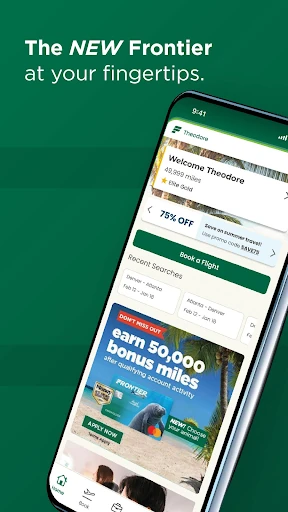
Frontier Airlines is a travel app for planning flights, managing a trip, and handling useful airport tasks from an Android phone. I’d recommend it to people flying with Frontier who want their booking, seat choices, bags, and flight details in one place. Its appeal is practical rather than broad: it focuses on the airline’s own trips, and it can cover much of the planning and check-in routine without switching tools.
From Search to Boarding
When I’m planning a trip, I like to get the basic decisions out of the way before the airport rush: where I’m going, which flight works, and what I need to bring. Frontier’s app brings flight search and booking together with options to choose a seat, add bags, or select other extras. That makes it useful for sorting out the trip on a phone instead of having to handle each choice separately.
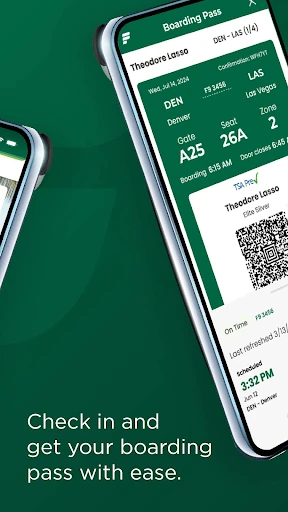
On travel day, the focus shifts to the upcoming trip. I can use the app to review its details and check flight status, including departure and arrival times and gate information. If I’m checking a bag, the app also describes a fast checked-bag drop option; traveling without checked bags can mean going straight to the gate. The app therefore follows the trip from initial planning through a few key airport steps.
An Airline-Specific Travel Tool
The main alternative is usually a general travel app or a browser search, particularly when I’m comparing different airlines. Frontier’s app is narrower by design: it handles Frontier flights and adds airline-specific trip management, seat selection, and bag options. Once I’ve decided to travel with Frontier, keeping these tasks in one place is convenient. For comparing a wider range of carriers, I’d use a broader search tool instead.
I wouldn’t treat this as a complete travel planner for every part of a trip. Its listed tools center on flights, trips, airport information, and Frontier’s own miles and fare offerings. It isn’t presented as a way to book hotels, plan sightseeing, or manage transportation at the destination. That clear focus is helpful if I know which airline I’m using, but it makes the app less relevant for travelers who want one hub for an entire vacation.
Keep Trip Details Handy
A simple habit that makes the app more useful is checking the trip details before leaving home. I can review the flight information, confirm my seat choice, and make sure the bags or other options I need have been added. That small check is easier to do while I still have time to think than while standing in an airport queue. The app’s trip-management features give me a natural place to do it.
I’d also make a point of checking flight status when travel day arrives, since the app includes departure time, arrival time, and gate information. If I take Frontier regularly, joining Frontier Miles is another option to consider: the app supports earning miles and elite status points, as well as using miles for award travel. These are practical habits, not extra chores; they help keep the trip’s important details close at hand.
More From Our News Desk

Zoom Meetings, Google Meet, or Teams: Which Is Easiest to Join?

How I Build a Free Streaming Lineup With Tubi

Why Crunchyroll Is the Default Anime App for So Many Fans

YouTube TV: A Practical Guide to Cutting Cable

Rummikub and the Small Comfort of Phone Games

TeamViewer Remote Control or AnyDesk for Helping Family?
Who Will Find It Useful
I’d recommend Frontier Airlines to people who already fly with Frontier or are considering booking a Frontier trip. The app puts flight search, booking, upcoming trip management, and flight-status details together. It’s especially handy if you prefer sorting out seat selection and bag choices on your phone, then checking the flight and gate information as the departure gets closer.
It may not suit someone looking for a carrier-neutral travel organizer or a way to compare all airlines in one place. The features described are tied to Frontier’s flights, trip options, and loyalty program. If you rarely fly with Frontier, there may be little reason to keep this particular airline app in your routine. For regular or occasional Frontier passengers, though, its focused set of travel tasks can earn a place on the phone.
Frontier Airlines is developed by Frontier Airlines and is listed in Google Play’s Travel & Local category. The app is free to install, has more than 5 million installs, and holds a 4.7-star rating from about 224,000 ratings. Its content rating is Everyone. These figures offer a quick sense of its reach, while the practical value will depend on whether you use Frontier for your flights.
The listed Android app version is 3.8.3 Build-1119. Its release date is October 21, 2015, and its most recent update is dated October 31, 2026. The app is marked as containing no ads and offering no in-app purchases. Android version requirements can vary with app updates and devices, so it’s worth checking Google Play for compatibility with your phone.
A Closer Look at the Travel Routine
A Focused First Impression
When I first opened Frontier Airlines, the clearest impression was its single purpose: helping with Frontier travel. Rather than trying to be a general-purpose trip organizer, it brings together flight booking and the tasks associated with an upcoming airline trip. That makes the app’s role easy to understand, especially if I already know I’m flying with Frontier.
I’d start by searching for a flight or opening an upcoming trip, depending on where I am in the planning process. From there, the listed features cover several decisions travelers often need to make, including a seat choice and baggage options. It is a useful starting point for getting the travel details into one place, without pretending to cover every part of a holiday.
Useful Between Booking and Takeoff
Day to day, the app’s value is less about browsing and more about having trip information ready when I need it. I can view and manage upcoming trips, then check the flight’s departure time, arrival time, and gate information. That can be more convenient than searching through messages or reopening a separate browser page while getting ready to leave.
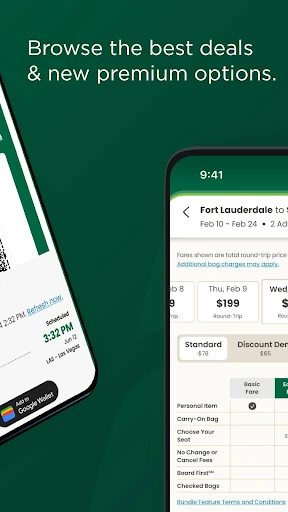
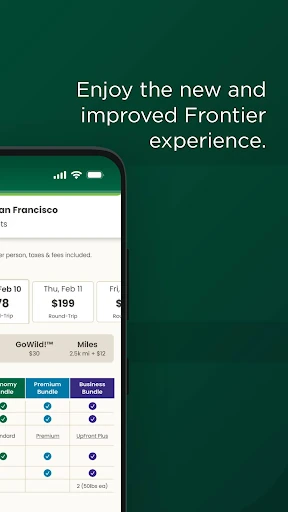
I also like that the trip-management side connects to choices made during booking. The app supports upgrading to UpFront Plus, Premium, or Preferred, or choosing a standard seat. It also lets travelers add bags, bundles, priority boarding, or other options. Those are concrete tasks I can handle as part of the same airline trip, although they remain specific to Frontier.
Miles and Fare Options
Frontier Miles is one of the features that gives the app a role beyond booking a single flight. Travelers can join the program, earn miles and elite status points, and use miles to book award travel. If I fly with Frontier repeatedly, having those options alongside my trips may make it easier to keep the airline’s travel activity together.
The app also includes a way to join Discount Den, which offers access to the airline’s lowest fares and exclusive savings and offers, including Kids Fly Free with restrictions. I’d treat this as an optional fare program to consider rather than a feature every traveler needs. The app provides access to it, but the core flight and trip tools do not require making it the center of the experience.
A Simple Travel-Day Routine
For a practical routine, I’d use the app in three passes. While planning, I’d search and book the flight, then settle the seat and baggage choices. Before travel day, I’d open the trip again to confirm its details. When it’s time to head out, I’d check the flight status and gate information. This makes the app useful at several points without requiring constant attention.
The airport options also make the bag decision worth reviewing in advance. The app describes fast checked-bag drop for travelers checking luggage, and a direct route to the gate for those without checked bags. I’d use those details as a prompt to know which path applies to my trip. The benefit is practical: fewer last-minute decisions about what to do once I arrive.
Keep the Scope in Mind
The main limitation is also the app’s defining boundary: it is for Frontier Airlines. Its booking, trip, seat, baggage, and miles features are useful within that airline’s travel system, but they don’t make it a broad travel comparison or destination-planning app. Travelers who are still deciding between carriers may need another tool for that part of the process.
There is also a difference between the app’s flight-management features and the wider experience of traveling. It can show flight status and trip details, but the listed tools do not cover every need at an airport or destination. I’d use it as a companion for Frontier-specific tasks, while keeping expectations focused on the booking and flight journey it is designed to support.
Frontier Airlines makes the most sense when I have a Frontier flight to plan or manage. Its combination of booking, trip details, seat and baggage choices, flight status, and miles features covers a useful stretch of the travel routine. I appreciate the focused approach, though it won’t replace a general travel app for comparing airlines or organizing a whole vacation.
If you fly Frontier, I’d recommend giving the app a try as a practical place to handle airline-specific details before and during a trip. If you rarely use the carrier, its narrower focus may not justify a regular spot on your phone. Either way, its strongest use is straightforward: keeping Frontier flight tasks close at hand.
Frontier Airlines Frequently Asked Questions
What is Frontier Airlines used for?
Frontier Airlines is used to search and book flights, view and manage upcoming trips, and check flight status details such as departure time, arrival time, and gate information. It also supports seat and baggage choices, Frontier Miles features, award travel, and joining Discount Den. Its tools focus on travel with Frontier.
Which phones and platforms support Frontier Airlines?
Frontier Airlines is an Android app available through Google Play. The supplied app information does not give a specific minimum Android version, and compatibility can depend on the device and app updates. Check Google Play for the current requirements before installing it on a particular phone.
Does Frontier Airlines cost anything?
The app is free to install, and the supplied information says it has no in-app purchases. Booking flights and choosing travel options are among its features, but the cost of travel or any airline options can vary. Check the app or Google Play for current details before making a decision.
What Android version does Frontier Airlines require?
A minimum Android version is not provided in the app details here. Requirements can change as the app is updated and may depend on the phone. I’d check the Frontier Airlines page in Google Play for the current compatibility information before installing.
Is Frontier Airlines a good fit for every traveler?
It is most useful for people booking or managing Frontier flights, especially those who want trip, seat, baggage, and flight-status details together. It may be less useful if you want to compare multiple airlines or organize a whole vacation in one app. Its features are centered on Frontier travel.
Pros
- Combines Frontier flight booking with upcoming trip management.
- Includes flight status details such as times and gate information.
- Supports seat, baggage, and priority boarding choices.
- Offers access to Frontier Miles and award travel features.
Cons
- Its travel tools are focused on Frontier rather than multiple airlines.
- It does not cover broader destination planning such as hotels or sightseeing.
- Some fare and travel options may require separate consideration.
- Category
- Travel & Local
- Version
- 3.8.3 Build-1119











