FL Studio Mobile
- 42.42K
- 4
- Installs
- 1.00M
- Price
- $14.99
Screenshots
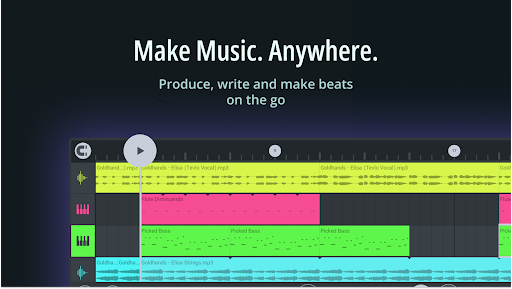
Analysis by Reviewed APKs
FL Studio Mobile is a music-making app for building beats, writing melodies, recording audio and mixing tracks on a phone, tablet or Chromebook. It suits anyone who wants to sketch ideas away from a computer, from curious beginners to producers already familiar with FL Studio. I like how much room it gives a small-screen workflow, though its many creative options mean it rewards patience more than casual tapping.
A Beat Between Errands
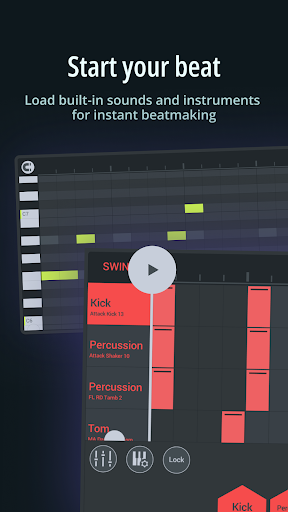
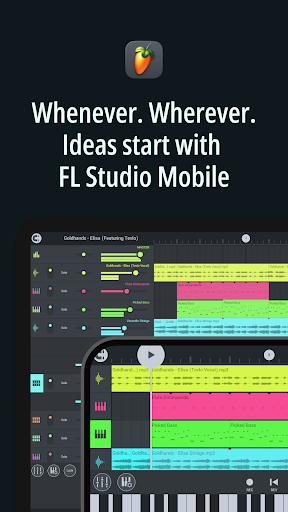
When I first opened FL Studio Mobile, I imagined using it in the small gaps that rarely feel long enough for a full desktop session: a quiet half hour at home, or a melody idea that arrives while I am away from my main setup. I can start with one of the included sounds, tap notes into the Piano Roll, and shape a simple pattern into the beginnings of a track without needing to wait until I am back at a computer.
The practical appeal is that a rough idea does not have to stay rough. I can adjust note pitch, length and velocity, then add a bass or drum part and balance tracks in the mixer. If a vocal or instrument would help, audio recording is available too. This is a flexible place to capture and develop a song sketch, rather than a tool that requires every decision to be made before the first note.
A Studio, Not a Shortcut
Compared with a simple beat pad or a basic voice recorder, FL Studio Mobile is aimed at arranging and producing a whole piece. Its instruments, Piano Roll, effects and mixer give me more ways to shape a track than a quick loop-making tool usually does. It can also export projects as .flp files for continued work in FL Studio Desktop, or produce common audio and MIDI formats for use elsewhere.
That breadth is useful, but it also makes the app a different proposition from a one-button music toy. I would not choose it just to play a few sounds casually or to avoid learning any production concepts. There are plenty of controls to explore, and a phone screen can feel busy when a project gets involved. It is better suited to people willing to build a workflow than to someone looking for automatic finished songs.
Small Habits, Better Sessions
I find it easier to get somewhere when I give each short session one job. I might sketch a chord progression first, then return to add drums or test a bass sound. The Chords Keyboard can help build harmonies, while the Piano Roll provides more direct control over individual notes. Keeping the goal narrow makes the many instruments and sounds feel like choices rather than a wall of options.
A useful habit is to save a mobile project for later desktop work when I want a larger setup, rather than treating every phone session as a final mix. The app supports .flp export, audio formats including WAV and MP3, and MIDI. I can also transfer projects between devices on the same network. Those options make it easier to fit a quick sketch into a broader music-making routine.
More From Our News Desk

Zoom Meetings, Google Meet, or Teams: Which Is Easiest to Join?

How I Build a Free Streaming Lineup With Tubi

Why Crunchyroll Is the Default Anime App for So Many Fans

YouTube TV: A Practical Guide to Cutting Cable

Rummikub and the Small Comfort of Phone Games

TeamViewer Remote Control or AnyDesk for Helping Family?
Who Will Enjoy Making Music
I would recommend FL Studio Mobile to people who want to compose, make beats or develop production ideas when a computer is not handy. It has enough instruments, sounds and effects to support experimentation, plus recording and mixing tools for building a more complete track. Existing FL Studio Desktop users may appreciate being able to export a mobile project as an .flp file and carry the work forward.
It may be less appealing if you only want a very simple, guided music app or find detailed editing awkward on a small screen. Beginners can explore it, but should expect to spend time learning how the parts fit together. People who prefer working with a MIDI controller or USB audio interface can connect compatible equipment, while those who want only quick casual playback may not need this much production control.
FL Studio Mobile is made by Image-Line and is in the Music & Audio category on Google Play. It has over one million installs and a 4.0-star rating from around 42,000 ratings. The app is rated Everyone. Its listed version is 5.0.4, and its release date is April 17, 2013.
The app costs $14.99 and offers in-app purchases priced from $0.99 to $29.99 per item. It does not contain ads. The listed last update date is November 2, 2026. The provided app details do not specify a minimum Android version, so check the Google Play page on your device for compatibility.
Making Room for Mobile Music
A Busy First Look
My first impression is that FL Studio Mobile is built for doing real arranging, not just triggering a few loops. There are instruments, sounds, editing controls and mixing tools to explore, so I would take a little time to get comfortable rather than expect everything to be obvious at once. The interface is configurable for different screen sizes, which helps it make sense across phones, tablets and Chromebooks.
A good starting point is to choose a sound and make a short musical idea before browsing every available option. The app includes a virtual piano keyboard and drumpads, so I can begin by playing or tapping in a part. If I already have a compatible MIDI controller, the app supports connecting one wirelessly or by cable. That gives the initial setup room to grow as my needs change.
Building Tracks Day to Day
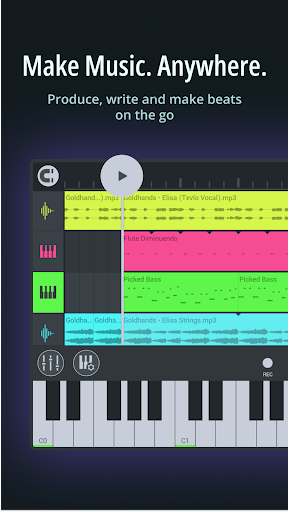
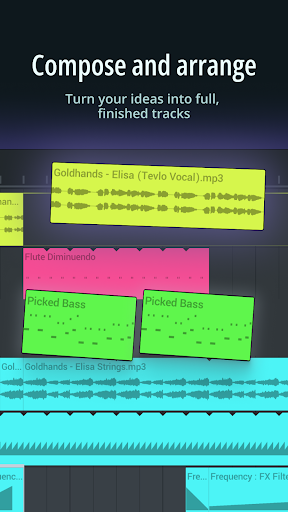
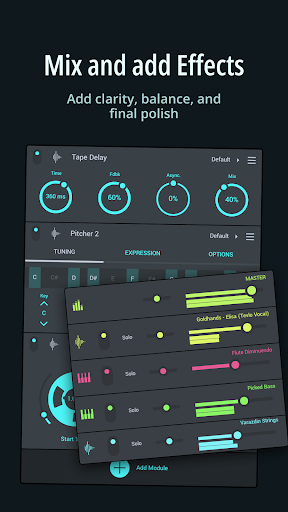
The core workflow combines composing, arranging and mixing. I can place notes in the Piano Roll and adjust their pitch, length and velocity, then use mixer controls to change track volume, pan, mute or solo. Those are useful, practical controls: they let me hear one layer in isolation, adjust its place in the mix and bring it back without rebuilding the arrangement.
For sound design, the app includes eight instruments and more than 1,000 sounds, spanning categories such as basses, keys, bells, pads and leads. Effects include options such as reverb, delay, distortion and EQ. That range gives a melody or beat several possible directions, though I would still make choices deliberately. A large library is most helpful when I know whether a part needs to be brighter, heavier or more spacious.
Tools Beyond the Piano Roll
Audio recording makes the app more than a place for programmed notes. I can record vocals or real instruments and arrange those recordings in a track, and the app supports connecting a USB audio interface for recording and monitoring. Pitcher 2 can help keep recorded vocals in tune or transform a voice in real time. These tools open up options for adding a human performance to a beat rather than relying only on built-in instruments.
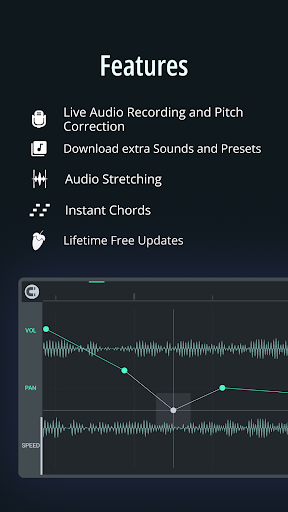
I also like the idea of recording or drawing automation for controls such as volume, panning and filters. That gives a track movement over time instead of leaving every setting static. For melodic writing, the Chords Keyboard can help put harmonies and progressions together. It is a useful alternative when I have a musical direction in mind but would rather work with chord shapes than enter every note from scratch.
There are practical checking tools as well: a tuner, spectrum analyzer, oscilloscope, LUFS and TruePeak analysis. I would treat those as ways to inspect a mix, not as automatic answers to every sound decision. The effects and analysis options are part of what makes the app feel like a production workspace, with tools for both creative changes and closer listening.
A Sketch-to-Desktop Routine
A realistic routine might begin with a short idea on a phone: tap in a chord progression, find a drum sound, and add a bass line while the concept is still fresh. I can then record a vocal or instrument if it belongs in the sketch, and use the mixer to make the layers audible together. Keeping that first pass focused helps me avoid spending the whole session comparing sounds before there is a song idea to support them.
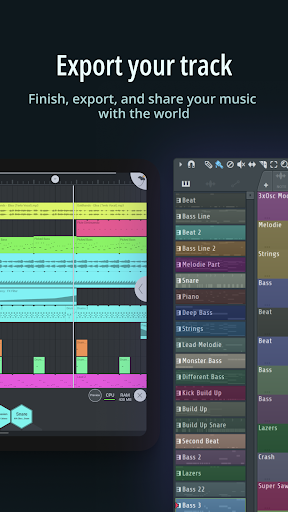
When the sketch is ready for more work, exporting it as an .flp file gives me a path to continue in FL Studio Desktop. If I want to use the result in another workflow, I can export audio as WAV, MP3, AAC or FLAC, or export MIDI. Project transfer between devices on the same network is another option, which can help when I move between mobile devices during a session.
Keep the Scope in Mind
The biggest consideration is complexity. FL Studio Mobile has enough instruments, effects, recording options and analysis tools to take time to learn. On a small phone display, detailed note editing or mixing may feel less comfortable than on a tablet or desktop, especially once a project has several parts. A configurable interface and support for external controllers can help, but they do not make the app a minimal, hands-off music maker.
The purchase price is another practical point: this is a paid app, with additional in-app purchases available. If I am unsure whether I will use a full production workflow, it is worth considering how often I actually want to compose or mix on a mobile device. For someone who regularly makes music, the range of included tools may justify the commitment; for occasional dabbling, a simpler option could be easier to approach.
FL Studio Mobile is a capable mobile production workspace for turning a passing melody or beat into a more developed project. I especially like the combination of note editing, built-in sounds, recording, effects and export choices. It asks for some patience, but the depth is the point: this is more than a quick musical doodle app.
I would recommend it to aspiring and experienced producers who want to write or arrange away from a computer, particularly if they may continue projects in FL Studio Desktop. If you want a very simple experience or rarely make music, its range may be more than you need. For a committed mobile workflow, it offers plenty to explore.
FL Studio Mobile Frequently Asked Questions
What is FL Studio Mobile used for?
FL Studio Mobile is for making music on a phone, tablet or Chromebook. You can compose notes in the Piano Roll, build beats with included sounds and instruments, record vocals or instruments, apply effects, mix tracks and export projects or audio. It is designed for music production rather than simply listening to finished songs.
Which devices can run FL Studio Mobile?
The app is described for phones, tablets and Chromebooks, and its interface can be configured for different screen sizes. Google Play is the relevant store for the Android version. Device compatibility can depend on the Android version and hardware, so check the Google Play page for your device before installing.
What Android version does FL Studio Mobile require?
The provided app details do not give a minimum Android version. Requirements can vary as the app and devices change, so check the Google Play page for the current compatibility information for your phone, tablet or Chromebook.
How much does FL Studio Mobile cost?
FL Studio Mobile is listed at $14.99 and also offers in-app purchases priced from $0.99 to $29.99 per item. It does not contain ads. Prices and purchase details may vary by region or change over time, so check Google Play for the current amount shown to you.
Is FL Studio Mobile suitable for beginners?
It can suit beginners who are interested in learning music production, since it includes instruments, sounds, note editing, effects and mixing tools. There is plenty to explore, so it may feel involved if you want a simple, guided experience. People who already produce music may find its recording and export options especially useful.
Pros
- Large sound library and eight instruments give beat sketches plenty of starting points.
- Piano Roll, mixer and effects support detailed composition and track shaping.
- Recording, MIDI support and several export formats fit different production workflows.
- Projects can move between mobile devices or continue in FL Studio Desktop.
Cons
- The number of tools and controls can take time to learn.
- Detailed editing may feel cramped on a phone compared with a larger screen.
- The app has an upfront price and offers additional in-app purchases.
- Category
- Music & Audio
- Version
- 5.0.4











