Firefox Fast & Private Browser
- 6.56M
- 4.6
- Installs
- 500.00M
- Price
- Free

Screenshots


Analysis by Reviewed APKs
Firefox Fast & Private Browser is Mozilla’s mobile browser for everyday web use, with tracker blocking, private tabs, and options to tailor how pages and searches work. I’d recommend it to people who want more control over browsing without giving up familiar tools like bookmarks, password autofill, and device syncing. After spending time with its features, my overall impression is of a capable, privacy-minded browser that still feels practical for ordinary routines.
A calmer daily browsing routine
When I first opened Firefox, I pictured an ordinary day of quick web searches, checking a few articles, and returning to a page I had left in another tab. That is where its core job becomes clear: this is a general-purpose browser, with protections that work in the background while I move around the web. Tracker blocking is built in, and the browser can keep tabs and bookmarks available across devices when sync is set up.
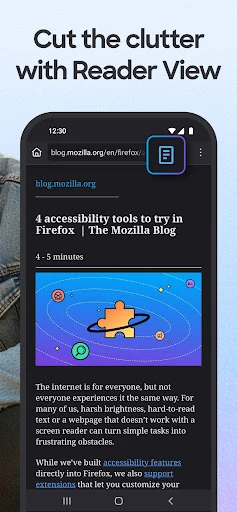
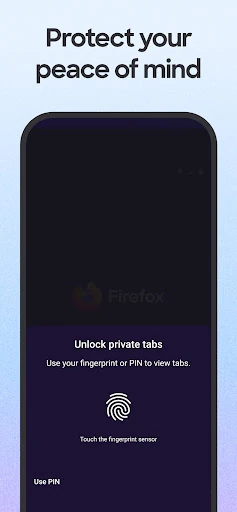
For a more focused moment, I can open an article in Reader View to strip away surrounding clutter, or use private browsing when I don’t want the browser to save that session’s history, searches, or cookies. Private tabs can also be locked with device security. Those options make sense for small, everyday situations, such as reading during a commute or using a shared screen, without turning the browser into a complicated privacy dashboard.
Browser, not a privacy cure-all
Compared with a basic browser that offers few visible controls, Firefox puts tracker protection, private tabs, extensions, and browser customization in one place. It also has familiar everyday tools, including password storage and autofill, tab organization, and syncing. I like that privacy is part of the normal browsing experience rather than a separate mode I have to remember to turn on every time I visit a site.
Firefox is still a web browser, not a substitute for careful choices about what I share online or a promise that every site will behave the same way. Private browsing prevents the browser from saving specified activity locally, but it is not the same thing as making all online activity invisible. Someone looking for a dedicated search app or a specialized work tool may prefer a narrower product; Firefox is for opening and managing the wider web.
Small habits that help
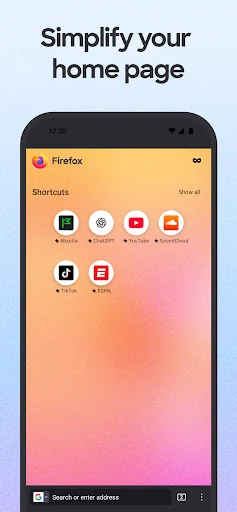
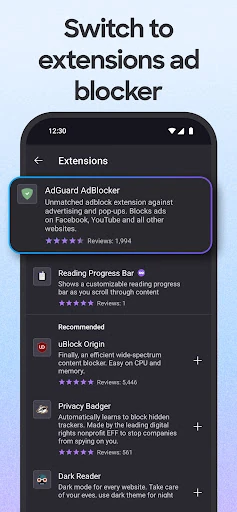
I get more from Firefox when I make a few choices early: select a preferred search engine, arrange the home screen and shortcuts, and move the search bar to a comfortable spot. If I use extensions, I can add ones that suit my browsing, including ad blockers. These are optional adjustments, not prerequisites, so someone who wants to start browsing immediately can keep the setup simple and revisit customization later.
A useful routine is to keep ordinary tabs for pages I plan to revisit, use private tabs for sessions I don’t want saved in browser history, and turn to Reader View when an article feels crowded. Sync can help when I switch between devices, while password autofill reduces repeated typing. The point is not to use every feature at once; choosing the few that fit my habits keeps the browser manageable.
More From Our News Desk

Zoom Meetings, Google Meet, or Teams: Which Is Easiest to Join?

How I Build a Free Streaming Lineup With Tubi

Why Crunchyroll Is the Default Anime App for So Many Fans

YouTube TV: A Practical Guide to Cutting Cable

Rummikub and the Small Comfort of Phone Games

TeamViewer Remote Control or AnyDesk for Helping Family?
Who may enjoy Firefox
I’d recommend Firefox to people who browse on their phone every day and want built-in tracker blocking alongside familiar browser essentials. It should also suit readers who like a cleaner article view, people who want private tabs, and anyone who values choosing a search engine or adding extensions. The combination feels useful for a mix of quick searches, longer reading, and returning to open pages on another device.
It may be less appealing to someone who wants a browser with no settings to consider, or whose main need is a specialized app rather than general web access. Firefox offers several ways to personalize the experience, which is welcome if I want control but can feel like extra choice if I only want the most basic setup. I’d also keep in mind that private browsing has a specific scope: it stops the browser saving certain local activity, not every possible trace of online use.
Firefox Fast & Private Browser is developed by Mozilla and is free on Google Play. The app has over 500 million installs and a 4.6-star rating from around 6.6 million ratings. Its content rating is Everyone. Mozilla’s browser has been available since December 21, 2010, giving it a long history as a mobile browsing option.
The supplied app details identify version 159.0 and give October 22, 2026 as the last update date. The app is marked as free, with no in-app purchases and no ads. An Android minimum version is not included in the available facts, so it is worth checking the Google Play details for device compatibility before installing.
Everyday browsing with more control
A straightforward first look
When I first opened Firefox, it felt like a browser intended for regular use rather than a tool I had to learn before getting online. Its options are broad, but the basic idea is familiar: search, open pages, keep tabs, and return to bookmarks. I could start with that uncomplicated routine and decide later whether to adjust the home screen, search bar, or other preferences.
The first setup decisions that matter most are personal ones: which search engine I prefer and whether I want to customize the layout. Firefox also lets me choose how to browse, including adding extensions and adjusting settings. That gives the initial experience room to grow without making every feature necessary from the outset. I appreciate that distinction, since a browser is something I use in brief bursts throughout the day.
The everyday browsing feel
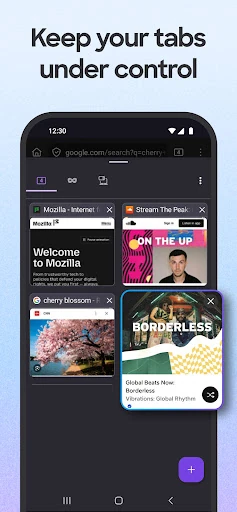
Most of my time in a browser is spent switching between small tasks: looking something up, opening a link, reading a page, and keeping a tab around for later. Firefox’s tab organization and syncing are aimed at that pattern. When I use Firefox across devices, I can access synced tabs, bookmarks, and passwords, rather than treating each screen as a separate browsing setup.
Tracker blocking is part of the day-to-day experience, and Firefox says it blocks common trackers, cross-site cookies, crypto miners, and fingerprinting scripts. Total Cookie Protection keeps cookies isolated to the sites they belong to. Those protections are useful context for ordinary browsing, though individual pages can still behave differently. I wouldn’t judge every page’s speed or layout by one visit; the practical appeal is having these privacy features built into the browser.
Useful extras beyond tabs
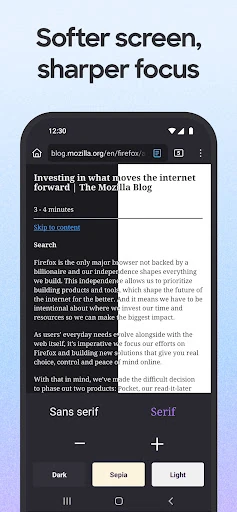
Reader View is one of the features I can imagine using often. When an article is visually busy, it removes surrounding clutter so I can focus on the text. Picture-in-picture serves a different kind of multitasking: it keeps a video accessible while I do something else on the phone. These features give Firefox more flexibility than simply opening and closing pages.
The browser also includes password generation, storage, and autofill, plus extensions such as ad blockers. Search can be switched from the search bar, and the home screen, layout, and shortcuts can be customized. Another option is to turn AI features off or adjust them individually; the description also highlights quick page summaries triggered by shaking the phone. I see these as optional tools, not reasons every user needs to change how they browse.
A practical reading routine
For a typical reading session, I’d open a few pages in separate tabs, keep the useful ones available, and switch an article into Reader View when the page has too much visual clutter. If a video is playing while I check another page, picture-in-picture can keep it accessible. That is a simple routine, but it uses the browser’s features in ways that fit naturally into a short break or a longer stretch of reading.
For pages I want to pick up on another device, syncing tabs and bookmarks can be handy, and password autofill can reduce repetitive work when I return to familiar sites. If I want a session that does not save browsing history, searches, or cookies in Firefox, I can use private browsing and lock private tabs with device security. I’d choose the mode based on the task rather than treating every tab as needing the same handling.
Keep the limits in view
A browser’s privacy tools are useful, but their scope matters. Firefox’s private tabs are described as not saving history, searches, or cookies in the browser, while tracker protection blocks specified categories of trackers and related technologies. Those features should not be mistaken for a claim that every website, network, or service loses all visibility into activity. I find it more helpful to understand what each setting does than to expect one browser mode to cover every concern.
The range of customization can also be a trade-off. Search choices, extensions, layout controls, and AI settings offer flexibility, but a person who never changes preferences may see some of that as unnecessary complexity. Sync is most relevant to people who use Firefox on more than one device. If I only browse casually on one phone, the simpler tools—tabs, private browsing, and Reader View—may be the features I notice most.
Firefox Fast & Private Browser makes a strong case as an everyday browser for people who want tracker protection and useful privacy controls without giving up reading, password, tab, and customization features. I particularly like the choice to keep the experience simple or tune it to personal habits. Its strengths are practical rather than flashy, and that suits a tool I would reach for in short sessions all day.
I’d recommend giving Firefox a try if you want a general mobile browser with private tabs, extensions, and syncing options. It may be more than you need if you want only the bare minimum, and its privacy features are best understood as specific protections rather than all-purpose anonymity. For everyday browsing with room to make the experience your own, it is a thoughtful option.
Firefox Frequently Asked Questions
What is Firefox Fast & Private Browser used for?
Firefox Fast & Private Browser is a mobile web browser for opening websites, searching, managing tabs, and keeping bookmarks and passwords. Its described features include tracker blocking, private browsing, Reader View, picture-in-picture, extensions, and syncing across devices. It can suit everyday browsing as well as focused reading, depending on which options I choose to use.
Which devices can run Firefox Fast & Private Browser?
The supplied app details describe the Android app, available through Google Play. Firefox can sync tabs, bookmarks, and passwords across devices where a person uses Firefox. The minimum Android version is not included in the provided details, so check the Google Play page for current device requirements and compatibility before installing.
What Android version does Firefox Fast & Private Browser require?
The available app facts do not give a minimum Android version. Requirements can vary as the app is updated and by device, so I would check the Google Play details for the current compatibility information before downloading or updating Firefox Fast & Private Browser.
Does Firefox Fast & Private Browser cost money?
Firefox Fast & Private Browser is listed as free on Google Play, with no in-app purchases and no ads in the supplied app facts. Store details can change, so it is sensible to check the current Google Play page for any updated information about availability or terms.
Is Firefox Fast & Private Browser a good fit for me?
It may suit people who want a general browser with tracker blocking, private tabs, reading tools, password autofill, and optional customization. It may be less appealing if you want the simplest possible browser and do not need those choices. Private browsing does not mean all online activity becomes invisible, so consider its described scope when deciding whether it fits your needs.
Pros
- Built-in blocking covers common trackers and several other tracking technologies.
- Private tabs, Reader View, and picture-in-picture support different browsing situations.
- Extensions, search choices, and layout controls allow a personalized setup.
- Sync can carry tabs, bookmarks, and passwords across devices using Firefox.
Cons
- The many customization options may feel unnecessary to people who prefer a bare-bones browser.
- Private browsing does not make all online activity invisible.
- Sync is less useful for people who browse on only one device.
- Category
- Communication
- Version
- 159.0











