Farsi Keyboard
- 16.15K
- 4.2
- Installs
- 1.00M
- Price
- Free
Screenshots
Analysis by Reviewed APKs
Farsi Keyboard is a mobile keyboard for typing in Persian, Pashto, and English, with support for other languages including French and Spanish. I found its appeal is straightforward: it brings several languages and useful writing tools into one keyboard, rather than making multilingual users switch between separate apps. It should suit people who regularly write in Farsi or Pashto, though its extra options may be more than occasional typists need.
A keyboard for daily messages
When I first opened Farsi Keyboard, I pictured the ordinary moments it is meant to help with: replying to family in Persian, adding an English phrase to the same conversation, or writing a quick note in Pashto. Its central job is to put those languages within reach while typing, rather than asking you to compose somewhere else and paste the result. That makes it most relevant to people whose everyday writing moves between languages.
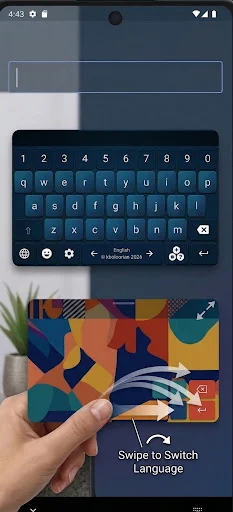
The simple language-switching idea is especially practical in a chat where the topic or recipient changes. The app describes switching with a swipe, and it also includes word suggestions and a dictionary to help keep typing moving. I like that the feature set is focused on writing rather than turning the keyboard into a general-purpose app. It is a small utility, but one that can become part of a routine if Farsi is a regular typing need.
A focused alternative
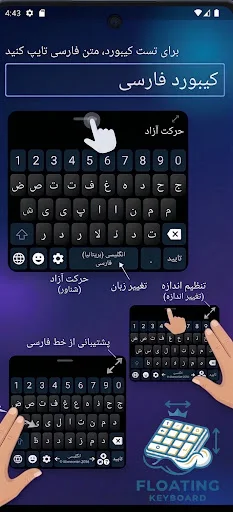
Compared with sticking to an English-only keyboard or changing keyboards whenever I need another script, Farsi Keyboard is aimed at keeping Persian, Pashto, and English close together. It also supports French, Spanish, and more, according to its description. The difference is not that it replaces every writing tool; it is that language switching, suggestions, emoji, and handwriting-style input are gathered around the act of entering text.
That focus also sets a boundary. This is not a translation app, a language course, or a place to draft and organize long documents. It provides a keyboard and typing features, so the value depends on how often you need to enter its supported languages. If you only write in English, a dedicated Farsi keyboard may add little to your day. If you often move between scripts, the combined approach makes more sense.
Small habits that help
I would start by using the language switch in low-pressure situations, such as a short message, before relying on it for a longer note. That gives you a feel for how the available language choices fit your normal typing. When a word suggestion appears, it can be worth checking that it matches the sentence you intend; suggestions are a convenience, not a substitute for reading what you send.
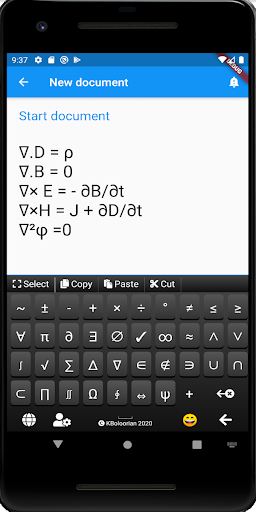
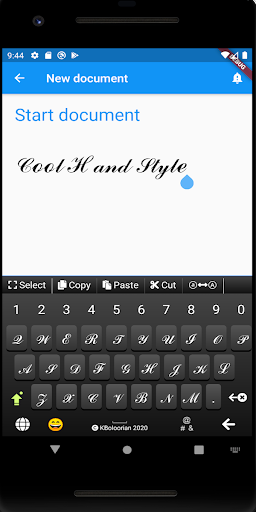
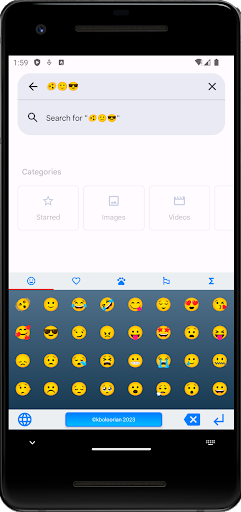
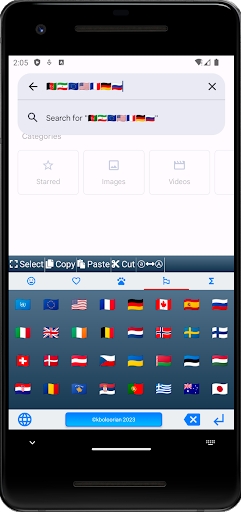
The other extras are easiest to appreciate when they solve a specific little problem. Emoji support is handy when a message needs a warmer tone, while the math-symbol keyboard is useful for entering notation without hunting through ordinary keys. Handwriting-style input offers another way to enter text. I would treat these as occasional tools around the main keyboard, rather than expecting to use every feature every time.
More From Our News Desk

Zoom Meetings, Google Meet, or Teams: Which Is Easiest to Join?

How I Build a Free Streaming Lineup With Tubi

Why Crunchyroll Is the Default Anime App for So Many Fans

YouTube TV: A Practical Guide to Cutting Cable

Rummikub and the Small Comfort of Phone Games

TeamViewer Remote Control or AnyDesk for Helping Family?
Who may find it useful
I would recommend Farsi Keyboard to people who type in Persian or Pashto often and want English available in the same general workflow. It also makes sense for bilingual conversations where changing language mid-message is normal. Word suggestions, a dictionary, emoji, and handwriting-style input give regular users a few extra ways to make typing comfortable, without changing the app’s basic purpose.
It may be less appealing if you rarely type in any of its supported languages, or if you want a full writing suite with translation and document tools. People who prefer a very minimal keyboard may also find the added symbol, emoji, and handwriting options unnecessary. I would decide based on the languages you actually use and whether the keyboard’s switching style feels natural in your everyday messages.
Farsi Keyboard is a free Android app by Khosrov Boloorian in the Tools category. Google Play shows over one million installs and a 4.2-star rating from around 16,000 ratings. The app is rated Everyone. Its version is 12.6, and the release date shown is February 28, 2013.
The app contains ads, and Google Play says it does not offer in-app purchases. Its most recent update date is November 3, 2026. The available details do not provide a minimum Android version, so check the Google Play page for compatibility with your device before installing.
How the keyboard fits into real typing
A practical first impression
When I first opened the app, the clearest point was its narrow purpose: make typing across several languages easier. The description highlights Persian, Pashto, and English, with French, Spanish, and additional languages also supported. That gives the keyboard a useful role for multilingual writing without asking me to learn a separate system for each language.
The app also presents itself as lightweight and privacy-conscious, and says permissions are not required. I would treat that as the developer’s description of the product, rather than a reason to skip reviewing any setup prompts or device settings. For a keyboard, it is sensible to take a moment to understand what you are enabling and which language options you expect to use.
Everyday typing flow
In everyday use, the main question is whether the language switch fits naturally into the way you type. Farsi Keyboard describes switching with a simple swipe, which is a practical idea when a sentence includes more than one language. Instead of interrupting a conversation to change tools, the keyboard is designed to keep that transition close to the keys.
Suggestions and an integrated dictionary add another layer to the flow. They can be useful when composing a message quickly, especially when you want to keep your attention on the conversation. I would still read the finished text before sending it, as I would with any keyboard. The goal here is more convenient entry, not automatic proofreading or translation.
Extras beyond letters
The feature set goes beyond alphabet keys in a few practical directions. There is built-in emoji support for adding tone to a casual message, plus a separate keyboard for mathematical symbols. Those additions are not essential for everyone, but they are the sort of small conveniences that can save a bit of searching when the need comes up.
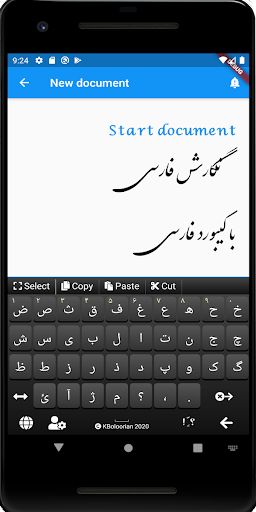
Handwriting-style input is another distinctive option in the description. It gives users an alternative to entering every character through ordinary key taps. Combined with word suggestions and language switching, it makes the app more than a single-script keyboard, while remaining centered on text entry rather than expanding into unrelated tools.
A routine for mixed languages
A realistic routine might be answering a message in Persian, adding a name or phrase in English, then switching back for the rest of the reply. Farsi Keyboard is designed for that kind of back-and-forth. I would use the language switch for the change and keep the dictionary and suggestions available as typing aids, checking the completed message before sending.
For a more formal note, the same keyboard can help enter text in a supported language, while the math symbols may be handy if the writing includes notation. Emoji are more suited to informal conversations. Thinking of each extra as a tool for a particular moment keeps the keyboard from feeling cluttered with features you do not need on every occasion.
Keep expectations grounded
The app’s strongest case is for people who regularly type in its supported languages. Its description does not present it as a translator, a full document editor, or a language-learning product, so I would not choose it for those jobs. It is a keyboard utility, and its usefulness depends on how well its language options and typing aids match your own habits.
There are also practical details to check before installing. The app contains ads, and device compatibility depends on the Android version supported by your phone and the current store requirements. Since the minimum Android version is not included in the supplied details, checking Google Play is the sensible step if you have an older device. Occasional English-only users may not get much from the extra language support.
Farsi Keyboard is a focused option for people who want Persian or Pashto typing alongside English, with suggestions, emoji, math symbols, and handwriting-style input in the mix. I like that its purpose is clear and that language switching is treated as a central part of the experience, rather than an afterthought.
I would try it if multilingual typing is already part of your routine. If you mostly write in English or need translation and document features, it is probably not the right tool. The app is free with ads, so check its current Play Store details and compatibility before deciding.
Farsi Keyboard Frequently Asked Questions
What is Farsi Keyboard used for?
Farsi Keyboard is for entering text in Persian, Pashto, and English, with support for French, Spanish, and additional languages. Its features include language switching, word suggestions, a dictionary, emoji, math symbols, and handwriting-style input. It is a keyboard utility rather than a translation or document-editing app.
Which devices can run Farsi Keyboard?
Farsi Keyboard is an Android app distributed through Google Play. The minimum Android version is worth checking on its Google Play page, since compatibility can vary by device and app version. The supplied app details do not give a minimum version.
Does Farsi Keyboard cost money?
Google Play lists Farsi Keyboard as free and says it contains ads. It does not offer in-app purchases according to the supplied store details. Store information can change, so check the current Google Play page for the latest cost and purchase information.
Does Farsi Keyboard switch between languages?
Yes. The app describes switching between languages with a swipe and supports Persian, Pashto, and English, as well as French, Spanish, and more. It also includes word suggestions and a dictionary. The exact language options available may vary, so check the current app details in Google Play.
Who should use Farsi Keyboard?
It is best suited to people who regularly type in Persian or Pashto and want English and other supported languages within the same keyboard. Users who mostly type in English, or who need translation and document-writing tools, may be better served by a different kind of app. Check Google Play for current compatibility details.
Pros
- Supports Persian, Pashto, and English, with additional languages described.
- Includes language switching, word suggestions, and an integrated dictionary.
- Emoji, math-symbol, and handwriting-style input add useful options.
- Free to install, with no in-app purchases listed.
Cons
- Contains ads, which may distract users who prefer a cleaner keyboard.
- Offers limited value to people who rarely type in supported languages.
- Minimum Android version should be checked on Google Play before installing.
- Category
- Tools
- Version
- 12.6











