Factor_ Prepared Meal Delivery
- 54.20K
- 4.3
- Installs
- 1.00M
- Price
- Free

Screenshots
Analysis by Reviewed APKs
Factor_ Prepared Meal Delivery is an app for browsing prepared meals, choosing options that fit your preferences, and managing a weekly meal plan. It suits people who want convenient food without spending much time cooking, especially when a rotating menu sounds better than repeating the same dishes. After reviewing what it offers, my take is that it’s a practical companion to meal delivery, not a cooking app or a general nutrition tracker.
A Weeknight Without Cooking
Picture getting home late on a weekday with little energy for chopping vegetables or washing pans. I’d use Factor_ to look through the current meal choices, pick dishes for the week, and have ready-to-heat food on hand. The app is built around making those choices and personalizing a weekly box, while the meals themselves arrive fresh and are designed to be heated quickly.
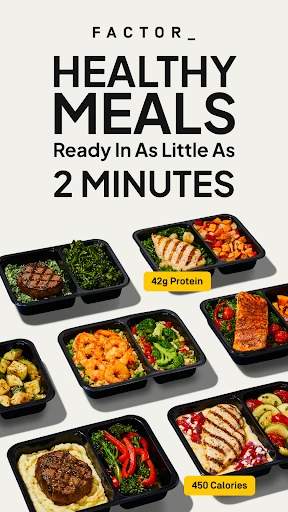
That setup is most useful when convenience matters more than the pleasure of cooking from scratch. I can imagine browsing a menu before the next delivery, choosing a few entrées that suit my preferences, and relying on them for busy evenings. Factor describes meals as ready in about two minutes, so the main appeal is a short path from a full schedule to a prepared meal.
Delivery, Not Recipe Planning
Compared with recipe apps, Factor_ starts further down the work chain: instead of helping me plan ingredients and cook, it lets me browse prepared food and manage meal selections. That makes it a better fit for someone seeking an easier dinner routine than for someone who wants to learn cooking techniques or build a grocery list from recipes.
It also isn’t a broad food diary or a general-purpose health tool. The focus is the Factor meal service, including menu browsing, preferences, and delivery-plan changes. If I enjoy choosing ingredients at the market or need a tool for tracking everything I eat, this app’s narrower job may feel limiting. Its strength is taking some planning and cooking effort out of the week.
Make Choices Beforehand
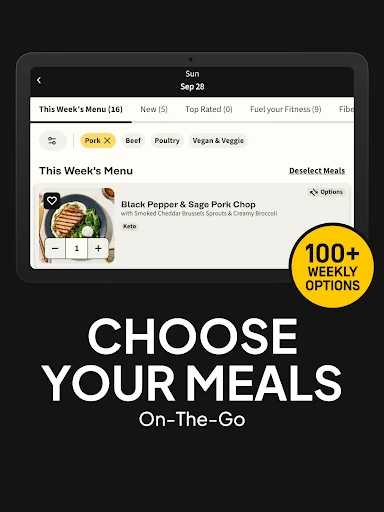
A little advance browsing should make the app more useful. I’d check the menu when I have a quiet moment, rather than trying to decide what I want while hungry and short on time. Factor says the menu rotates and includes entrées as well as snacks, shakes, and desserts, so there may be reasons to look beyond the main dishes.
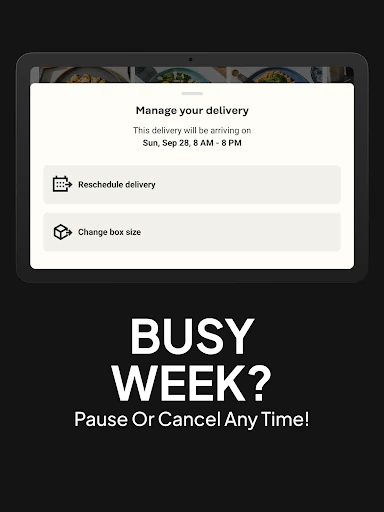
I’d also set preferences around the eating style I actually follow, then review the available meals rather than assuming every week will have the same choices. The app supports changing a delivery, skipping a week, or adding meals. Those options make it easier to adapt a plan when my calendar changes, though they still depend on making decisions ahead of the relevant delivery.
More From Our News Desk

Zoom Meetings, Google Meet, or Teams: Which Is Easiest to Join?

How I Build a Free Streaming Lineup With Tubi

Why Crunchyroll Is the Default Anime App for So Many Fans

YouTube TV: A Practical Guide to Cutting Cable

Rummikub and the Small Comfort of Phone Games

TeamViewer Remote Control or AnyDesk for Helping Family?
Who May Find It Useful
I’d recommend Factor_ to people who want prepared meals and would rather spend a few minutes choosing from a menu than devote an evening to meal prep. It may be especially appealing to busy households or individuals who want a rotating selection and have preferences such as vegetarian, vegan, keto, calorie-conscious, carb-conscious, or high-protein eating. The app brings browsing and weekly plan adjustments together in one place.
It may not suit someone whose main goal is to cook more, compare grocery prices, or track food beyond this meal service. The menu and meal delivery are central, so the value depends on wanting that kind of convenience. I’d also think about how often I need meals and whether a weekly selection fits my routine before relying on it as a complete answer to every food-planning need.
Factor_ is the developer, and Google Play categorizes the app under Food & Drink. It has more than one million installs and a 4.3-star rating from about 54,000 ratings. The app is free to download, and Google Play indicates that it contains no ads and offers no in-app purchases.
Google Play gives Factor_ an Everyone content rating. The current version shown in the provided app details is 26.44. It was released on April 18, 2020, and its last update is dated November 5, 2026. An Android minimum version is not included in the details available for this review.
A Closer Look at the Meal Routine
Opening the App
My first impression is that Factor_ has a clearly defined purpose: help customers browse prepared meals and shape a weekly selection. It isn’t trying to be a recipe library, cooking course, or all-in-one food journal. That narrow focus makes the basic idea easy to understand before getting into the menu.
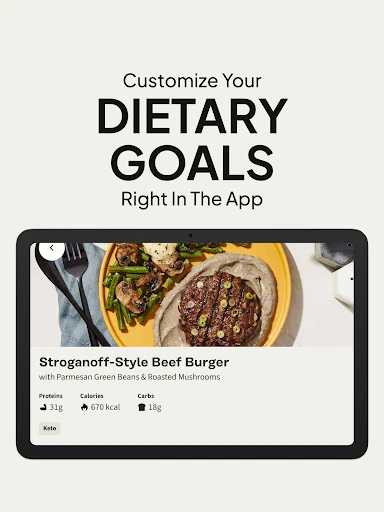
The setup revolves around choosing preferences and personalizing selections in the app. Factor describes options for several eating styles, including vegan, vegetarian, keto, calorie-conscious, carb-conscious, and high-protein. I’d approach those as ways to guide browsing, then check each meal rather than assuming a preference automatically answers every dietary question.
The Weekly Experience
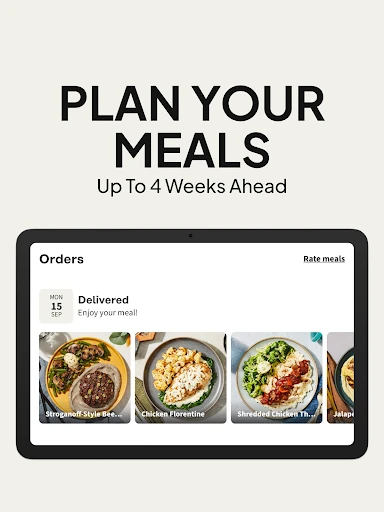
Day to day, the main task is choosing meals from a changing menu and managing the plan around delivery. Factor says it offers more than a hundred weekly options, with new meals added over time. That kind of rotation could help keep a prepared-meal routine from feeling exactly the same every week, although the appeal will depend on which options are available when I browse.
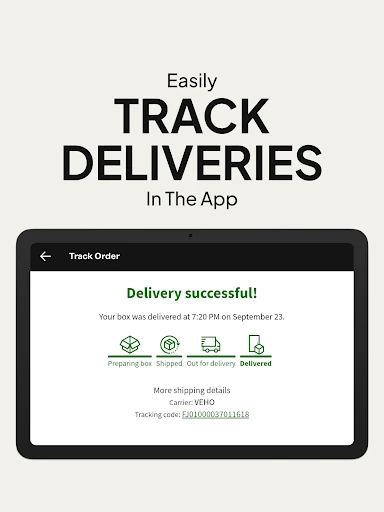
Once meals arrive, the app’s role shifts back to planning and account adjustments; the food is meant to be heated and eaten rather than cooked from a recipe. Factor describes its meals as fresh rather than frozen and ready in two minutes. That’s a convenient promise for a packed evening, but I’d still follow the meal’s own heating directions.
A Menu With Range
The variety is one of the more useful parts of the offer. Factor describes a rotating selection that includes entrées, snacks, shakes, and desserts, alongside meal choices shaped around different eating preferences. I like that the app can serve more than one narrow idea of what a meal plan looks like, especially for people who want to browse rather than commit to a single style.
Another useful feature is the ability to adjust the plan: Factor says customers can skip a week, change a delivery, or add more meals. Those are practical controls for a schedule that isn’t perfectly predictable. They don’t remove the need to plan ahead, but they give the weekly routine some flexibility instead of making every delivery feel fixed.
A Simple Weekly Routine
A routine I’d try is checking the menu at the same point each week, when I can consider the days I expect to be busiest. I’d choose a few meals for those evenings first, then look at the rest of the selection. That keeps the app’s job focused: help me make choices that support an actual schedule, not just fill a box impulsively.
After that, I’d revisit the plan if the week changed. If I no longer needed the same number of meals or a delivery no longer fit, the app’s described options to add meals, change delivery, or skip a week could help. The helpful habit is checking early enough to make the adjustment, rather than assuming a delivery plan will manage itself.
Keep Expectations Grounded
Factor_ is tied to prepared meal delivery, so using the app is only one part of the experience. It can make browsing and plan management easier, but it doesn’t turn the service into home cooking or remove the need to decide what works for a particular week. People who like choosing fresh ingredients and preparing meals themselves may find its convenience-first approach less satisfying.
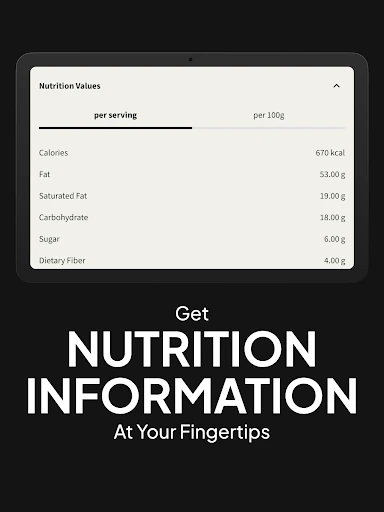
The menu rotates, which is useful for variety but means I wouldn’t build a routine around one specific dish always being available. The descriptions also mention diet-focused options, but the app’s general categories are not a substitute for checking individual meal details. For me, the best expectation is a practical way to select prepared food, with flexibility that still relies on reviewing the menu and plan.
Factor_ makes the most sense when the problem is finding time to cook, not when the goal is becoming a better cook. I like the combination of a changing menu and straightforward plan adjustments, along with the clear emphasis on meals that are quick to heat.
I’d try it if prepared delivery fits my routine and I value a menu with varied eating-style options. I’d look elsewhere if I wanted recipes, grocery planning, or a broader food-tracking tool. For the right user, Factor_ offers a focused way to browse meals and keep a busy week simpler.
Factor_ Prepared Meal Delivery Frequently Asked Questions
What is Factor_ Prepared Meal Delivery used for?
Factor_ is used to browse prepared meals, set preferences, and personalize a weekly selection. The service describes a rotating menu of entrées, snacks, shakes, and desserts, with choices for several eating styles. The app also supports changing a delivery, skipping a week, or adding meals, making it a meal-plan companion rather than a recipe or cooking app.
Which devices can run Factor_ Prepared Meal Delivery?
Factor_ is an Android app available through Google Play. The details for this review do not specify a minimum Android version, so compatibility can depend on the device and may change over time. Check the Google Play page on the device you plan to use for current requirements and availability.
Does Factor_ Prepared Meal Delivery cost anything?
The app is free to download on Google Play and has no in-app purchases listed in the provided details. The app is for browsing and managing Factor meal delivery, so the cost of meals or delivery is separate from the app download and may vary. Check the Google Play details and Factor’s ordering information for current charges.
Does Factor_ Prepared Meal Delivery work on iPhone?
The app information provided for this review is for its Android version on Google Play. It does not establish availability or requirements for other platforms. If you want to use Factor_ on another device, check the relevant store for the current app and device compatibility.
Who is Factor_ Prepared Meal Delivery best for?
Factor_ may suit people who want prepared meals, a rotating menu, and an easier alternative to cooking on busy days. It includes options associated with several eating styles, but customers should review the actual meal choices. It may be less appealing if you want recipes, grocery planning, or a tool for tracking your entire diet.
Pros
- Rotating menu includes entrées, snacks, shakes, and desserts.
- Supports several eating preferences, including vegan and high-protein options.
- Plan controls include skipping a week and changing delivery.
- Prepared meals are designed to heat quickly.
Cons
- Focused on Factor meal delivery rather than cooking or recipe planning.
- Rotating choices mean a particular meal may not always be available.
- Meal details still need reviewing to match individual preferences.
- Category
- Food & Drink
- Version
- 26.44











