Enphase Enlighten
- 30.89K
- 3.7
- Installs
- 1.00M
- Price
- Free

Screenshots
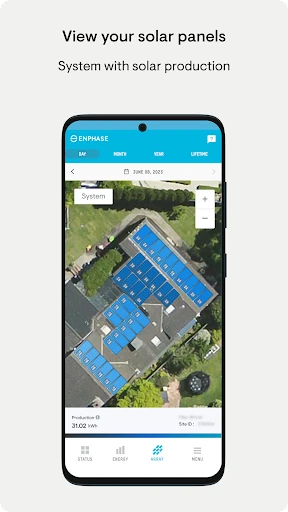
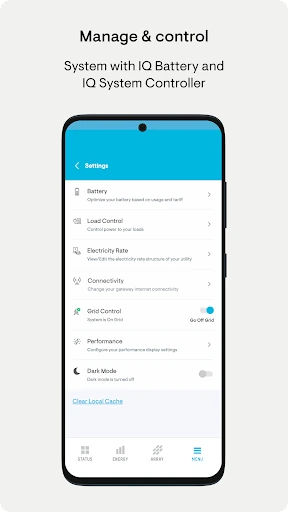
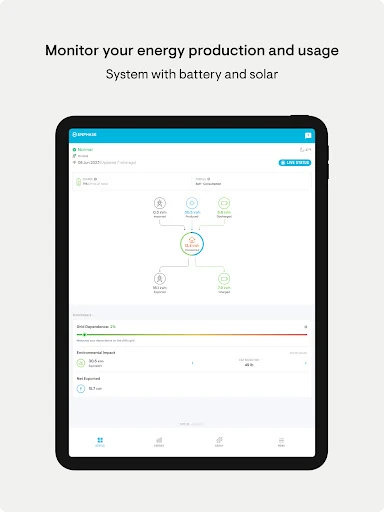
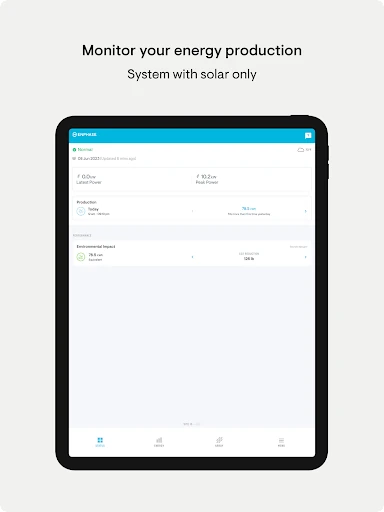
Analysis by Reviewed APKs
Enphase Enlighten is a companion app for people who own an Enphase solar system and want a clear view of how it is performing. It puts production figures, system health checks, historical comparisons, and energy reports in one place. I see it as a practical monitoring tool rather than a general-purpose energy app: useful for curious owners, but only relevant if your home uses an Enphase system.
A quick check on a sunny day
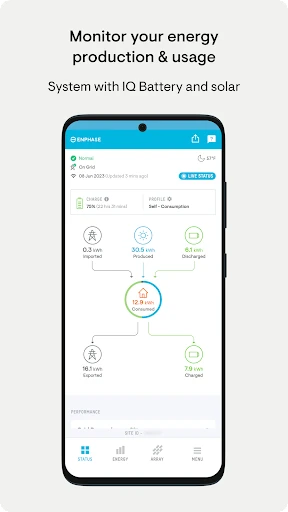
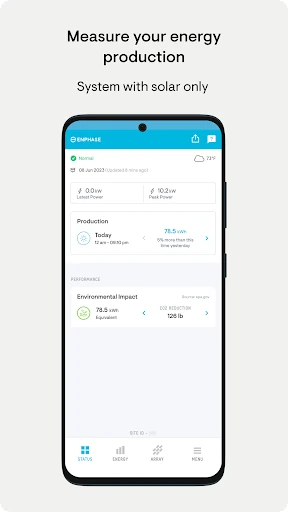
When I imagine checking Enlighten during an ordinary morning, the appeal is simple: open the app and get an at-a-glance sense of whether the solar system is producing as expected. That can be more useful than waiting for a monthly bill to notice a change. If I want more detail, I can look at production by hour, day, or month and see how the picture changes over the course of a day.
That sort of check suits a small routine. I might glance at the day's production after breakfast, then return in the evening if I want to see how the whole day added up. The app also lets owners compare performance with historical weather data, which gives some context to a lower-production day. It is a way to inspect the system's output, not a reason to expect every day to look the same.
A focused solar companion
Compared with a utility company's app or a broad home-energy dashboard, Enlighten has a narrower job: monitoring an Enphase system. Its emphasis is on system health and solar production, with energy usage reports available too. That focus can be a benefit if you already use Enphase equipment and want system-specific information, rather than a general overview assembled from unrelated energy services.
It is not a solar shopping guide, a system for controlling every appliance, or a universal monitor for any brand of panels. The app's usefulness depends on owning an Enphase system. If you mainly want to follow a household bill, compare energy plans, or manage devices around the home, a different kind of app may fit better. Enlighten makes most sense as one part of owning and checking that particular system.
Make the numbers useful
I would get more value from Enlighten by checking it at consistent times instead of refreshing whenever the sun comes out. A quick daily look can establish a feel for normal production, while monthly views make it easier to step back from the ups and downs of individual days. The app's different time scales are handy because they let owners choose between a quick snapshot and a broader trend.
When something looks different, I would compare the relevant period with historical weather data before drawing conclusions. That context can make a cloudy stretch less alarming than a bare production number might suggest. Reports of energy production and usage can also help when I want a record to review later. The practical habit is to use the figures as context for understanding system performance, not as a promise about future output.
More From Our News Desk

Zoom Meetings, Google Meet, or Teams: Which Is Easiest to Join?

How I Build a Free Streaming Lineup With Tubi

Why Crunchyroll Is the Default Anime App for So Many Fans

YouTube TV: A Practical Guide to Cutting Cable

Rummikub and the Small Comfort of Phone Games

TeamViewer Remote Control or AnyDesk for Helping Family?
Who will find it useful
I would recommend Enlighten to Enphase system owners who like being able to check their solar production without waiting for a utility statement. It should especially appeal to people who enjoy looking at daily or monthly patterns, want a basic sense of system health, or find reports useful for keeping track of production and usage. You do not need to make solar monitoring a hobby to appreciate an occasional, informative check-in.
It may not suit people without an Enphase system, since the app's central purpose is tied to that equipment. It is also a limited fit for anyone looking for a complete home-automation hub or a general energy-planning service. If your interest is only in a simple monthly cost total, the production detail may be more than you need. For the right owner, though, the focused approach is a sensible match.
Enphase Enlighten is developed by Enphase Energy and is a free Android app in the Business category. On Google Play it has over 1 million installs and a 3.7-star rating from about 30,900 ratings. The content rating is Everyone. The app is version 4.7.0, and its release date is January 10, 2014.
The app has no in-app purchases and contains no ads. Its most recent update in the supplied app information is dated August 7, 2026. A minimum Android version is not included in the available details, so check Google Play for the requirement that applies to your device. The stated price is free, making the app itself a no-cost option for Enphase system owners.
A closer look at everyday monitoring
A clear first purpose
When I first opened the idea of Enlighten, its purpose was easy to understand: it is built for the owner of an Enphase system, not for someone browsing solar options. That focus helps set expectations. The key questions it is meant to answer are whether the system appears healthy and how much energy it has produced across a chosen period.
The app's description emphasizes at-a-glance verification, then offers more detail through time-based production views and reports. That is a useful shape for a monitoring app. A person can look for a quick status, then dig into the numbers when they have a reason. I would approach it as a companion for checking an existing setup, rather than as a complicated project that needs constant attention.
Checking in day to day
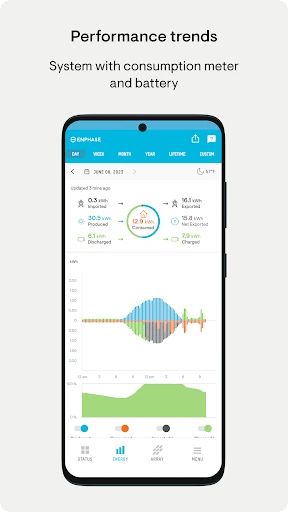
The day-to-day experience centers on production over time. An hourly view can help me understand how output changed during the day, while a daily or monthly view answers a broader question. Having those time spans available makes the app more useful than a single running total, especially when I want to compare a particular day with a longer stretch.
I would not treat every dip as a problem. Solar output naturally has context, and Enlighten's historical weather comparisons give owners one way to examine that context. The app supports verification and analysis, but the figures still need a thoughtful reading. For a normal routine, a brief check and an occasional look at a report seem more practical than watching the screen constantly.
Useful views and reports
The standout feature is the choice of production views by month, day, or hour. Each answers a different everyday question: how the system did overall this month, what happened yesterday, or how production moved through a particular day. I like that this kind of detail is directly related to the app's central job instead of being a collection of unrelated extras.
Historical weather data adds a second layer of context to performance analysis. The app also supports reports covering energy production and energy usage. Those reports can be useful when an owner wants a more structured record than a quick glance provides. Together, these features make Enlighten a monitoring and review tool, with enough perspective to look beyond a single moment.
A simple owner routine
A sensible routine might start with a quick look at system health a few times during the week, then a monthly review of production. If one day stands out, I could switch to the daily or hourly view and compare the period against historical weather data. That sequence keeps the app useful without turning solar monitoring into a daily chore.
When I want a record of how production and usage are going, I could run a report from the app and use it as a reference for later. The point is not to extract a dramatic conclusion from every number. Instead, the different views let an owner build familiarity with normal patterns and notice when it is worth taking a closer look at system performance.
Keep expectations grounded
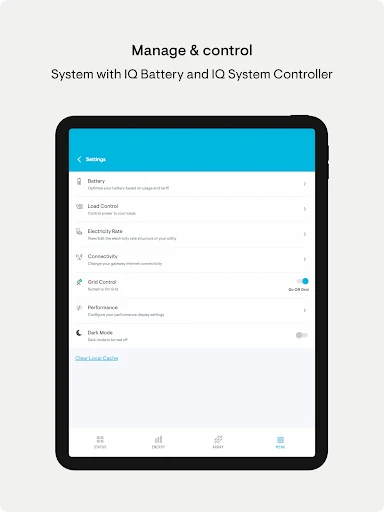
The main limitation is also the app's defining feature: it is designed specifically for Enphase system owners. Without that equipment, there is little reason to install it. Even for an owner, the app is focused on monitoring and reporting rather than controlling a whole home or replacing a utility account. That distinction matters if you are shopping for a broader energy-management experience.
The information is about performance, so it is best read with context. A lower figure on one day does not explain itself, which is why the historical weather comparison can be useful. I would also avoid expecting a specific Android requirement to be the same for every device; check the store details for your phone. Enlighten is most satisfying when used as a practical window into an existing solar setup.
Enphase Enlighten is a focused, practical monitor for people who already have an Enphase solar system. Its hourly, daily, and monthly production views, system-health checks, weather comparisons, and reports give owners several ways to understand performance without making the app's purpose complicated.
I would recommend it to Enphase owners who want an easy way to check in and review trends. If you need a brand-neutral energy dashboard or a broader home-control app, look elsewhere. For its intended audience, Enlighten offers a useful overview and enough detail for occasional follow-up.
Enphase Enlighten Frequently Asked Questions
What is Enphase Enlighten used for?
Enphase Enlighten is for owners who want to monitor an Enphase system. It provides system health and performance checks, production views by hour, day, or month, historical weather comparisons, and reports on energy production and usage. It is best understood as a companion for checking an existing system, rather than a general-purpose home-energy or solar-shopping app.
Which devices can run Enphase Enlighten?
Enphase Enlighten is available as an Android app on Google Play. The available app details do not give a minimum Android version, and compatibility can depend on the device and current app requirements. Check Google Play for the Android version and device compatibility that apply to your phone before installing.
Does Enphase Enlighten cost money?
The app is free to download and use, and the supplied details show no in-app purchases or ads. Store terms and availability can change, so it is worth checking Google Play for the current details. The app is intended for monitoring an Enphase system, so having that equipment is central to getting value from it.
What Android version does Enphase Enlighten require?
The minimum Android version is not included in the available app information. Requirements can vary as the app and Android devices change, so check the Enphase Enlighten page on Google Play for the current requirement before installing. The app is listed for Android, but a particular phone's compatibility should be checked in the store.
Is Enphase Enlighten right for every solar owner?
It is aimed at owners of Enphase systems, with tools for reviewing system health, production, weather context, and reports. Owners of other brands may not find it useful, and people seeking whole-home automation or a general energy dashboard may want a different app. Its focused monitoring approach is a good fit if you want to check an Enphase setup.
Pros
- Offers hourly, daily, and monthly production views for different levels of detail.
- Includes historical weather comparisons to help put performance trends in context.
- Provides reports for energy production and energy usage.
- Free to use, with no ads or in-app purchases.
Cons
- Its usefulness depends on owning an Enphase solar system.
- Focused on monitoring, not broad home automation or brand-neutral energy management.
- A production figure may need context before it is easy to interpret.
- Category
- Business
- Version
- 4.7.0











