EE: Mobile, broadband & tech
- 178.30K
- 1.7
- Installs
- 10.00M
- Price
- Free

Screenshots
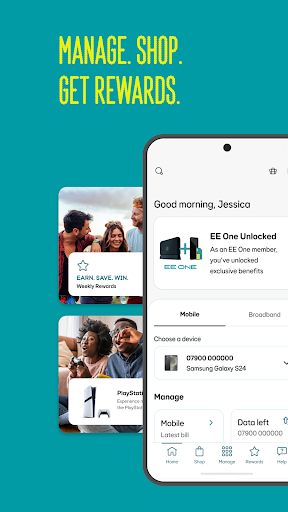
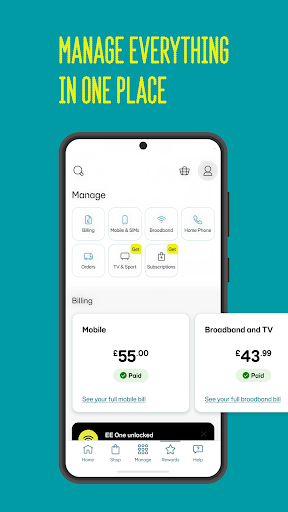
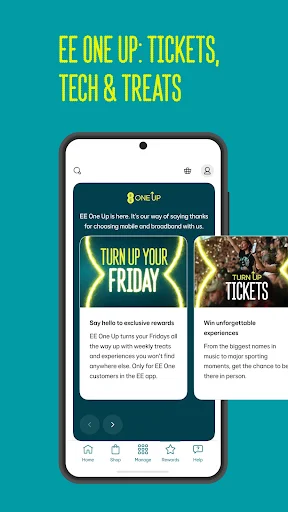
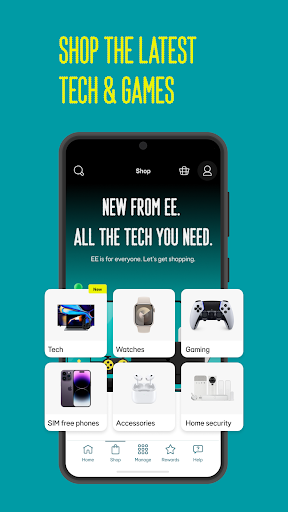
Analysis by Reviewed APKs
EE: Mobile, broadband & tech is a companion app for people who use EE mobile or broadband services and want to manage them from one place. It brings together account details, usage, bills, support, rewards, shopping and some home Wi-Fi controls. I see its appeal in the everyday admin: checking an allowance or bill takes less effort than searching through separate pages, though the broad mix of tools may feel busy.
A quick account check
Picture the small phone-admin moments that tend to happen between other tasks: you want to see how much data is left, check whether a bill has arrived, or find out if an add-on is active. EE puts those account basics in the same app, alongside allowances, itemised usage and extra-charge information. When I think about the app’s core job, it is less about constant attention and more about making those occasional checks easy to reach.
For a household with several EE plans, Data Gifting is a particularly practical reason to open the app. It lets users move data between family members’ plans, rather than treating each allowance as an isolated figure. Pay-as-you-go customers can check their pack, top up and track Free Boosts, while pay-monthly customers can review bills and add-ons. The experience is most useful when you already know which account detail you need to check or change.
More than a bill checker
The obvious alternative is to handle each task separately: check usage in an account portal, contact support when a question comes up, and look elsewhere for rewards or a new device. EE’s app gathers these account-related jobs under one roof. It also includes broadband controls for eligible packages, so it can be relevant to a home connection as well as a mobile plan. That breadth is its main distinction from a narrowly focused data-usage tool.
It is not a general-purpose phone manager or a replacement for every online service. The account-management features are built around EE products, and the Wi-Fi controls described are for customers with a new EE Broadband package. Shopping and rewards sit beside the practical tools, but the app is not simply a retailer or entertainment service. If you do not use EE services, much of its purpose disappears; for an EE customer, the trade-off is a broader interface.
Small habits that help
A useful routine is to check usage before you need to make a decision, rather than waiting for a data alert or an unexpected charge. The app can show allowances, itemised usage and extra charges, and it can send important updates such as data-usage alerts. I would also make a quick bill check part of the same monthly admin session. Keeping those checks together makes the app feel like a practical account hub instead of another icon to open at random.
Families can make Data Gifting more useful by checking the different allowances before moving data between plans. Broadband customers can explore Wi-Fi Controls when they want to adjust access, use Work Mode or Game Mode, or pause a connected device’s Wi-Fi. Rewards are worth a separate Friday check, since the app describes new weekly offers. These are simple habits, not a demanding schedule: a brief visit when a real need comes up is likely enough.
More From Our News Desk

Zoom Meetings, Google Meet, or Teams: Which Is Easiest to Join?

How I Build a Free Streaming Lineup With Tubi

Why Crunchyroll Is the Default Anime App for So Many Fans

YouTube TV: A Practical Guide to Cutting Cable

Rummikub and the Small Comfort of Phone Games

TeamViewer Remote Control or AnyDesk for Helping Family?
Who will find it useful
I’d recommend EE: Mobile, broadband & tech to EE mobile customers who regularly check data, bills, allowances or add-ons, and to people who want to manage more than one family plan. It also makes sense for eligible EE Broadband customers who want app-based Wi-Fi controls or parental controls. The strongest fit is someone who would otherwise handle these tasks in several places and appreciates having account management, help and rewards together.
It may be less appealing to someone who wants a single-purpose tool, rarely checks their account, or does not use EE services. The app brings shopping, tech protection and rewards into the same experience as bills and connectivity controls, so not every section will matter to every customer. Broadband controls also depend on the relevant EE package. If you only want to check one basic figure once in a while, the wider collection may be more than you need.
EE: Mobile, broadband & tech is developed by EE and is available on Google Play as a free app. It has over 10 million installs and a 1.7-star rating from around 178,000 ratings. The content rating is Everyone. Those figures give a useful sense of its reach and user feedback, though ratings can reflect different devices, accounts and expectations.
The current version shown is 5.97.0, and the recorded release date is October 30, 2012. Its last update is dated October 29, 2026. The facts provided do not specify a minimum Android version, so check Google Play on your device for compatibility. The app is free, with no in-app purchases or ads indicated.
Everyday EE Account Control
A practical first impression
The app’s first impression is of a service hub rather than a single-purpose utility. Its navigation is described as making it easy to find account tasks, with a Manage hub for EE products and services. That is a sensible starting point for an app covering mobile, broadband, support and shopping. I would expect the most useful first visit to be the one where I go straight to a familiar task, such as checking usage or opening a bill.
Getting value from the app depends on having an EE account or service to manage. The description points to different options for pay monthly, pay as you go and broadband customers, so the features that matter will depend on what you use. I like that the app’s scope is clear: it is meant to bring EE service tasks together, not act as a generic dashboard for unrelated products.
The daily account routine
For routine mobile use, the central loop is straightforward: check data, review allowances, inspect bills or itemised usage, then deal with an add-on or extra charge if needed. Pay-as-you-go users have a more specific set of basics, including checking a pack, topping up and following Free Boosts. Having these details available in one app is most helpful when a question comes up while you are away from a computer.
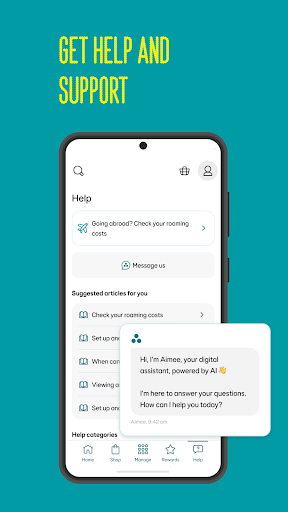
Alerts add a useful prompt without requiring a constant check-in. EE says the app can send important updates such as data-usage alerts, while its digital assistant Aimee is available for assistance. That combination can help users notice an account issue and look for help in the same place. I would still treat the app as a convenient account channel, not assume every question will be resolved without further support.
Tools beyond mobile
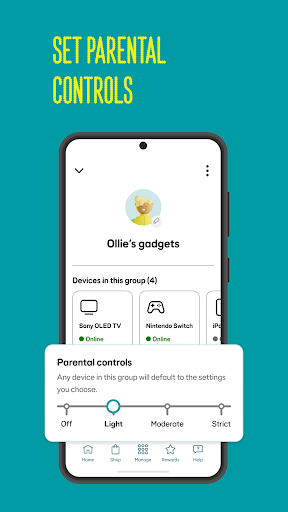
The broadband tools give the app a more distinctive role for customers on a new EE Broadband package. Wi-Fi Controls include Work Mode and Game Mode, along with tips to optimise a connection. Parental Controls can be tailored by device or profile, and users can pause a connected device’s Wi-Fi access. These options make the app relevant to household routines, not just checking a mobile allowance.
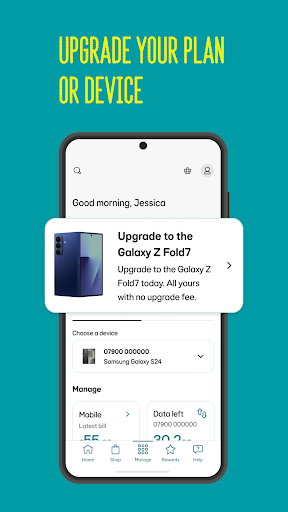
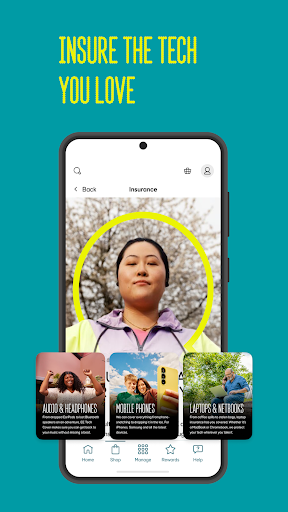
There are also features that sit outside basic account maintenance. Users can manage Smart Benefits, check upgrade eligibility and browse personalised offers. The shop covers phones and other tech, while EE Cover lets customers choose tech insurance and make a claim through the app. Rewards include discounts, bill savings and experiences. The combination is broad, but each item is tied to EE services and the offers available to the customer.
A household use case
Imagine a household where one person handles the mobile plan and home broadband. A quick weekly check could cover each family member’s data, any approaching bill and the broadband settings that matter that week. If one plan needs more data, Data Gifting provides a way to move data between family plans. If a child’s device needs a break from Wi-Fi, the broadband controls include an option to pause that device’s access.
I would keep the routine light: use alerts as prompts, check account details when a bill or allowance question arises, and visit Rewards on Fridays if weekly offers are of interest. That avoids turning account management into a daily chore. The app’s value comes from putting several small tasks in one place, so a household can dip in for a specific reason rather than browse every section each time.
Limits to keep in mind
The main limitation is that the app’s usefulness depends on the EE products attached to your account. Pay-as-you-go tools, pay-monthly billing, broadband controls and rewards do not serve every customer in the same way. In particular, the Wi-Fi features are described for customers with a new EE Broadband package. That means the app can feel comprehensive to one household and much narrower to a mobile-only user.
The range of sections also asks users to distinguish account essentials from optional extras such as shopping, insurance and rewards. That is not necessarily a problem, but someone who wants a minimalist bill checker may find the wider offering distracting. The Google Play rating is 1.7 stars, so prospective users may want to read recent feedback alongside the feature details and judge whether the app fits their own account needs.
EE: Mobile, broadband & tech makes the most sense as a home base for people already using EE. It brings useful account checks, help, rewards and selected broadband controls into one app, with Data Gifting and device-level Wi-Fi options standing out for families. The mix is practical, even if not every feature will apply to every customer.
I’d recommend trying it if you want to manage an EE plan or broadband service from your phone and value having those tasks together. It is less compelling if you only need a basic usage checker or do not use EE products. Before installing, check Google Play for compatibility and consider the low user rating when weighing the experience.
EE Frequently Asked Questions
What is EE: Mobile, broadband & tech used for?
EE: Mobile, broadband & tech helps EE customers manage mobile and broadband services. Depending on the account, it can show data, bills, allowances and add-ons, support top-ups, share data between family plans, and provide broadband Wi-Fi and parental controls. It also includes help, rewards and shopping features.
Which devices can run EE: Mobile, broadband & tech?
The app is available on Android through Google Play. The minimum Android version is not specified in the details provided, and compatibility can depend on the device and current app release. Check the Google Play store page on your device for the latest requirements before installing.
Does EE: Mobile, broadband & tech cost anything?
The app is free to download. The provided app details indicate no in-app purchases and no ads. Some services, products or offers accessed through the app may have their own terms, so check the relevant information in the app or Google Play before making a purchase.
Does EE: Mobile, broadband & tech work with broadband?
Yes, it includes Wi-Fi Controls for customers with a new EE Broadband package. These controls include Work Mode and Game Mode, parental controls that can be set by device or profile, and the ability to pause a connected device’s Wi-Fi access. The available controls depend on the service and package.
Who should use EE: Mobile, broadband & tech?
It is best suited to EE customers who want to check account details, manage allowances or bills, use rewards, or control eligible broadband settings. Families may find Data Gifting and device-level parental controls useful. It is less relevant to people who do not use EE services or only want a very simple utility.
Pros
- Combines mobile account checks, bills, allowances and support in one place.
- Data Gifting can help families move data between eligible plans.
- Broadband tools include Wi-Fi modes, parental controls and device pausing.
- Rewards, Smart Benefits and upgrade eligibility sit alongside account management.
Cons
- Many features only apply to specific EE plans or broadband packages.
- The mix of shopping, rewards and account tools may feel busy.
- The Google Play rating is low at 1.7 stars.
- Category
- Tools
- Version
- 5.97.0











