Duke Energy
- 6.72K
- 2.9
- Installs
- 1.00M
- Price
- Free

Screenshots
Analysis by Reviewed APKs
Duke Energy is an account-management app for customers who want to check bills, make payments, track energy use, and report power outages from a phone. I see its main value in bringing routine service tasks together, especially when I’m away from home or need to check a bill quickly. It is practical rather than polished entertainment, and its 2.9-star Google Play rating suggests the experience may not satisfy everyone.
A Bill Check on the Go
When I first opened Duke Energy, I pictured using it during the small gaps in an ordinary day: checking a bill while waiting for an appointment, or confirming payment after dinner without opening a computer. The app is built around a Duke Energy account, so the central job is straightforward: get to account information, review a bill, and handle payment in one place.
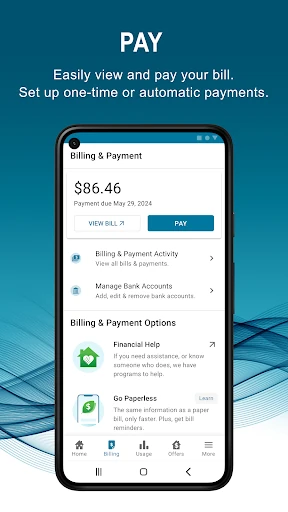
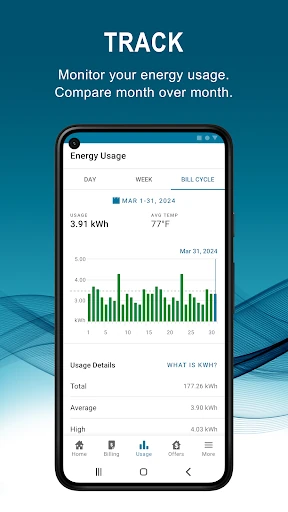
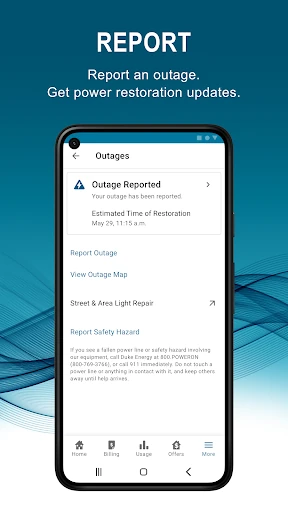
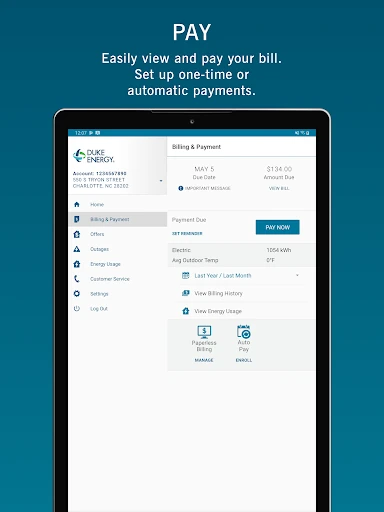
The bill history adds useful context beyond the amount due today. I can compare a recent bill with last month or the same time last year, then look at energy-use information to see how consumption has changed. If the power goes out, I can report the outage and check restoration estimates. That makes the app relevant both to monthly chores and occasional service problems.
A Utility Account, Not a Toolkit
The obvious alternative is using a browser or calling customer support for account questions. Duke Energy’s app puts bill viewing and payment, account access, energy-use information, outage reporting, and customer-service contact in a phone-focused experience. I’d reach for it when I already know I need to deal with my Duke Energy service and want to do that without switching between several channels.
This is not a general budgeting app, a home-automation controller, or a broad energy comparison service. Its features are tied to managing a Duke Energy account and service. I also wouldn’t treat its usage views as a replacement for a full household energy audit. The app can help me review past and recent consumption, but its purpose is practical account management rather than deeper analysis.
Small Habits That Help
I’d make a quick bill check part of a monthly routine: open the account, review the current amount, and compare it with the previous bill if it looks different. Bill reminders can help me remember when payment is due, while automatic payments are an option for people who prefer to arrange payment in advance. Those tools make the app more useful when I use them consistently rather than only during a billing problem.
For energy use, I’d check the recent information now and then instead of waiting until a bill surprises me. Looking at past use alongside a current bill gives me a better sense of change over time. I’d also keep the app handy during an outage, when reporting the problem and checking the estimated restoration time are more useful than searching through unrelated account pages.
More From Our News Desk

Zoom Meetings, Google Meet, or Teams: Which Is Easiest to Join?

How I Build a Free Streaming Lineup With Tubi

Why Crunchyroll Is the Default Anime App for So Many Fans

YouTube TV: A Practical Guide to Cutting Cable

Rummikub and the Small Comfort of Phone Games

TeamViewer Remote Control or AnyDesk for Helping Family?
Who May Find It Useful
I’d recommend Duke Energy to customers who want a phone-based way to manage ordinary account tasks. It brings together bill access and payment, reminders, billing history, energy-use views, outage reporting, and customer support contact. People who regularly check their account or would rather handle a payment from a phone may find that collection more convenient than returning to a browser each time.
It may be less appealing to someone who expects a highly rated, all-purpose energy app or tools beyond the listed account features. The Google Play score is 2.9 stars, so I’d set expectations accordingly and read recent user feedback before relying on it for a particular workflow. It is also useful only in the context of Duke Energy service, not as a general utility manager.
Duke Energy is the developer. On Google Play, the app has over one million installs and a 2.9-star rating from 6,721 ratings. It is free to download, with no in-app purchases and no ads reported in the supplied app details. Its content rating is Everyone, making the stated rating suitable for a general audience.
The supplied app details give version 7.12.0, a release date of March 25, 2019, and a last update date of October 27, 2026. No minimum Android version is provided in those details, so check the Google Play page on your device for compatibility information before installing.
Everyday Account Tasks in One Place
Getting Started
My first impression is that this is a utility account app, not something I’d open for fun. The path to value is simple: sign in with a Duke Energy account, then use the account tools for bills, payments, energy use, or service questions. The description says users can log in once and set up fingerprint access, which may make repeat visits less of a chore.
Setup is most worthwhile if I plan to return regularly. After getting into the account, I can decide whether bill reminders or automatic payments fit the way I handle monthly expenses. I would still take a moment to review the bill details myself, particularly before relying on an automated routine. The app’s convenience comes from having those account tasks close at hand.
The Day-to-Day Experience
The everyday loop is easy to understand: check the bill, pay it, and keep an eye on energy use. Billing history gives the current amount some context, since I can compare bills with last month and last year. That is more informative than seeing a single number in isolation, especially when I’m trying to understand whether a change is recent or part of a longer pattern.
On a normal week, I might not need the app at all. That is part of its nature: it serves occasional account chores rather than demanding constant attention. When a due date approaches or I have a question about service, though, having bill reminders and customer support contact alongside account information gives me a clear reason to open it.
Features With Clear Purpose
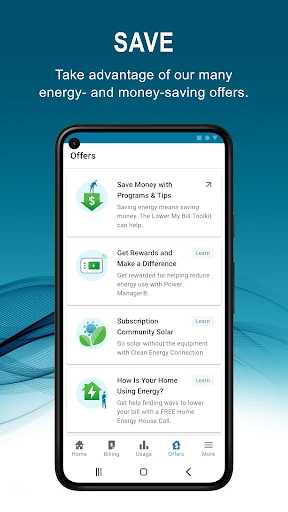
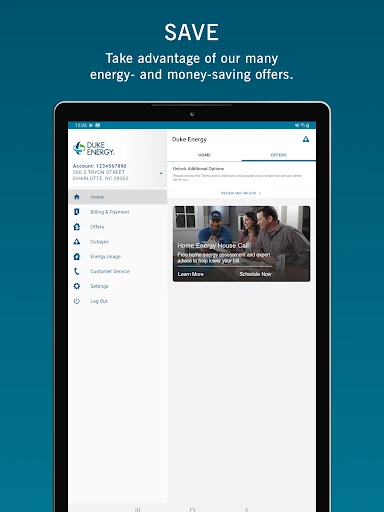
The most useful features are the ones tied directly to predictable needs. I can view and pay a bill, review billing history, arrange automatic payments, and set reminders. These options cover both the active approach—checking in and paying manually—and a more hands-off routine. The app also includes energy-saving offers, which give customers another reason to look beyond the bill itself.
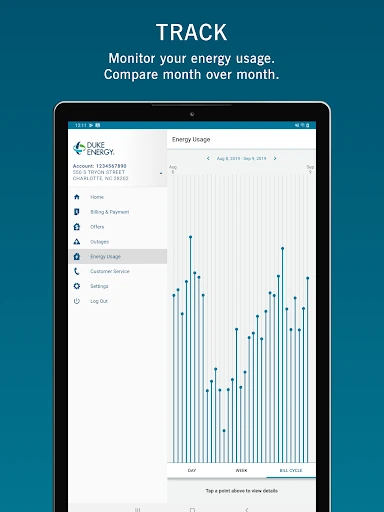
The energy-use views are a helpful companion to billing history. I can review past and recent consumption and use the information to better manage energy use. I would treat that as a way to notice changes, not a promise that the app will explain every cause. Its strength is access to account-related information rather than a long list of advanced analysis tools.
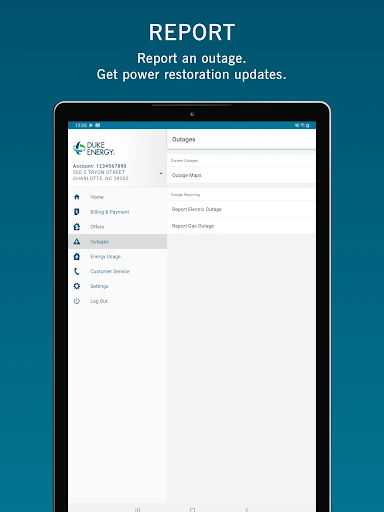
Outage reporting is the standout feature for a less routine moment. I can report that the power is out and look for updates on the estimated restoration time. It is useful to have that option alongside customer-service contact, especially when the issue is immediate and I want service information without treating the app as a general news source.
A Monthly Check-In
A practical routine would be to open the app around the time I normally handle household bills. I’d review the amount due, compare it with recent billing history if it seems unusual, and pay or confirm the payment arrangement I’ve chosen. A reminder can help prompt that check-in, while automatic payments may suit customers who would rather arrange payment ahead of time.
Every so often, I’d also look at recent energy use and compare it with past use. That gives me a simple way to notice whether consumption has shifted, without turning a routine bill check into a complicated project. If I have a service question, the customer-support option is there as another account-related route. The routine stays useful because it is brief and tied to real household tasks.
Limits to Keep in Mind
The app’s focus is also its main boundary. It is for managing a Duke Energy account, so it will not serve people looking for a general bill organizer or a wider comparison of energy providers. The usage information may help me follow consumption, but the supplied feature description does not promise detailed explanations of every change or a full set of home-efficiency tools.
The 2.9-star Google Play rating is a reason to keep expectations measured. A rating does not tell me exactly how the app will perform for every customer, but it does suggest that a smooth experience is not universal. I’d check recent store feedback and confirm that the app works with my device before making it central to a time-sensitive payment or outage routine.
Duke Energy puts the main service chores—checking and paying bills, reviewing usage, setting reminders, and reporting outages—within reach on a phone. I like that the features map to specific moments rather than trying to turn a utility account into a broader lifestyle product. Its modest Play rating is a fair reason to approach it with practical expectations.
I’d try it if I’m a Duke Energy customer who wants a convenient account companion, particularly for monthly bill checks and outage updates. If I only need to pay occasionally, the app may be less essential, and I’d review current user feedback before depending on it. Its value is simple: one place for several common account tasks.
Duke Energy Frequently Asked Questions
What is the Duke Energy app used for?
Duke Energy is for managing a Duke Energy account from a phone. It supports viewing and paying bills, checking billing history, setting bill reminders or automatic payments, reviewing past and recent energy use, reporting an outage, checking estimated restoration updates, and contacting customer support.
Which devices can run the Duke Energy app?
The supplied app details describe the Android version, available through Google Play. Device compatibility depends on the Android version and other requirements shown for your device, so check the Google Play page before installing. Requirements can vary as the app is updated.
What Android version does Duke Energy require?
The minimum Android version can vary and is worth checking on the Google Play page for Duke Energy before downloading. The app details provided here do not give a minimum requirement, so I would use the store’s compatibility information for my specific device.
Does the Duke Energy app cost money?
The app is free to download, and the supplied details say it has no in-app purchases and no ads. Account-related charges or payment terms are separate from the app’s download price. Check the Google Play page for current app information.
Is Duke Energy a good fit for every user?
It is aimed at people managing a Duke Energy account, especially those who want to check bills, track usage, or report outages from a phone. It is not a general utility or budgeting app. Its Google Play rating is 2.9 stars, so reviewing recent feedback may help set expectations.
Pros
- Combines bill viewing, payments, reminders, and account history in one phone app.
- Includes past and recent energy-use information for simple consumption check-ins.
- Lets customers report outages and check estimated restoration updates.
- Free to download, with no ads or in-app purchases reported.
Cons
- Its features are focused on Duke Energy accounts rather than general utility management.
- The 2.9-star Google Play rating suggests the experience may not suit everyone.
- Minimum Android requirements should be checked on the store page before installing.
- Category
- Business
- Version
- 7.12.0











