DroneMobile
- 18.74K
- 4.5
- Installs
- 100.00K
- Price
- Free

Screenshots
Analysis by Reviewed APKs
DroneMobile is a companion app for controlling and keeping tabs on a compatible vehicle from an Android phone or Wear OS device. It brings remote start, door and security controls, location tracking, and vehicle alerts into one place. I see it as a practical extension of a supported remote-start or security system, rather than a standalone gadget. Its appeal depends on having compatible equipment in the car.
A Colder Morning, Made Easier
On a cold morning, I can picture opening DroneMobile before heading outside, checking the vehicle screen, and using the remote-start control while I finish getting ready. When I reach the car, the main benefit is simple: I have already taken care of a small chore without walking back out to the driveway. The same idea works in warm weather, when starting the car ahead of a trip can make the first few minutes more comfortable.
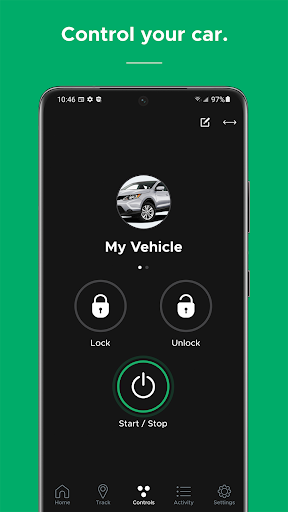
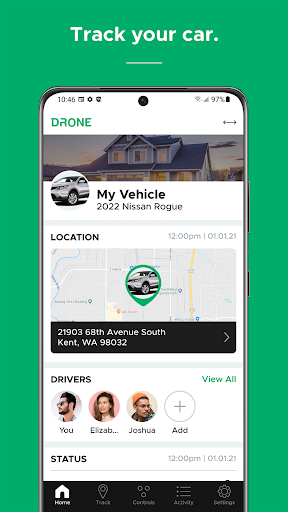
The app has more to offer than a start button. I can use it for functions such as locking doors, releasing the trunk, or activating and deactivating a security system, depending on the connected setup. Vehicle status and location give the home screen practical context. I would be most likely to open DroneMobile for a quick check or control, rather than browse it for its own sake.
A Companion, Not a Car Finder
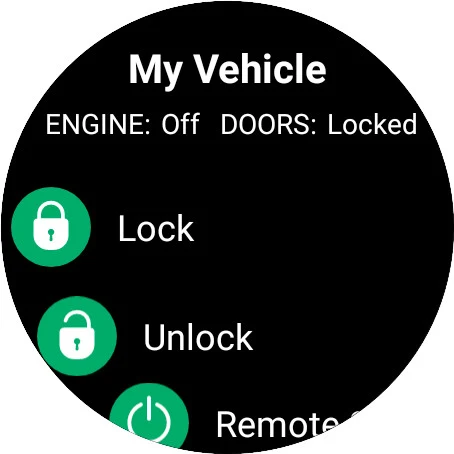
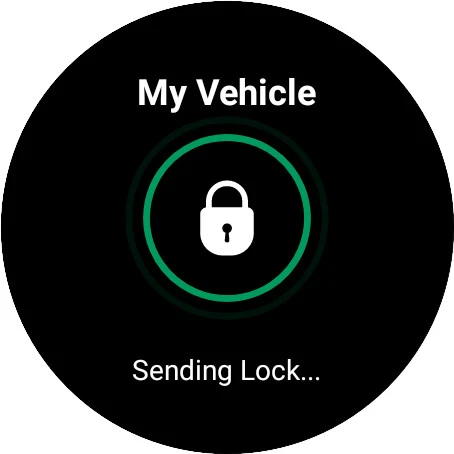
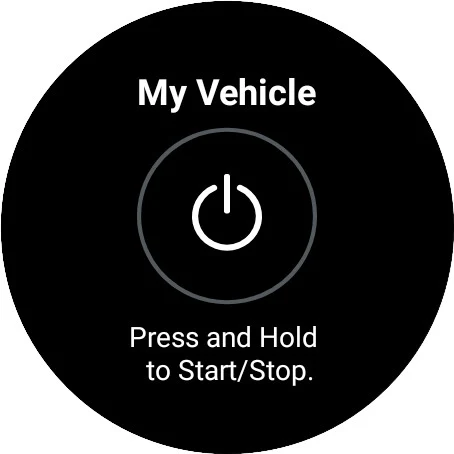
Compared with carrying a separate remote, DroneMobile puts supported vehicle controls and tracking on a phone, with Wear OS compatibility too. It can also offer a widget for vehicle control and Google Assistant access for keyless entry and tracking. Those options make it easier to fit a familiar action into a phone routine, though they do not remove the need for compatible vehicle equipment.
I would not treat DroneMobile as a general-purpose navigation app, a replacement for a car key, or a tool that works with every vehicle out of the box. Its listed compatibility is with Compustar, Compustar PRO, Arctic Start, NuStart, and FTX remote-start or security systems. If a household has no supported system installed, the app alone is not the same thing as adding remote start or GPS hardware.
Small Habits That Help
The home screen can be arranged to put the vehicle information I care about up front. I would spend a minute editing those sections so a status check does not turn into hunting through a screen. There is also an option to have the controls screen open by default. That suits someone who usually launches the app to start the car or lock it, rather than to look around.
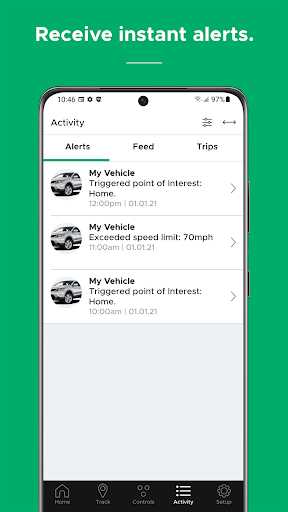
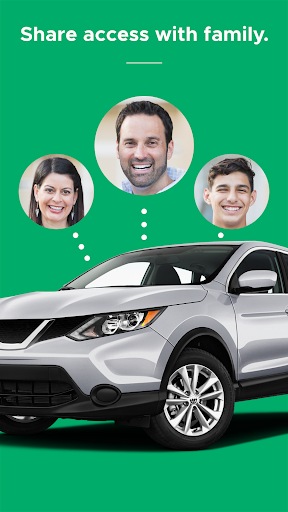
For a shared car, sending a Family Sharing invitation by email can give another household member access to control and track vehicles on the account. I would keep alerts purposeful: low-battery notices, security notifications, and maintenance reminders are useful when they match what I want to keep an eye on. Premium and Business customers can view multiple vehicles by swiping across the tracking screen.
More From Our News Desk

Zoom Meetings, Google Meet, or Teams: Which Is Easiest to Join?

How I Build a Free Streaming Lineup With Tubi

Why Crunchyroll Is the Default Anime App for So Many Fans

YouTube TV: A Practical Guide to Cutting Cable

Rummikub and the Small Comfort of Phone Games

TeamViewer Remote Control or AnyDesk for Helping Family?
Who Will Get the Most From It
I would recommend DroneMobile to drivers who already have a compatible remote-start or security system and want its controls and tracking on a phone. It makes particular sense for people who start their car in changing weather, check where a vehicle is parked, or want security and low-battery alerts in the same app. Families may also appreciate sharing access and, where appropriate, setting driver alerts.
It may not suit someone expecting an app-only way to add remote start, or someone whose vehicle setup is outside the listed compatible system brands. Drivers who rarely use remote controls or tracking may find that a physical remote is enough. Teen-driver alerts and multi-vehicle tracking are useful only to people with those needs, and some tracking options are tied to Premium or Business customers.
DroneMobile is developed by Firstech, LLC. On Google Play it has over 100,000 installs and a 4.5-star rating from 18,741 ratings. The app is free to download, with no listed in-app purchases or ads. Its content rating is Everyone. The current version is listed as varying with device, so the installed version can depend on the device.
The app first appeared on October 14, 2010, and its last update is dated October 29, 2026. The minimum Android requirement is not included in the available app details, so it is worth checking the Google Play page for the requirement shown for a particular device. The Wear OS app requires the DroneMobile phone app to be installed.
Making Vehicle Controls Part of the Routine
A Clearer First Look
When I first opened DroneMobile, the home-screen approach sounded like the right fit for an app I would use in short bursts. It is designed to show vehicle information and lets me arrange its sections with an Edit control. That is a sensible starting point: I can shape the opening view around the details I actually check instead of treating every visit as a trip through a long feature list.
The other useful setup choice is deciding what screen should open by default. If most sessions are about operating the car, making Controls the default cuts a step from that repeated task. I would also check that the vehicle and its supported system are represented correctly before relying on app controls. The app is a companion to compatible hardware, so that relationship matters from the outset.
Quick Checks and Controls
Day to day, DroneMobile is built around a mix of actions and information. The green Controls button in the footer makes controls accessible from anywhere in the app, while vehicle status and location cover the checking side. Remote start and shutdown, keyless entry, trunk release, and security-system controls give the app a concrete job beyond simply displaying where the car is.
I like that these features can fit both a deliberate check and a quick, practical action. Before leaving, I might check the car's status; after parking, I might want to confirm its location or use a supported lock control. Push notifications add another way to hear about security alerts. The exact controls available depend on the connected vehicle system, so I would not assume every car has every function.
Useful Extras Beyond Starting
What surprised me is how much of the app's value comes from the less dramatic extras. Maintenance reminders and low-battery alerts can prompt a check before a small issue becomes an unpleasant surprise. Customizable auxiliary functions offer two additional controls, while a vehicle widget and Google Assistant integration provide alternate ways to reach supported actions.
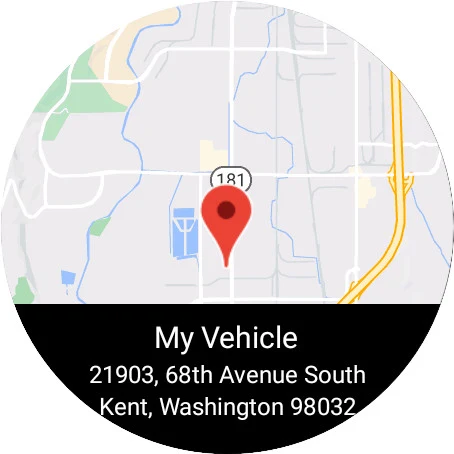
Tracking is another substantial part of the package. GPS location is available in the app, and Premium and Business customers can swipe between vehicles on the tracking screen. Wear OS compatibility extends the experience to a watch, although using the Wear OS app requires the phone app as well. These options make DroneMobile more flexible, but they remain tied to the supported vehicle setup and account.
A Household Vehicle Routine
For a household that shares a car, I would begin by inviting the other driver through Family Sharing. Then I would arrange the home screen around the vehicle details the family checks most often and decide whether Controls should be the default. That gives both users a more direct path to the common tasks instead of having each person learn a different route through the app.
If the vehicle is used by a young driver, the listed driver-monitoring tools include speeding, geofence, and curfew alerts. I would choose those settings carefully and keep notifications focused on the events the family actually wants to know about. For an individual driver, a simpler routine may be enough: use remote start when useful, check the location when parked, and pay attention to relevant security or battery alerts.
Compatibility Sets the Boundaries
The most important limitation is that DroneMobile is not a universal vehicle-control app. It works with compatible remote-start or security systems from Compustar, Compustar PRO, Arctic Start, NuStart, and FTX. Before planning a routine around remote start or tracking, I would verify that the vehicle has the appropriate system. Without compatible equipment, the app cannot provide the connected-car functions described here.
A second boundary is that features vary by account and setup. Advanced multi-vehicle tracking is described for Premium and Business customers, while the available controls depend on the installed system. The app also focuses on remote control, status, tracking, and alerts; it is not a substitute for a general navigation app. Those limits are reasonable, but they matter when deciding whether it matches a particular car and household.
DroneMobile makes the most sense when it is attached to a compatible system and used for everyday tasks: starting the car, checking its status, locating it, or sharing access. I like the customizable home screen and the range of alert and control options. The main caveat is fundamental rather than cosmetic: the vehicle needs supported equipment, and some capabilities depend on the account.
I would try it if my car already used one of the compatible systems and I wanted a more connected routine. Drivers without that equipment, or those who do not need remote controls and tracking, have less reason to install it. For its intended audience, DroneMobile gathers useful vehicle functions into a practical companion app.
DroneMobile Frequently Asked Questions
What is DroneMobile used for?
DroneMobile is used to control and track a vehicle connected to a compatible remote-start or security system. Its listed functions include remote start and shutdown, keyless entry, trunk release, security controls, vehicle status, GPS tracking, and alerts. It also includes options such as maintenance reminders and family access. The precise functions available depend on the vehicle's connected system and account.
Which phones and devices support DroneMobile?
DroneMobile is an Android app, and it is also compatible with Wear OS. The Wear OS app requires the DroneMobile phone app to be installed. A supported remote-start or security system is needed for the vehicle features. The app lists compatibility with Compustar, Compustar PRO, Arctic Start, NuStart, and FTX systems.
What Android version does DroneMobile require?
The minimum Android version can vary by device and may be worth checking on the Google Play page before installing. The app's version is also shown as varying with device. For Wear OS use, the DroneMobile phone app needs to be installed as well, so the phone and watch setup both matter.
Does DroneMobile cost money or include purchases?
DroneMobile is free to download on Google Play, and the available app details show no in-app purchases or ads. Some capabilities are described as applying to Premium and Business customers, including viewing multiple vehicles on the tracking screen. Account or service arrangements can vary, so check the store and relevant service details for current terms.
Is DroneMobile suitable for any car?
Not by itself. DroneMobile is intended to work with compatible remote-start or security systems, including listed systems from Compustar, Compustar PRO, Arctic Start, NuStart, and FTX. It may suit drivers who want app-based controls, location tracking, or alerts. If a vehicle does not have compatible equipment, the app alone does not provide those connected-car functions.
Pros
- Combines remote start, vehicle controls, tracking, and alerts in one app.
- Customizable home screen helps put frequently checked vehicle information first.
- Family Sharing and driver alerts support shared-car routines.
- Wear OS, widget, and Google Assistant options add alternative ways to reach controls.
Cons
- Requires a compatible vehicle system, so it is not a universal car-control app.
- Some tracking features are limited to Premium and Business customers.
- Available controls depend on the connected vehicle system and account.
- Category
- Lifestyle











