Downloader by AFTVnews
- 65.16K
- 4.2
- Installs
- 50.00M
- Price
- Free

Screenshots

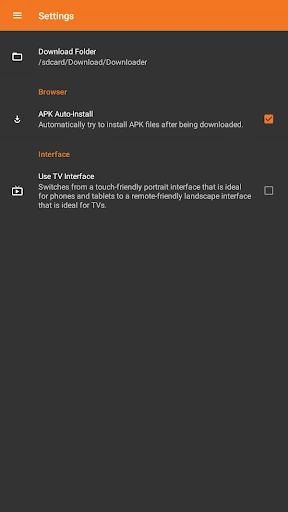
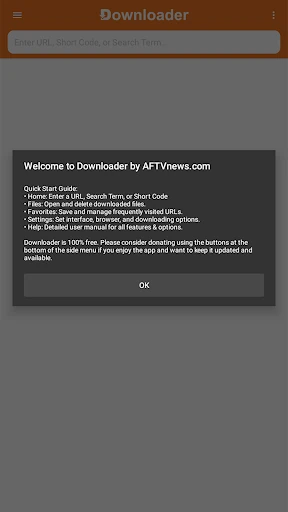

Analysis by Reviewed APKs
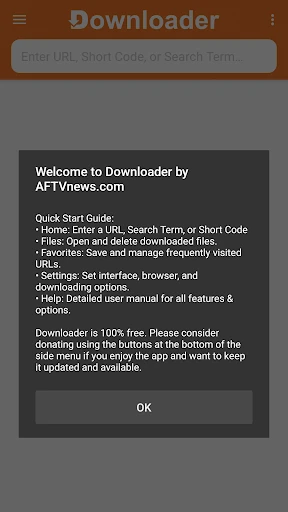
Downloader by AFTVnews is a practical way to fetch files from the internet on an Android TV, Google TV, phone, or tablet. You can enter a web address or short code, browse sites, and manage what you download in the app. I like its focused approach: it is useful when a file is awkward to reach with a remote or when I want a simple download workflow, but it is not a general-purpose browser replacement.
A Download From The Couch
Picture me settling in to use an Android TV and realizing I need a file that is available at a specific web address. Instead of switching to a computer, I can open Downloader, enter the URL, and let the app bring the file onto the device. Short codes offer another way to reach a download, which is handy when typing a long address with a television remote would be tedious.
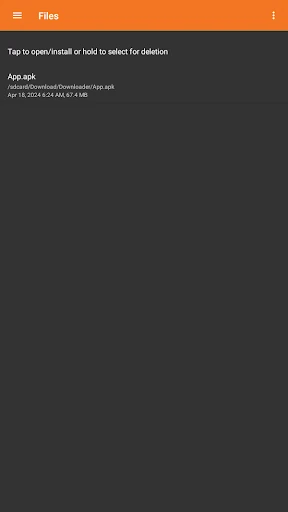
After the download finishes, the built-in file manager gives me a place to open or delete the file. If it is an app installation file, Downloader can start the installation process. That makes the app feel like a small utility with a clear beginning and end: enter a destination, get the file, then decide what to do with it.
A Utility, Not A Browser Hub
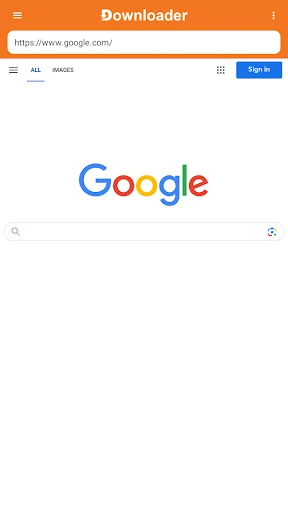
Downloader sits somewhere between a basic web browser and a dedicated file manager. It can browse websites, but its main purpose is getting files onto a device and handling them afterward. I would reach for it when I already know what I want to download, rather than when I want to spend time browsing, reading, or comparing pages across a full browser experience.
It also is not a general-purpose media library or a cloud storage service. Its strength is the direct route from a URL or short code to a local file. Compared with moving files through another device, that can be a simpler option for Android TV and Google TV. On a phone or tablet, it is most useful when a straightforward download workflow matters more than extra browser features.
Make Repeat Downloads Easier
For links I use more than once, I would save them as favorites rather than retyping the address every time. That small habit is especially helpful with a television remote, where entering punctuation and long strings can slow down an otherwise quick task. Keeping frequently visited URLs close at hand turns the app into a more convenient routine tool.
I would also make a point of checking the file manager once a download is done. Opening or installing a file directly from there keeps the process in one place, while deleting files I no longer need helps avoid leaving a trail of forgotten downloads. The app works best when I treat it as a focused utility: use a trusted destination, retrieve the file, and tidy up afterward.
More From Our News Desk

Zoom Meetings, Google Meet, or Teams: Which Is Easiest to Join?

How I Build a Free Streaming Lineup With Tubi

Why Crunchyroll Is the Default Anime App for So Many Fans

YouTube TV: A Practical Guide to Cutting Cable

Rummikub and the Small Comfort of Phone Games

TeamViewer Remote Control or AnyDesk for Helping Family?
Who May Find It Useful
I would recommend Downloader to Android TV and Google TV users who need to retrieve files from a URL or short code without moving over to a computer. It is also available for Android phones and tablets, where its download and file-management features can be useful for people who prefer a direct, no-frills process. Favorites are a welcome convenience if the same links come up regularly.
It may not suit someone looking for a feature-rich browser, a broad file-organizing system, or an app that handles every kind of online task. The experience is deliberately centered on downloading and basic file actions. If you rarely need to fetch files manually, you may not have much reason to keep it in your regular rotation. For occasional, specific downloads, though, its narrow focus is a benefit rather than a drawback.
Downloader by AFTVnews is made by AFTVnews.com. On Google Play it has over 50 million installs and a 4.2-star rating from about 65,000 ratings. The app is free to download, with in-app purchases listed at $2 to $100 per item, and it contains ads. Google Play assigns it an Everyone content rating.
The current version shown is 2.0.4-ForGoogleAndroidDevices. It was released on August 18, 2017, and its most recent update is dated July 30, 2026. Downloader is for Android devices, including Android TV, Google TV, phones, and tablets. The minimum Android version is not included in the available app details, so check Google Play for device compatibility.
A Focused Route From Link To File
A Straightforward First Look
When I first opened Downloader, the appeal was easy to understand: it is built around a few clear ways to reach a file. I could enter a URL, use a short code, or browse a website. That menu of approaches makes sense across devices, since typing on a phone is different from entering text with a TV remote.
There is no complicated setup story to explain here. The main thing is having a URL or short code for the file or page I want to reach. I appreciate that the app does not require me to build a larger workflow before getting started; it is designed to move quickly from a destination to a download.
The Everyday Download Flow
Day to day, the core experience is pleasantly direct. I enter an address or short code, use the app to reach the intended content, and download a file to the device. Browsing is available when I need to navigate a site, but the utility makes the most sense when I know where I am going and want to get a file without extra steps.
Once the transfer is complete, the built-in file manager lets me open the download, install it if it is an app file, or delete it. I like having those basic follow-up actions close to the download itself. It makes the app feel self-contained for a simple task, rather than forcing me to bounce between separate tools just to manage the file I retrieved.
Useful Details That Stand Out
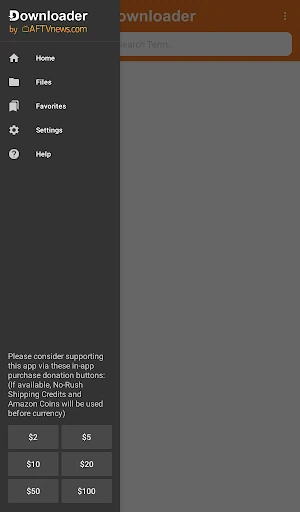
Favorites are a small feature with a real quality-of-life payoff. Saving a frequently used URL means I do not have to enter it repeatedly, which matters most on a television where remote-based typing can feel slow. For recurring downloads or familiar websites, that shortcut can make the app feel more personal and less like a one-off tool.
The other standout is the combination of downloading and file management. I can retrieve a file and then open, install, or delete it in the same app. Those are practical actions, not a long list of extras, and that restraint suits the product. Downloader does not need to be an all-in-one digital toolbox to be useful at the moment I need a file.
A Simple Repeatable Routine
A routine I would use is to save a familiar destination as a favorite, open it when needed, and download the file directly to the device. Afterward, I would use the file manager to open or install it, then remove anything I no longer want stored locally. Keeping those steps together makes an occasional task easier to remember and repeat.
For a living-room device, the short-code option can be another useful part of that routine when a long URL would be awkward to type. I would keep the workflow deliberate: confirm the destination before downloading, avoid collecting files I do not need, and return to the file manager when it is time to clean up. The app provides the tools for that basic cycle.
Keep The Scope In Mind
Downloader is centered on files, so I would not choose it as my everyday browser if I wanted a rich browsing experience. Its web browsing supports the download task, but the app's strongest use case is more specific: reaching a destination and bringing a file onto an Android device. People who seldom download files may find that narrow role limits how often they open it.
The app contains ads and offers in-app purchases, which are worth keeping in mind before settling into regular use. Its Google Play content rating is Everyone, and the store provides the current compatibility details for individual devices. Overall, these are practical considerations rather than reasons to dismiss the app; the main question is simply whether direct downloads are a recurring need for you.
Downloader by AFTVnews earns its place as a focused utility for getting files onto Android TV, Google TV, phones, and tablets. URL and short-code entry, favorites, and a built-in file manager cover the essential path without asking me to learn a complicated system. I especially like the idea of using it from the couch when a computer would be an unnecessary detour.
I recommend it to people who regularly need to download files directly on an Android device, particularly those working with a TV remote. If you mainly want a full-featured browser or rarely download anything, its narrow scope may not add much to your routine. For the right task, though, it offers a clear, practical way to get from link to file.
Downloader by AFTVnews Frequently Asked Questions
What is Downloader by AFTVnews used for?
Downloader by AFTVnews helps you download files from the internet by entering a URL or short code, or by browsing websites. It can save files to an Android device, and its file manager lets you open or delete downloads. App installation files can be installed from within the app.
Which devices can run Downloader by AFTVnews?
Downloader by AFTVnews is described for Android TV, Google TV, Android phones, and tablets. For a particular device, check Google Play to confirm compatibility and the applicable system requirements, since those details can vary by device.
What Android version does Downloader by AFTVnews require?
The minimum Android version may vary by device and is worth checking on the Google Play store page before installing. The app is intended for Android devices, including televisions, phones, and tablets, but the store is the best place to confirm whether a specific model is supported.
Is Downloader by AFTVnews free, and does it have in-app purchases?
Downloader by AFTVnews is free to download on Google Play. It contains ads and offers in-app purchases, with listed item prices ranging from $2 to $100. Store pricing and purchase details may vary, so check Google Play for the current information before making a purchase.
Who is Downloader by AFTVnews best suited for?
It is best suited to Android users who want a direct way to download files using a URL or short code, especially on Android TV or Google TV. Favorites help with repeat destinations, and the file manager handles basic follow-up actions. It may be less useful if you want a full-featured browser or rarely download files.
Pros
- Downloads files from URLs or short codes on Android TV, Google TV, phones, and tablets.
- Favorites make frequently visited URLs easier to access again.
- Built-in file manager can open, install, or delete downloaded files.
- A focused workflow avoids needing a separate tool for basic file actions.
Cons
- Its narrow download focus may not replace a full-featured browser.
- Contains ads and offers in-app purchases.
- Typing long URLs with a television remote can still take time.
- Category
- Tools
- Version
- 2.0.4-ForGoogleAndroidDevices











