Cross DJ - Music Mixer App
- 183.61K
- 4.1
- Installs
- 10.00M
- Price
- Free

Screenshots
Analysis by Reviewed APKs
Cross DJ - Music Mixer App is a two-deck mixing tool for people who want to practice transitions, play with effects, or put together a set away from a full DJ setup. I like that it pairs familiar controls with useful timing aids, so beginners have a way in without making the app only for beginners. It feels most at home as a portable mixing workspace, rather than a replacement for every part of a dedicated studio.
A quick mix after work
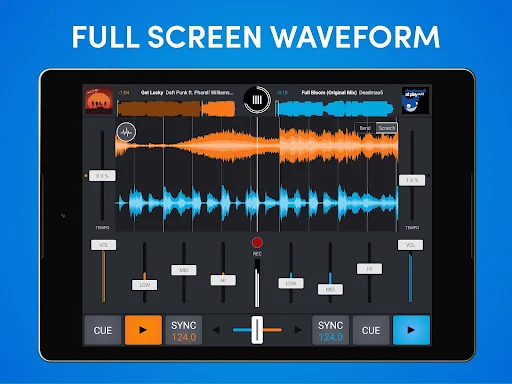
When I first opened Cross DJ, I imagined using it at the end of an ordinary day: pick two tracks from my music library, line them up, and see whether their rhythms work together. The two-deck layout gives that small experiment a clear shape. I can browse by title, artist, album, BPM, or length, then use the waveform and sync tools to help make a transition less of a guessing game.
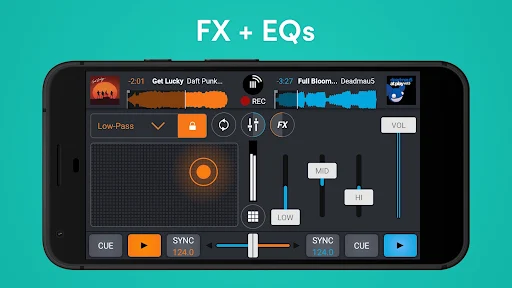
The useful part is how the app supports both listening and doing. Auto-sync can align the tracks, while BPM and key detection offer clues when I am choosing what to play next. I can adjust the crossfader and EQ, add effects, or try a scratch. That makes a short practice session feel like active mixing, not just pressing play on one song after another.
A pocket deck, not a studio
Compared with simply playing music in a standard music player, Cross DJ is built around shaping a transition between two tracks. It offers controls for tempo, EQ, effects, looping, samples, and recording a mix. For someone learning how a DJ set comes together, those tools make it a more hands-on option than a playlist app, while still being something I can use on a phone.
I would not treat it as a complete music production suite or assume the phone interface replaces a larger hardware setup. Its central job is mixing tracks, with some ways to perform and record along the way. The app also supports specific MIDI controllers and external audio hardware, but those are additions to the mobile experience, not a reason to expect every studio or club workflow to fit.
Small habits that help
A little preparation makes a casual session smoother. I would sort or browse the library by BPM when I want tracks with similar pacing, then check the waveform as one song approaches its ending. Key detection can be another useful reference when deciding what might sit well together. None of these choices removes the creative part; they simply give me more information before I move the crossfader.
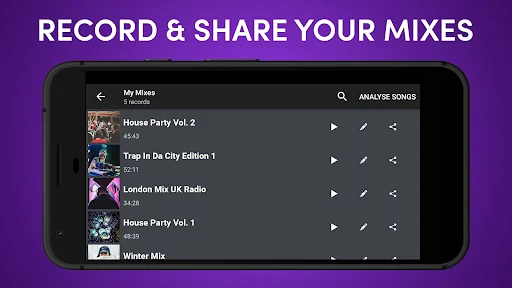
I would also save time for trying one control at a time. A loop, hot cue, sample, or effect can change a transition quickly, so it helps to learn what each does before piling them all into a short mix. When a set comes together, the recording and sharing options offer a way to keep it. One important limitation: streamed SoundCloud tracks cannot be recorded into mixes.
More From Our News Desk

Zoom Meetings, Google Meet, or Teams: Which Is Easiest to Join?

How I Build a Free Streaming Lineup With Tubi

Why Crunchyroll Is the Default Anime App for So Many Fans

YouTube TV: A Practical Guide to Cutting Cable

Rummikub and the Small Comfort of Phone Games

TeamViewer Remote Control or AnyDesk for Helping Family?
Who will enjoy mixing here
I would recommend Cross DJ to curious music fans who want to learn the feel of beatmatching, try transitions, or make a quick mix without setting up a full DJ rig. The two-deck arrangement, waveform, BPM detection, Auto-sync, effects, and looping provide plenty to explore. More experienced users may also appreciate having a portable place to sketch an idea or practice when their usual equipment is not nearby.
It may be less appealing if all you want is a straightforward music player, or if you expect a large-screen production environment on a phone. Some advanced options are tied to purchases or subscriptions, and the app contains ads. People who rely on streamed SoundCloud tracks should also remember the recording restriction. I see it as a practical mixing tool, with its best use coming from actively experimenting rather than passive listening.
Cross DJ - Music Mixer App is made by MIXVIBES and is in the Music & Audio category on Google Play. It has over 10 million installs and a 4.1-star rating from around 184,000 ratings. The app is free to install, contains ads, and offers in-app purchases. Google Play gives it an Everyone content rating.
The listed in-app product prices range from $0.99 to $29.99 per item. The current version shown is 4.1.3. Cross DJ was released on March 13, 2014, and its listed last update is October 27, 2026. The Android version requirement can vary by device and release, so it is worth checking the Google Play page for compatibility.
How Cross DJ Feels in Practice
Opening the two decks
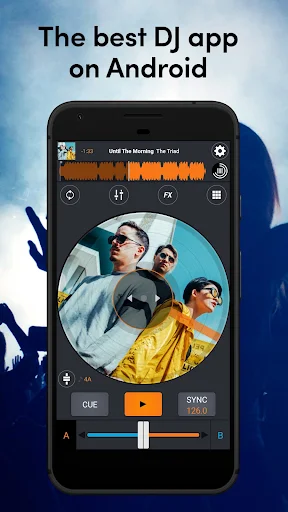
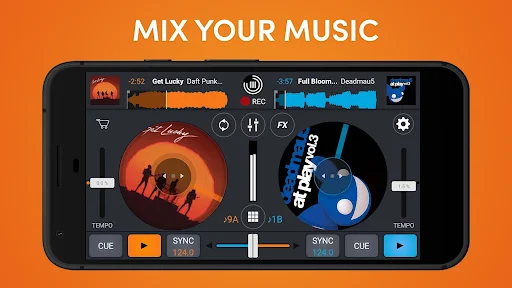
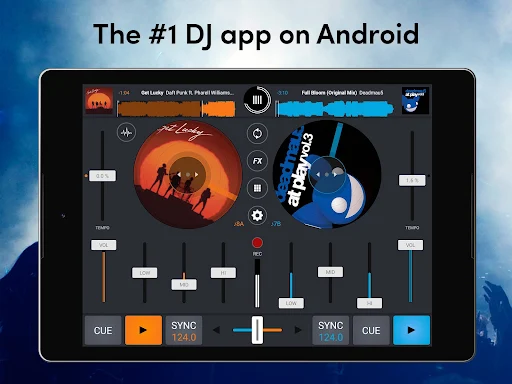
My first impression is that Cross DJ wants me to think in pairs: one track playing, another ready to come in. That two-deck setup makes the app’s purpose easy to understand. I can browse the music library by several common details, and the waveform gives me a visual view of the tracks as I work toward a transition.
There is more here than a basic play-and-pause screen, but the main idea stays legible. A portrait view is available for using the app on the go, and the interface color can be customized. Those options are modest touches, yet they make sense for a tool that I might open in different settings rather than leave fixed on a dedicated desk.
The everyday mixing loop
A typical session can start with browsing for a second track, checking its BPM, then loading it alongside the one already playing. Auto-sync can help line up the tracks, while the waveform gives me another way to follow their timing. From there, the crossfader and three-band mixer provide the basic controls for moving between songs and adjusting their sound.
I like that the app leaves room for both assistance and manual control. Auto-gain can balance levels between two tracks, while pitch range and pitch bend let me make tempo adjustments myself. Keylock changes BPM without changing the tone. That combination makes it possible to start with a little help, then take more responsibility for the transition as I get comfortable.
Tools beyond beatmatching
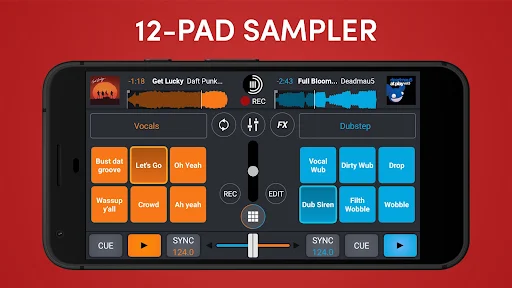
The feature list goes well beyond lining up two songs. Cross DJ includes real-time effects, over 70 one-shot samples, and 12 loops. I can also use loops from eight beats down to 1/32, set hot cues, and use Quantize to place cues and loops on the beat. These options give a practice mix more ways to change direction than a simple fade between tracks.
For more involved sessions, Slip Mode keeps the same tempo while looping, and Split audio allows pre-listening to a track through headphones before bringing it into the mix. The app also supports recording and playing personal samples, external hardware control for EQ and crossfader, and Ableton Link for going live with friends. These are meaningful extras, though not all users will need them.
A routine for practice
For a focused practice session, I would choose a handful of tracks, sort or scan them by BPM, and start with the simplest possible transition. I can watch the waveform, use Auto-sync if I need help, and pay attention to how the EQ and crossfader affect the changeover. Repeating one transition a few times is more useful than trying every effect in the first minute.
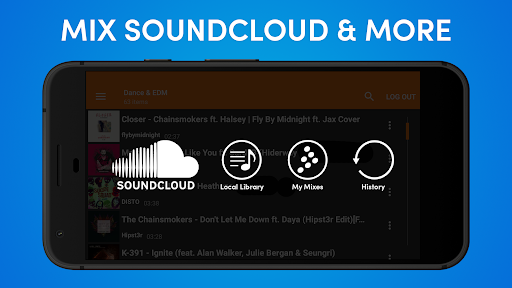
Once that basic move feels familiar, I would add one small variation: perhaps a loop, a sample, or a real-time effect. Recording a mix gives me a way to save and share a result. If I use SoundCloud tracks, I need to plan around the fact that mixes containing streamed tracks cannot be recorded. That distinction is easy to overlook when starting out.
Limits to keep in mind
The mobile format sets the boundaries. A two-deck app can be capable, but it is still a phone-based interface, and complex sessions may feel more comfortable with external hardware. Cross DJ lists compatibility with particular Mixvibes and Pioneer MIDI controllers, plus support for USB-compliant multichannel sound cards. That is useful context for people considering a more hands-on setup, though compatibility depends on the equipment involved.
The other practical caveat is that the free install is not the whole purchase picture. The app contains ads and offers in-app purchases, including monthly or yearly subscriptions described as unlocking features. SoundCloud recording is restricted for copyright reasons, and the exact Android compatibility requirement is worth checking in Google Play. For casual local-library mixing, those limits are easier to accommodate than for every possible workflow.
Cross DJ succeeds as a portable place to practice transitions and explore DJ controls. I especially like the balance between accessible helpers such as Auto-sync and more hands-on options like EQ, pitch bend, loops, and effects. Its two-deck focus is clear, and the extra tools give regular practice sessions room to grow.
I would try it if I wanted to learn mixing or keep a compact DJ workspace on hand. It is a less natural fit for someone who only wants to play music, or who needs a full production setup. Check the store for device compatibility and current purchase details before settling into a workflow.
Cross DJ Frequently Asked Questions
What is Cross DJ - Music Mixer App used for?
Cross DJ is used to mix music with a two-deck setup. It includes track browsing, waveform display, BPM and key detection, Auto-sync, EQ, effects, samples, loops, and mix recording. It can suit someone practicing transitions or putting together a portable DJ set. Recording mixes with streamed SoundCloud tracks is not possible.
Which devices can run Cross DJ - Music Mixer App?
Cross DJ is an Android app available through Google Play. The Android version requirement can vary with the app release and device, so check the Google Play page for the current compatibility details. The app also describes support for selected MIDI controllers and USB-compliant multichannel sound cards.
Does Cross DJ - Music Mixer App cost money?
The app is free to install, but it contains ads and offers in-app purchases. The listed individual purchase prices range from $0.99 to $29.99, and the app description also mentions monthly or yearly subscription plans that unlock features. Purchase options and prices can change, so check Google Play for the current details.
Can I record mixes in Cross DJ - Music Mixer App?
Cross DJ includes a feature for recording mixes and sharing them. There is an important exception: mixes made with streamed tracks from SoundCloud cannot be recorded because of copyright restrictions. If recording is central to your plans, check how your chosen music source works with the app before building a session around it.
Is Cross DJ - Music Mixer App suitable for beginners?
It can suit beginners who want to learn how two tracks fit together, since Auto-sync, BPM detection, and the waveform can help with timing. There are also manual controls and more advanced options to explore over time. People seeking only a simple music player or a full desktop-style production environment may prefer something else.
Pros
- Two-deck mixing combines Auto-sync and waveform guidance with manual tempo and EQ controls.
- Loops, samples, effects, hot cues, and recording add variety to practice sessions.
- Track browsing includes title, artist, album, BPM, and length.
- Portrait mode and selected hardware support offer flexible ways to use the app.
Cons
- Ads and in-app purchases mean the free install is not the entire experience.
- Mixes made with streamed SoundCloud tracks cannot be recorded.
- A phone-based two-deck layout may not suit complex or hardware-heavy sessions.
- Category
- Music & Audio
- Version
- 4.1.3











