Clean Buddy
- 20.96K
- 4.7
- Installs
- 5.00M
- Price
- Free

Screenshots
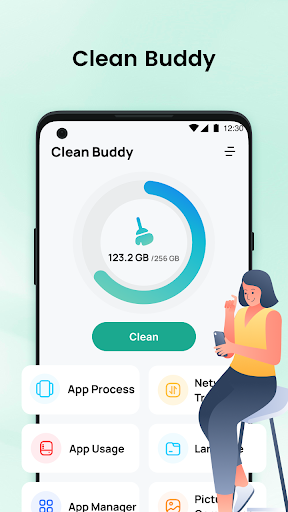
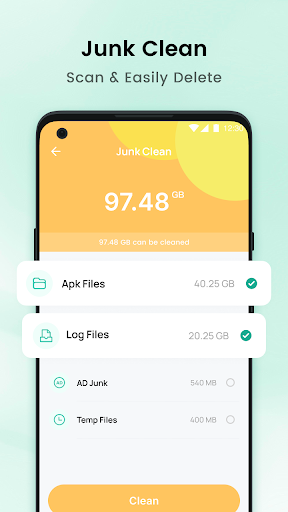
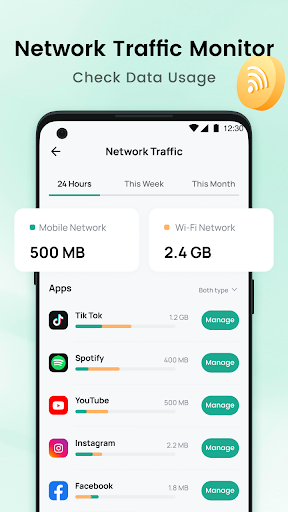
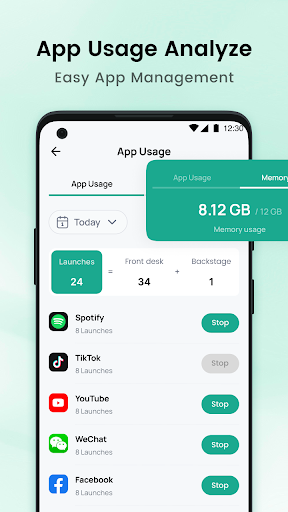
Analysis by Reviewed APKs
Clean Buddy is a phone-maintenance app for finding junk files, reviewing large files, managing installed apps, and checking mobile data use. It suits people who want a few storage and usage tools together rather than a separate app for each job. I like the practical range: it can help you spot what is taking up space or using data, though you still need to decide what is safe to remove.
A quick storage check
Picture a phone that has started running short on space just before a trip. With Clean Buddy, I’d begin with junk cleaning to scan for unnecessary files and residual data, then look at the large-file cleanup tool for items that might be taking up more room. That gives me two useful angles on the same everyday problem: clearing leftovers and finding the larger things I may no longer need.
I’d treat the results as a prompt to review, not as a reason to delete everything at once. Large files can still matter, and an old-looking file may be something I want to keep. Clean Buddy’s job is to help identify possible cleanup targets; the final choice is mine. That makes the app most useful when I have a few minutes to inspect storage deliberately.
A utility, not a full suite
Clean Buddy brings several phone-management tasks into one app: junk cleaning, app management, large-file cleanup, and network-traffic monitoring. Compared with opening separate tools for each task, that combination offers a straightforward place to check storage and data use. Its focus is practical maintenance rather than a broad collection of unrelated phone features.
It is not a home-cleaning scheduler or a service for booking cleaners; the name could suggest that, but the described tools are for managing a phone. Nor should I expect it to make decisions about which apps or files matter to me. It helps surface low-usage apps, large files, and data-consuming apps, while the decisions about uninstalling or deleting remain personal.
Make checks occasional
A useful habit is to open the app when storage feels tight, rather than turning cleanup into a daily chore. I’d scan for junk, review large files, and remove only items I recognize and no longer need. This keeps the process purposeful and makes it less likely that I’ll rush through a list just to see a bigger number of cleared files.
The app manager and network monitor suit a separate, occasional check-in. I can review which apps have low usage when I’m simplifying my phone, then check data consumption if my mobile usage seems unexpectedly high. These are best treated as information for a decision, not automatic instructions. A short review every so often is likely more useful than repeatedly checking without a specific concern.
More From Our News Desk

Zoom Meetings, Google Meet, or Teams: Which Is Easiest to Join?

How I Build a Free Streaming Lineup With Tubi

Why Crunchyroll Is the Default Anime App for So Many Fans

YouTube TV: A Practical Guide to Cutting Cable

Rummikub and the Small Comfort of Phone Games

TeamViewer Remote Control or AnyDesk for Helping Family?
Who may find it useful
I’d recommend Clean Buddy to Android users who want a small collection of storage and data tools in one place. It may be especially handy for someone who has accumulated downloads, wants to identify large files, or is curious about which apps use the most network data. The app’s mix of cleanup and monitoring gives it more than one practical role without straying from basic phone management.
It may not suit people looking for a detailed file-management system, automatic housekeeping, or a way to manage a home-cleaning routine. The described features are focused on scanning, reviewing, and managing phone content, so anyone who prefers to control every file through other tools may see little reason to switch. Since the app contains ads, users who want an ad-free experience may also want to consider that before installing.
Clean Buddy is a Tools app from Coder HOMOO BD. Google Play shows more than 5 million installs and a 4.7-star rating from around 21,000 ratings. It is free to download and contains ads. The content rating is Everyone. Those figures provide a useful sense of its reach, though a rating alone cannot tell me whether its particular cleanup approach will suit my phone habits.
The current version shown is 1.2.4. Clean Buddy was released on September 18, 2025, and its last update is dated October 8, 2026. Google Play does not provide a minimum Android version in the supplied details, so compatibility is worth checking on the store page for the device in question. There are no in-app purchases shown in the supplied app facts.
A closer look at phone upkeep
A simple starting point
When I first consider an app like Clean Buddy, I want to know whether its purpose is clear before I spend time using it. Here, the core idea is easy to grasp: help manage storage, installed apps, and network use. The set of tools points toward ordinary phone upkeep, rather than a complicated setup or a narrowly specialized task.
The features described give me a few sensible places to begin: scan for junk, identify large files, or check traffic by app. I would start with the issue I actually have instead of running through every tool out of habit. That keeps the app’s role practical and helps me focus on the information most relevant to the phone at that moment.
Checking in day to day
Clean Buddy’s everyday value comes from combining several checks that can otherwise feel disconnected. If I’m trying to free storage, junk scanning and large-file identification are relevant. If I’m trying to understand data use, the network monitor offers a different view. App management adds a way to review applications with low usage when I’m considering what I still need.
I would not expect every tool to be useful every day. Storage and app decisions tend to be occasional jobs, while network usage may be worth checking when I have a particular question. The app makes most sense as a place to consult when a need comes up, not as something that demands constant attention or a strict routine.
Four useful tools together
The range is the feature that stands out. Clean Buddy combines junk-file and residual-data scanning with large-file cleanup, app management, and network-traffic monitoring. That gives it a broader phone-maintenance role than a tool focused only on one type of cleanup. I can move between storage questions and data-use questions without treating them as the same problem.
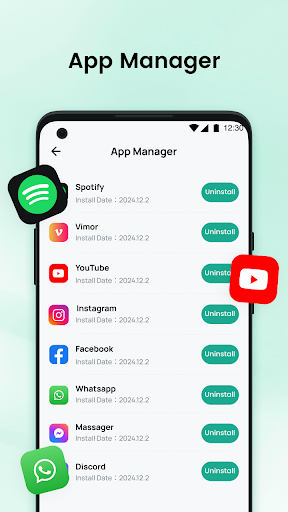
The app manager is described as a way to manage applications by uninstalling ones with low usage. The network feature lets me check which apps consume more data. Together, those tools can support a review of what is installed and how it uses the network. They provide information and management options, but the usefulness depends on my own judgment about what to keep.
A practical cleanup routine
For a low-storage check, I’d open Clean Buddy and use the junk-cleaning feature to look for unnecessary files and residual data. Next, I’d review the large-file results and consider whether any candidates are genuinely expendable. I’d keep anything I recognize as important, even if it takes up substantial space. The point is to make a considered choice, not to clear the longest possible list.
On another occasion, I might use the app manager to review apps I rarely use, then check network traffic if I want to see which apps are consuming more data. Splitting those tasks across a couple of short check-ins feels more manageable than trying to rethink my entire phone at once. It also gives each feature a clear purpose.
Keep expectations grounded
The app’s listed functions are focused on finding and managing potential cleanup targets, apps, and data use. That is useful, but it is not a substitute for paying attention to what a file contains or whether an app still matters. I would review before deleting or uninstalling, especially when I do not recognize an item. A tool can help surface candidates without knowing my personal priorities.
Clean Buddy contains ads, which is worth keeping in mind if I prefer utility apps without advertising. Its described feature set also centers on phone maintenance, so it may feel limited to someone looking for advanced file organization or a broader device-management suite. I’d judge it by whether these particular checks are useful to me, rather than expecting it to cover every kind of phone upkeep.
Clean Buddy brings together four straightforward jobs: junk scanning, app management, large-file cleanup, and network-traffic monitoring. I like that combination for occasional phone checkups, especially when I want to investigate storage or data use without reaching for several separate tools. Its best role is as a practical aid for reviewing possible changes, with the final decisions left to me.
I’d suggest trying it if those are the phone-maintenance tasks I want in one place and ads are acceptable. I would skip it if I’m after a full file-management system or a service unrelated to managing a phone. In short, it looks most useful for people who want simple checks and are comfortable reviewing cleanup suggestions carefully.
Clean Buddy Frequently Asked Questions
What is Clean Buddy used for?
Clean Buddy is a phone-management app for scanning unnecessary junk files and residual data, identifying large files, managing apps with low usage, and checking network traffic by app. It can help you review storage and data use, but you choose whether to delete files or uninstall applications.
Which devices can run Clean Buddy?
Clean Buddy is an Android app distributed through Google Play. The supplied details do not give a minimum Android version, so compatibility may vary by device and system version. Check the Google Play store page from the device you plan to use for the current compatibility information.
Is Clean Buddy free, and does it have ads or purchases?
Clean Buddy is free to download and contains ads. The supplied app facts show no in-app purchases. Store details can change over time, so the Google Play page is the best place to check the current terms before installing.
What Android version does Clean Buddy require?
The minimum Android version is not provided in the available app details. Requirements may vary with updates or device compatibility, so check Clean Buddy’s Google Play page using the phone you intend to use. That should show whether your particular device can install the current version.
Is Clean Buddy a good fit for my phone?
It may suit you if you want junk scanning, large-file review, app management, and network-use checks together. It may be less appealing if you need advanced file organization or do not want ads. Its tools help surface items to review; you remain responsible for deciding what to remove or uninstall.
Pros
- Combines junk cleaning, large-file review, app management, and network monitoring.
- Can help identify apps using more network data.
- Useful for occasional storage and phone-usage checkups.
- Free to download, with an Everyone content rating.
Cons
- Contains ads, which may interrupt a preference for a quieter utility app.
- Cleanup candidates still need careful review before deletion.
- Focused on basic phone maintenance rather than advanced file organization.
- Category
- Tools
- Version
- 1.2.4











