Citrix Workspace
- 65.56K
- 4
- Installs
- 10.00M
- Price
- Free

Screenshots
Analysis by Reviewed APKs
Citrix Workspace is an Android app for reaching work apps, files, and virtual desktops through a company’s Citrix setup. It suits people who need their organization’s resources while away from a desk, especially when switching between a phone, tablet, and computer. My overall take is that it is a practical work-access hub, but its usefulness depends on what an employer has configured and provided.
A Workday Away From Your Desk
Picture a commute that turns into a workday: you need to check a company app, open a document, and then continue on a desktop session once you reach another location. Citrix Workspace is meant to bring those resources together on a phone or tablet, rather than make you hunt through separate entry points. I like the idea of one work-focused starting place, particularly when the task is brief and I do not have my usual computer nearby.
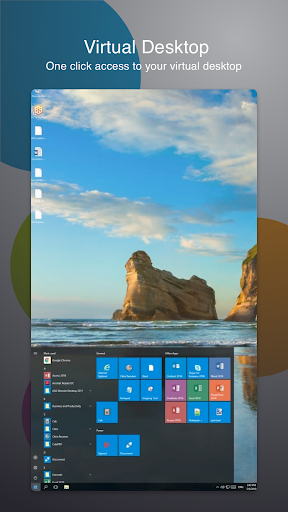
The important first step is asking your IT department how your organization uses Citrix and how to get started. The app is a doorway, not a self-contained office suite, so simply installing it does not provide a personal library of work tools. Once an organization has set up access, Workspace can surface apps, files, and desktops. That makes it useful for a quick check between meetings as well as for a longer remote session.
A Work Portal, Not a Phone Office
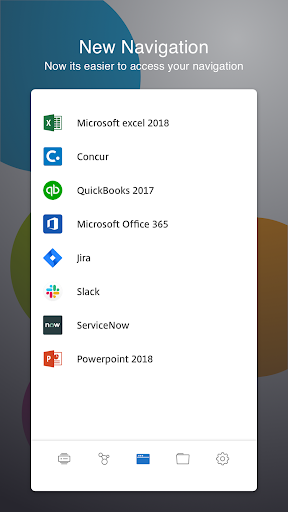
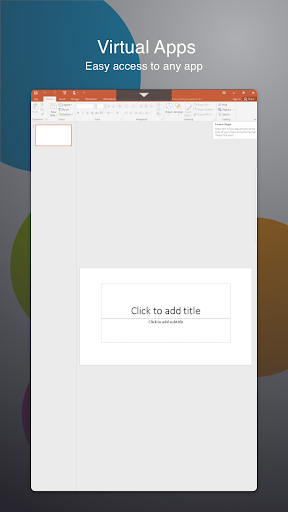
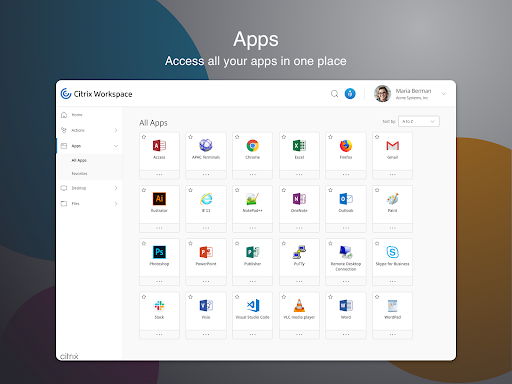
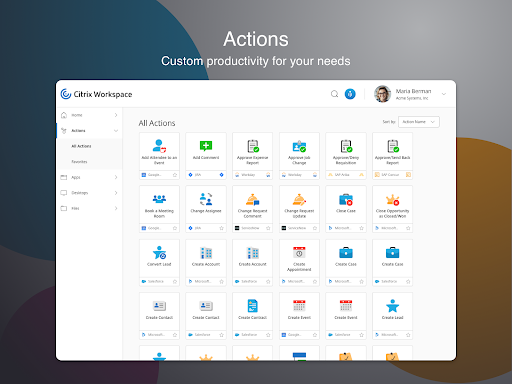
Compared with opening each company web app separately, Citrix Workspace is designed to collect supported work resources in a unified view. It can provide access to SaaS and web apps, mobile and virtual apps, files, and desktops, depending on the services your organization makes available. For someone already working in a Citrix environment, that can be more convenient than remembering several routes to company resources.
It is not a general-purpose productivity suite, a replacement for every app on your phone, or a way to browse any company system without permission. The experience depends on your employer’s Citrix setup and access arrangements. If you want a standalone note-taking app or a cloud drive for personal files, this is the wrong category. Its focus is managed work access, not personal organization.
Small Habits That Help
I would make the setup conversation part of the first day rather than waiting until a deadline. Ask which apps and files should appear, whether a virtual desktop is part of the workflow, and what sign-in steps the company expects. That can save time later, when I am on a phone and trying to work out whether a missing resource is a setup issue or simply not part of my organization’s access.
For everyday use, it helps to think in terms of the task at hand: open the work resource you need, handle the short job, and return to the unified workspace when moving to another company tool. If your organization uses Citrix SecureHub or Citrix Files, the app description says single sign-on capabilities are supported with them. Those services may make switching between supported resources feel more joined up.
More From Our News Desk

Zoom Meetings, Google Meet, or Teams: Which Is Easiest to Join?

How I Build a Free Streaming Lineup With Tubi

Why Crunchyroll Is the Default Anime App for So Many Fans

YouTube TV: A Practical Guide to Cutting Cable

Rummikub and the Small Comfort of Phone Games

TeamViewer Remote Control or AnyDesk for Helping Family?
Who Will Get the Most From It
I would recommend Citrix Workspace to employees and contractors whose organizations already use Citrix to provide work apps, files, or virtual desktops. It is especially relevant if you need to reach those resources from an Android phone or tablet while travelling, working remotely, or moving between locations. The unified approach is appealing when the company has configured several resources and you want one place to begin.
It may not suit someone who expects useful personal features immediately after installation, or who has no organization-provided Citrix access. The app’s purpose is to connect to company resources, not to supply them on its own. People who do nearly all their work on a laptop may also have little reason to add a mobile access point, unless their employer’s workflow calls for it.
Citrix Workspace is published by Citrix Systems, Inc. It is a Business app on Google Play, where it has more than 10 million installs and a 4.0-star rating from around 65,600 ratings. The app is free to install, and the supplied store facts say it contains no ads and offers no in-app purchases. Its content rating is Everyone.
The supplied app facts identify version 26.7.0, a release date of April 1, 2010, and a last update date of September 21, 2026. No minimum Android version is provided in those facts, so check Google Play for current device compatibility. As with any work-access app, installation alone does not establish access to a particular employer’s apps, files, or desktops.
A Closer Look at Mobile Work Access
First Steps and Setup
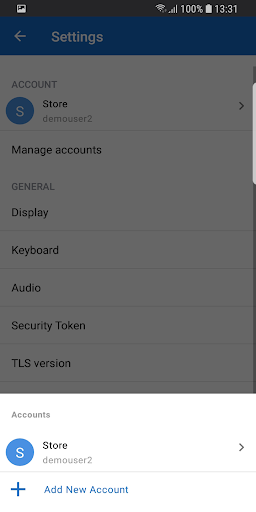
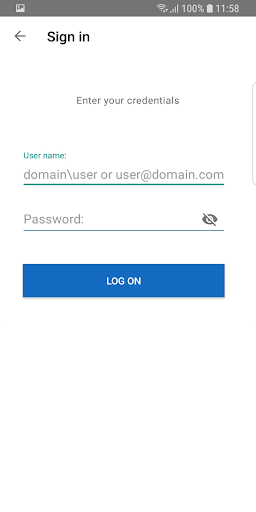
When I first opened the idea of Citrix Workspace, the key question was not which button to tap; it was whether my organization had enabled the service and explained its sign-in process. The description specifically directs users to ask their IT department how to get started. That is a useful expectation to set: Workspace is most meaningful once there are company resources ready to reach.
For people whose companies do not yet use Citrix, the description mentions requesting a demo account through a Try the demo option in the app. That may help someone explore the service, but it is not the same as receiving access to a real employer’s environment. I would start by clarifying the goal—testing the product or doing actual work—before assuming the same setup covers both.
Everyday Access
The day-to-day appeal is having work resources gathered into an all-in-one interface. Rather than treat a phone as only a place for email, the app is intended to connect users to corporate applications, files, and desktops too. That can be handy when a small task comes up between appointments and opening a full laptop would be inconvenient.
How much of that unified experience appears in practice depends on the organization’s Citrix services and configuration. I would not judge the app by expecting every possible resource to show up automatically. A sensible use is to treat it as the mobile entry point your company has arranged, then use the available tools for the particular task you need to finish.
Useful Citrix Capabilities
One distinctive capability described is client drive mapping. It can let a session use local device storage or mass-storage devices to copy and paste documents between the session and the user’s device. That is a specific bridge between a virtual work session and local storage, rather than just a list of remote apps. Whether it is available depends on the relevant setup.
The app also describes a location and sensor virtual channel, which can pass sensor information to applications running on a server. Examples include using accelerometer data in a 3D-modelling app, ambient light information for screen brightness, or location data to affect an application’s behavior. These are specialized possibilities, not everyday features every user will necessarily encounter.
For company-hosted internal web resources, SaaS apps, and websites, the description explains that VpnService functionality supports access. It also describes experimental authentication to Citrix Ready workspace hubs, allowing a user to cast a session to a hub. That hub feature is disabled by default and requires location permission when used.
A Practical Mobile Routine
A realistic routine might start with checking a company app on the phone during a break, then opening a file or desktop session if the task needs more than a quick glance. The point is not to do every kind of office work on a small screen. It is to have a route to selected work resources when I am away from the device I usually use.
I would also keep the organization’s guidance close at hand during the first few uses. If a resource does not appear, the best next step is to check what the company has provisioned rather than repeatedly reinstalling or guessing. When the workday moves between mobile access and a larger screen, the unified workspace concept can make that transition easier to understand.
Limits to Keep in Mind
The biggest limitation is that Citrix Workspace cannot decide what your employer makes available. An organization needs to use the relevant Citrix services and arrange access. That dependency makes this a specialized app: a person without company credentials may install it but still have little practical work to do in it.
Some of the more technical capabilities also depend on supported sessions and configuration. Sensor redirection, drive mapping, and workspace hub support are not reasons to assume every user will see the same behavior. The hub authentication feature is explicitly experimental and disabled by default. Location permission is required for that feature, though the description says it can be denied if no hubs are present.
Finally, a phone or tablet is not always the most comfortable place to use a desktop session or work with documents. Workspace provides access, but the suitability of a mobile screen depends on the task and the tools your organization supplies. I would treat it as a useful companion to a work setup, not a promise that every desktop workflow translates neatly to mobile.
Citrix Workspace makes the most sense as a company-provided gateway to apps, files, and virtual desktops, with some specialized connections to local storage and device sensors. I appreciate the focused role and the unified-workspace idea. The catch is equally clear: the app’s value rests on an organization’s Citrix setup and the access it gives you.
If your employer uses Citrix and you need work resources on an Android device, it is worth trying with your IT team’s instructions in hand. If you are looking for an independent personal productivity app, I would skip it. It is a practical work tool for the right environment, rather than a universal solution for everyone.
Citrix Workspace Frequently Asked Questions
What is Citrix Workspace used for?
Citrix Workspace is used to access work apps, files, and desktops provided through an organization’s Citrix services. The app description also covers access to SaaS and web apps, corporate applications, and company resources. What you can reach depends on your employer’s setup, so ask your IT department how to get started.
Which devices and platforms support Citrix Workspace?
The facts supplied here cover the Android app on Google Play. The description says users can access work resources from a phone or tablet, and also refers to working across devices. Check Google Play for current device compatibility and consult your organization about which devices it supports for work access.
What Android version does Citrix Workspace require?
The minimum Android version can vary with the current app release and device, so check the Google Play page for the requirement that applies to your phone or tablet. Your organization may also have its own requirements for accessing company resources. Ask IT if you are unsure whether your device is supported.
Does Citrix Workspace cost money or include purchases?
Citrix Workspace is free to install on Google Play. The supplied facts say it has no in-app purchases and contains no ads. Access to particular work apps, files, or desktops depends on the Citrix services and permissions arranged by your organization, rather than the app supplying a personal set of work resources.
Is Citrix Workspace useful without a company account?
The app is mainly for people whose organizations provide Citrix access, so it may have limited everyday use without company resources. Its description mentions requesting a demo account through Try the demo for companies that do not use Citrix yet. Ask your IT department about work access, and check the app for demo availability.
Pros
- Brings supported work apps, files, and desktops together in one mobile workspace.
- Supports specialized session capabilities such as client drive mapping and sensor redirection.
- Free to install, with no ads or in-app purchases according to supplied facts.
- Can provide a mobile route to company resources when away from a computer.
Cons
- Requires an organization’s Citrix setup and access to deliver its main value.
- Advanced capabilities depend on configuration and may not apply to every user.
- A phone screen is not ideal for every desktop or document task.
- Category
- Business
- Version
- 26.7.0











