Church's Texas Chicken®
- 26.46K
- 4.8
- Installs
- 1.00M
- Price
- Free

Screenshots
Analysis by Reviewed APKs
Church’s Texas Chicken® is an Android app for ordering chicken meals ahead for pickup or delivery and earning points through Church’s Real Rewards. I’d recommend it to regular Church’s customers who like repeating familiar orders or checking for member deals before dinner. In my experience, its appeal is practical rather than elaborate: it brings ordering, rewards, and quick reordering together in one place.
A smoother dinner pickup
When I first opened Church’s Texas Chicken® with dinner on my mind, I thought about the usual choice: drive over and decide at the counter, or get the order started before leaving home. The app is built for that second option. I can look for a meal, place an order for pickup, and have the basic ordering step out of the way while I finish up whatever I’m doing.
Delivery is another option when a trip out does not fit the evening. The app supports ordering favorites to your door, and Real Rewards members can earn points on delivery orders as well as other orders. I like that this frames the app around ordinary needs—a quick meal for myself or a larger family order—rather than making me learn a complicated system just to get dinner.
Ordering, not meal planning
Compared with walking into a restaurant and ordering in person, the app is useful when I already know what I want or would rather get the order started ahead of time. Compared with a general food delivery app, its focus is narrower: Church’s Texas Chicken orders, the restaurant’s pickup and delivery options, and its own rewards and member deals. That focused setup makes the most sense for people who already eat there.
This is not a broad restaurant discovery tool or a general meal-planning app. I would not open it to compare lots of different cuisines or organize a week of meals. Its value depends on wanting Church’s food and having an order option available for your situation. If I’m undecided about dinner, the app may not solve the bigger question; if I want a familiar chicken meal, it gives me a direct route to ordering.
Make repeat orders easier
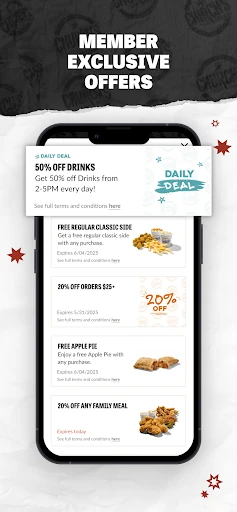
A simple habit that suits the app is checking for an in-app deal before I settle on an order. Church’s describes member-only offers and limited-time items, so it is worth a quick look when I’m already planning to buy a meal. Signing up for Real Rewards also makes points part of the routine: the program awards 10 points for every dollar spent, with points redeemable for menu items.
I’d also use saved information and the reorder option to reduce repeated steps. Once I have a meal I like, the app says I can bring back my last order in a few taps, which is handy on a busy evening when I do not want to rebuild the same order. Email or text updates are optional ways to hear about offers, though I’d choose whichever channel I actually check.
More From Our News Desk

Zoom Meetings, Google Meet, or Teams: Which Is Easiest to Join?

How I Build a Free Streaming Lineup With Tubi

Why Crunchyroll Is the Default Anime App for So Many Fans

YouTube TV: A Practical Guide to Cutting Cable

Rummikub and the Small Comfort of Phone Games

TeamViewer Remote Control or AnyDesk for Helping Family?
Who will get the most from it
I’d recommend Church’s Texas Chicken® to people who order from Church’s more than occasionally, especially anyone who wants pickup or delivery without starting from scratch each time. The rewards program gives repeat customers a clear reason to use the app: purchases earn points, and members can access deals. A family ordering a larger meal may also appreciate being able to get the order underway before dinner becomes urgent.
It may be less useful if you rarely eat at Church’s, prefer choosing food in person, or want one app to cover many restaurants. The app’s main job is ordering from this particular chain, so its usefulness rests on whether that fits your routine and whether the available order options suit you. I’d treat it as a convenient companion to an existing Church’s habit, not a reason on its own to change how I eat.
Church’s Texas Chicken® is a free Food & Drink app from Cajun Operating Company. On Google Play, it has more than one million installs and a 4.8-star rating from 26,465 ratings. The app is marked for Everyone. The store information gives its release date as September 27, 2013, and its latest update date as January 29, 2026.
The current version is 8.4.0, and it requires Android 7.0 or later. Google Play identifies the app as free, with no in-app purchases and no ads. Its stated recent update included bug fixes and performance enhancements. Those are useful baseline details if you are checking whether it fits your phone before downloading.
A Practical Route to Chicken
A direct first impression
When I first opened the app, the purpose was easy to understand: use it to order Church’s Texas Chicken and take part in Real Rewards. That clarity matters for a restaurant app. I do not need to figure out whether it is mainly a coupon wallet or a menu guide; ordering, pickup or delivery, and rewards are the central reasons to use it.
Getting started is most relevant if I want to join Real Rewards, since the app connects membership with points and member-only deals. Church’s also says saved information can make checkout faster. I would expect to spend a little time setting up the account details I want to keep, then get a more streamlined experience when I come back to place another order.
The app is available on Android, with Android 7.0 listed as the minimum requirement. That makes the practical first check straightforward: confirm the phone meets that requirement, then see which ordering options are available for the order I have in mind. The app’s basic promise is easy to grasp before I commit to making it part of my routine.
The everyday order flow
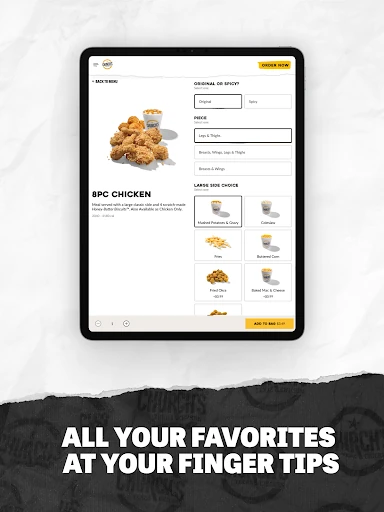
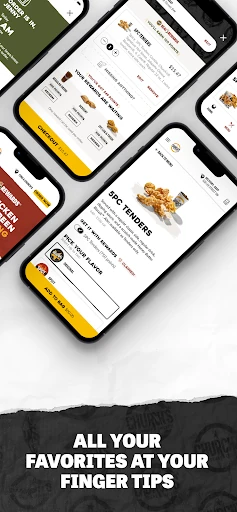
The day-to-day appeal is reducing the number of decisions between craving a familiar meal and placing an order. I can use the app to order ahead for pickup or choose delivery, depending on what works at the time. For a busy evening, being able to start the order from home is a small convenience, especially when I already know which chicken meal I want.
Repeat ordering is the detail I would notice most over time. Church’s says the app can bring back a previous meal in just a few taps, so my usual order does not have to become a fresh task every time. That is useful for a dependable lunch or a familiar family dinner. It also makes the app more worthwhile after I have used it enough to establish a favorite.
Saved information is intended to make checkout faster, while the rewards program gives orders an ongoing benefit for members. I like the combination: one feature aims to reduce friction now, and the other gives returning customers a reason to keep using the app. Neither changes the food itself, but both can make the ordering routine feel less repetitive.
Rewards with a clear rhythm
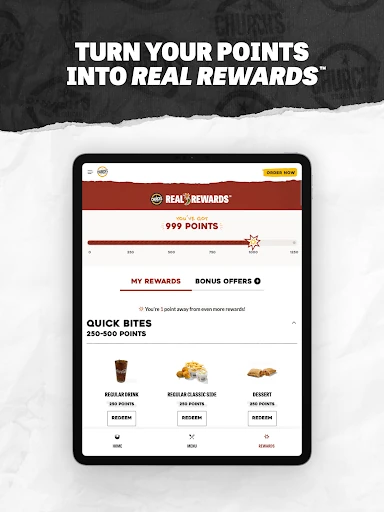
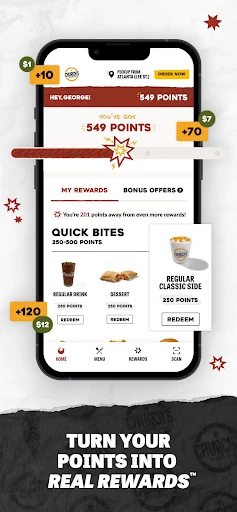
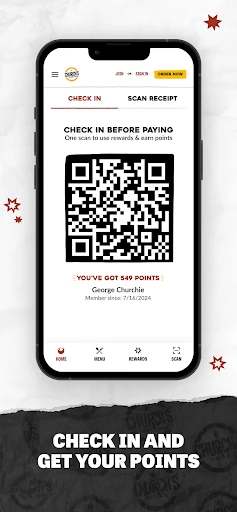
Real Rewards is the standout feature because it is tied directly to normal purchases. Members earn 10 points for every dollar spent and can redeem points for almost anything on the menu, according to the app description. I find that easy to understand at a glance: order as usual, collect points, and use them toward a later menu choice.
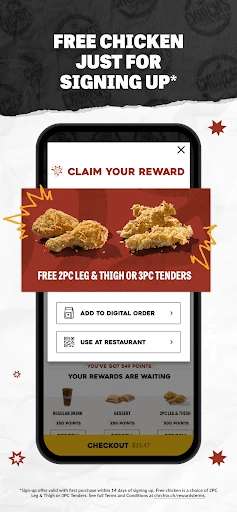
There is also a welcome offer described for new members: a choice of a two-piece leg and thigh or three-piece tenders with a purchase. I would see that as a first-order incentive rather than the whole reason to join. The ongoing points and member-only deals are more relevant if Church’s is already somewhere I order regularly.
The app also highlights limited-time items and exclusive deals. That gives me a reason to check the offers before placing an order rather than assuming the menu and promotions will always be the same. Church’s does not promise that every deal will suit every visit, so I’d treat them as occasional extras and choose based on what is actually useful to me.
A useful dinner routine
A practical routine could start with checking the app when I begin thinking about dinner, not when everyone is already waiting. I can look for a member offer, decide whether pickup or delivery makes more sense, and place the order. If I have made the same choice before, the reorder option can cut down the back-and-forth of recreating a familiar meal.
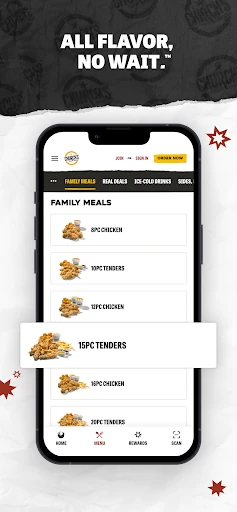
For a household order, I would use the app when a larger meal is already the plan and I want to get the ordering step done ahead of time. The description specifically points to family meal deals as an option, alongside smaller snacks. That range makes the app useful for more than a solo meal, while still keeping its purpose focused on ordering Church’s menu.
After the order, points are another reason to keep the app in the loop. I would make a habit of using the same account for purchases so that the rewards side stays connected to my ordering routine. If I want updates about offers, the app also describes email or text opt-ins; those are optional, so I would only use the channel I prefer.
Keep expectations grounded
The biggest limitation is the app’s narrow focus. It is for Church’s Texas Chicken, not a place to browse a wide range of restaurants or discover completely different kinds of food. That is not a flaw if I am already going there, but it does mean the app may sit unused on my phone between occasional visits. The rewards are most meaningful to people who return.
Pickup and delivery are both described, but the right option depends on the order and what is available for the customer’s situation. I would check the app when I am ready to place an order rather than assume every option will suit every visit. The same practical approach applies to deals: promotions can change, so I would look at the current in-app offers instead of planning around a particular one.
Finally, rewards are a convenience, not a reason to order more than I otherwise would. The app makes points and deals visible, but the straightforward question is whether I want Church’s food. If I do, the ordering tools and repeat-order option can help. If I do not, no reward system turns this into a general-purpose food app.
Church’s Texas Chicken® does its best work as a straightforward ordering companion for people who already enjoy the restaurant. Pickup, delivery, saved information, repeat orders, and Real Rewards all serve the same everyday job: making a familiar meal easier to arrange and giving regular customers a way to collect points.
I’d recommend giving it a try if you order Church’s often enough to use the rewards and reorder features. If you want one app for many restaurants, or rarely eat at Church’s, it is unlikely to become essential. For its intended audience, though, the focused approach is a sensible fit.
Church's Texas Chicken Frequently Asked Questions
What is Church’s Texas Chicken® used for?
Church’s Texas Chicken® is used to order Church’s meals online for pickup or delivery. It also supports the Church’s Real Rewards program, including points on purchases, member-only deals, and reordering a previous meal. I’d think of it as a practical ordering app for people who already want food from Church’s, rather than a general restaurant search or meal-planning tool.
Which devices can run Church’s Texas Chicken®?
The app is available on Android, and its stated minimum requirement is Android 7.0. It is listed on Google Play. If you are checking a particular phone, I’d compare its Android version with that requirement and check the Google Play page for current compatibility details, since device support and availability can vary.
What does Church’s Texas Chicken® cost?
Google Play identifies Church’s Texas Chicken® as free to download, with no in-app purchases and no ads. Ordering food is separate from downloading the app, and the app describes pickup and delivery orders. Current offers and order details can vary, so I’d check the app or its Google Play page for the terms that apply when ordering.
Does Church’s Texas Chicken® have rewards?
Yes. Church’s Real Rewards gives members 10 points for every dollar spent, with points redeemable for almost anything on the menu. The app also describes member-only deals and a new-member offer with a purchase. I’d check the current in-app details before relying on a specific offer, since promotions and their terms can change.
Who is Church’s Texas Chicken® best for?
I’d recommend Church’s Texas Chicken® to people who order from Church’s regularly and want pickup, delivery, points, or an easier way to repeat a favorite meal. It may not suit someone seeking a broad restaurant directory or a single app for many food brands. Its main benefit is making Church’s orders more convenient, not covering every dining need.
Pros
- Offers pickup and delivery ordering through one focused Church’s Texas Chicken app.
- Real Rewards awards 10 points per dollar spent on orders.
- Reordering a previous favorite can make repeat meals quicker to arrange.
- Google Play lists the app as free, without ads or in-app purchases.
Cons
- Its usefulness is limited to people who want Church’s Texas Chicken.
- Deals and order options may vary, so checking current details is worthwhile.
- Rewards matter most to customers who return often enough to earn points.
- Category
- Food & Drink
- Version
- 8.4.0











