Church Center App
- 4.26K
- 4.5
- Installs
- 1.00M
- Price
- Free

Screenshots
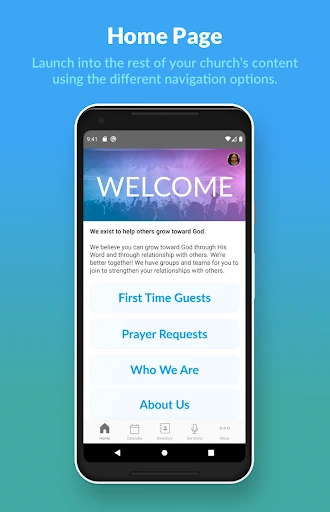
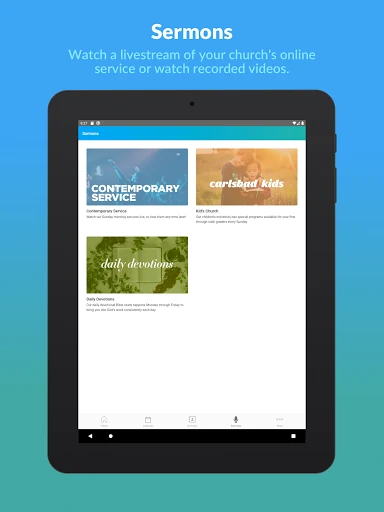
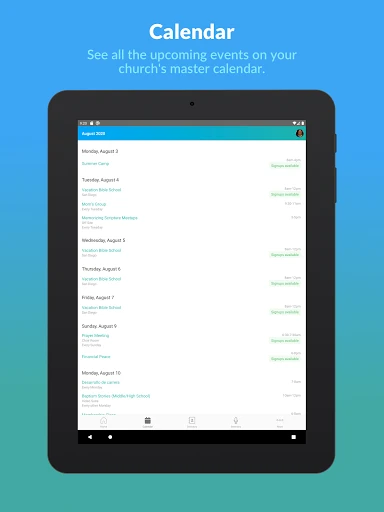
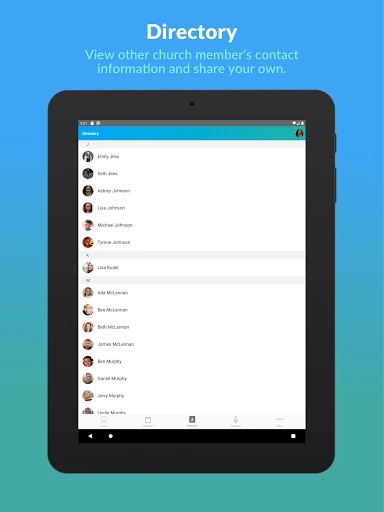
Analysis by Reviewed APKs
Church Center App brings a participating church’s Planning Center services together on a phone, with options to browse groups, register for events, give, and pre-check family members. I see it as a practical companion for people whose church already uses compatible Planning Center tools, rather than a general church finder or social network. When those services are in place, it can make a handful of routine church tasks easier to reach.
A Sunday Morning Shortcut
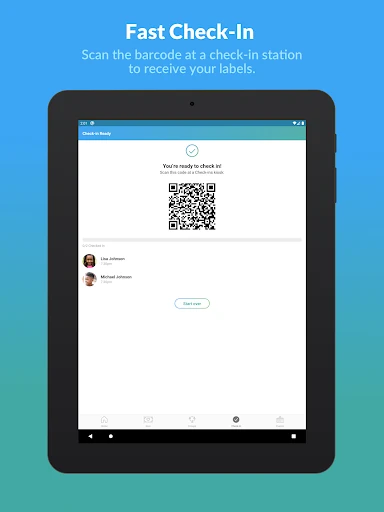
Picture a Sunday morning with everyone trying to get out the door on time. If your church uses Planning Center Check-Ins, Church Center can let you pre-check your family before arriving. That gives the app a clear, useful job: reduce one small bit of coordination around church attendance. I like that this is a concrete task rather than a vague promise to keep you connected.
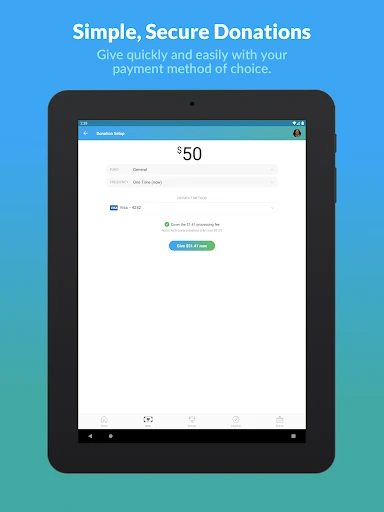
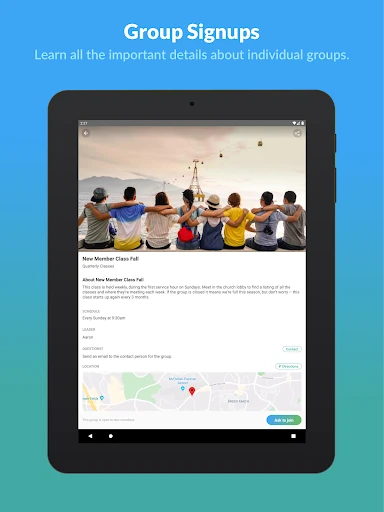
The same practical pattern works outside Sunday services. I could open the app to look for a group to join, check available registrations, or make a contribution through the church’s Giving setup. Each action depends on what the church has enabled, but the central idea is straightforward: common church activities are gathered in one place instead of being scattered across separate web pages or processes.
A Companion, Not a Church Finder
Church Center makes the most sense once your church is already using at least one of Planning Center’s supported services: Check-Ins, Giving, Groups, or Registrations. That requirement shapes the whole experience. It is not a directory for discovering congregations, and downloading it alone will not create a useful connection to a church that has not adopted those tools.
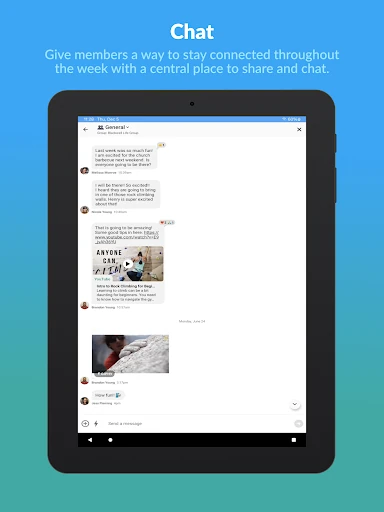
Compared with relying on a church website or handling each task separately, the app offers a mobile route to several Planning Center functions. It is not a replacement for every church communication channel, nor does the supplied information describe it as a full church-management system. I would treat it as a convenient member-facing companion, with its usefulness tied to the services and information a church makes available.
Small Ways to Use It
A simple habit is to check Church Center when a church-related task comes up, rather than waiting until the last minute. Before an event, browse registrations; when looking for community, explore groups; on a busy morning, use family pre-check if your church offers Check-Ins. The app’s value is less about spending a long time inside it and more about having these specific actions within reach.
It also helps to remember that the church’s setup determines which parts apply to you. I would start by trying the one task I expect to use most, then explore the other available sections when there is a reason. That keeps the app from feeling like another place to check constantly. For a congregation using several Planning Center services, it can become a modest but handy part of a weekly routine.
More From Our News Desk

Zoom Meetings, Google Meet, or Teams: Which Is Easiest to Join?

How I Build a Free Streaming Lineup With Tubi

Why Crunchyroll Is the Default Anime App for So Many Fans

YouTube TV: A Practical Guide to Cutting Cable

Rummikub and the Small Comfort of Phone Games

TeamViewer Remote Control or AnyDesk for Helping Family?
Who Will Get the Most From It
I would recommend Church Center to people whose congregation already uses Planning Center Check-Ins, Giving, Groups, or Registrations. It suits members who want a phone-based way to handle those activities, especially families who may appreciate pre-checking before arriving or anyone who regularly browses groups and event registrations. The app’s purpose is specific, which is a strength when it matches how your church works.
It may not suit someone looking for a broad directory of churches, a general community app, or a way to manage a congregation that does not use Planning Center’s supported services. People who prefer to do everything through a church website may also have little reason to install it. I would first ask whether your church uses the relevant tools; that answer matters more than any feature list.
Church Center App is a free Lifestyle app from Planning Center. On Google Play it has more than one million installs and a 4.5-star rating from about 4,300 ratings. The app is rated Everyone. Its listed Android requirement is Android 7.0 or later, and the current version shown is 2026.2.7.
The app was released on November 26, 2018, and its latest listed update was February 9, 2026. Google Play indicates no in-app purchases and no ads. Those details make the price structure simple: the app itself is free to install, with no listed in-app purchase options. Its usefulness still depends on a church using compatible Planning Center services.
A Practical Link to Church Life
Getting Started
When I first opened Church Center, the key question was not which feature to tap first, but whether my church used Planning Center. The app’s description makes that dependency clear: Check-Ins, Giving, Groups, or Registrations must already be in use. That is a sensible expectation to set early, because the app is a doorway to a church’s setup, not a standalone source of church information.
Once that connection is relevant, I would begin with the task I actually need. Someone preparing for a family visit might look for Check-Ins; someone searching for a small group might start with Groups. This task-first approach keeps setup from becoming an abstract tour. The app is most approachable when I know what I want to accomplish and the church has made that function available.
Everyday Use
In ordinary use, Church Center is more of a utility than an app I would browse for entertainment. I can imagine opening it briefly to find a group, handle an event registration, or make a church contribution. That makes the experience naturally episodic: open it when a church task comes up, complete what is needed, and move on with the day.
That focused rhythm is a good fit for the app’s role. It puts several kinds of church activity in one mobile destination, while the church’s Planning Center setup determines what is available. I would not expect every user to see the same practical value if their congregation uses only one of the supported services. For members who use several, the convenience of a shared app becomes more apparent.
Useful Church Tasks
The standout functions are the ones named plainly in the app’s description: pre-checking family members, giving, browsing and joining groups, and registering for events. These cover a useful spread of recurring needs without requiring the app to be all things to all people. I especially like the family check-in angle because it connects the phone experience to a recognizable moment when a little preparation can help.
The app’s strongest feature is really the combination. A person might use one part regularly and another only occasionally, but having those church tasks under the same app name can make them easier to remember. I would not assume that every church exposes every option, though. The available experience depends on which Planning Center services the congregation already uses.
A Weekly Routine
A practical routine could start with a quick look ahead when an event or church gathering is coming up. If registration is available, handle it then; if family pre-check is supported, take care of that before the day gets hectic. Later in the week, I might browse groups if I am looking for a way to connect. Each check-in has a purpose, so the app does not need to become a daily obligation.
For giving, I would use the app when I am ready to make a contribution rather than treating it as a reminder system. The supplied information confirms that giving is available through a church’s setup, but does not describe specific scheduling or payment options. Keeping expectations tied to what the app actually shows is a sensible way to use it without assuming features that may not be part of a particular congregation’s configuration.
Limits to Keep in Mind
The main limitation is also the clearest condition for using the app: a church must already use Planning Center Check-Ins, Giving, Groups, or Registrations. Without that, the app has no stated role for connecting a user to church activities. That makes it less universally useful than a general calendar or messaging app, even though it may be quite convenient within a participating congregation.
The app also does not promise to replace a church’s full website or every other way it shares information. The supported description focuses on a defined set of tasks, so I would avoid expecting broader tools that are not named there. Before installing, it is worth checking which Planning Center services your church uses and whether those match the jobs you want to handle on your phone.
Church Center App is a focused, free companion for people whose church already uses compatible Planning Center services. Its best qualities are practical: family pre-checks, group discovery, event registrations, and giving are easy-to-understand reasons to open it. I appreciate that its purpose is specific, even if that also means it will not be useful in every congregation.
I would recommend trying it if your church uses one or more of the supported tools and you want those tasks on your phone. If you are searching for a church or need a general-purpose community app, look elsewhere. The best first step is simply to ask which Planning Center services your congregation has enabled.
Church Center Frequently Asked Questions
What is Church Center App used for?
Church Center App connects people with church services that use Planning Center. Depending on what the church has in place, it can be used to pre-check family members, give, browse and join groups, or register for events. It is designed as a practical church companion, not a general church-search service.
Which phones can run Church Center App?
Church Center App is available for Android, and its listed minimum requirement is Android 7.0. The supplied app information describes the Android version. For current device compatibility or other platform availability, check the app’s store information, since availability and requirements can vary.
Does Church Center App cost money?
Church Center App is free to install on Google Play. The store information says it has no in-app purchases and contains no ads. The app includes a giving function for churches using Planning Center Giving, but the supplied information does not specify contribution amounts or other details; those may vary and are worth checking in the app or with the church.
Does my church need Planning Center for Church Center?
Yes. The app’s description says a church must already use Planning Center Check-Ins, Giving, Groups, or Registrations. Which functions you can use depends on the services your church has adopted. If you are unsure, ask your church which of those tools it uses before relying on the app for a particular task.
Is Church Center App a good fit for every church member?
It is a good fit for members who want to use their church’s supported Planning Center services on a phone, such as groups, registrations, giving, or family pre-checks. It may not suit people whose church does not use those services or anyone seeking a general church directory. The available features depend on the church’s setup.
Pros
- Combines several practical church tasks in one mobile app.
- Supports family pre-checks when a church uses Planning Center Check-Ins.
- Free to install, with no listed ads or in-app purchases.
- Offers useful group and event options for participating churches.
Cons
- Requires a church to use compatible Planning Center services.
- Available functions depend on each church’s setup.
- Not intended as a general church finder or all-purpose community app.
- Category
- Lifestyle
- Version
- 2026.2.7