Chordify: Song Chords & Tuner
- 42.87K
- 4.2
- Installs
- 10.00M
- Price
- Free

Screenshots
Analysis by Reviewed APKs
Chordify: Song Chords & Tuner gives guitar, piano, ukulele, and mandolin players a way to follow song chords as music plays. I found its appeal in the gap between looking up a chord chart and actually trying to play a song: it puts the progression, timing, and instrument-specific diagrams together. It suits learners and casual players especially well, though its paid practice tools may matter to anyone who wants more control.
Put a Song in Practice
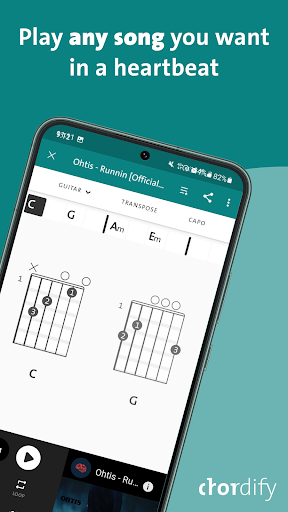
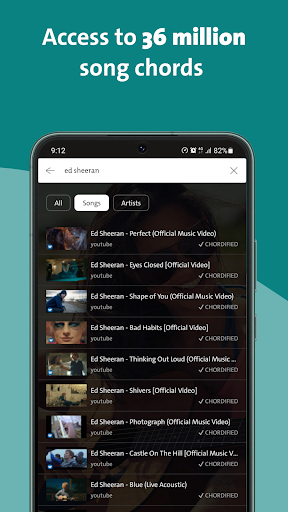
When I want to learn a song, I usually need more than a list of chord names. I need to know when each change happens, and whether my hands can make that change in time. Chordify is built around that practical moment. I can search by song title or artist, select an instrument, then follow chords as the audio plays instead of trying to keep a separate chart and recording lined up.
I imagine using it during a short evening practice: guitar beside me, phone within view, and one familiar track queued up. The upcoming chord changes give me something concrete to anticipate, while the diagrams show where to put my fingers. Lyrics appear with chords where available, which helps connect the progression to the structure of the song. It makes practice feel less like studying an abstract chart and more like working through actual music.
A Companion, Not a Lesson Course
Chordify sits between a static chord sheet and a full music-learning program. A regular chart can be quick to scan, but it does not follow the music for me; Chordify's synchronized player makes timing part of the exercise. Its instrument choices also let me use the same song for guitar, piano, ukulele, or mandolin rather than searching for a separate version.
That focus is also a useful boundary. Chordify helps me play along and understand chord progressions in context, but I would not treat it as a complete course in musicianship or a substitute for learning technique from a teacher. Its central job is song-based practice. If I want structured lessons that move through a curriculum, or detailed instruction on every musical skill, this is not the same kind of product.
Make Practice More Deliberate
I get more from a tool like this when I pick one specific goal before pressing play. I might focus on recognizing the next chord, keeping a steady strum, or making one awkward transition more smoothly. The synchronized progression gives me a shared reference point, so I can return to the same song and work on a particular part instead of drifting through a long, unfocused session.
It also helps to choose the instrument before settling into a routine. Chordify can show guitar, piano, ukulele, and mandolin arrangements, and its diagrams make the chord shapes easier to check at a glance. When I am still getting comfortable with a song, I can start by watching the progression; when it feels familiar, I can pay less attention to the screen and more attention to my hands and timing.
More From Our News Desk

Zoom Meetings, Google Meet, or Teams: Which Is Easiest to Join?

How I Build a Free Streaming Lineup With Tubi

Why Crunchyroll Is the Default Anime App for So Many Fans

YouTube TV: A Practical Guide to Cutting Cable

Rummikub and the Small Comfort of Phone Games

TeamViewer Remote Control or AnyDesk for Helping Family?
Who Will Get the Most From It
I would recommend Chordify to people who already have an instrument nearby and want to learn songs they enjoy. Beginners can use real music to encounter chord shapes and changes in context, while more experienced players may appreciate having a quick way to follow a progression. It is especially practical for someone who switches between guitar, piano, ukulele, or mandolin and wants one song-search routine across those instruments.
It may be less satisfying for someone who wants a traditional course, detailed feedback on playing technique, or a fully guided path from the very first lesson onward. The core experience is following chords with music, so it asks the player to bring some patience and willingness to practice. I would also suggest checking the subscription details before relying on additional controls, since the app offers paid options alongside its free version.
Chordify: Song Chords & Tuner is made by Chordify B.V. and is listed in Google Play's Music & Audio category. It has over 10 million installs and a 4.2-star rating from around 43,000 ratings. The app is free to install, contains ads, and offers in-app purchases. Google Play gives it an Everyone content rating.
The listed version is 2028, with a release date of March 1, 2018, and a last update dated November 1, 2026. In-app products are priced from $6.99 to $54.00 per item. The description says subscriptions are available monthly or annually, with prices shown before checkout; the amount can depend on the option selected.
Turning Chord Charts Into Practice
A Simple Starting Point
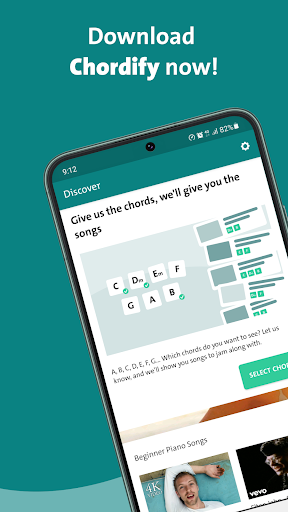
My first impression is that Chordify has a clear, practical premise: find a song, choose an instrument, and play along with its chords. That sequence gives a new user an obvious place to begin. I do not have to translate a general music lesson into a song I actually want to play; I can start with the title or artist that is already in my head.
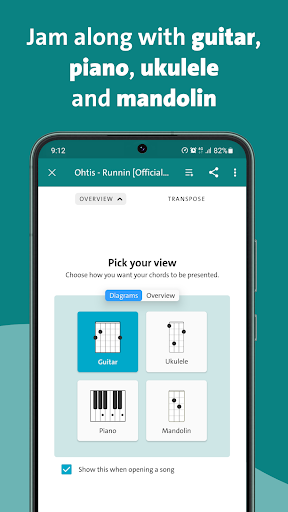
The instrument choice matters more than it might seem. The app covers guitar, piano, ukulele, and mandolin, so the displayed chord information can match what I have in my lap or on the stand. I would start with a song I know well, since familiar music makes it easier to concentrate on chord changes rather than figuring out the whole tune at once.
Following Along Day to Day
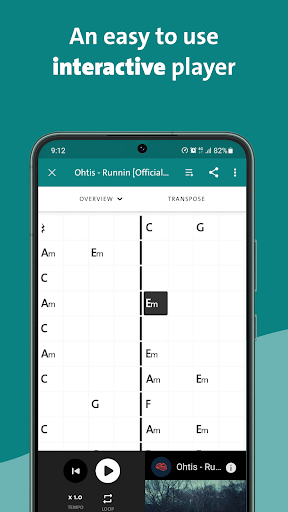
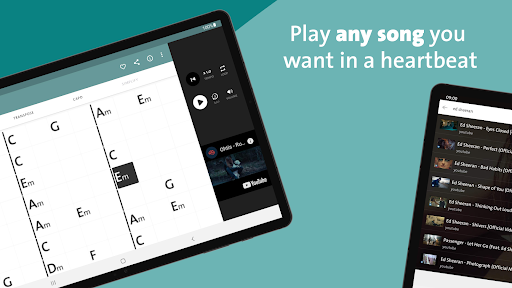
The day-to-day appeal is the synchronized player. As the music moves forward, the chords follow along, and I can see the progression rather than guessing when to change. Upcoming changes give me a small warning to prepare my fingers. That is useful when I am trying to keep a rhythm going and do not want to stop every few seconds to check a separate reference.
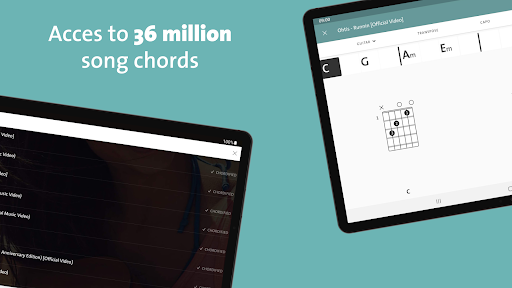
Chord charts and animated diagrams add a visual check, while lyrics and chords can appear together where available. I like that combination for a song with a structure I am still learning: I can connect a chord change with the words and hear where it belongs. It does not remove the need to listen, but it gives my practice a clearer visual guide.
Useful Instrument Options
The multi-instrument support is one of the most useful parts of the package. I can look at guitar chords, piano chords, ukulele chords, or mandolin diagrams without treating each instrument as a separate search task. For households where a few people play different instruments, that makes the app more flexible than a guitar-only reference.
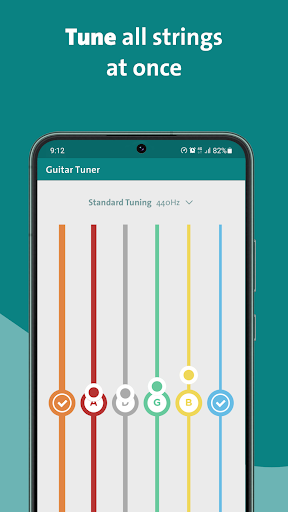
The built-in tuner is another practical extra, with live pitch feedback described in the app information. It gives players a way to get ready before practicing rather than reaching for a separate tuner straight away. Chordify also presents chord progressions visually as the music plays, which keeps the emphasis on playing a song instead of browsing tools for their own sake.
A Repeatable Practice Session
A routine I would use is to tune first, choose a song, and then play through once while following the progression. On the next pass, I would focus on the change that caused me to hesitate. That gives the session a simple shape without needing a long lesson plan: prepare, listen, play, and notice what needs more work.
Premium and Toolkit features add controls for that kind of focused repetition. The description includes slowing down difficult parts, looping sections, transposing chords, and using capo mode for guitar or ukulele. I would treat those as optional aids, not requirements for every song. When I only need a basic play-along, the core synchronized chords are the main attraction.
Know the Trade-Offs
Chordify is most compelling when the song I want is available and the displayed chords give me a useful starting point. It is still a practice companion, not a promise that every progression will suit my preferred arrangement or playing level. I would listen carefully and use my own judgment as I work through a song, especially if a chord shape feels awkward or the timing takes several attempts.
The free app contains ads, and the description reserves several useful practice controls and tools for Premium and Toolkit. Those include downloads and printable chord sheets as well as the playback adjustments. That means the basic experience may be enough for occasional play-along, while someone who wants offline materials or more detailed control should check the current in-app options and prices before committing.
Chordify makes the most sense as a practical bridge from wanting to play a song to having a chord progression in front of me while I try it. Synchronized playback, instrument-specific diagrams, and a built-in tuner give it a useful everyday role without pretending to replace broader instruction.
I would try it if I learn best by playing familiar songs and want a clearer guide to chord changes. If I need a structured course or prefer completely self-directed practice from printed charts, it may not be my first choice. For casual and developing players, it is a focused tool worth exploring.
Chordify Frequently Asked Questions
What is Chordify: Song Chords & Tuner used for?
Chordify helps players find song chords and follow them in time with music. It supports guitar, piano, ukulele, and mandolin, with chord diagrams and lyrics alongside chords where available. Players can use it to practice progressions, timing, and rhythm through songs they want to learn.
Which devices can run Chordify: Song Chords & Tuner?
Chordify: Song Chords & Tuner is an Android app available through Google Play. The supplied app details do not specify a minimum Android version, so check the Google Play page on your device for current compatibility before installing.
Is Chordify: Song Chords & Tuner free?
The app is free to install and contains ads, with in-app purchases priced from $6.99 to $54.00 per item. Its description says monthly and annual subscriptions are available and prices are shown before checkout. Current options and prices may vary, so check Google Play before subscribing.
Does Chordify: Song Chords & Tuner include a tuner?
Yes. The app description includes a built-in tuner with live pitch feedback, as well as synchronized song chords and instrument-specific diagrams. Premium and Toolkit options add features such as advanced tuner options and pitch adjustment; check the store for the current in-app purchase details.
Who should use Chordify: Song Chords & Tuner?
It is a good fit for musicians who want to learn songs by playing along, including beginners working on chord shapes and more experienced players checking progressions. It may be less suitable for someone seeking a structured course or detailed technique instruction, since its main focus is following chords with music.
Pros
- Synchronized chords make it easier to anticipate changes while playing along.
- Supports guitar, piano, ukulele, and mandolin in one app.
- Chord diagrams and lyrics can help connect progressions to song structure.
- Includes a built-in tuner with live pitch feedback.
Cons
- Ads appear in the free app, and some practice controls require paid options.
- It focuses on song play-along rather than a structured teaching course.
- Useful playback and offline tools may require an in-app purchase.
- Category
- Music & Audio
- Version
- 2028











