Chime Construction Software
- 0
- —
- Installs
- —
- Price
- Free

Screenshots
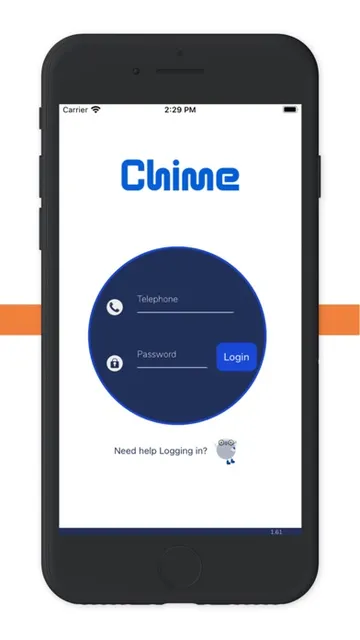
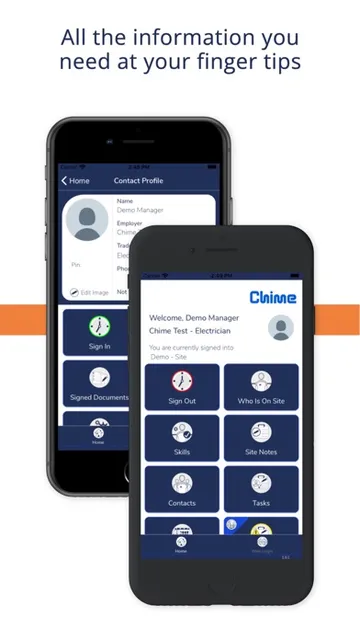
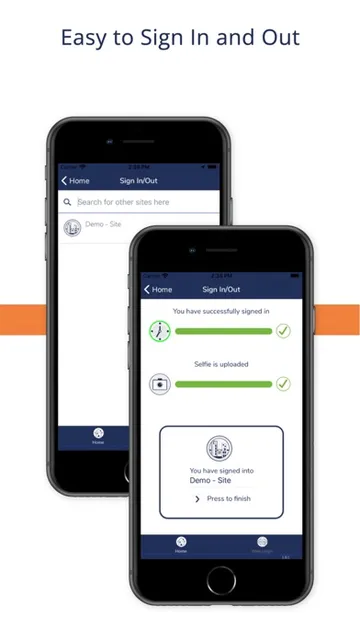
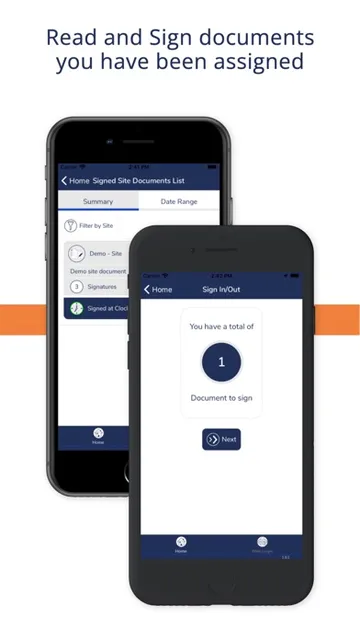
Analysis by Reviewed APKs
Chime Construction Software is a work-management app for construction businesses that want to bring site attendance, timesheets, worker qualifications, compliance records, and equipment details into one system. I see its appeal most clearly for teams coordinating people and assets across active jobsites, rather than for someone looking for a general-purpose task list. Its focus is practical: capture field information and make the follow-up easier to manage.
A site day, on record
Picture the start of a workday on a busy site: workers arrive, sign in, and get on with their jobs. Chime is built to capture clock-in and clock-out times, recording GPS location at those moments. That gives a company a site-related attendance record to review later, rather than relying solely on paper notes or a disconnected timekeeping process.
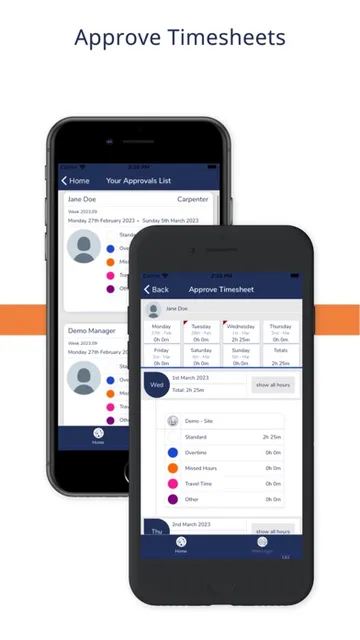
The same workday can produce timesheets that a manager reviews and approves digitally. I like the logic of keeping the field record and its administrative follow-up within the same construction-focused system. Instead of treating attendance as an isolated task, Chime connects it to timesheet review, worker records, site compliance, and equipment information that may matter to the operation.
A construction-specific alternative
Chime is aimed at construction companies replacing paper, spreadsheets, or separate systems for several operational jobs. Its combination of attendance, timesheets, skills, compliance, and equipment tracking is more relevant to a site-based team than a general calendar or personal productivity app. It is designed for both web and mobile access, so the product is not framed as a phone-only tool.
That focus also defines what Chime is not: it is not presented as a broad consumer organizer or a general business suite for every kind of company. Its described tools center on construction workforce and site operations. If a team only needs a basic clock or a simple list, the wider set of records may be more than it needs; the value is in bringing related construction processes together.
Small habits that help
A useful habit is to make attendance capture part of the normal arrival and departure routine. Because Chime records GPS at sign-in and sign-out, those moments create location context for the attendance record. The app says it does not track location continuously or in the background, a distinction worth understanding when explaining the process to workers and deciding how the records will be used.
For managers, a regular timesheet review can keep approvals from becoming a last-minute pile of admin. Keeping qualification and training records current also makes the skills-management tools more useful when matching people to roles. On the asset side, logging equipment, noting faults, and staying on top of servicing gives teams a routine for maintaining records rather than waiting for a problem to prompt a scramble.
More From Our News Desk

Zoom Meetings, Google Meet, or Teams: Which Is Easiest to Join?

How I Build a Free Streaming Lineup With Tubi

Why Crunchyroll Is the Default Anime App for So Many Fans

YouTube TV: A Practical Guide to Cutting Cable

Rummikub and the Small Comfort of Phone Games

TeamViewer Remote Control or AnyDesk for Helping Family?
Who may find it useful
I would consider Chime for a construction business that wants one place to handle several field-facing records: attendance, timesheets, worker competencies, compliance documents, and equipment. It particularly suits teams where site activity creates information that needs later review, approval, or follow-up. The web-and-mobile approach may also fit organizations that need access beyond a single desk, while keeping the system focused on construction work.
It may be less compelling for an individual user or a company that does not manage jobsites, worker requirements, or equipment in this way. The description emphasizes operational records rather than consumer convenience or broad project planning. Teams should also consider whether their workers and managers are ready to use digital processes for these tasks; a system can centralize records, but it still depends on people capturing and maintaining them.
Chime Construction Software is developed by Chime Software Limited and is available for iPhone and iPad through the Apple App Store. The listed minimum requirement is iOS 16.4. The app is free to download, carries a 4+ age rating, and its current listed version is 2026.5.
The app was released on June 9, 2020, and its last update is dated August 21, 2026. The supplied store information shows zero ratings, so there is no user score to summarize. Install counts are not part of the available iOS store details.
Keeping Construction Records Together
A focused first impression
When I first looked at Chime, what stood out was the breadth of its construction-specific remit. It is not just a clock-in tool: the description brings attendance, timesheets, skills, compliance, and equipment into the same product. That gives the app a clear identity, even before considering how a particular company might organize its own records.
The product is described as available on web and mobile, while this app is the iOS version. That matters for setup: a business is considering a connected work system, not simply a standalone phone utility. I would start by deciding which records the team wants to bring into the process and who needs to capture, review, or maintain each kind.
Everyday attendance work
The most immediate day-to-day job is recording attendance at a site. Workers can clock in and out, with GPS recorded at sign-in and sign-out to support site compliance and reporting. Those are specific moments of location capture, not continuous background tracking, according to the app’s description. That distinction makes the attendance function easier to understand as a record of key actions.
Timesheets extend that record into a manager’s workflow. Completed timesheets can be reviewed and approved digitally, with the stated aim of reducing administrative effort and payroll errors. I can see why keeping these steps connected may help a team avoid chasing paper or reconciling separate records, though the benefit depends on consistent use and sensible review practices.
More than a time clock
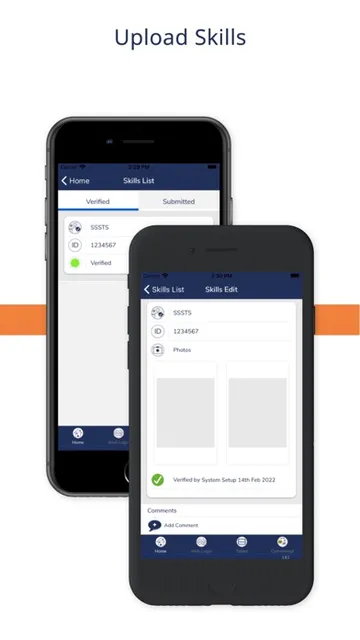
The skills and competency tools are intended to keep qualifications, training records, and role requirements in view. For a construction team, those details can help clarify whether the right people are assigned to particular jobs. Chime’s description presents this as workforce management, not as a replacement for the judgment a business uses when deciding who is suitable for a task.
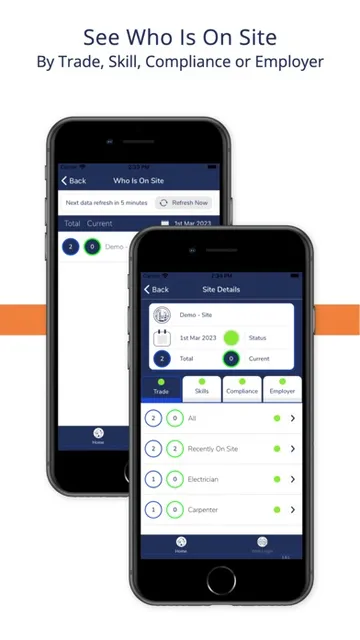
Compliance tools cover documents, inductions, briefings, and health and safety requirements. Equipment tracking adds another operational layer: users can log assets, report faults, and keep track of servicing. Taken together, these functions make Chime more of a shared record-keeping platform than a single-purpose attendance app, with several different kinds of site information in scope.
A practical weekly rhythm
A straightforward routine could begin with workers recording attendance at the relevant site moments, then continue with a manager reviewing completed timesheets on a regular schedule. That creates a clear handoff between capturing information in the field and approving it afterward. The app supports those actions, but a business still needs to establish its own timing and responsibility for each step.
A separate check-in for records can cover qualifications, training, inductions, and equipment. Updating these details as work changes is more useful than treating them as a one-time setup task. For assets, logging faults and tracking servicing can help keep the information visible to the people who need it. Chime supplies the categories; the team’s routine gives them ongoing value.
Limits to keep in view
Chime’s construction focus is a strength for the intended audience, but it also means the app may not suit organizations looking for a general-purpose work organizer. The described features concern attendance, workforce credentials, compliance, and equipment. Someone seeking unrelated business tools should not assume they are part of this product simply because it is presented as a single platform.
Location handling is another point teams should understand before adopting the attendance workflow. Chime says it records GPS at sign-in and sign-out and may also record location when users submit checklists or take photos; it does not track location continuously or in the background. Those details are useful context, but companies should still make sure workers understand when location can be captured.
Finally, bringing several records together does not remove the need to keep them accurate. Timesheets require review, worker qualifications need current information, and equipment details need maintenance. Chime offers tools for those processes, but the quality of the resulting records depends on people using them consistently and on the company’s own procedures.
Chime Construction Software has a defined job: help construction businesses manage field attendance and related workforce, compliance, and equipment records through a shared system. I like that the location description is specific about key moments rather than continuous background tracking, and that timesheet approval is part of the wider workflow.
I would recommend taking a closer look if your team is trying to move these construction processes away from paper and disconnected records. It is less likely to be the right fit for someone who wants a simple personal time tracker or a general office app. Its usefulness rests on whether the whole team will maintain the records it brings together.
Chime Construction Software Frequently Asked Questions
What is Chime Construction Software used for?
Chime is for construction businesses managing site attendance, digital timesheets, worker qualifications and training, compliance records, and equipment. It can capture GPS at sign-in and sign-out, and may also record location when submitting checklists or taking photos. The app says it does not track location continuously or in the background.
Which devices can run Chime Construction Software?
Chime is available on iOS through the Apple App Store, and its minimum requirement is iOS 16.4. The product is also described as accessible on web and mobile. Device compatibility can depend on the specific device and its software, so it is worth checking the App Store before installing.
What does Chime Construction Software cost?
The iOS app is listed as free to download. Details about any in-app purchases or other costs may vary, so check the current Apple App Store information before getting started. A business considering Chime should also confirm that the available offering fits its intended use.
Does Chime Construction Software work on older iPhones?
The listed minimum requirement is iOS 16.4, so an iPhone needs to support that version to meet the stated requirement. Compatibility can vary by device and software version. Check the App Store’s compatibility details for the iPhone you plan to use.
Is Chime Construction Software suitable for a small team?
It may suit a small construction team if the team needs tools for attendance, timesheets, qualifications, compliance, or equipment records. The description does not specify a team-size limit, so suitability depends on the business’s workflow and needs. Check the App Store and the provider’s information for details relevant to your organization.
Pros
- Combines attendance, timesheets, worker records, compliance, and equipment tracking for construction teams.
- Records GPS at sign-in and sign-out without continuous background location tracking.
- Supports digital timesheet review and approval.
- Designed for access on both web and mobile.
Cons
- Its construction-specific focus may be excessive for people needing only a simple time tracker.
- Keeping qualifications, compliance records, and equipment details useful requires ongoing team upkeep.
- Location may also be recorded when submitting checklists or taking photos.
- Category
- Business
- Version
- 2026.5











