Chilis
- 42.89K
- 4.2
- Installs
- 5.00M
- Price
- Free

Screenshots

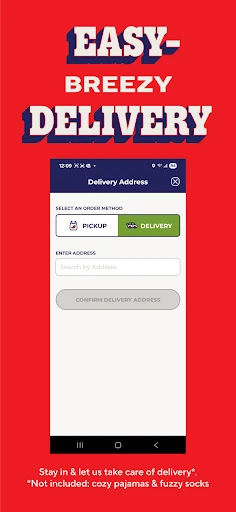

Analysis by Reviewed APKs
Chilis is a restaurant app for finding Chili’s locations, browsing the menu, and placing pickup or delivery orders. I see it as a handy option for people who already know they like the restaurant and want to sort out a meal from their phone. Its appeal is practical rather than elaborate: the app brings a few useful parts of the Chili’s routine together, though it is naturally most useful when Chili’s is already on your mind.
A quicker dinner decision
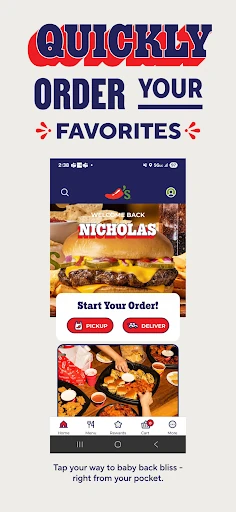
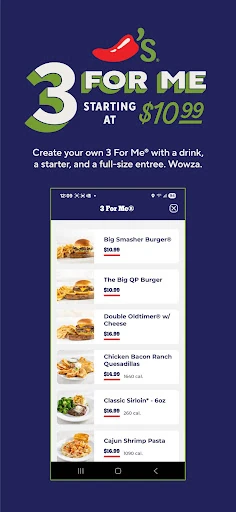
Picture the familiar end-of-day question: what should I pick up for dinner? When I want Chili’s, the app gives me a direct place to start. I can look through the menu, find a restaurant, and choose pickup or delivery. That’s a more focused routine than searching broadly for restaurants and then switching over to a separate ordering service just to see what Chili’s offers.
The practical payoff is fewer steps between craving something specific and getting an order underway. I’d use it when I have a rough idea of what I want, or when someone else at home asks for a look at the menu before we decide. Once an order is placed, the app’s description also highlights a way to track Chili’s perks, keeping that part of the restaurant experience close to the ordering tools.
A focused restaurant companion
The obvious alternative is a general delivery app, which can be useful when I’m comparing restaurants or want to build one order from several places. Chilis has a narrower job: it centers the experience on Chili’s, from finding a go-to location to ordering food for pickup or delivery. That focus makes sense if I already know where I want to eat, rather than if I’m still deciding among a dozen cuisines.
I wouldn’t treat it as a general restaurant guide or a substitute for exploring every local dining option. Its usefulness depends on wanting Chili’s in the first place. For that kind of decision, keeping the menu and ordering in one restaurant-specific app can feel straightforward. If I’m not craving Chili’s, though, the app doesn’t solve the broader question of where to go for dinner.
Make repeat orders easier
The most helpful habit is to use the app when I’m already thinking about a meal, not wait until I’m hungry and rushing. I can browse the menu first, settle on pickup or delivery, and get the order started with a little less last-minute decision-making. Finding a go-to Chili’s location is another useful step if I tend to order from the same place.
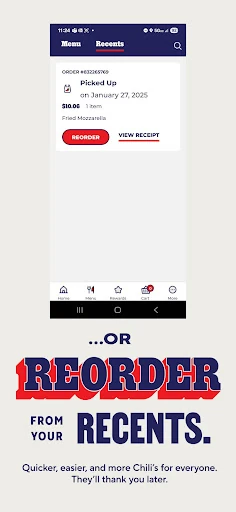
For repeat visits, the app’s quick checkout and one-tap reorder options are worth keeping in mind. I’d use them for a familiar order rather than re-creating it from scratch every time. The app also offers a way to track Chili’s perks, so checking that alongside an order can help make the restaurant’s own benefits part of my routine instead of something I forget to look at.
More From Our News Desk

Zoom Meetings, Google Meet, or Teams: Which Is Easiest to Join?

How I Build a Free Streaming Lineup With Tubi

Why Crunchyroll Is the Default Anime App for So Many Fans

YouTube TV: A Practical Guide to Cutting Cable

Rummikub and the Small Comfort of Phone Games

TeamViewer Remote Control or AnyDesk for Helping Family?
Who will find it useful
I’d recommend Chilis to regulars who want an easy way to check the menu, find a familiar location, and order ahead. It should also suit someone who only visits occasionally but prefers to decide at home before choosing pickup or delivery. If a quick reorder is part of your routine, the app’s stated one-tap option may make repeat meals less of a process.
It may not be the right fit if you’re looking for a broad restaurant-discovery app or a way to compare lots of different dining options. The focus is Chili’s, and that’s both the point and the limitation. I’d also keep expectations centered on the tasks described: browsing, finding a restaurant, ordering, and tracking perks, rather than treating it as a general-purpose food or dining tool.
Chilis is a free Android app from Brinker International. Google Play shows more than five million installs and a 4.2-star rating from about 42,900 ratings. The app is rated Everyone. It is listed as version 9.2.5, with an original release date of December 15, 2011.
Google Play says Chilis was last updated on October 26, 2026. The app has no stated in-app purchases and does not contain ads. The minimum Android version is not included in the available app details, so check Google Play for the requirement that applies to your device.
A closer look at ordering with Chilis
A direct first impression
When I first opened Chilis, the basic purpose was easy to understand: this is a place to browse Chili’s food and arrange an order. The description calls out a refreshed look and easier ordering, but the strongest impression is the app’s focused scope. It is built around a particular restaurant rather than trying to be a directory for every meal in town.
Getting started makes the most sense when I have a meal in mind. I can look over the menu, find a location, and decide between pickup and delivery. That sequence gives the app a clear role before I get too far into planning: it helps take a Chili’s order from idea to arrangement, without requiring me to begin with a separate restaurant search.
Everyday ordering
Day to day, the useful part is having the menu and ordering options together. I can browse before committing, then choose whether I want to pick up the food or have it delivered. That’s handy when plans change: the same app can support a quick stop on the way home or a meal delivered when I’d rather stay in.
The description also points to fast checkout and the ability to reorder in a tap. Those options are especially relevant for repeat customers with a familiar favorite. I like that the app recognizes there are two different kinds of order: the exploratory one, where I’m still deciding, and the routine one, where I want to get through a known choice quickly.
Useful Chili’s features
Finding a go-to Chili’s location is one of the most practical features mentioned. If I’m ordering from the same restaurant regularly, having a way to find it quickly makes the app feel more suited to an ongoing habit than a one-off menu check. It also connects the restaurant search directly to the ordering task instead of making those feel like unrelated chores.
Another feature the app calls out is tracking Chili’s perks. That gives regular customers a reason to open it even when they are not starting a new order. The app’s pitch is not a sprawling collection of extras; its highlighted tools stay close to the restaurant experience. For me, that restraint makes the purpose easier to grasp.
A low-fuss meal routine
A sensible routine would be to check the menu earlier in the day, especially when I know dinner will be busy. I can make a choice before everyone is hungry, then use the app to order for pickup or delivery. If I have a location I usually use, finding that go-to restaurant is part of making the next order feel less like starting over.
For a repeat meal, I’d reach for the reorder option rather than browsing the whole menu again. When I’m in the mood to try something different, browsing first is the better fit. I’d also make a point of checking the perks feature occasionally if I use Chili’s often. These are small habits, but they match the app’s core strengths: familiarity and convenience.
Keep the scope in mind
The main limitation is also obvious: Chilis is for Chili’s. It won’t help me compare a wide range of restaurants or decide between unrelated cuisines. That’s not a flaw if I’m already set on the restaurant, but it does mean the app is more useful to a regular than to someone looking for a general food-ordering hub.
I’d also keep my expectations tied to the features the app describes. The useful promises are menu browsing, location finding, pickup and delivery ordering, quicker checkout, reordering, and perk tracking. Someone who wants a broader dining companion may prefer a different kind of app. For a Chili’s order, though, the focused approach is easy to understand.
Chilis is a straightforward restaurant app with a clear job: help me find a location, browse the menu, and arrange pickup or delivery. Its repeat-order and perk-tracking features add value for people who come back often. I’d choose it for an expected Chili’s meal, not for discovering a new restaurant.
If Chili’s is already part of your dining routine, Chilis is worth trying as a convenient place to plan and place orders. The app’s focused nature is a genuine benefit for regular customers, but a limitation for anyone seeking a broad restaurant platform. My recommendation is simple: use it when you want Chili’s, and look elsewhere when you want more choice.
Chilis Frequently Asked Questions
What is the Chilis app used for?
Chilis is used to find a Chili’s restaurant, browse the menu, and place orders for pickup or delivery. Its description also highlights fast checkout, one-tap reordering, and tracking Chili’s perks. I’d think of it as a restaurant-specific ordering companion, rather than a general app for discovering lots of different places to eat.
Which phones and devices support Chilis?
Chilis is an Android app on Google Play. The available app details do not give a minimum Android version, so check the Google Play page for the requirement that applies to your phone or tablet. The platform information provided here covers Android; check the store for current device availability.
Does the Chilis app cost money?
Chilis is free to download on Google Play, and the provided app details say it has no in-app purchases and contains no ads. Restaurant prices and ordering details are separate from the app’s download price and may vary, so check the app or store for current information relevant to your order.
Can I order pickup or delivery with Chilis?
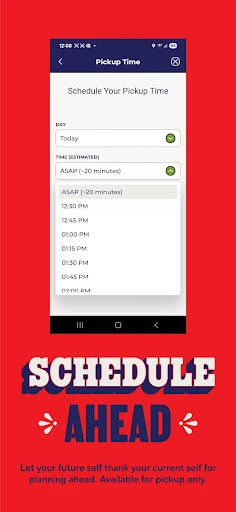
Yes. Chilis describes options for ordering food for pickup or delivery. You can browse the menu and find a restaurant as part of planning an order, and the app also highlights quick checkout and reordering. Availability and ordering details may vary by location, so check the app when you are ready to place an order.
Who is the Chilis app best for?
I’d recommend Chilis to people who already enjoy the restaurant and want an easier way to check its menu or order again. It may be less useful if you want to compare many restaurants or explore dining options broadly, since its focus is Chili’s. Its pickup, delivery, and reorder tools suit customers with a specific Chili’s meal in mind.
Pros
- Combines menu browsing, location finding, and pickup or delivery ordering.
- One-tap reordering may save time for people with familiar favorites.
- Includes a way to track Chili’s perks.
- Free to download, with no in-app purchases or ads.
Cons
- Its focus on Chili’s makes it less useful for general restaurant discovery.
- The minimum Android version is worth checking on Google Play.
- Pickup and delivery availability may vary by location.
- Category
- Lifestyle
- Version
- 9.2.5











