Chicago Tribune
- 1.88K
- 2.6
- Installs
- 100.00K
- Price
- Free

Screenshots
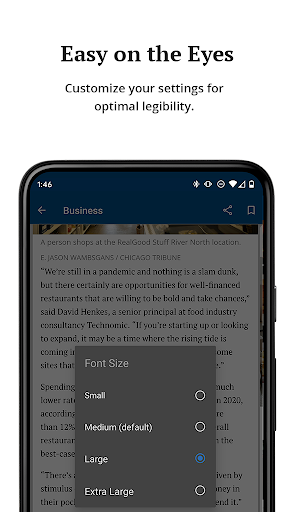
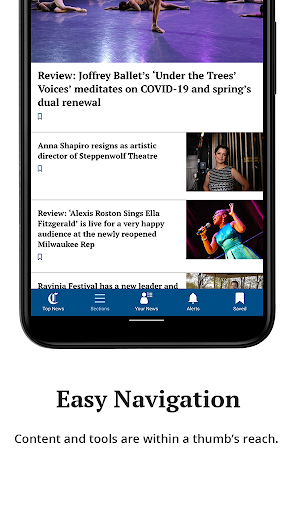
Analysis by Reviewed APKs
The Chicago Tribune app brings local news, politics, business, sports, entertainment, dining and nightlife coverage into one place. I’d recommend it to readers who want a Chicago-focused feed and like choosing which topics and teams to follow. The mix of saved stories, photos and videos is useful for reading in short stretches. My overall take: a practical local news app, though its low Google Play rating is worth weighing.
A Chicago News Check-In
When I want to catch up on Chicago without scanning several separate sources, this app’s range gives me a useful starting point. I can check local headlines, then move to politics or business, or look for updates about a favorite team. That makes it fit a familiar routine: a quick news check over coffee, followed by a longer read later when a story deserves more attention.
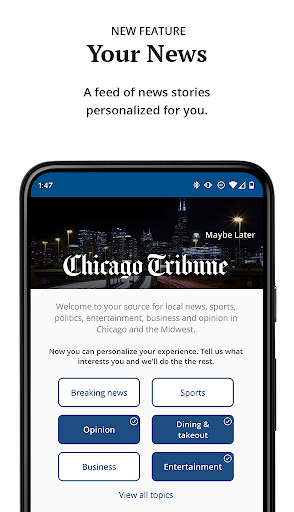
The personalized feed helps make that routine less broad. I can select topics that interest me and use One-Tap Following to shape what appears in the feed. If a breaking story matters, newsroom notifications offer another way to hear about it. I like that these options serve different habits: browsing when I have a few minutes, following chosen subjects, or noticing a timely update.
Local Coverage, Not Everything
The app’s strongest identity is its Chicago focus. Alongside general city news, it covers local politics, business, entertainment, dining and nightlife, with dedicated following options for the Bears, Bulls, Cubs, White Sox and Blackhawks. That makes it a more targeted choice than a broad news reader if the city and its teams are what I want to keep up with.
I would not treat it as a catch-all replacement for every news source or a general-purpose sports app. Its described coverage is centered on Chicago, and the core experience is reading and watching news rather than managing a calendar or looking up practical city services. Readers who mainly want national headlines, or who do not care about Chicago stories, may find the focus too narrow.
Make Following Work for You
I’d start by following only the subjects I genuinely want to revisit. A feed overloaded with every possible interest can be as hard to scan as an unfiltered stream, while a few choices make it easier to spot relevant stories. Team followers can choose among the five Chicago teams named in the app’s description, alongside broader topics such as politics, business or entertainment.
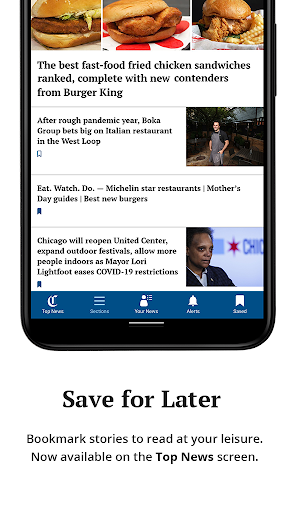
Saving stories, photos and videos is handy when I’m between tasks and do not have time to finish an item. I can return when I have a quieter moment instead of trying to remember where I saw it. Sharing by email, Twitter or Facebook is another straightforward workflow when a story is useful to someone else. Rotating the device also changes the visual presentation of news.
More From Our News Desk

Zoom Meetings, Google Meet, or Teams: Which Is Easiest to Join?

How I Build a Free Streaming Lineup With Tubi

Why Crunchyroll Is the Default Anime App for So Many Fans

YouTube TV: A Practical Guide to Cutting Cable

Rummikub and the Small Comfort of Phone Games

TeamViewer Remote Control or AnyDesk for Helping Family?
Who will get the most from it
I’d recommend Chicago residents, former residents who still follow the city, and sports fans who want one place to keep an eye on local teams and headlines. The selection of topics and the option to save stories suit people who read in bursts rather than sitting down for a long news session. Video and photo galleries add variety for readers who like more than article text.
It may be a weaker fit for someone looking for a broad national or international news hub, since the app’s stated strengths are Chicago coverage and local interests. The Google Play rating is 2.6 from 1,878 ratings, which is a notable caution when deciding whether to install it. I’d approach it as a focused local-news option and judge whether its coverage matches my own routine.
Chicago Tribune is a free News & Magazines app from Tribune Publishing Inc. On Google Play it has over 100,000 installs and a 2.6-star rating from 1,878 ratings. The app contains ads and offers in-app purchases; listed item prices range from $0.99 to $199.99. Its content rating is Everyone.
The current version shown is 10.0.62, and the release date is October 11, 2010. The last update date shown is September 14, 2026. Google Play requirements can vary by device, so check the store page for compatibility with your Android version. The same store page is the place to review current purchase details.
A Closer Look at the Daily Read
A Focused First Impression
When I first open the Chicago Tribune app, the appeal is clear from its subject matter: this is a place to follow the city and its news, not a generic feed with Chicago tucked among thousands of unrelated topics. Its stated coverage spans local news, politics, sports, business and entertainment, so readers can move between several sides of city life.
I’d make the first visit about choosing what I actually want to see. The app lets readers select interests and follow topics with One-Tap Following, giving the feed a personal angle. I would keep that setup simple at first, then adjust as I learn which sections I return to most. That feels more useful than trying to follow everything immediately.
Reading in Short Sessions
Day to day, the app seems best suited to small check-ins. I can look for a headline during a break, browse a favorite subject, and save an article if the moment is too rushed for a full read. Saved photos and videos also give that later visit somewhere to pick up beyond a list of text stories.
Notifications can help surface breaking news from the newsroom, while the feed is there for browsing at my own pace. Those are distinct ways to keep up: an alert for a timely development and a deliberate check when I choose. I’d use notifications selectively, since a phone that already interrupts me often does not need every update competing for attention.
More Than Headlines
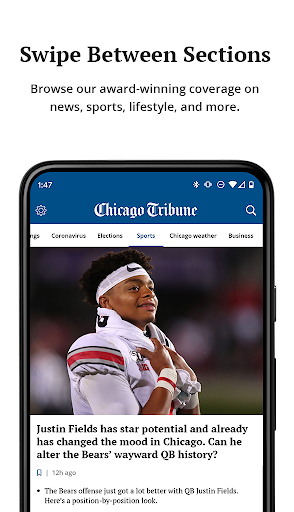
The app’s mix of formats gives a little more range than a headline-only reader. It includes videos and photo galleries, and saved items can include stories, images and video. For a city event or a visual story, that can make browsing feel less like scanning a list and more like choosing how to spend a few minutes with the coverage.
I also like the simple display option of turning the device sideways for a different visual view of the news. It is a small touch rather than a reason to install the app, but it gives readers another way to look at content. Sharing by email, Twitter or Facebook rounds out the practical features when I want to pass along a story.
A Useful Evening Routine
A realistic routine would be a quick morning check of local headlines, followed by a glance at a followed team or topic. During a busy day, I could save an article that needs more attention. In the evening, I’d return to the saved list, read at a more comfortable pace and open any photo galleries or videos I skipped earlier.
That pattern makes the app’s features work together rather than asking me to consume everything at once. Topic choices help narrow the feed, notifications can flag breaking news, and saved items give me a place to resume. If a story is worth discussing, sharing it by email or social media is available without turning the app into a broader social platform.
Limits to Keep in Mind
The clearest limitation is the app’s regional emphasis. That is a benefit if Chicago is central to what I read, but less compelling if I mainly want coverage with a different geographic focus. Its described strengths are city news, Chicago sports and local lifestyle topics, so I would not expect it to serve every reader’s news needs equally well.
The Google Play rating is also modest at 2.6 stars from 1,878 ratings. That does not explain any one person’s experience, but it is enough to make me check whether the app suits my needs before relying on it as my only news source. Ads are present, and in-app purchases are offered, so those details may matter to readers who prefer an ad-free or purchase-free experience.
The Chicago Tribune app has a clear purpose: keeping Chicago news, teams and local interests together, with tools to personalize, save and share what I find. I like the flexibility of dipping in briefly and returning to saved items later. Its city-first approach is a strength for the right reader, not a universal news solution.
I’d try it if I regularly follow Chicago and want a dedicated local feed, while keeping the Google Play rating in mind. Readers who want wider coverage or who dislike ads and in-app purchases may want to compare alternatives. For a Chicago-focused routine, its range of topics and formats makes it worth considering.
Chicago Tribune Frequently Asked Questions
What is the Chicago Tribune app used for?
The Chicago Tribune app is for reading Chicago news across local coverage, politics, sports, business, entertainment, dining and nightlife. It also offers topic and team following, breaking-news notifications, videos and photo galleries, saved items, and story sharing. It is especially suited to readers who want a city-focused news feed.
What devices can run the Chicago Tribune app?
The app is available on Android through Google Play. The Android version requirement can vary by device and app release, so check the Google Play store page for the current compatibility details. The supplied app information does not establish availability on other platforms.
What Android version does Chicago Tribune require?
The minimum Android version can vary as the app is updated and depending on device compatibility. Check the Chicago Tribune page on Google Play to see whether your Android device meets the current requirement before installing.
Does the Chicago Tribune app cost money?
The app is free to install and contains ads. It also offers in-app purchases, with listed item prices ranging from $0.99 to $199.99. Purchase options and prices may vary, so check Google Play for the current details before making a purchase.
Is the Chicago Tribune app a good fit for me?
It may suit you if you follow Chicago news, local topics or one of the Chicago teams supported by its following feature. If you want a broader news focus, the city-centered coverage may feel limited. Its Google Play rating is 2.6 stars from 1,878 ratings, so I’d consider that alongside your own needs.
Pros
- Covers Chicago news, politics, business, entertainment and local lifestyle topics.
- Lets readers follow selected interests and five Chicago sports teams.
- Saved stories, photos and videos support reading whenever time allows.
- Includes video, photo galleries, notifications and several sharing options.
Cons
- Its Chicago-centered coverage may not suit readers seeking a broad news mix.
- Google Play shows a modest 2.6-star rating from 1,878 ratings.
- The app contains ads and offers in-app purchases.
- Category
- News & Magazines
- Version
- 10.0.62