CCleaner – Phone Cleaner
- 3.09M
- 4.5
- Installs
- 100.00M
- Price
- Free

Screenshots
Analysis by Reviewed APKs
CCleaner – Phone Cleaner is an Android utility for clearing unwanted files, reviewing storage use, and checking basic details about your device. I see it as a practical maintenance app for people who like to keep downloads, photos, and installed apps under control. Its mix of cleaning and monitoring tools is useful, though it covers more ground than someone looking only for a quick storage check may need.
A Storage Check After a Busy Week
When I imagine using CCleaner in an ordinary week, it’s after a stretch of saving downloads, opening links, and taking more photos than I meant to. I’d start by analyzing storage, then review the categories it identifies, such as downloads, browser history, or leftover data. That gives me a more deliberate way to decide what should go than tapping through folders at random.
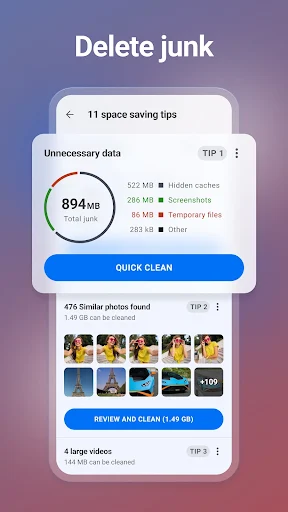
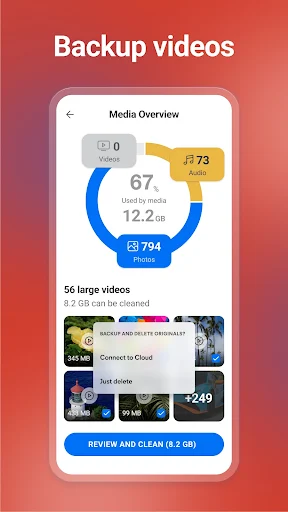
The app also includes a way to find similar, old, or low-quality photos, which could help when the camera roll has become a jumble. I’d want to review those results before removing anything, especially when a photo is sentimental or hard to replace. The appeal is less about a dramatic one-tap fix and more about bringing several cleanup jobs together in one place.
Cleaner, Not a Phone Makeover
Compared with opening Android’s storage settings and handling each category there, CCleaner gathers several cleanup and monitoring tasks into a dedicated utility. It can analyze storage, help remove files, and let users uninstall multiple unwanted apps. That combination suits someone who prefers a single place to review a device rather than jumping between settings and photo folders.
It is not a substitute for organizing files carefully, backing up important photos, or deciding which apps are genuinely useful. Nor is its description about extending a phone’s life or guaranteeing better performance. I’d treat its app-impact and system information as a way to inspect usage, not a reason to remove something without checking what it is and whether I still need it.
Make Cleanup a Small Habit
A useful habit would be to check storage before it becomes urgent. I’d run an analysis after a trip or a week of downloading documents, then inspect the suggestions and clear only the categories I recognize. That makes cleanup a short review rather than a rushed attempt to free space when an update or a new photo suddenly won’t fit.
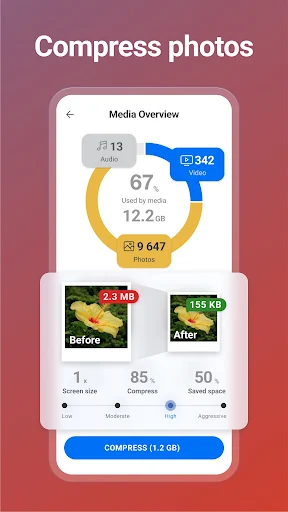
I’d also separate photo cleanup from general junk removal. The app can identify similar and poor-quality images and offers compression choices, so I’d review those results when I have a few quiet minutes. Checking app data use, battery impact, or unused apps could be a periodic follow-up, rather than information I need to watch every day.
More From Our News Desk

Zoom Meetings, Google Meet, or Teams: Which Is Easiest to Join?

How I Build a Free Streaming Lineup With Tubi

Why Crunchyroll Is the Default Anime App for So Many Fans

YouTube TV: A Practical Guide to Cutting Cable

Rummikub and the Small Comfort of Phone Games

TeamViewer Remote Control or AnyDesk for Helping Family?
Who May Find It Useful
I’d recommend CCleaner to Android users who regularly accumulate downloads, want help reviewing a crowded photo library, or like seeing storage and app-use information together. It may be especially handy for people who are comfortable looking over cleanup suggestions before acting. The app’s mix of tools gives them more to work with than a simple storage meter.
It may be less appealing if you only want to check free space once in a while, or if you prefer to manage every file manually in Android’s existing settings. Anyone using photo cleanup should be ready to review what the app identifies rather than assuming every suggested image is disposable. People who dislike ads or optional paid features may also want to check the current store details first.
CCleaner – Phone Cleaner is an Android tools app from Piriform. Google Play shows over 100 million installs and a 4.5-star rating from about 3.1 million ratings. It is free to install and contains ads, with in-app purchases listed at $1.39 to $39.99 per item. Its content rating is Everyone.
The supplied app information gives version 26.16.1, a release date of June 10, 2014, and a last update date of September 2, 2026. An Android minimum requirement is not provided in the supplied facts, so it is best to check the Google Play page for device compatibility. Store details can change over time.
A Closer Look at Everyday Cleanup
A Straightforward First Look
When I first opened the idea of CCleaner, what stood out was its broad scope: this is not only a junk-file cleaner. Its listed tools cover storage analysis, app management, photo cleanup, and system monitoring. That range may be reassuring if you want several maintenance tasks nearby, but it also means there is more to explore than a single clean button.
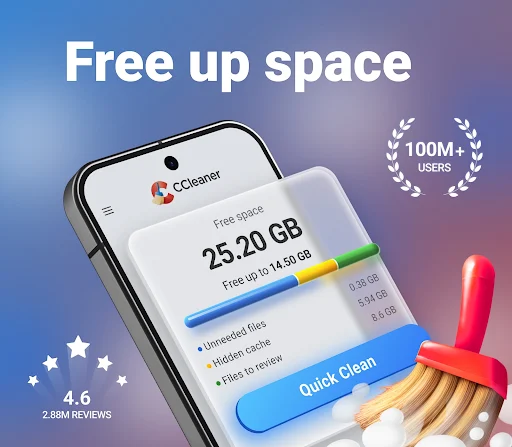
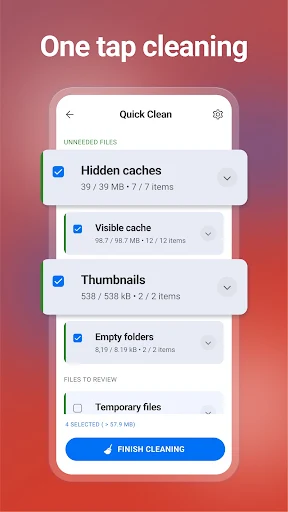
The description presents the interface as simple to navigate and says cleanup can take a few clicks. It also mentions a choice of color themes. Those details suggest a fairly approachable starting point, although I’d still take a moment to understand what each cleanup category refers to before approving removals.
A Useful Routine, Not a Ritual
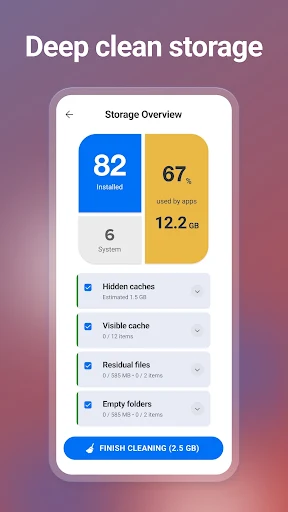
The core experience is built around inspecting and cleaning: analyze storage, identify files that may be unnecessary, and choose what to remove. The app names downloads, browser history, clipboard content, and leftover data among the areas it can clean. That makes it relevant to several small housekeeping jobs, rather than just one kind of file.
I wouldn’t expect to need it constantly. A quick check when storage feels tight, followed by a considered cleanup, sounds more sensible than treating the app as something to run on a strict daily schedule. The monitoring tools can add context, but the practical payoff depends on whether you find those readings useful.
More Than Junk Removal
One standout is the photo-library cleanup. CCleaner can identify similar, old, and lower-quality photos, including images described as too bright, too dark, or unfocused. It also offers compression levels from Low through Aggressive, with an option to move originals into cloud storage. These tools could help people who keep many images, though any deletion deserves a careful look.
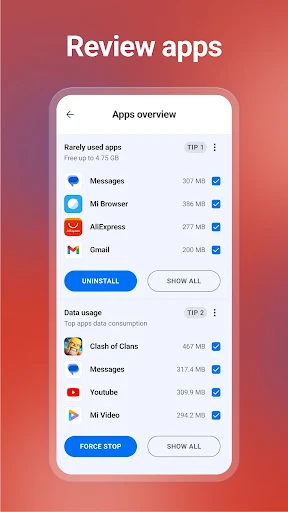
The app also includes an App Manager for finding unused apps and tools to inspect individual apps’ impact, data use, and battery use. For device checks, it can show CPU use, RAM and internal storage, battery level, and temperature. Together, these features make it a broader utility than a cleaner focused only on temporary files.
A Practical Weekly Check-In
For a low-effort routine, I’d open CCleaner when I notice storage filling up, begin with its storage analysis, and review the kinds of files it identifies. I’d handle obvious downloads first, then look through photo suggestions separately. Keeping those decisions distinct makes it easier to avoid treating a useful personal picture like disposable clutter.
Every so often, I’d look through the App Manager for apps I no longer use, and check data or battery impact if I’m curious about what is consuming resources. The point is to gather information and make a choice, not to chase every number. That keeps the app’s wider toolkit tied to real needs rather than busywork.
Keep Expectations Grounded
CCleaner’s description promises tools for removing unnecessary files and reclaiming storage, but a cleaner cannot decide what matters to you. Photo matches and old downloads still need human judgment. I’d be especially cautious with anything I might want later, and I wouldn’t assume that every item suggested for removal is safe to forget.
The app includes ads and offers in-app purchases, so the free download does not mean every part of the experience is ad-free or included without cost. Its monitoring information may be more than a casual user needs, too. If all you want is a one-off look at storage, Android’s own settings may already feel like enough.
CCleaner – Phone Cleaner brings file cleanup, photo review, app management, and device monitoring into one Android utility. I like that its tools cover several ordinary housekeeping needs, while the photo and app checks give it more depth than a basic storage readout.
I’d try it if I wanted a regular, hands-on way to review what is taking up space. I’d be more cautious if I wanted a completely minimal tool or prefer not to see ads and paid options. Either way, I’d treat its suggestions as prompts to review, not decisions to accept automatically.
CC Cleaner Frequently Asked Questions
What is CCleaner – Phone Cleaner used for?
CCleaner helps Android users review storage and remove selected unwanted files, including categories such as downloads, browser history, clipboard content, and leftover data. It also includes photo-cleanup tools, app management, and system monitoring information. It is best thought of as a collection of maintenance tools, rather than an automatic solution for every storage or performance concern.
Which devices can run CCleaner – Phone Cleaner?
The app is for Android. The supplied information does not give a minimum Android version, so check the Google Play page for the current compatibility details for your device. The store page is also the best place to confirm whether the app remains available for your particular phone or tablet.
What Android version does CCleaner – Phone Cleaner require?
A minimum Android version is not included in the supplied app details. Requirements can depend on the current release and device, so it is worth checking the Google Play page before installing. The version shown in the supplied facts is 26.16.1.
Does CCleaner – Phone Cleaner cost money?
The app is free to install and contains ads. It also offers in-app purchases, listed at $1.39 to $39.99 per item in the supplied facts. Store pricing and available purchase options may change, so check Google Play for the current details before deciding whether the free version meets your needs.
Is CCleaner – Phone Cleaner right for every Android user?
It may suit people who want help reviewing storage, photos, and installed apps in one utility. If you prefer to manage files yourself or only need a basic storage check, its wider set of tools may be unnecessary. Anyone using its cleanup suggestions should review them before removing files or photos.
Pros
- Combines storage cleanup, photo review, app management, and system monitoring tools.
- Can identify similar, old, and lower-quality photos for review.
- Includes analysis of app data use and battery impact.
Cons
- Contains ads and offers in-app purchases.
- Cleanup suggestions still require careful review before removing personal files or photos.
- The broad feature set may feel unnecessary for a basic storage check.
- Category
- Tools
- Version
- 26.16.1











