cam720
- 14.58K
- 3.6
- Installs
- 1.00M
- Price
- Free
Screenshots
Analysis by Reviewed APKs
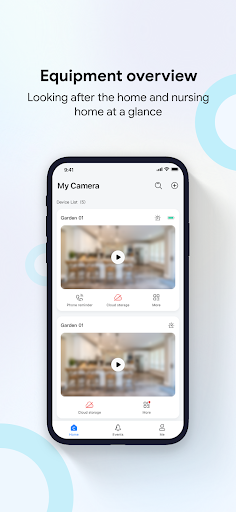
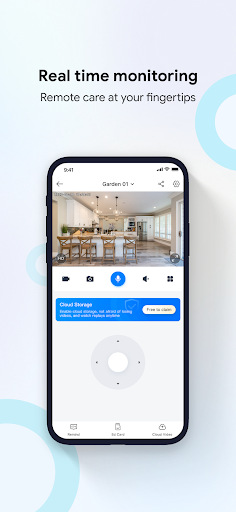
cam720 is a companion app for a connected camera, built around checking live video and keeping an eye on home, a shop, or an office from a phone. I see it suiting people who want remote viewing and alerts more than a general-purpose camera or photo editor. Its appeal is practical: live monitoring, playback, tracking, and motion alerts in one place, provided you have a compatible camera set up.
A quick check from away
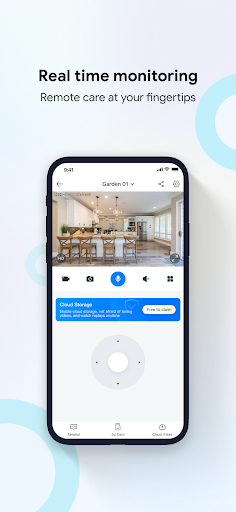
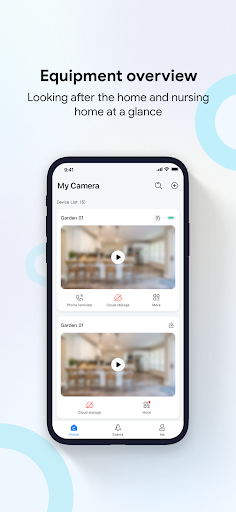
Imagine leaving home for work and wondering whether everything is as you left it. With cam720 connected to a camera, you can open the app and view a live feed remotely. I like that this is a straightforward use case: check in on a room, a store, or an office without needing to be on site. It is meant to make that routine possible from a mobile phone.
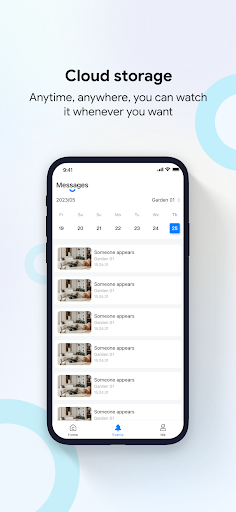
The app also supports remote playback from cloud storage, so a live glance is not the only way to review activity. Motion detection can be configured for important areas, with audible alerts and push notifications when activity or environmental changes are detected. Automatic tracking can follow moving objects and upload video to the cloud. Those tools make cam720 more useful for keeping watch than a live-view screen alone.
A camera companion, not a camera
cam720 is best understood as a monitoring app that works with a network-connected camera. It is not a standalone phone-camera tool for taking photos, adding filters, or editing clips. That distinction matters: the app’s central job is viewing and managing footage from a camera, including remote playback and activity alerts, rather than creating new content with the phone itself.
Compared with simply checking a camera feed, cam720 brings together live monitoring, cloud playback, automatic tracking, and motion detection. That combination may suit someone who wants a phone-based way to keep tabs on a home, shop, or office. It is less relevant if you only need a basic recording app or do not have a compatible camera connected to a network.
Small habits that help
I would make a habit of checking the live feed at the moments when a quick look is useful, rather than treating the app as something to watch constantly. For example, a short check while away from home can answer a simple question without requiring a trip back. Remote playback gives you another option when you want to review recorded activity instead of waiting for something to happen live.
It also makes sense to think carefully about which areas matter before setting up motion detection. The app supports detection in important areas, audible alerts, and push messages, so focusing those settings around the places you want to monitor can make notifications more relevant. Automatic tracking is another feature to consider for following movement. These tools work best as part of a camera setup that fits your space and routine.
More From Our News Desk

Zoom Meetings, Google Meet, or Teams: Which Is Easiest to Join?

How I Build a Free Streaming Lineup With Tubi

Why Crunchyroll Is the Default Anime App for So Many Fans

YouTube TV: A Practical Guide to Cutting Cable

Rummikub and the Small Comfort of Phone Games

TeamViewer Remote Control or AnyDesk for Helping Family?
Who may find it useful
I would recommend cam720 to someone who already uses, or plans to use, a compatible network camera and wants remote access from a phone. It could fit a household checking in on pets or rooms, or a small business owner who wants to view a store or office remotely. Live video, playback, tracking, and alerts address practical monitoring needs without turning the app into a broader smart-home suite.
It may not suit someone looking for a phone-based photography app, a general video editor, or a service that works without a connected camera. The core features depend on connecting a camera to a network, so the camera setup is part of the experience. If you prefer not to receive activity alerts or do not need remote viewing, many of cam720’s main tools may be more than you want.
cam720 is a Tools app developed by WEIZHI. On Google Play it has more than 1 million installs and a 3.6-star rating from around 14,600 ratings. The content rating is Everyone. Its listed version varies with device, and it was released on April 20, 2022.
The app is free to download, with no in-app purchases or ads indicated in the provided store details. The available facts do not give a minimum Android version or a latest update date, so check Google Play for current device compatibility and listing details.
How cam720 fits into a monitoring routine
Getting oriented
When I first opened cam720, the clearest thing about its purpose was the connection to a camera. This is not an app that does much on its own as a phone utility; its value comes from viewing a network-connected camera. That sets expectations early: the first step toward using it is having the camera online and ready to work with the app.
The feature set points toward a practical setup rather than a creative one. Live monitoring, remote playback, tracking, and alerts are the main reasons to use it. I would approach the initial setup with a specific purpose in mind, such as checking a room or keeping an eye on a business space, so the camera view and detection areas are useful from the start.
The daily check-in
The everyday experience centers on opening a live view when you want to see what is happening. That could be a quick look at home during the day or a check on an office after closing. I appreciate that remote monitoring is the main job rather than a buried extra. It gives the app a clear role in a routine: open it, look at the feed, and move on.
When a live check is not enough, the app offers cloud storage playback. That makes reviewing video a separate task from watching in real time. The app description also mentions video chat, though the strongest everyday use is still remote monitoring and reviewing footage. How useful that feels will depend on the connected camera and the way you want to check in.
Features with a purpose
Automatic tracking is one of the more distinctive tools in the described feature set. It can follow moving objects, lock onto abnormal targets, and upload video to the cloud. For a camera covering an area where movement matters, tracking can make it easier to follow activity than relying on a fixed view alone.
Region detection adds another layer of control. The app lets users set motion detection and audible alerts for important areas, then send push messages when human activity or environmental anomalies are detected. I like the idea of narrowing attention to places that matter, since a notification is most useful when it points to something worth checking rather than simply adding noise.
Cloud playback rounds out the monitoring tools by letting users revisit stored video remotely. Together, these features cover a few common needs: seeing what is happening, following movement, receiving an alert, and looking back afterward. They are all tied to the connected camera, so the camera’s placement and network connection shape how useful each feature is.
A practical routine
A simple routine could be to check the live feed before leaving a space, then rely on motion alerts for activity that happens while you are away. If a notification arrives, you can open the camera view for a current look or use cloud playback to review what was recorded. That workflow keeps the app focused on short, purposeful checks instead of requiring constant attention.
For a home setup, I would think about the rooms or areas that deserve attention and use region detection accordingly. For a shop or office, the same idea applies to the parts of the space where movement is most relevant. Automatic tracking may help when something moves across the camera’s view. The goal is a useful check-in and timely information, not watching every moment of the day.
Things to keep in mind
The most important limitation is also the basic premise: cam720 depends on a camera connected to the network. Without that camera, live monitoring, tracking, and playback do not have much to work with. People shopping for a self-contained phone camera or an all-purpose home management app should look elsewhere for those needs.
Alerts and detection also depend on choosing settings that suit the space. Motion notifications can be helpful, but they are only as relevant as the areas being monitored and the activity the camera detects. Cloud playback is part of the described feature set, but the practical experience will depend on the connected camera and setup. I would treat the app as a camera companion, not a replacement for thinking through where and how monitoring is used.
cam720 has a focused job: help you check a connected camera remotely, review cloud video, follow movement, and receive activity alerts. I like that its tools map to familiar situations at home or at work. Its usefulness depends on having a suitable camera and a reason to check in from a phone.
I would try it if remote monitoring is already part of your routine or you want a phone companion for a connected camera. If you want photography features or a tool that works independently of camera hardware, it is not the right fit. For its intended use, cam720 covers the practical basics in one app.
cam720 Frequently Asked Questions
What is cam720 used for?
cam720 is a monitoring app for a network-connected camera. It supports live viewing, cloud storage playback, automatic tracking, motion detection, audible alerts, and push notifications. It is intended for checking places such as a home, store, or office remotely, rather than taking or editing photos with the phone.
Which devices and platforms support cam720?
The provided store facts identify cam720 as an Android app on Google Play. It is designed for mobile phone monitoring of a connected camera. Check the Google Play store details for current device compatibility, since requirements can vary by device.
What Android version does cam720 require?
The minimum Android version is not included in the available store facts. Requirements can vary as the app changes, so check cam720’s Google Play page for the version currently required by your device.
Is cam720 free, and does it have purchases?
cam720 is free to download according to its store details, with no in-app purchases or ads indicated in the provided facts. Store information can change, so it is worth checking Google Play for the latest cost and purchase details.
Who is cam720 best suited for?
cam720 may suit people who want to view and manage a connected camera remotely, whether they are checking a home, pet, store, or office. It may not suit someone looking for a standalone phone camera, photo editor, or monitoring app that works without camera hardware.
Pros
- Combines live camera viewing with remote playback from cloud storage.
- Automatic tracking can follow moving objects and upload video.
- Motion detection supports selected areas, audible alerts, and push messages.
- Free to download, with no ads indicated in the store facts.
Cons
- Requires a network-connected camera for its main monitoring features.
- The minimum Android requirement is not included in the available facts.
- Its monitoring focus will not suit users seeking photo or video editing.
- Category
- Tools











