British Airways
- 63.86K
- 4.6
- Installs
- 5.00M
- Price
- Free

Screenshots
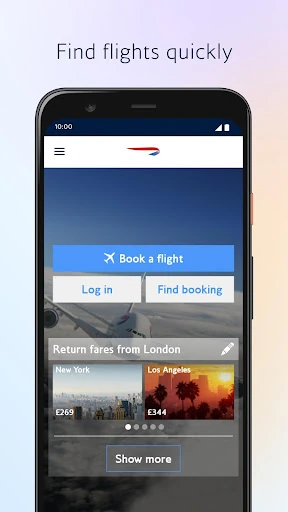
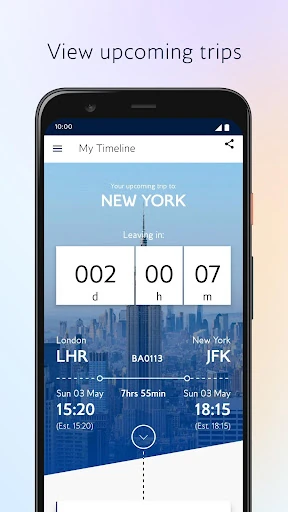
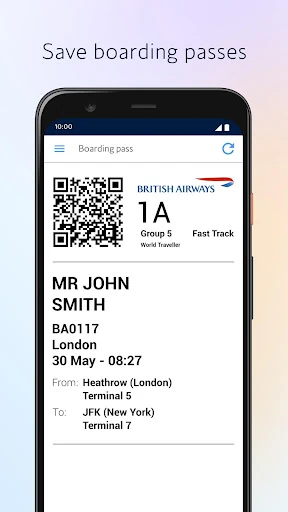
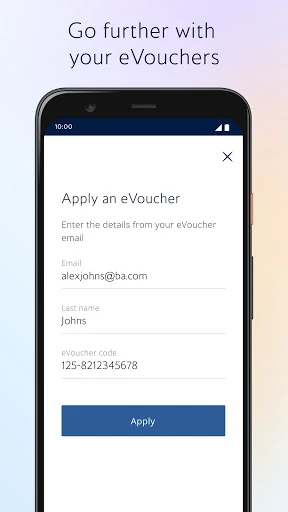
Analysis by Reviewed APKs
British Airways is a travel app for planning flights, handling bookings and keeping key trip details close at hand. I can see it suiting people who fly with the airline and want fewer separate steps between booking and boarding, especially when they already use Avios or need to manage a trip on the move. My overall take is practical: it brings useful travel tasks together, though it is most valuable when British Airways is part of your plans.
A Flight Day in One Place
When I picture using British Airways on a travel day, the useful part is having the booking and boarding pass within reach rather than digging through email at the airport. I can check in, choose a seat and save the pass to Google Wallet. The home screen also gives quick access to boarding passes, which makes a quick glance before joining a queue feel more manageable.
The app is built around the stages of a British Airways journey, not just the moment of buying a ticket. I can look through upcoming trips, add bags or make booking changes, then use airport maps when I arrive. Within 24 hours of departure, notifications and live activities can share key updates, including gate changes at London Heathrow and Gatwick. That focus makes the app most useful when a flight is approaching.
Airline Companion, Not Trip Hub
For a British Airways flight, this can replace a handful of small tasks: checking a booking, checking in, finding the pass and reviewing travel updates. The booking calendar helps compare prices, and saved cards or part-payment with Avios are available during booking. I like that the app keeps these airline-specific jobs together instead of making me switch between a booking page and a separate account view.
It is not a general travel planner for every airline or a broad destination guide. Its booking and trip-management features are centered on British Airways, and the lounge crowd information described is limited to London Heathrow Terminal 5. If I am coordinating several carriers or looking for inspiration beyond a flight, I would still need other tools. This app is strongest as a companion to BA travel, rather than an all-purpose travel organizer.
Small Habits That Help
A little preparation makes the app more useful. I would keep passport details saved if I am comfortable doing so, since the app can use them to speed up booking and check-in. Before travel, I would review the booking, select seats if needed and add bags in the trip-management area. Saving the boarding pass to Google Wallet ahead of time also means it is ready when I reach the airport.
I would also make a habit of checking the app during the day before departure, particularly if I am flying from Heathrow or Gatwick. Notifications can surface important changes, while the booking screen keeps trip details handy. For a Heathrow Terminal 5 stop, the app can show how busy its lounges are in real time. These small checks are more useful than opening the app only when I need to find a pass.
More From Our News Desk

Zoom Meetings, Google Meet, or Teams: Which Is Easiest to Join?

How I Build a Free Streaming Lineup With Tubi

Why Crunchyroll Is the Default Anime App for So Many Fans

YouTube TV: A Practical Guide to Cutting Cable

Rummikub and the Small Comfort of Phone Games

TeamViewer Remote Control or AnyDesk for Helping Family?
Who Will Get the Most From It
I would recommend British Airways to people who book or manage flights with the airline and want check-in, boarding passes and booking details on their phone. It should also appeal to travelers who use Avios, since they can view their balance and use Avios as part-payment when booking. Frequent BA customers may appreciate having account details, vouchers and tier progress alongside their upcoming trips.
It may be less compelling if you rarely fly with British Airways, want one app to coordinate several airlines, or do not need mobile booking and check-in. Some functions also depend on the journey: live updates are initially available from Heathrow and Gatwick, and lounge busyness information is for Heathrow Terminal 5. I would treat it as a focused airline tool, not something every traveler needs installed.
British Airways is published by British Airways plc and is categorized as a Travel & Local app. On Google Play it has over 5 million installs and a 4.6-star rating from about 63,860 ratings. It is free to download, with no in-app purchases or ads reported in the supplied store facts. The content rating is Everyone, so the store presents it as suitable for a general audience.
The supplied app version is 7.3.0. Its recorded release date is July 19, 2010, and its last update is November 3, 2026. The Android version requirement is not included in the supplied facts, so check Google Play for the requirement that applies to your device. Store details can change over time, so it is worth checking the current app page before installing.
A Closer Look at the BA Travel Routine
A Purposeful First Impression
When I first opened the app, the main idea was clear: it is meant to support the whole British Airways journey, from booking through departure. The simplified navigation is intended to make those tasks easier to reach, and the feature set covers booking, check-in, trip management and travel-day information. I appreciate that the focus is specific; I do not have to guess whether the app is meant for destination planning or airline services.
Some of the setup is optional and tied to how I travel. The app may ask for camera access to scan passports, documents or QR codes, and notifications can deliver travel updates. Calendar and email access may help manage bookings, while Bluetooth and location relate to tracking features a user enables. I would grant permissions when a relevant task comes up, rather than treating every request as necessary from the start.
The Everyday Booking Flow
Booking is more than a simple destination search in the description: a calendar view lets travelers compare prices, choose a fare and pay with a saved card or partly with Avios. That should be helpful when dates are flexible or I am weighing a few options. The app also lets me browse upcoming trips and make changes, add bags or select seats, so it has a role after purchase too.
On an ordinary day, I would use it in short bursts rather than leave it open. I might check a trip while packing, confirm the seat selection later, then open the app at the airport for the boarding pass. That pattern suits a phone app well: each visit handles a specific travel chore. The usefulness depends on having a British Airways booking or account activity to manage.
Travel-Day Tools That Stand Out
Passport scanning is one of the more practical touches. The app can use a camera scan for passport details during check-in, and saved passport information can speed up future bookings and check-ins. I like the idea of fewer repeated form entries, while still recognizing that saving personal travel details is a choice. Face Unlock is described as protection for account details and preferences.
The travel-day information is another useful element. Notifications and live activities provide key information within 24 hours of departure, including gate changes, initially for flights from London Heathrow and Gatwick. At Heathrow Terminal 5, airport maps and real-time lounge busyness information can help with finding a place to wait. These are concrete conveniences, but they are tied to particular stages and locations rather than universal airport coverage.
A Simple Pre-Flight Routine
My practical routine would start after booking: open the trip, check the details, select a seat if I want one and add baggage if needed. I would save passport details only if I wanted the faster future check-in, then check that notifications are enabled for travel updates. This turns the app into a small checklist without needing to remember which task lives in which part of the airline’s process.
On departure day, I would keep the boarding pass accessible in the app or save it to Google Wallet, then glance at updates as the flight gets closer. If I am at Heathrow Terminal 5, I could check the lounge information before choosing where to spend time. If disruption happens, the app can show options to rebook or request a refund, giving me a place to review possible next steps.
Where Its Reach Ends
The clearest limitation is its airline focus. It is designed around British Airways bookings and account information, so travelers whose plans mainly involve other airlines will not get the same value. The live activity feature also has an initial airport scope of Heathrow and Gatwick, while the lounge crowd tool is described for Heathrow Terminal 5. Those boundaries matter if I expect every feature to apply to every trip.
There are also sensible privacy and setup considerations. Passport scanning and saved details can reduce repetitive entry, but they involve information a traveler may prefer not to store. The app can request access to camera, notifications, calendar, email, Bluetooth and location for specific functions. I would review each permission in context and use device settings to manage access. The range of tools is useful, but it does not remove the need to check trip details.
British Airways makes a convincing case as a focused companion for people who fly with the airline. Booking, check-in, boarding passes, trip changes and selected travel-day updates belong in one place, and Avios support adds value for members. I especially like the practical touches around saved passes and airport information, while keeping in mind that some features have a limited airport scope.
I would try it if British Airways is part of my regular travel, or if I have a BA trip coming up and want the airline’s tools on my phone. I would not rely on it as a universal trip planner or expect every airport feature everywhere. For the right traveler, it should make a few common flight chores easier to handle.
British Airways Frequently Asked Questions
What is the British Airways app used for?
British Airways is used to book flights, manage bookings, check in, select seats and access boarding passes. It can also show travel updates, airport maps and lounge busyness information at London Heathrow Terminal 5. Account features include viewing Avios balance, tier progress and vouchers. The specific travel-day information available can depend on the airport and journey.
Which phones and platforms support British Airways?
The supplied store information describes the Android app on Google Play. The Android version requirement is not included in the provided facts, so check the current Google Play page to see whether your device meets it. Store compatibility details can change, and the app’s features are designed around British Airways bookings and account use.
What Android version does British Airways require?
The minimum Android version is not included in the available app facts. I would check the British Airways page on Google Play before installing, since the requirement shown there is the best place to confirm compatibility with a particular phone or tablet. The app version supplied for this review is 7.3.0.
Does British Airways cost money or include purchases?
The app is free to download, and the supplied store facts report no in-app purchases or ads. Booking a flight is a separate travel purchase made through the app; fares and payment details depend on the trip. The app also supports paying partly with Avios. Check Google Play and the booking flow for current details.
Is British Airways useful if I rarely fly with BA?
It is most useful for people with British Airways flights or account activity to manage. Its tools cover BA bookings, check-in, boarding passes and Avios information, rather than acting as a general multi-airline travel organizer. If you rarely travel with the airline, you may have fewer reasons to keep it installed; feature availability can also depend on your route.
Pros
- Combines British Airways booking management, check-in and boarding passes in one app.
- Supports seat selection, baggage changes and booking updates after purchase.
- Offers Avios balance details and the option to part-pay with Avios.
- Includes travel-day updates and selected airport information for relevant journeys.
Cons
- Its usefulness is limited for travelers who do not fly with British Airways.
- Some live updates and lounge information cover only specified airports and locations.
- Passport scanning and saved details may not suit users who prefer not to store them.
- Category
- Travel & Local
- Version
- 7.3.0











