Bobby Approved
- 20.21K
- 4.8
- Installs
- 1.00M
- Price
- Free

Screenshots
Analysis by Reviewed APKs
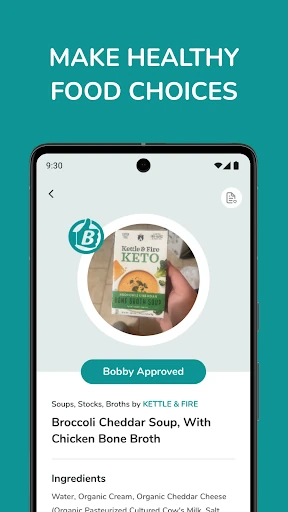
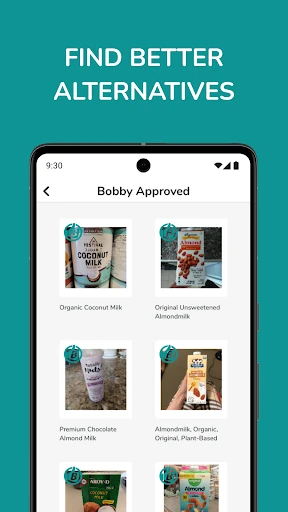
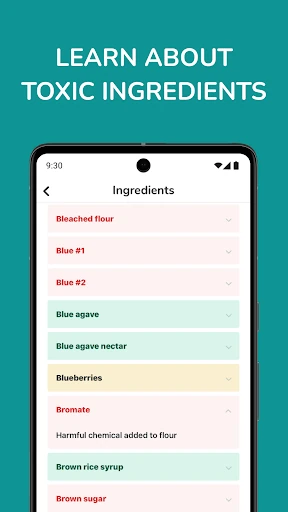
Bobby Approved is a grocery-shopping reference app for people who want help judging packaged foods while they browse the aisles. You can scan a barcode, search for a product, or explore by store, brand, and grocery aisle. I like the practical focus: it is meant to help you decide what to buy and learn to read labels, rather than turn grocery shopping into a complicated tracking project.
A scan in the aisle
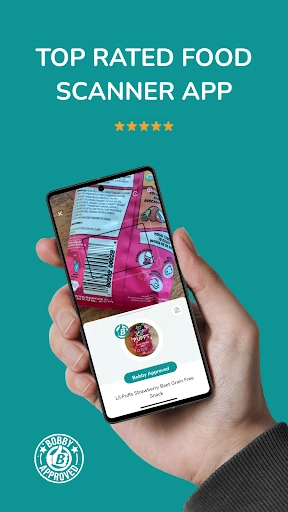
Picture standing in front of a shelf with two boxes of cereal and only a few minutes to decide. With Bobby Approved, you can point your phone at a barcode and check whether that product is considered a good choice, instead of trying to compare every ingredient on the spot. That makes the app easiest to understand in its natural setting: open it while shopping, scan something you are considering, and use the result to guide your next step.
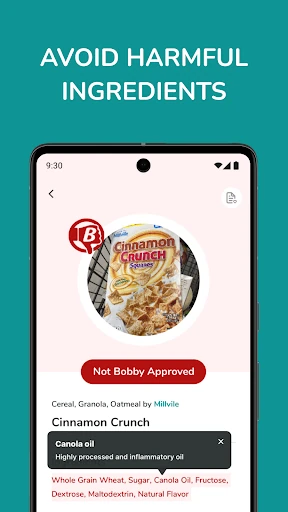
When I first think through that routine, the useful part is not just getting a yes-or-no nudge. The app is also designed to teach shoppers how to read labels and recognize what makes a product a better choice. That can make a quick scan feel like a small lesson, rather than a verdict you have to accept without context. It is a simple idea, but it addresses a real moment of uncertainty in a crowded grocery aisle.
A grocery guide, not a planner
The obvious alternative is to read the package yourself, comparing ingredient lists and nutrition information as you shop. Bobby Approved takes a more guided approach: scan a barcode, or search and browse products by store, brand, or aisle. That is useful if you want a shortcut to reviewed options, or would like help learning what to look for. Its focus is packaged grocery products, not organizing every part of your food routine.
I would not treat it as a meal planner, shopping-list manager, or personalized diet coach. The supplied description centers on finding products to buy or avoid and becoming more confident with labels. It does not describe meal schedules or tailored recommendations, so those are better handled elsewhere if they are what you need. Bobby Approved is most relevant when the question is, “What is this product like?” rather than, “What should I cook tonight?”
Browse before the trip
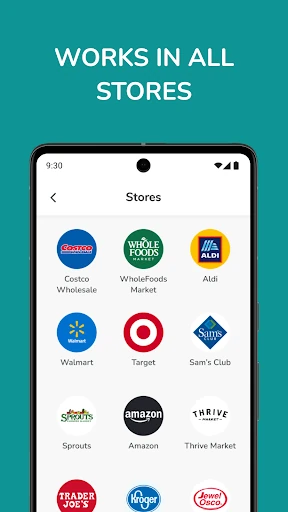
A little browsing before a grocery run can make the app more useful. If you already know which store you are visiting, you can explore products by store, including options such as Costco, Whole Foods, ALDI, and Trader Joe’s. You can also browse by brand or aisle. I like that these routes give you a way in even when you do not have a barcode in front of you.
At the shelf, scanning is the more direct habit: check an item you are unsure about, then use what you learn when comparing similar products. Over time, the label-reading guidance may help you make more of those calls yourself. I would keep the routine lightweight. A few targeted checks during a shop are more practical than stopping at every package, especially if you are shopping with someone else or trying to get home on time.
More From Our News Desk

Zoom Meetings, Google Meet, or Teams: Which Is Easiest to Join?

How I Build a Free Streaming Lineup With Tubi

Why Crunchyroll Is the Default Anime App for So Many Fans

YouTube TV: A Practical Guide to Cutting Cable

Rummikub and the Small Comfort of Phone Games

TeamViewer Remote Control or AnyDesk for Helping Family?
Who may find it useful
I would recommend Bobby Approved to shoppers who regularly pause over packaged-food labels and want a product-focused guide close at hand. It suits people who enjoy discovering reviewed options by store, brand, or aisle, as well as anyone hoping to become more comfortable interpreting labels. The app’s central idea is approachable: check a product while you are deciding what to put in the cart, then learn from the review.
It may be less appealing if you want a broad food-management app, a meal planner, or a tool built around highly personalized dietary recommendations. Those uses are not part of the described feature set. It is also not a replacement for taking time to inspect a package when a particular ingredient matters to you. For a shopper who wants a quick product reference and label-reading education, though, its narrow focus is a strength rather than a drawback.
Bobby Approved is a Food & Drink app from BA GLOBAL HOLDINGS, LLC. On Google Play it has over 1 million installs and a 4.8-star rating from about 20,000 ratings. The app is free, with no in-app purchases or ads. Its content rating is Everyone, making the store’s age guidance broad and straightforward.
The supplied app details give version 1.3.9, an original release date of June 22, 2021, and a last update date of September 24, 2026. A minimum Android version is not included in the available details, so check the Google Play page on your device for compatibility information before installing.
How Bobby Approved Fits a Grocery Run
A clear first impression
The first thing that makes sense about Bobby Approved is its single, practical purpose: help shoppers evaluate groceries. The description points to three starting routes—scan a product, search for it, or browse through store, brand, and aisle categories. That is a sensible set of options for a tool meant to be used both at home and in the middle of a shop.
I would start by looking up a familiar item rather than scanning the whole pantry. That gives you a low-pressure way to understand how the app presents products and its buy-or-avoid guidance. The app is also framed as a learning aid, so it is worth approaching it as more than a lookup tool. The best first impression should come from seeing whether its product reviews help clarify a decision you actually make.
The everyday check
Day to day, the most natural interaction is brief. You spot a packaged product, scan its barcode, and consult the app before deciding whether it belongs in your cart. That fits moments when you are comparing pasta, bread, cereal, or another grocery item and do not want to stop for a lengthy research session. Search provides another route when you want to check a product without scanning it.
I can see the browse options being useful when the shopping trip is still in the planning stage. Looking by store or aisle can help you explore the kinds of products the app covers before you reach the shelf. The experience is centered on product decisions, though, so it makes most sense as a companion to shopping rather than an app you open for general food inspiration.
More than a barcode
Barcode scanning is the standout convenience, but the store, brand, and aisle browsing give Bobby Approved a broader shape. A scanner alone would only help when you already had a specific package in hand. These additional ways to explore make it possible to look around for reviewed products in a category or at a retailer, too.
The educational angle is the feature I find most worthwhile. The app aims to help users understand how to read labels, so a product check can also build familiarity with what is in the package. The description says Bobby has personally reviewed products and shared related knowledge on YouTube. That gives the app a reviewer-led approach rather than presenting itself as a general-purpose food database.
A practical shopping rhythm
For a weekly grocery run, I would use Bobby Approved in two passes. Before leaving, browse by the store or aisle you plan to visit and note products that look relevant. Once there, scan only the items that leave you uncertain. This keeps the phone-checking useful without turning every shelf into a research project, and it gives the app’s different discovery options a clear purpose.
After a few trips, I would pay attention to the label guidance as much as the individual results. The stated goal is to help shoppers become more capable of reading labels themselves. That makes the app potentially more useful over time: each check can inform the next comparison. It remains a product guide, so the routine should be about making your own shopping decisions with extra context.
Keep the scope in mind
Bobby Approved focuses on grocery products and ingredient quality. That focus is helpful, but it also means the app should not be mistaken for a complete diet service. The supplied description does not promise personalized recommendations, community ratings, or special filters for dietary preferences. If those are the main things you are looking for, this may not match the job you have in mind.
A scan can make a decision faster, but it should not become a substitute for checking a package yourself when you need to know about a particular ingredient. I would use the app as a helpful reference and learning prompt, not as a reason to stop reading labels altogether. And as with any product lookup, it is worth checking that the item you have is the one you searched or scanned.
Bobby Approved has a straightforward appeal: it puts product reviews and label-reading help within reach while you shop. Scanning is the quickest route, while store, brand, and aisle browsing make it useful before you get to the shelf. Its focused scope is also clear; this is about grocery choices, not managing meals or building a personalized diet plan.
I would try it if packaged-food labels regularly slow down your shopping and you want guidance that can help you learn as you go. Shoppers looking for broader planning tools may want something else alongside it. For a practical product-checking companion, Bobby Approved offers a clear, useful place to start.
Bobby Approved Frequently Asked Questions
What is Bobby Approved used for?
Bobby Approved helps shoppers check grocery products by scanning a barcode, searching, or browsing by store, brand, and aisle. It is intended to help you decide what to buy or avoid and learn how to read product labels. Its focus is grocery shopping and packaged products, rather than meal planning or general food tracking.
Is Bobby Approved available on Android or iPhone?
The supplied platform details identify Bobby Approved as an Android app available through Google Play. They do not establish availability for other platforms. If you are considering using it on a different device, check the relevant store for current compatibility and availability before relying on it.
What Android version does Bobby Approved require?
The minimum Android version is not included in the app details provided here. Requirements can vary as the app changes and between devices, so check the Bobby Approved page on Google Play for the current compatibility information before installing.
Does Bobby Approved cost money or have in-app purchases?
Bobby Approved is free on Google Play, and the supplied details say it has no in-app purchases and contains no ads. Store information can change, so it is sensible to check the current Google Play page for the latest terms before downloading.
Who is Bobby Approved best suited for?
It is best suited to grocery shoppers who want to scan or look up packaged products and get help reading labels. People seeking a meal planner or highly personalized dietary recommendations may find its product-review focus too narrow. The store page is the best place to check current details about the app before deciding.
Pros
- Barcode scanning offers a quick way to check packaged groceries while shopping.
- Store, brand, and aisle browsing support product discovery before a grocery trip.
- Label-reading education gives product checks a useful learning angle.
- Free to use, with no in-app purchases or ads in the supplied details.
Cons
- Its focus is grocery products, not meal planning or broader food management.
- The supplied description does not mention personalized dietary recommendations or preference filters.
- A minimum Android version is not included in the available app details.
- Category
- Food & Drink
- Version
- 1.3.9











