Blue Mountain Ecards
- 6.15K
- 4.6
- Installs
- 100.00K
- Price
- Free

Screenshots
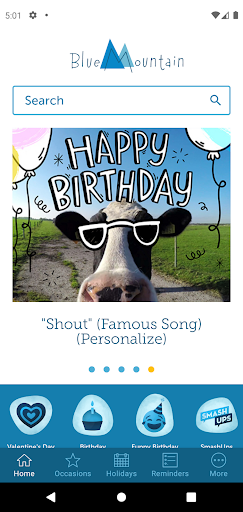
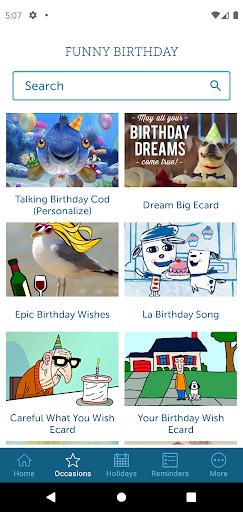
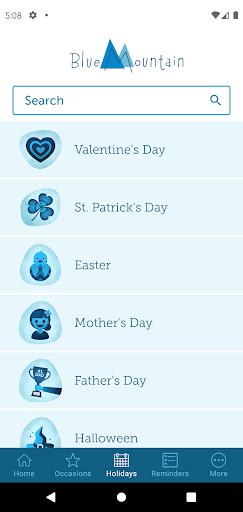
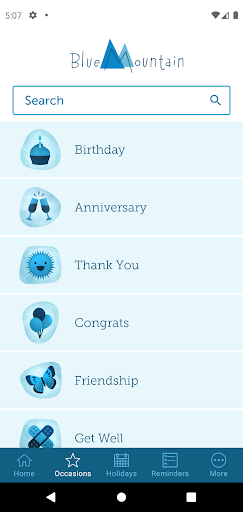
Analysis by Reviewed APKs
Blue Mountain Ecards is a digital greeting-card app for sending personal messages on birthdays, holidays, anniversaries, and other occasions. It suits people who want something more animated or customizable than a quick text, without making a trip to the card aisle. After looking through what it offers, my take is that it works best for thoughtful senders who enjoy planning ahead and making a greeting feel personal.
A Greeting on a Busy Day
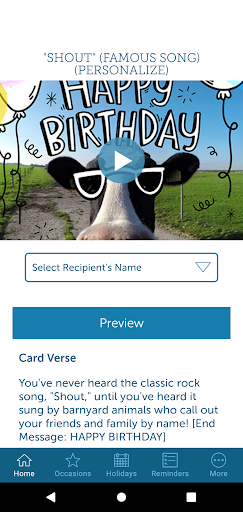
Picture remembering a friend’s birthday while you’re between errands, with no card or stamp handy. Blue Mountain Ecards is built for that moment: search for a birthday greeting, choose an ecard, add a message, and send it by email, text, or social media. If you’d rather not send it immediately, you can schedule delivery for later. That makes the app useful when the intention is there but the timing is less than ideal.
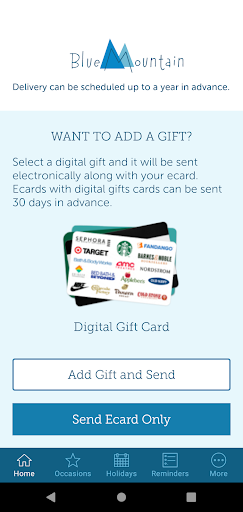
I’d use it a little earlier than the last-minute scramble, though. The range includes animated ecards, video greetings, SmashUps, and Creatacards, so there are several ways to make a message feel more tailored than a plain note. You can also attach a digital gift card from a retailer or restaurant. The practical appeal is having a greeting and a small gift in one place, rather than switching between separate tasks.
More Than a Quick Text
Compared with a text message or a basic email, Blue Mountain Ecards puts the greeting itself at the center. Its animated cards can include motion and sound, while Creatacards let you personalize a card with photos, video, and messages. SmashUps add another playful option, including formats that use a name, typed text, or photos. These are different approaches to the same small social ritual: letting someone know you remembered.
It is not a general-purpose messaging app, and I wouldn’t treat it as a replacement for a personal conversation. The focus is sending occasion-based greetings, not maintaining an ongoing chat. Nor is it simply a digital version of a paper card: the animated and customizable formats are part of the point. If you prefer a short, plain message with no browsing or extra choices, opening your usual texting app will likely be quicker.
Make the Occasion Easier
A useful habit is to add important people to the app’s address book and set birthday or anniversary reminders. Blue Mountain Ecards can send an email reminder the day or week before an occasion, which gives you a little breathing room to choose a card. You can also schedule an ecard ahead of time, including for holidays. I like that this turns remembering into a small planned task instead of a frantic calendar-day decision.
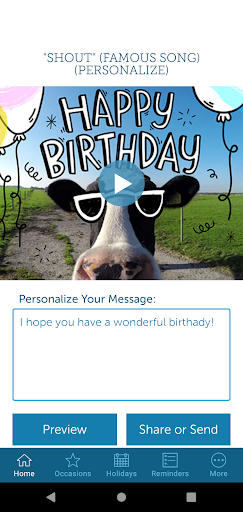
I’d also keep a short message-writing routine in mind. Browse for a card that fits the relationship, then write a specific line about the person or the occasion; the app also offers a text generator to try when words aren’t coming easily. Previously sent and received ecards help keep those greetings organized. That can make the app feel less like a one-off card picker and more like a modest tool for staying in touch.
More From Our News Desk

Zoom Meetings, Google Meet, or Teams: Which Is Easiest to Join?

How I Build a Free Streaming Lineup With Tubi

Why Crunchyroll Is the Default Anime App for So Many Fans

YouTube TV: A Practical Guide to Cutting Cable

Rummikub and the Small Comfort of Phone Games

TeamViewer Remote Control or AnyDesk for Helping Family?
Who May Enjoy It
I’d recommend Blue Mountain Ecards to people who like sending birthday and holiday greetings but want more visual personality than a standard message provides. It has options for different moods, from animated cards to more customizable Creatacards and playful SmashUps. The ability to schedule a greeting and set occasion reminders is especially appealing if you have several birthdays or anniversaries to keep straight throughout the year.
It may not suit someone who wants the fewest possible steps, or who would rather write a plain text and move on. The variety is useful, but browsing and personalizing a card takes more effort than sending a one-line message. The subscription is also worth considering if you expect to send cards regularly, since the description ties unlimited sending to a subscription. For occasional use, check the current options and prices before settling on a routine.
Blue Mountain Ecards is a Lifestyle app from AGCM, Inc. On Google Play it has more than 100,000 installs and a 4.6-star rating from about 6,150 ratings. The app is free to download, contains no ads, and offers in-app purchases. The listed in-app product range is $6.99 to $35.99 per item, so the total cost depends on what you choose.
The app is rated Everyone on Google Play. Its listed version is 1.3.0, it was released on March 15, 2022, and it was last updated on July 23, 2025. The description says a Blue Mountain subscription includes unlimited ecard sending and that existing BlueMountain.com subscribers get the app’s best features. The minimum Android version is worth checking on Google Play for the device you plan to use.
A Closer Look at Sending a Card
Getting Started
When I first opened the idea of Blue Mountain Ecards, what stood out was how many kinds of greeting it brings together. The app is not limited to one template style: the selection includes standard ecards, SmashUps, and Creatacards, along with greetings for birthdays, holidays, anniversaries, and everyday reasons to reach out. That breadth gives you somewhere to start whether you have a clear occasion in mind or simply want to send a thoughtful note.
The first useful decision is what kind of card fits the person receiving it. A straightforward animated greeting may be right for a relative, while a more personalized format could suit a close friend. If you already have a BlueMountain.com subscription, the description says its best app features are included with that subscription. Otherwise, it’s sensible to look over the available purchase choices before building the app into your routine.
The Everyday Experience
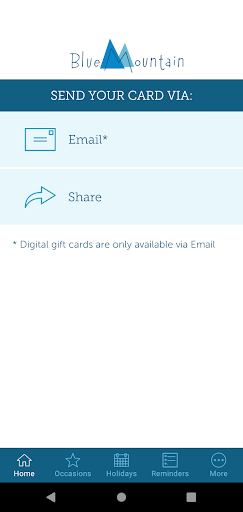
The basic flow is easy to understand: find a greeting, personalize it, choose how it gets to the recipient, and send it now or schedule it. You can write your own message or try the text generator, then share by email, text, or social media. I appreciate that delivery timing is part of the process rather than an afterthought; a card chosen today can be set for a later occasion.
The app also gives you access to previously sent and received ecards. That matters in a small but practical way: greetings are not just sent into the ether, and you can look back at what has already passed through the app. Contact information can come from your device or Blue Mountain account. Together, those options make the app feel geared toward repeat use rather than just a single holiday download.
Formats With Personality
The standout distinction is the mix of greeting formats. Ecards can bring together animation, sound, images, and messages, while Creatacards let you customize details such as the layout and add photos, video, and your own words. That gives the sender more room to shape the presentation than a fixed, text-only greeting. It is a useful range for people who enjoy making a card feel chosen rather than generic.
SmashUps are the more theatrical option. The description includes celebrity greetings, characters that can say text you type, and selfie-based greetings that use your photos. The app also lets you attach a digital gift card from a retailer or restaurant to an ecard. Those features won’t be necessary for every birthday, but they offer distinct ways to add a little surprise when a plain card feels too restrained.
A Simple Planning Routine
For a routine, I’d start by adding the people whose birthdays or anniversaries I tend to remember at the last minute. Blue Mountain Ecards can provide an email reminder the day or week before each occasion. When the reminder arrives, I’d pick a greeting, add a personal detail, and schedule it if the actual day is likely to be busy. That short sequence makes advance sending feel manageable rather than overly formal.
The same approach works for recurring holidays. Instead of choosing a card while juggling the day itself, browse ahead and schedule delivery. If a gift would make the greeting more complete, the digital gift-card option is there as part of the ecard flow. I’d still keep the written message specific: a small reference to a shared memory or recent conversation is more meaningful than relying on a template alone.
Keep the Trade-Offs in Mind
The main trade-off is that a richer greeting takes more attention than a quick text. You need to choose a format, find a suitable card, and decide how much personalization is right. That is part of the appeal for a sender who wants an occasion to feel marked, but it can be unnecessary for everyday check-ins. If you want to send only a short message, the extra card-focused choices may slow you down.
Cost is another practical consideration. The app is free to download, but it offers in-app purchases, and its description says a subscription provides unlimited ecard sending. The listed in-app item prices range from $6.99 to $35.99. I’d check what is included in the current options before assuming the free download covers the kind of regular sending I have in mind.
Finally, the most elaborate formats will suit some recipients more than others. A playful SmashUp or animated greeting can be fun, while a quieter occasion may call for a simpler card and a sincere note. The good thing is that the app covers a range of occasions, including sympathy, thank-you, get-well, and thinking-of-you greetings. Choosing a format that fits the person matters more than using every feature.
Blue Mountain Ecards makes sense when I want a greeting to feel more considered than a quick text, but still want to send it from a phone. Its selection of animated ecards, customizable Creatacards, SmashUps, scheduled delivery, reminders, and optional digital gift cards covers a lot of common occasions without changing the app’s basic purpose.
I’d try it if sending cards is already part of how you keep up with friends and family, especially if you like planning ahead. If you only send the occasional one-line greeting, the subscription and browsing choices may be more than you need. Either way, the free download gives you a way to explore the app before deciding whether its paid options fit your habits.
Blue Mountain Ecards Frequently Asked Questions
What is Blue Mountain Ecards used for?
Blue Mountain Ecards is for finding and sending digital greetings for occasions such as birthdays, anniversaries, holidays, thank-you notes, and other reasons to reach out. You can personalize cards, send them by email, text, or social media, schedule delivery, and attach a digital gift card. It also includes reminders for birthdays and anniversaries.
Which devices can I use Blue Mountain Ecards on?
Blue Mountain Ecards is an Android app available through Google Play. The description says you can use it from a device to browse and send greetings. Check the Google Play store page for the current device compatibility details, since supported devices can vary.
What Android version does Blue Mountain Ecards require?
The minimum Android version can vary with the app and device, so check the Blue Mountain Ecards page on Google Play before installing. That page is the best place to confirm compatibility for your particular phone or tablet.
Is Blue Mountain Ecards free, and are there in-app purchases?
The app is free to download and has no ads, but it offers in-app purchases. The listed price range is $6.99 to $35.99 per item. The app description says a subscription provides unlimited ecard sending; check Google Play for current purchase details and available options.
Is Blue Mountain Ecards a good fit for occasional senders?
It can be, especially if you want a more animated or customizable greeting for an important occasion. Occasional senders may find a regular text simpler, and should consider the paid options before relying on the app for frequent cards. Its Everyone content rating and variety of occasion-based greetings make it broadly suited to people who enjoy sending digital cards.
Pros
- Offers animated ecards, Creatacards, and playful SmashUps for different occasions.
- Lets you personalize greetings and send them now or schedule them ahead.
- Birthday and anniversary reminders can help prevent last-minute scrambling.
- Digital gift cards can be attached to an ecard.
Cons
- Browsing and personalizing a card takes longer than sending a plain text.
- Unlimited ecard sending is tied to a subscription in the app description.
- The listed in-app purchase prices may be more than occasional senders need.
- Category
- Lifestyle
- Version
- 1.3.0











