Bing Wallpapers
- 3.12K
- 3.5
- Installs
- 10.00M
- Price
- Free

Screenshots
Analysis by Reviewed APKs
Bing Wallpapers is a daily-updated gallery for people who like changing their phone background without spending ages searching for a good image. I found its mix of browsing, image details, and automatic wallpaper changes appealing for a small everyday refresh. It stays focused on personalization rather than trying to be a full photo editor, which makes it easy to understand but limits what you can do with each picture.
A fresh start each morning
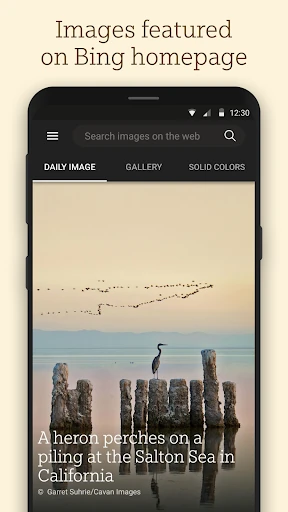
When I want my phone to feel a little less familiar, a new wallpaper is an easy change. Bing Wallpapers gives me a gallery of images featured on the Bing homepage, with new images added daily. I can browse a few options, look at where an image comes from, and set one as my mobile wallpaper. It turns a small idle moment, like waiting for coffee, into a quick way to find a different view.
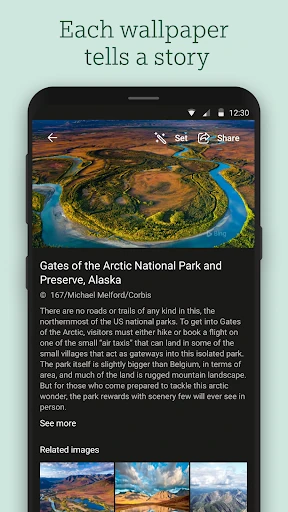
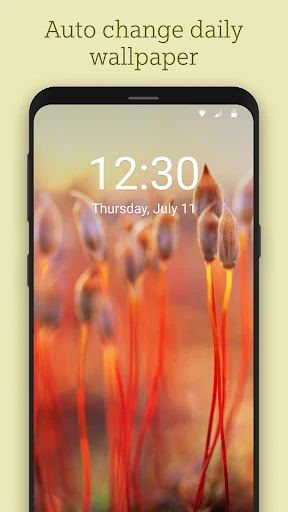
The automatic update option suits a hands-off routine. I can set the wallpaper to change automatically, so the phone can greet me with a different image in the morning instead of leaving me to remember to pick one. I also like that each image may come with information about its location, photographer, and why it was featured. That context gives browsing a little more substance than scrolling through attractive pictures alone.
A focused wallpaper gallery
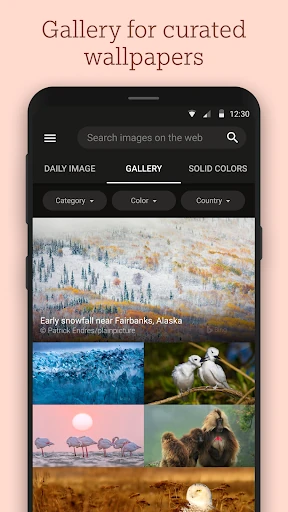
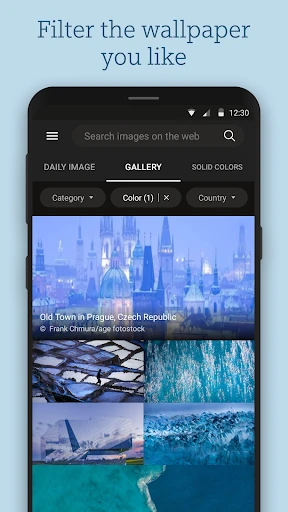
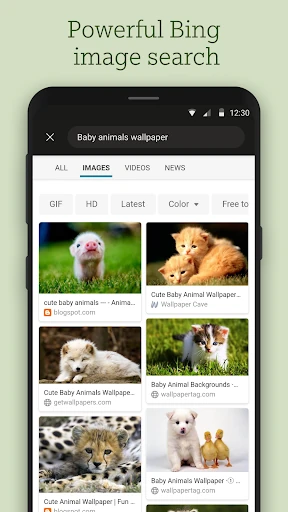
Compared with searching the web or scrolling through a general image collection, Bing Wallpapers is built around a specific job: finding and setting phone backgrounds from Bing homepage images. Filters for color, category, and location help narrow the selection when I have a mood in mind. Bing image search is also available for finding specific wallpaper images. Those tools make the app more directed than opening a broad photo feed and hoping something fits.
That focus is also its boundary. I would not choose it when I need to edit a photo, build a collage, or manage a personal image library; those are different tasks from browsing and setting wallpapers. It is best understood as a source of curated background images, not a general-purpose image studio. If I already know exactly how I want to crop or customize a picture, I would need to look beyond this app for those extra steps.
Make browsing work for you
A simple way to get more from the gallery is to start with one filter instead of browsing every image. I might choose a color that works with my icons, or narrow the collection by category or location. That makes a quick wallpaper break less like an endless search. When I am not sure what I want, I can leave the filters alone and treat the daily images as a changing collection to explore.
I would also make a deliberate choice between picking an image myself and enabling automatic updates. Manual selection works well when I have found a particular place or scene I want to keep. Automatic changes make more sense when variety matters more than holding onto one favorite. On a tablet or while viewing the app in landscape mode, the supported landscape layout offers another way to browse the same image collection.
More From Our News Desk

Zoom Meetings, Google Meet, or Teams: Which Is Easiest to Join?

How I Build a Free Streaming Lineup With Tubi

Why Crunchyroll Is the Default Anime App for So Many Fans

YouTube TV: A Practical Guide to Cutting Cable

Rummikub and the Small Comfort of Phone Games

TeamViewer Remote Control or AnyDesk for Helping Family?
Who will enjoy the refresh
I would recommend Bing Wallpapers to Android users who enjoy changing their background regularly but do not want to hunt across the web for images. It should also appeal to people who like knowing a little about what they are seeing. The combination of daily additions, image details, filters, and optional automatic changes covers the basic wallpaper routine without making the app feel like a project.
It may be less satisfying for someone who wants extensive editing controls, custom image effects, or a broad library of personal photos. The app is centered on Bing homepage images, so its appeal depends on enjoying that kind of curated selection. If you prefer to choose every wallpaper manually, the automatic option is easy to ignore; if you want your background to change with no effort, it is a useful alternative.
Bing Wallpapers is a Personalization app from Microsoft Corporation. On Google Play it has over 10 million installs, a 3.5-star rating from 3,124 ratings, and an Everyone content rating. The app is free to install. Google Play lists no in-app purchases and no ads, making the basic cost picture straightforward for someone who wants a wallpaper gallery rather than a paid service.
The listed minimum requirement is Android 8.0, and the current version shown is 12.0.47470801. Bing Wallpapers was released on April 28, 2020, and its last update was September 11, 2023. These details are useful to check against the device and the current Google Play information before installing, especially if the phone is running an older Android release.
A closer look at the wallpaper routine
Opening the gallery
When I first opened Bing Wallpapers, the basic purpose was immediately clear: this is a place to browse images and use them as a phone background. That narrow focus is a strength for anyone who wants to get from looking to choosing without learning a complicated editing workflow. The collection spans images featured on the Bing homepage over the last ten years, giving the gallery a longer history than just the newest daily picture.
The image details help make the first browse feel more considered. Instead of treating every picture as an anonymous background, I can learn about its location, photographer, and reason for being featured. I like having that information available when a scene catches my attention. It is not the same as a long-form travel guide, but it adds a small point of interest to the act of choosing a wallpaper.
Browsing day to day
In everyday use, the central loop is uncomplicated: browse the images, narrow the view if needed, and set a chosen image as the mobile wallpaper. The daily updates give me a reason to check back without requiring a long session. A quick look while taking a break can be enough to find something new, and the app’s focus means I am not sorting through unrelated tools before getting to the pictures.
Filters are practical when I have a preference but no exact image in mind. I can choose by color, category, or location rather than relying only on whatever happens to be at the front of the collection. When I would rather search for a particular wallpaper image, Bing image search is another route. Between those choices, the app supports both casual browsing and a more targeted hunt.
Details beyond the picture
The daily image is the headline feature, but the story attached to it is what makes the gallery feel more distinctive to me. Information about where a picture was taken, who photographed it, and why it was selected can turn a quick glance into a short discovery. I appreciate that this context is tied to the image itself, rather than expecting me to recognize a place or search elsewhere to learn more.
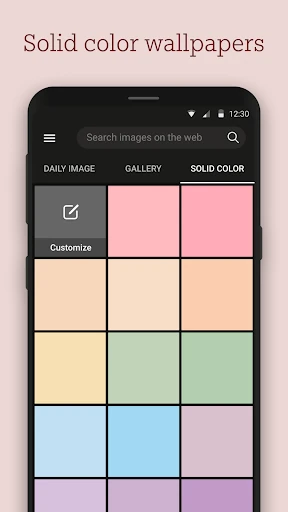
The filters give the collection a useful degree of control without changing its basic character. I can look for a particular color, category, or location, or choose a simple solid-colored background when that suits my mood. Support for portrait and landscape modes also helps when I want to browse in a different orientation. These options are modest, but they serve the app’s central job rather than distracting from it.
A low-effort morning habit
For a routine, I would start by choosing an image that already feels right, then decide whether I want to keep selecting manually or let the wallpaper update automatically. If I enable automatic updates, the app is designed to bring a new image each morning. That removes one small decision from the day, while still leaving me free to browse and choose when I want a particular scene to stay on the phone.
On mornings when I do want to choose, I would use a filter to cut down the options, then open the details for any image that stands out. That gives the process a natural stopping point: find a picture, learn a little about it, set it, and move on. The routine is intentionally lightweight, which is exactly what I want from a background app rather than another daily task to manage.
Keep expectations practical
The main limit is the app’s narrow purpose. It offers Bing homepage images and tools for browsing and setting them, not a suite for transforming pictures. Someone who expects cropping choices, artistic effects, or a private collection manager may find the experience too simple. I see that as a trade-off rather than a flaw: the app is easier to approach because it does not try to cover every image-related job.
The experience also depends on whether the gallery’s selection matches your taste. Filters and search can help locate a suitable image, and the solid-color option offers a plain alternative, but the app remains centered on its own image collection. Its 3.5-star Google Play rating suggests users have mixed experiences overall, so I would treat it as a focused free option to try rather than assume it will suit every wallpaper preference.
Bing Wallpapers does its best work when I want a fresh phone background, a little context about the image, and an easy way to keep things changing. Daily additions and automatic updates make it convenient, while filters leave room for a more deliberate choice. It stays focused, and that makes its limits easy to understand.
I would try it if you use Android and enjoy curated imagery more than deep customization. It is a sensible, free way to browse Bing homepage pictures and set one as your wallpaper. If image editing or a personal photo library is the priority, this is not the app I would reach for.
Bing Wallpapers Frequently Asked Questions
What is Bing Wallpapers used for?
Bing Wallpapers is used to browse images featured on the Bing homepage and set them as a mobile wallpaper. It adds new images daily and provides details such as a picture’s location, photographer, and why it was featured. You can filter by color, category, and location, use Bing image search, or set the wallpaper to update automatically.
Which devices can run Bing Wallpapers?
Bing Wallpapers is an Android app on Google Play. Its listed minimum requirement is Android 8.0, and it supports both portrait and landscape modes. Check the Google Play store information for current compatibility with a particular phone or tablet, since device support and requirements can vary.
Does Bing Wallpapers cost money?
Bing Wallpapers is free to install on Google Play. The store information says it contains no ads and offers no in-app purchases. Store details can change, so it is worth checking the current Google Play entry before installing if you want the latest cost information.
Does Bing Wallpapers change my wallpaper automatically?
Yes. The app describes an automatic update option that can provide a new wallpaper each morning. You can also browse the image collection and set a picture yourself. That makes it suitable both for people who enjoy choosing a specific image and for those who prefer a regular refresh with less effort.
Is Bing Wallpapers a good fit for everyone?
It is a good fit for Android users who want a focused gallery of Bing homepage images, daily additions, and simple wallpaper changes. It may not suit people looking for photo editing tools or a general personal-image library. The app’s selection is centered on Bing images, so whether it feels right will depend partly on your taste.
Pros
- Daily image additions make it easy to find a fresh background.
- Image details add context about locations, photographers, and featured pictures.
- Filters and Bing image search support both casual browsing and targeted searches.
- Automatic wallpaper updates offer a low-effort way to refresh a phone.
Cons
- Its focus on wallpapers leaves out broader photo editing and customization tools.
- The collection may not match every user's preferred image style.
- Android 8.0 is the listed minimum requirement.
- Category
- Personalization
- Version
- 12.0.47470801