Super Loud Ringtones
- 37.68K
- 4.4
- Installs
- 5.00M
- Price
- Free

Screenshots
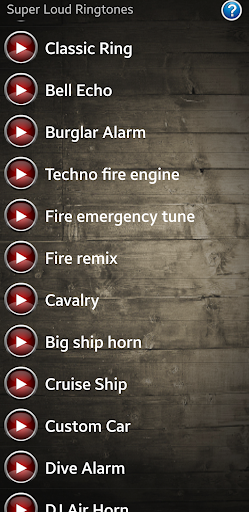
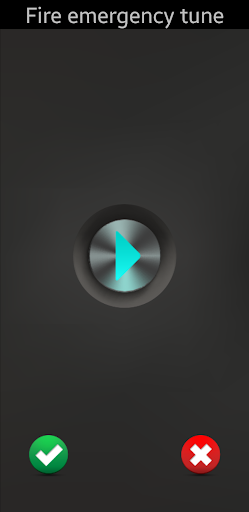
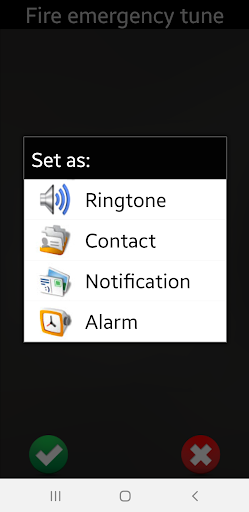
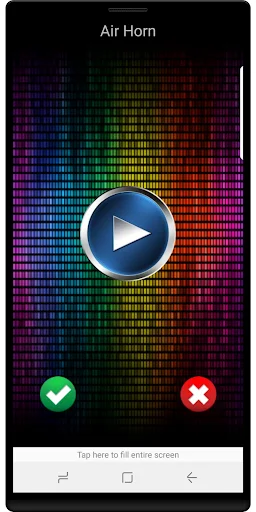
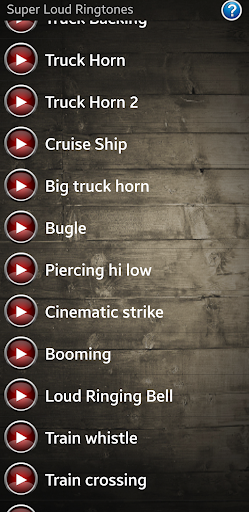
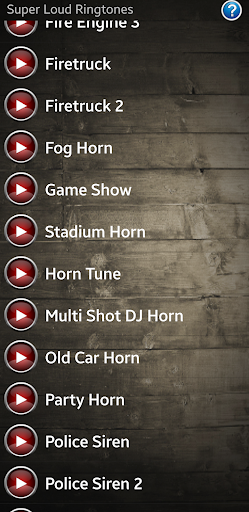
Analysis by Reviewed APKs
Super Loud Ringtones is an Android personalization app for people who want a more noticeable sound for calls, alarms, and notifications. I like the straightforward idea: choose a sound and assign it to a particular job, including a contact if that is useful. It is a narrow tool rather than a broad phone-customization suite, and its ads are worth keeping in mind.
A louder everyday alert
When I think about where Super Loud Ringtones fits, it is an ordinary moment when a phone is tucked into a bag or left in another room. A more attention-grabbing ringtone can make a call easier to notice than a familiar, quiet default. The app is built around that simple purpose: it offers loud ringtones and sound effects, then lets you assign a sound to calls, alarms, or notifications.
I would treat it as a small setup task rather than something to browse every day. The useful part is choosing a sound that stands apart from the phone's usual alerts and giving it a clear role. You can set a sound for all calls or for a person, which gives the app a practical personal touch without turning ringtone selection into a complicated project.
A focused alternative
Compared with leaving the phone on its default sound, Super Loud Ringtones gives you a collection of louder tones and sound effects to choose from. It also offers a way to set them for different purposes, rather than treating every sound as a general ringtone. That makes it a fit for someone who wants a more noticeable alert without taking on a much larger customization task.
This is not a tool for composing music, editing audio, or managing a complete collection of phone themes. The supplied description focuses on selecting sounds and assigning them to calls, a contact, alarms, and notifications. If you want an elaborate sound-design workspace or broad visual personalization, this app's stated job is much narrower. I would come to it for alerts, not a new look for the whole phone.
Make the setup deliberate
A little planning makes ringtone choices more useful. I would decide first which alert needs to stand out most, then assign a sound to that job instead of changing every setting at once. Calls, alarms, and notifications can each have a purpose, and the option to choose a tone for a person can help separate one contact's calls from the general ringtone.
It also helps to think about where the phone usually is when you need to hear it: on a desk, in a bag, or across the room. A loud sound may suit one routine and feel excessive in another. Since the app offers sound effects as well as ringtones, I would choose with the alert's context in mind, then keep the setup simple enough to recognize without having to relearn it.
More From Our News Desk

Zoom Meetings, Google Meet, or Teams: Which Is Easiest to Join?

How I Build a Free Streaming Lineup With Tubi

Why Crunchyroll Is the Default Anime App for So Many Fans

YouTube TV: A Practical Guide to Cutting Cable

Rummikub and the Small Comfort of Phone Games

TeamViewer Remote Control or AnyDesk for Helping Family?
Who may find it useful
I would recommend Super Loud Ringtones to Android users who routinely miss calls or alerts because their current ringtone is too easy to overlook. It may also suit someone who wants to give a particular person's calls a distinct sound, or choose separate options for alarms and notifications. The app's focus is easy to understand, and it does not ask you to adopt a larger customization system.
It may be less appealing if you prefer a quiet phone, want to create your own audio, or expect a deep library of personalization tools. Ads are part of the app, so anyone who dislikes advertising in a simple utility should factor that into the decision. I would also be selective about where and when to use especially loud alerts, since a sound that helps at home may be intrusive in a quiet setting.
Super Loud Ringtones is a free Android personalization app from Crystal Clear Ringtones. Google Play shows over 5 million installs and a 4.4-star rating from around 38,000 ratings. The app contains ads, but the provided facts show no in-app purchases. Its content rating is Everyone, and the current version is 8.6.
The app was released on October 18, 2012, and its last update is dated June 28, 2026. The available facts do not give a minimum Android version, so check Google Play on your device for compatibility before installing. The store details are also the best place to confirm current availability and any changes to the app's terms.
Putting Louder Alerts to Work
A simple first impression
When I first considered the app, its purpose was immediately easy to grasp: it is about choosing louder sounds for common phone alerts. That kind of narrow focus is a plus if you only want to change a ringtone or notification sound. I would not expect to spend an evening learning a complicated system; the stated setup is about selecting a sound and assigning it.
The app is described as easy to use, but the material does not detail a particular first-run walkthrough or configuration screen. What matters for a new user is the set of choices it supports: default calls, a specific person, alarms, and notifications. That gives you a clear starting point for deciding what you want to customize before you get into the sounds themselves.
Everyday alert choices
Day to day, the core experience is less about constant interaction and more about setting an alert once, then hearing it when the phone rings or notifies you. I like that the app's purpose is tied to familiar situations: an incoming call, an alarm you need to notice, or a notification you do not want blending into the usual background.
The choice to set a ringtone for all calls or for an individual person is the most useful distinction in the description. It lets you keep a general sound while giving one contact a different cue. I would use that sparingly, though. A handful of meaningful differences is easier to recognize than a phone full of sounds with no clear pattern.
More than call ringtones
The standout feature is the range of alert roles the app covers. It is not limited to incoming calls: the description also says sounds can be set for alarms and notifications. That makes the app more useful than a one-purpose ringtone picker for someone who wants the phone's audible signals to feel more distinct from one another.
Sound effects are included alongside ringtones, which gives the selection a different character from a collection limited to conventional ringing tones. I would choose based on whether a sound is recognizable and suitable for its job, rather than assuming every effect makes a good everyday alert. The app is also described as working on tablets, extending its intended use beyond phones.
A practical setup routine
For a practical routine, I would start with the alert I most often miss. If that is a call, I would choose a louder sound for all calls; if one person's calls need to stand out, I would use the individual-contact option instead. Then I would consider whether an alarm or notification also needs a different sound, rather than changing everything in one sitting.
After choosing, I would give the phone a little time in the places I normally use it: beside me while working, in another room, or packed away while I am moving around. The goal is not maximum volume for its own sake. It is a sound that gets noticed in the situations where I need it and remains recognizable enough to identify as a call, alarm, or notification.
Keep expectations grounded
The main limitation is the app's narrow brief. The supplied information describes choosing from loud ringtones and sound effects and assigning them to alert types; it does not establish audio creation or broader phone customization. If you are looking for a full editing toolkit or a sweeping set of personalization options, this is not presented as that kind of product.
A loud alert also has a trade-off. It can be helpful when a phone is out of reach, but may be a poor fit in a quiet room or shared space. Ads are another practical consideration for an app used mainly during setup. I would make my choices thoughtfully, then use the assigned sounds in a way that suits the places I spend time.
Super Loud Ringtones does one clear job: it provides louder ringtones and sound effects that can be assigned to calls, contacts, alarms, and notifications. I appreciate that practical focus, especially for people who regularly miss quieter alerts. Its usefulness depends on wanting louder sounds, rather than a broad collection of editing or customization tools.
I would try it if I had an Android phone and wanted a more noticeable call or alarm without making sound selection a hobby. The free price is appealing, though ads are part of the experience. If you prefer subtle alerts or want to create your own sounds, I would look for a different kind of app.
Super Loud Ringtones Frequently Asked Questions
What is Super Loud Ringtones used for?
Super Loud Ringtones is an Android personalization app for choosing loud ringtones and sound effects. Its description says you can set sounds for all calls, an individual person, alarms, and notifications. It is meant to make alerts more noticeable, rather than provide a general audio-editing or phone-theme toolkit.
Which devices can use Super Loud Ringtones?
The app is for Android, and its description says it works on tablets as well as Android phones. A minimum Android version is not provided in the available facts, so compatibility may vary by device. Check the Google Play store entry on the device you plan to use before installing.
Does Super Loud Ringtones cost money?
The app is free to download, and the available facts show no in-app purchases. It does contain ads. Store details can change over time, so it is worth checking Google Play for the current price and purchase information before downloading.
Can Super Loud Ringtones set sounds for contacts and alarms?
Yes. The app description says sounds can be assigned to all calls, a particular person, alarms, and notifications. That makes it possible to use different sounds for different alert roles. The description does not provide a detailed account of the selection process, so check the app's store information for current details.
Who is Super Loud Ringtones best suited for?
It may suit Android users who miss quiet calls or alerts and want louder options for everyday use. It may be less suitable if you prefer subtle sounds, dislike ads, or want to make your own audio. Whether it fits your needs depends on the sounds and setup currently offered in the app.
Pros
- Sets sounds for calls, individual contacts, alarms, and notifications.
- Focused on louder ringtones and sound effects for everyday alerts.
- Free to download, with no in-app purchases shown in the facts.
- Described as working on Android tablets as well as phones.
Cons
- Contains ads, which may feel intrusive in a simple utility.
- A narrow ringtone tool, not a broad audio-creation or customization suite.
- Loud sounds may be unsuitable in quiet or shared settings.
- Category
- Personalization
- Version
- 8.6