Big Font (change font size)
- 21.82K
- 4.2
- Installs
- 5.00M
- Price
- Free

Screenshots
Analysis by Reviewed APKs
Big Font (change font size) is an Android tool for adjusting system text so it is easier to read or takes up less space. It suits people who regularly squint at small labels, or who simply prefer a different text scale. After looking at its range of controls, I see a practical utility with more flexibility than a basic size toggle, though some of its extras depend on Android version or a paid upgrade.
A More Readable Day
Picture checking a message while waiting for coffee, then opening another app and finding its text just as hard to read. Big Font is made for that sort of everyday annoyance: it changes the system font scale rather than asking you to adjust text separately in every app. I would start by previewing a larger size, apply it, and see whether common screens feel more comfortable to read.
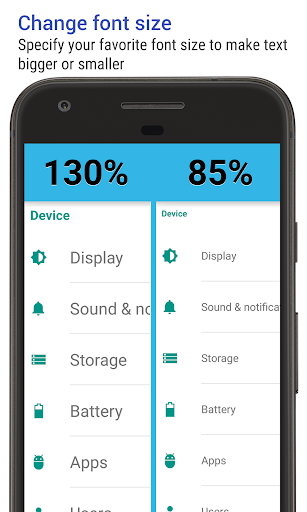
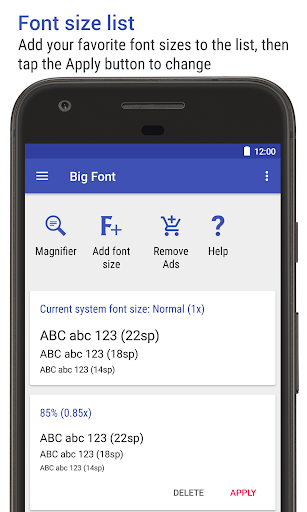
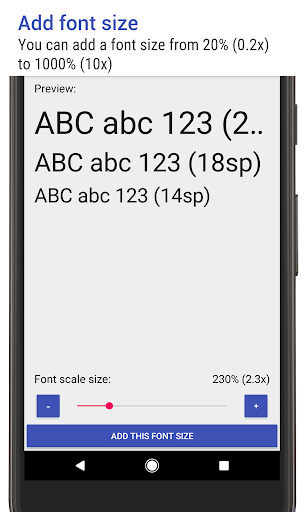
The range is broad, from 25% of the usual size up to 500%, so there is room to make a noticeable change in either direction. I like that the preview lets me inspect the scaled text before applying it. That makes experimentation less of a leap, especially if I am trying to find a comfortable setting rather than simply choosing the biggest available option.
Beyond Basic Display Settings
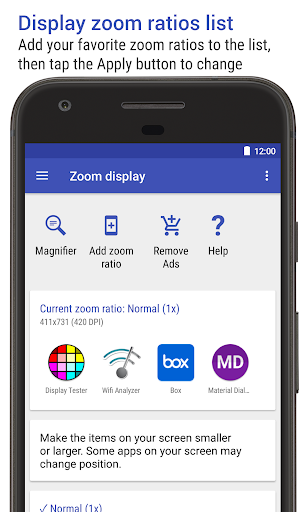
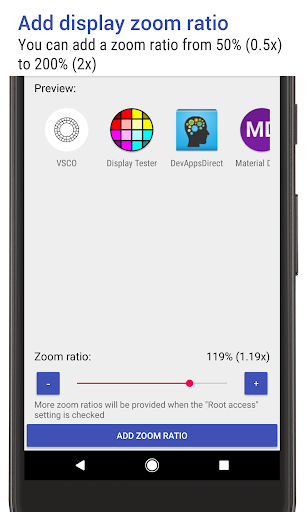
The obvious comparison is the font-size control already built into Android settings. Big Font focuses on system text scaling and adds controls such as a preview, a notification showing the current size, and a way to switch size from that notification. On supported devices, it also offers display zoom changes and font-weight adjustments. Those additions make it more appealing if you expect to revisit the setting often.
This is still a focused utility, not a general-purpose screen customization suite. Its main job is changing text size; the camera magnifier is a separate aid, not a substitute for changing how text appears across the system. If you only need one occasional adjustment, the built-in settings may be enough. Big Font makes more sense when its additional controls and quick switching fit your routine.
Small Habits That Help
I would treat the preview as part of the adjustment, not as an optional extra. Try a modest change first, check the text in the kinds of places you read most, and then fine-tune it. That approach is more useful than jumping straight to an extreme scale, which may make text easier to see but also change how much fits on screen.
If I switch between a larger reading size and a smaller everyday size, the notification can make that change quicker. Big Font can show the current scale there, and it can switch font size with a tap. The notification can also be hidden if I do not want it around. These small choices help the app fit a personal workflow instead of imposing one.
More From Our News Desk

Zoom Meetings, Google Meet, or Teams: Which Is Easiest to Join?

How I Build a Free Streaming Lineup With Tubi

Why Crunchyroll Is the Default Anime App for So Many Fans

YouTube TV: A Practical Guide to Cutting Cable

Rummikub and the Small Comfort of Phone Games

TeamViewer Remote Control or AnyDesk for Helping Family?
Who may find it useful
I would recommend Big Font to Android users who find the system text uncomfortable and want more control than a single size adjustment. It may also suit someone who likes to compare a preview before committing, or who wants a quick way to move between sizes during the day. The broad scale range gives room to experiment, while the notification option supports people who change settings repeatedly.
It may be less useful if your phone's built-in text controls already solve the problem, or if you expect every feature to work on every Android device. Some controls are tied to newer Android versions, while the PRO upgrade adds further scaling options and removes ads. If your goal is only occasional magnification, the camera feature may be the part you use, but the app's core focus remains system text.
Big Font (change font size) is developed by AZSoft Technology Inc. It is a free Android app in the Tools category, with more than 5 million installs on Google Play. Its rating is 4.2 out of 5 from about 21,800 ratings. The app is rated Everyone, and its current version varies with the device.
The app includes ads and offers in-app purchases, with listed items at $3.99 each. The PRO license adds an ad-free experience and removes certain limits, including limits on font scaling, zoom ratios, and font weights. Big Font was released on December 19, 2011, and its listed last update is October 26, 2026.
Finding the Right Text Scale
A Straightforward Starting Point
When I first opened an app like this, the main question I would want answered is simple: how will the text look before I change it? Big Font addresses that with a preview of scaled text. That is a sensible first step for a tool that affects system text, because the right setting is personal and can take a little trial and error.
The controls are aimed at adjusting scale rather than dressing up the interface. I would begin with the text-size range, preview a setting, and apply it only when it looks comfortable. The overall approach feels practical: make a change, inspect the result, and revise if needed. It is more reassuring than committing to a size without seeing an example first.
Everyday Use
The main appeal is that a font-size change can carry across the system instead of being repeated app by app. That makes Big Font most relevant during ordinary routines: reading a notification, checking a screen while out, or spending time with text on the phone. I would choose a scale that works across those situations, rather than tuning it for just one screen.
The notification adds a small convenience for anyone who changes sizes regularly. It can indicate the current font size, and tapping it can switch the system size. I also appreciate that there is an option to hide the notification. That means the quick control is available when useful without requiring everyone to keep it visible all the time.
Useful Extra Controls
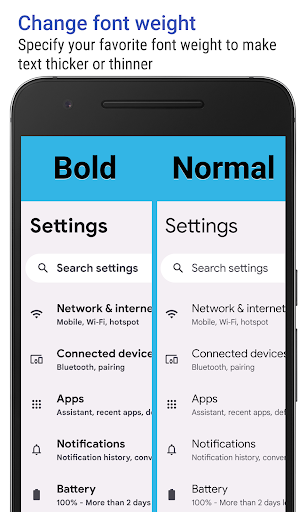
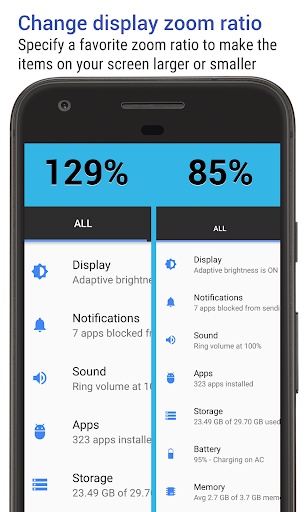
Big Font goes beyond a simple larger-or-smaller toggle. Users can customize the font-size scale value, and the app offers display zoom changes on Android 7.0 or later. On Android 12.0 or later, it can change system text to bold or thin. Those version-specific additions can help people fine-tune more than size, though what is available depends on the device's Android version.
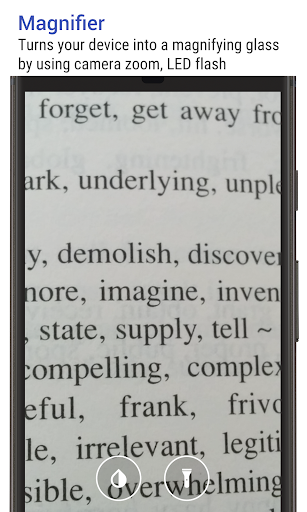
The camera magnifier is another distinct feature. It uses camera zoom, autofocus, and the LED flash to help magnify a view. That could be handy when looking at something small nearby, while the text controls address reading on the phone itself. I see these as complementary tools rather than one feature doing two jobs.
The free app has limits on some scaling options, while the PRO license adds unlimited font, zoom, and weight values and supports font sizes of 251% or above. It also removes ads. That distinction matters if you are considering very large text or want to explore the full range; ordinary adjustments can be tried before deciding whether those extras matter.
A Simple Adjustment Routine
My practical routine would be to open Big Font when text starts feeling uncomfortable, preview a moderate increase, and check it against the screens I use most. If the change feels too strong, I would step back and try another value. This keeps the process grounded in real reading rather than guessing from a number alone.
For days when I want different sizes at different times, I would keep the notification available and use its tap-to-switch option. If I settle on one size and stop changing it, I could hide the notification instead. The useful part is being able to match the control to the habit, rather than leaving a persistent shortcut on screen by default.
Limits to Keep in Mind
Not every extra control applies to every device. Display zoom changes require Android 7.0 or later, and the bold or thin text option requires Android 12.0 or later. The available app version varies by device, and the Android requirement for the app itself can vary, so checking the Google Play entry for a particular phone is sensible before installing.
There are also practical trade-offs. The free version contains ads and limits some scaling values; sizes at 251% or above and unlimited values are part of PRO. Very large text may not suit every screen or task, so the preview and gradual adjustment are worth using. Big Font offers more control, but that does not mean every user needs every option.
Big Font does its main job with useful flexibility: it lets me preview and adjust system text over a wide range, with a notification shortcut for frequent changes. The camera magnifier and newer-Android controls broaden its appeal, while the PRO upgrade is relevant for people who want the highest scales or unrestricted values.
I would try it if Android's standard text size feels limiting and you expect to make adjustments more than once. If your current settings already work, there is little reason to add another tool. The app is most convincing as a focused accessibility-minded utility, provided its version-dependent features and paid limits suit your needs.
Big Font Frequently Asked Questions
What is Big Font (change font size) used for?
Big Font is an Android tool for scaling system text from smaller to larger sizes. It can preview scaled text before applying a change and show the current size in a notification, with an option to switch sizes from there. It also includes a camera magnifier, plus additional display and text-weight controls on supported Android versions.
Which devices can run Big Font (change font size)?
Big Font is an Android app available through Google Play. Some features have their own version requirements: display zoom changes are for Android 7.0 or later, and changing system text to bold or thin is for Android 12.0 or later. The minimum Android version for the app can vary by device, so check its Google Play page for your phone.
Is Big Font (change font size) free?
The app is free to download and includes ads and in-app purchases. The listed in-app items cost $3.99 each. Its PRO license removes ads and adds unlimited font scaling, zoom-ratio, and font-weight values, as well as support for font sizes of 251% or above. Check Google Play for current purchase details.
Does Big Font (change font size) work on iPhone?
Big Font (change font size) is listed as an Android app, so it is intended for Android devices rather than iPhone. Its availability and feature support can depend on the Android device and version. If you are choosing an app for another platform, check that platform's store for an equivalent tool.
Who should use Big Font (change font size)?
It may suit Android users who want more control over system text size, prefer to preview changes, or switch between sizes during the day. It may be unnecessary if the phone's built-in text controls already meet your needs. Some features depend on newer Android versions, and the largest scales require PRO, so check the store details before deciding.
Pros
- Wide text-size range with a preview before applying changes.
- Notification can show the current scale and switch sizes with a tap.
- Includes camera magnification and version-specific display controls.
- PRO removes ads and unlocks additional scaling options.
Cons
- Ads are included in the free version.
- Some controls require newer Android versions, including Android 7.0 or 12.0.
- Font sizes of 251% or above require the PRO license.
- Category
- Tools











