Audacy: Radio & Sports Talk
- 45.35K
- 3.1
- Installs
- 5.00M
- Price
- Free

Screenshots
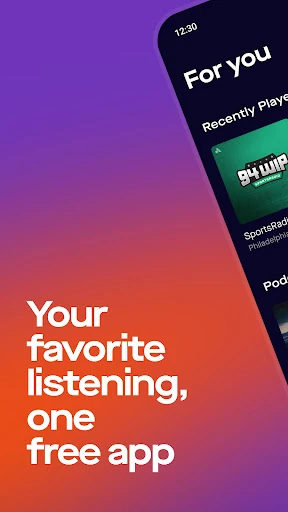
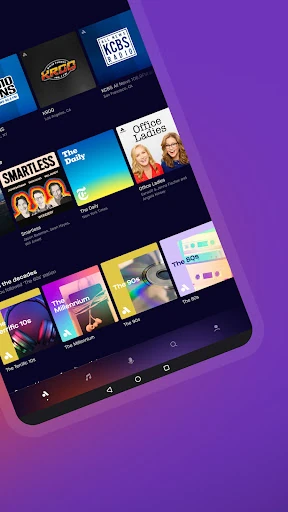
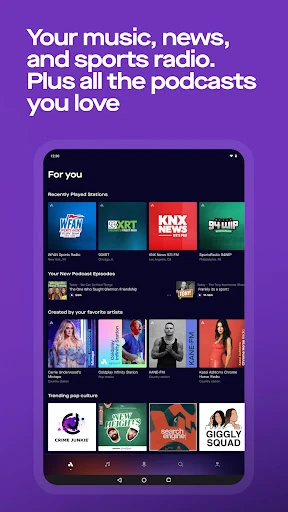
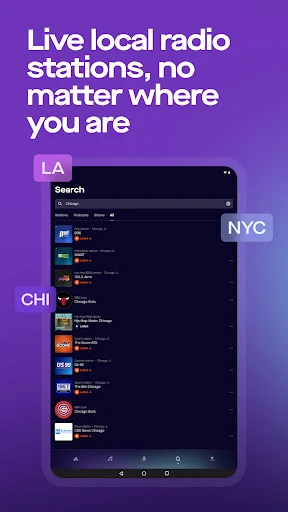
Analysis by Reviewed APKs
Audacy: Radio & Sports Talk brings live AM and FM stations, sports coverage, news, music streams, and podcasts together in one listening app. I’d look at it if my usual day jumps between a local station, a game, and a podcast rather than sticking to one format. The range is its biggest strength, though the Google Play rating suggests it may not click for everyone.
A Listening Day in One Place
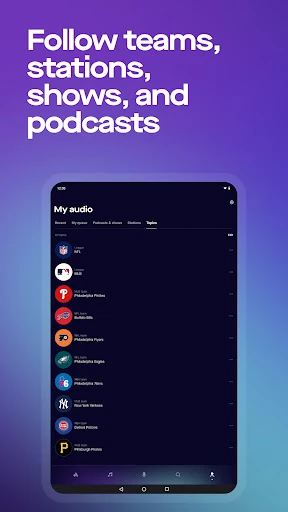
Picture a weekday that starts with local news while breakfast is going, shifts to music on the commute, and ends with a sports show after work. Audacy is built for that sort of day: it brings live radio, podcasts, news, and sports talk into one app instead of asking me to switch between separate listening services. My Audio offers a place to save favorites, so familiar stations and other listening can be easier to return to.
The appeal is the mix of live and on-demand listening. I can choose a station when I want the rhythm of radio, or pick a podcast episode when I want to hear something specific. If a clip or episode catches my attention but I can’t finish it, the app supports keeping it for later. That makes Audacy feel suited to the gaps in a real day, rather than just a single planned listening session.
Radio First, Not Everything
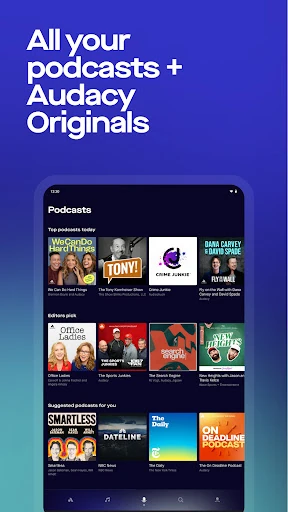
Compared with a music-only streaming service, Audacy puts radio stations, hosts, local coverage, and sports programming closer to the center. Its music offering includes live AM and FM stations as well as on-demand stations programmed by music lovers. Podcasts are part of the package too, with access to a large catalog and Audacy Originals. That breadth is useful if I like variety, but it is a different proposition from an app focused on building a personal music library.
It is also not a replacement for watching a game: the sports play-by-play described here is audio, and availability is limited to designated market areas for participating teams. Nor is Audacy only a podcast player or a dedicated news app. It combines those formats with radio, which can make it a handy all-round listening choice, but someone who wants just one kind of content may prefer a more focused service.
Make Favorites Work Harder
A simple habit that makes sense here is saving the stations and shows I return to in My Audio. That can reduce the small daily chore of searching for the same local station or sports program again. The app also supports keeping clips and episodes for later, which suits a commute interrupted by errands or a podcast started just before a meeting. I’d treat those saved items as a short listening queue rather than relying on memory.
It can help to think in terms of listening situations: live radio for background company, a podcast episode for focused attention, and sports talk or play-by-play when a game or team is the priority. Audacy’s selection spans music, news, sports, and Spanish-language listening, so choosing a lane before opening the app may make the breadth feel less busy. The one-tap access to saved favorites is particularly practical when I’m in a hurry.
More From Our News Desk

Zoom Meetings, Google Meet, or Teams: Which Is Easiest to Join?

How I Build a Free Streaming Lineup With Tubi

Why Crunchyroll Is the Default Anime App for So Many Fans

YouTube TV: A Practical Guide to Cutting Cable

Rummikub and the Small Comfort of Phone Games

TeamViewer Remote Control or AnyDesk for Helping Family?
Who May Enjoy Audacy
I’d recommend Audacy to listeners who still enjoy radio’s local feel but also want podcasts and sports coverage in the same place. It makes the most sense for people whose listening changes with the hour: local news in the morning, a music station later, then a team-focused show or podcast. The mix of live stations, on-demand music, podcasts, and news gives casual listeners plenty of different ways to fill a quiet stretch.
It may be less appealing if a listener wants a narrowly focused app, or expects sports coverage to mean video. The play-by-play is audio, and access for available teams depends on being in the designated market area. The Google Play score is 3.1 from about 45,000 ratings, so I’d suggest trying it with a few favorite stations or podcasts before making it the center of a listening routine.
Audacy: Radio & Sports Talk is an Android app from Audacy, Inc. Google Play shows over 5 million installs and a 3.1-star rating from 45,347 ratings. It is free to download and contains ads. The app is rated Teen. Its listed version is 2026.10.03, and its last update is dated October 21, 2026.
The app was first released on January 12, 2011. The supplied app details do not give a minimum Android version, so check Google Play for device compatibility before installing. Audacy’s description says the app includes Nielsen audience measurement software for market research and directs listeners to its privacy information for details about data practices and choices.
A Broad Mix for Everyday Listening
Getting Oriented
My first impression of Audacy is that it is trying to serve several listening moods at once. The main idea is straightforward: live radio, podcasts, music, news, and sports share the same app. That variety is attractive if I don’t want to decide on one format for the whole day. It also means it helps to arrive with a rough idea of what I want to hear, rather than expecting a single, narrowly defined experience.
I’d start by finding a few familiar stations or shows and saving the ones I expect to revisit in My Audio. Audacy describes one-tap access to favorites, which gives that saved area a practical role beyond collecting things I might listen to someday. I’d also keep the app’s range in mind when browsing: local radio, national news, podcasts, and sports are distinct reasons to open it, even though they sit together.
The Daily Listening Rhythm
The day-to-day experience Audacy is designed for is flexible. Live stations suit moments when I want a host, music, or news without choosing every track or episode. Podcasts work better when I have a particular show in mind, while sports talk can keep a team or league in the conversation between games. Having those options in one app could make transitions less fiddly when my plans change.
That flexibility is especially useful for background listening. A local radio station can accompany a familiar routine, while saved episodes and clips give me something to return to when I have more attention. Audacy describes access to local and national news, music stations, sports radio, and podcasts. I’d expect the experience to depend on what I choose and where I am, rather than every listener using the app in the same way.
More Than Live Radio
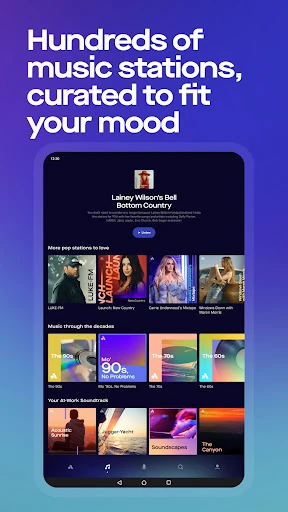
The standout feature is the combination of live stations and on-demand listening. Audacy includes AM and FM radio, plus music stations programmed on demand by music lovers. That gives it a different feel from a service built only around a personal playlist: I can choose a station and let its programming carry the session, or pick a podcast when I want a specific subject or host.
Sports is another substantial part of the offering. The description covers sports talk and live audio play-by-play for many NFL, MLB, NBA, NHL, and college football teams, along with league-wide coverage from CBS Sports Radio and programming from BetQL Network. Play-by-play availability is limited to designated market areas for available teams, an important detail if I’m considering Audacy mainly to follow a particular game.
There is also a meaningful range of news and language options. The app includes local news radio and national coverage, as well as Spanish-language live music stations, podcasts, Unanimo Deportes, and on-demand music stations for artists including Bad Bunny and Shakira. Those options broaden the app beyond a simple collection of English-language stations, without changing its central purpose as a listening service.
A Routine That Sticks
For a practical routine, I’d save a few reliable choices first: perhaps one local station, one sports show, and a podcast I’m partway through. Then I can open My Audio when I have a spare moment instead of searching from scratch. If I’m interrupted, keeping an episode or clip for later offers a straightforward way to pick up the listening another time.
I’d use live radio for open-ended stretches and podcasts when I want a particular episode. On a game day, I’d check whether the available audio coverage suits the team and my location, rather than assuming every broadcast is accessible everywhere. This kind of small planning plays to Audacy’s variety: the app can serve different moments, but saved favorites make that range easier to navigate.
Limits to Keep in Mind
The breadth that makes Audacy useful may also make it feel like more than I need. Someone who only wants a dedicated podcast player or a tightly focused music service may not get much value from switching to an app that also includes radio, news, and sports. A personal listening routine can help, but the app’s all-in-one approach is not automatically an advantage for every listener.
Sports coverage has a clear boundary: play-by-play is audio only and is available within designated market areas for participating teams. That matters if I’m hoping to follow a specific game while traveling or outside the relevant area. And while the app is free, it contains ads. I’d weigh those practical limits against the convenience of keeping stations and podcast listening together.
Audacy’s strongest case is convenience for people who move between radio, podcasts, news, music, and sports talk. My Audio and saved clips or episodes support a simple routine, while the live-station focus keeps the app from feeling like just another podcast catalog. The 3.1-star Google Play rating is a reason to approach it with realistic expectations, not a verdict on whether its particular mix suits me.
I’d try Audacy if local radio and sports coverage are part of my regular listening, or if I want podcasts alongside them without juggling several apps. I’d look elsewhere if I want only one focused format, and I’d check local play-by-play availability before relying on it for a team. For a broad, free listening option with ads, it is worth exploring.
Audacy Frequently Asked Questions
What is Audacy: Radio & Sports Talk used for?
Audacy brings live AM and FM radio, music, news, sports talk, and podcasts together in one listening app. You can save favorite listening in My Audio and keep clips or episodes for later. Sports play-by-play is audio, and availability for participating teams is limited to designated market areas.
Which devices can run Audacy: Radio & Sports Talk?
Audacy: Radio & Sports Talk is listed as an Android app on Google Play. The supplied details do not specify a minimum Android version, and compatibility can vary by device. Check the Google Play page for the current requirements and supported devices before installing.
Does Audacy: Radio & Sports Talk cost money?
Audacy is free to download and the supplied app details indicate no in-app purchases. It does contain ads. Availability or app terms can change, so check Google Play for the current details before installing.
Does Audacy: Radio & Sports Talk stream every game?
No. Audacy describes live audio play-by-play for many teams across NFL, MLB, NBA, NHL, and college football, but coverage is limited to available teams within designated market areas. It is audio rather than video, so check the app for coverage that applies to your team and location.
Who is Audacy: Radio & Sports Talk best for?
It may suit listeners who want local radio, music, news, sports talk, and podcasts in one place, especially if their listening changes throughout the day. It may be less suitable for someone seeking only one format or video coverage of sports. The Teen content rating is listed on Google Play.
Pros
- Combines live radio, podcasts, music, news, and sports listening in one app.
- My Audio saves favorite listening for quicker access.
- Supports keeping clips and podcast episodes for later.
- Includes Spanish-language stations, podcasts, and sports programming.
Cons
- Contains ads, despite being free to download.
- Sports play-by-play is audio and restricted by designated market areas.
- Its broad mix may feel unnecessary to listeners seeking one focused format.
- Category
- Music & Audio
- Version
- 2026.10.03











