ASL Dictionary Sign Language
- 2.01K
- 4.7
- Installs
- —
- Price
- $7.99
Screenshots
Analysis by Reviewed APKs
ASL Dictionary Sign Language is an iPhone and iPad reference for looking up American Sign Language signs through video, then practicing with quizzes and favorites. I’d recommend it to learners who want a large, searchable collection they can use without an internet connection. Its range of vocabulary and playback controls make it more than a quick alphabet guide, though its focus is on reference and practice rather than conversation lessons.
A Quick Lookup in Context
Picture a quiet study break: I’m reviewing a few signs before meeting someone who uses ASL, and a word comes to mind that I can’t quite recall. I can search for it, watch the signing video, and replay it instead of guessing from a still image or a written description. That straightforward lookup is the app’s central job, and the video format is useful when the movement matters as much as the hand shape.
For a longer session, I can move through related words or let videos play one after another. If a sign is unfamiliar at full speed, the adjustable slow motion gives me a way to watch its movement more carefully. I can also save useful entries to Favorites and return to them later. That turns an occasional lookup into a small, repeatable review session without requiring a separate notebook.
Reference, Not a Full Course
The app makes the most sense beside a class, teacher, or other structured learning plan. Its dictionary covers thousands of words in video, and quizzes offer a way to revisit what I’ve looked up. Categories, search, and saved favorites help organize that material. Those features make it a substantial reference tool, but they don’t make it a substitute for instruction or practice with other people.
I wouldn’t choose it as a general language course that guides a beginner through conversation from the first lesson onward. The emphasis is on finding and reviewing signs, with exercises and quizzes supporting that process. It also has no audio for hearing users, as the description explains that signing is not normally vocalized. That’s worth knowing if I’m expecting spoken prompts or sound-based lessons.
Small Habits That Help
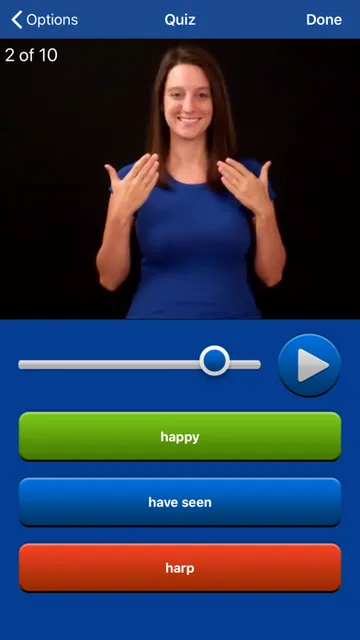
A useful routine is to look up a handful of words, save the ones I want to remember, and quiz that Favorites list later. The app can quiz by category or use multiple choice, so I can vary a review session without changing tools. Keeping the list focused on signs I’m actively learning makes it easier to return to them instead of scrolling through a broad collection each time.
I’d also make deliberate use of playback rather than tapping through videos at random. Slowing a sign down, replaying it, and then trying to recall it before watching again creates a practical review loop. History can help me revisit recently watched entries, and it can be cleared or turned off. For a short session, Play All and the next-and-previous swipes can keep the review moving.
More From Our News Desk

Zoom Meetings, Google Meet, or Teams: Which Is Easiest to Join?

How I Build a Free Streaming Lineup With Tubi

Why Crunchyroll Is the Default Anime App for So Many Fans

YouTube TV: A Practical Guide to Cutting Cable

Rummikub and the Small Comfort of Phone Games

TeamViewer Remote Control or AnyDesk for Helping Family?
Who May Find It Useful
I’d point ASL learners toward this app if they want a sizable video dictionary on an iPhone or iPad, especially when they like to study in short bursts. Search and categories suit quick reference, while quizzes, history, and Favorites give regular learners a few ways to revisit material. The offline use is a practical plus for someone who wants to study while away from a reliable connection.
It may be less suitable for someone looking for a guided course, live conversation, or spoken instruction. The app is built around signs and video lookup, not an all-purpose language program. New learners may get the most from it alongside teaching and real-world practice, rather than treating a dictionary as their only source. Anyone downloading it should also check that their device meets the iOS requirement.
ASL Dictionary Sign Language is an Education app from Software Studios LLC for iPhone and iPad. Its App Store version is 7.0, and it requires iOS 17.6 or later. The app was released on December 18, 2013, and its listed last update is September 30, 2026. The App Store age rating is 4+.
The app costs $7.99 as a one-time purchase. Its description says there are no ads and nothing else to buy. On the App Store, it has a 4.7 rating from 2,012 ratings. The description also says an internet connection is not required for using the app, though downloading it can take a few minutes and is best done over Wi-Fi.
A Video Dictionary Built for Review
A Focused First Look
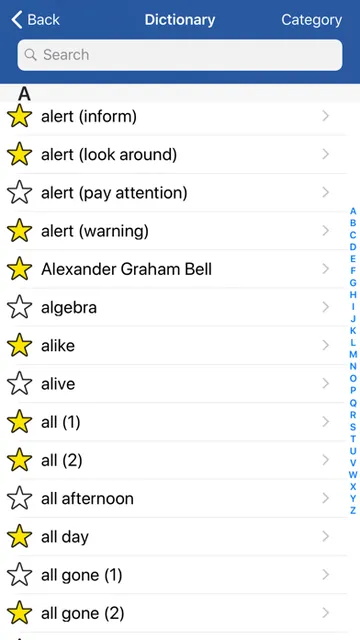
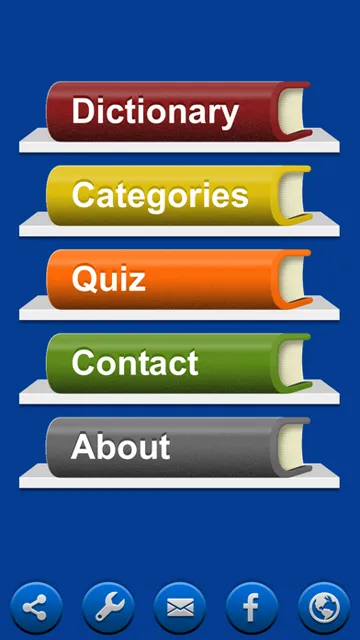
When I first opened the app, I would start by treating it as a dictionary rather than trying to explore every feature at once. Search and categories provide clear ways into the word collection, while the description indicates that signs are presented as videos. That gives the experience a practical focus: find a word, watch how it is signed, and decide whether it is worth saving for another look.
There is a small bit of patience involved before getting started. The developer’s description warns that the initial download may take a few minutes and recommends a good Wi-Fi connection and enough free device storage. Once installed, the app does not require internet access for use. That distinction matters if I’m preparing to study somewhere with weak reception.
Looking Up Signs Day to Day
The core routine is simple: search for a word, open its video, and replay it as needed. With more than 5,000 words translated to ASL video, the collection is designed for more than a handful of beginner signs. Categories help when I have a topic in mind, and search is the more direct route when I already know the word I want to check.
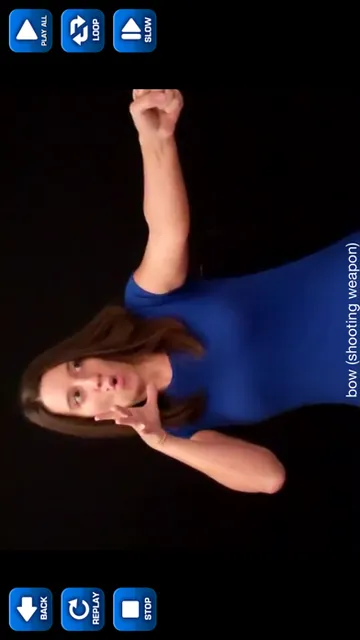
Playback options make the videos easier to revisit. I can adjust slow motion from 1 to 100 percent, replay a clip, or loop it. Swiping moves to the next or previous video, while Play All runs videos back to back. These controls suit different kinds of practice, whether I’m concentrating on one movement or reviewing a string of signs.
More Than Basic Vocabulary
The range of material is one of the app’s most distinctive strengths. Along with general vocabulary, the description includes time, money, dates, numbers, ordinal numbers, and the alphabet. It also describes multiple ways to sign some words and multiple meanings for others. That breadth could be handy when I’m trying to understand why a single English word may call for more than one sign.
Fingerspelling has its own place here, including recognition for complete words and fingerspelling exercises. Quizzes can cover any category or use a multiple-choice format, and I can quiz my Favorites list. These options add active review to the dictionary experience without changing its basic purpose: finding and practicing signs through the app’s video collection.
The app also keeps a history of watched videos. I can clear that history, turn the history option off, or swipe to delete individual words. Those controls are useful for keeping recent lookups available without letting a long trail of old searches become the only way I navigate.
A Short Study Routine
For a manageable daily session, I’d pick one category or a small set of words I want to remember. I can search for each sign, watch it at normal speed, slow it down if needed, and save the most relevant entries. After that, a quick quiz on the category or Favorites list gives me a reason to recall the material rather than only watching it passively.
On another day, I could use history as a starting point and replay recent signs, or clear it if I prefer a fresh slate. Play All and the swipe controls are helpful when I want to review several videos without repeatedly returning to search. Since the app works without an internet connection after download, this kind of routine can fit into a commute or a quiet break away from Wi-Fi.
Keep Its Scope in Mind
A large dictionary can make lookup convenient, but it is still a dictionary. Quizzes and exercises give me ways to review, yet they are not the same as guided teaching or signing with another person. I’d use the app to support learning, not as proof that I can communicate comfortably in every setting. That distinction is especially important for anyone just beginning to learn ASL.
The lack of audio is another point to keep in mind. The description says there is no audio for hearing users because ASL signing is not normally vocalized. Someone expecting spoken examples or sound-based prompts may find that the app’s approach does not match their preferred learning style. Its value is in the visual reference and practice tools, rather than in audio instruction.
Finally, the price and device requirement make it worth checking fit before buying. It is a paid app, and it requires iOS 17.6 or later. The initial download may take several minutes, so allowing time and storage for installation is sensible. If those conditions suit my device and study habits, the offline dictionary and review options offer a clear, focused package.
ASL Dictionary Sign Language is a focused tool for looking up signs and returning to them through video, quizzes, and Favorites. I especially like the combination of a broad vocabulary collection with adjustable playback and offline use. Its strengths are practical rather than flashy: it helps make short review sessions easier to organize.
I’d recommend it to ASL learners who want a portable video reference and already have, or plan to find, broader instruction. It is not a complete course or a replacement for practice with people. If a searchable dictionary with several review options is what you need, this is a well-equipped choice for a compatible iPhone or iPad.
ASL Dictionary Sign Language Frequently Asked Questions
What is ASL Dictionary Sign Language used for?
ASL Dictionary Sign Language is used to look up American Sign Language signs through video. It includes search and categories, plus quizzes, Favorites, playback controls, and fingerspelling exercises. It can also be used offline after download. Its focus is reference and review, rather than a complete guided language course.
Can I use ASL Dictionary Sign Language on Android?
The app is described for iPhone and iPad and is available through the Apple App Store. It requires iOS 17.6 or later. If you are looking for an Android version or support for a particular device, check the relevant store information, since platform availability can vary.
What iOS version does ASL Dictionary Sign Language require?
ASL Dictionary Sign Language requires iOS 17.6 or later, and it is described for iPhone and iPad. Before purchasing, check your device’s software version and the App Store information for current compatibility details, since requirements can change.
Does ASL Dictionary Sign Language cost money?
Yes. ASL Dictionary Sign Language costs $7.99 as a one-time purchase. Its description says there are no ads and nothing else to buy. Store prices and availability can vary, so check the App Store before purchasing for the current details.
Is ASL Dictionary Sign Language suitable for beginners?
It can suit beginners who want to look up signs and review them with videos, quizzes, or a Favorites list. The app is a dictionary and practice aid, not a complete course or a substitute for learning with other people. Its visual approach may not suit someone looking for spoken instruction.
Pros
- A large video dictionary covers vocabulary, numbers, dates, time, money, and fingerspelling.
- Slow motion, looping, replay, and Play All support different review habits.
- Quizzes, Favorites, categories, and history make repeat practice easier to organize.
- Works offline after download, which suits study away from a connection.
Cons
- It is a reference and review tool, not a complete guided ASL course.
- The app has no audio, which may not suit learners seeking spoken instruction.
- The $7.99 purchase requires an iPhone or iPad running iOS 17.6 or later.
- Category
- Education
- Version
- 7.0











