Aosu
- 2.91K
- 3.4
- Installs
- 1.00M
- Price
- Free

Screenshots
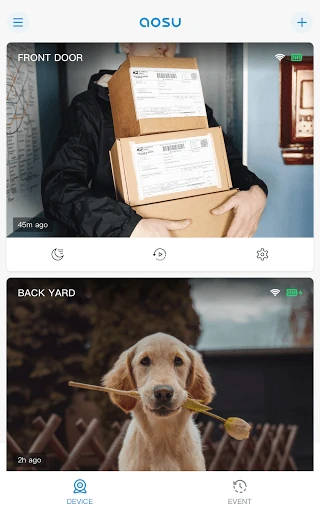
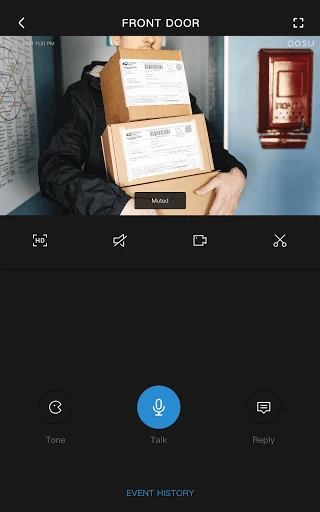
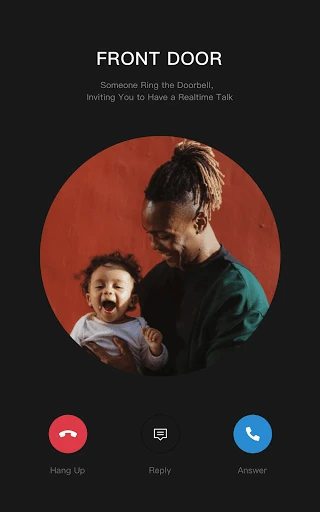
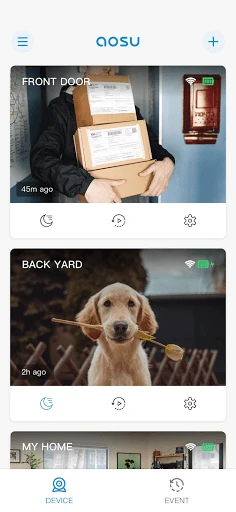
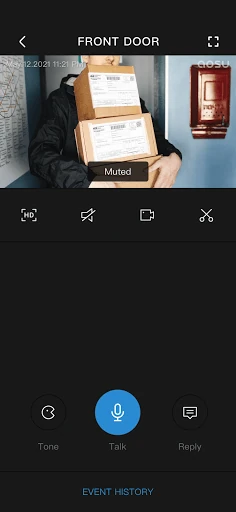
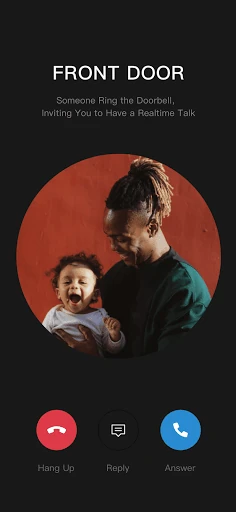
Analysis by Reviewed APKs
Aosu is a phone app for keeping an eye on home through Aosu smart cameras. It is aimed at people who already use, or are considering, cameras from Aosu and want a way to check in from their phone. My overall take is that its purpose is straightforward, but the app makes most sense as part of that camera setup rather than as a general-purpose home security tool.
A quick home check-in
When I think about where Aosu fits into an ordinary day, it is the small moment when I am away from home and want to look in through a compatible camera. I can open the app on my phone and use it to watch over home. That simple job is the point: it connects the camera experience to a device I already carry, rather than asking me to sit down at a computer.
I would treat it as a practical check-in tool, not something that replaces the camera itself. The useful part depends on having an Aosu smart camera to view through the app; without that hardware, there is no home camera feed for the app to show. For an owner, keeping the app handy could make checking in feel like a short everyday task instead of a separate project.
A camera companion, not a toolkit
The obvious comparison is with other phone apps made to connect to home cameras. Aosu's clearest distinction is its focus on Aosu smart cameras: it is a companion for that equipment, rather than a broad communication app for messaging people or a general home-management hub. If your household already uses Aosu cameras, a dedicated app is a natural place to start when you want to view home from your phone.
That narrow focus also sets expectations. Aosu is not described as a replacement for buying or installing a camera, and it is not a general-purpose security service that can watch a home on its own. I would not choose it simply because I want a camera app for hardware from any brand. Its fit depends on the camera ecosystem, so people comparing options should begin with the cameras they plan to use.
Make checking in a habit
A useful habit is to decide when a home check is actually helpful, then keep the app easy to find for those moments. For example, I might think of it when I am away for the day and want to view home through an Aosu camera. That keeps the app in its intended role: a quick phone-based way to look in, rather than another screen I feel obliged to monitor constantly.
I would also keep expectations simple and make the camera connection part of the routine. The available description centers on watching over home from a phone, so I would avoid assuming the app does more than that. Before relying on it for a particular household routine, I would check how the camera and app work together in practice and review the store information for details that may vary.
More From Our News Desk

Zoom Meetings, Google Meet, or Teams: Which Is Easiest to Join?

How I Build a Free Streaming Lineup With Tubi

Why Crunchyroll Is the Default Anime App for So Many Fans

YouTube TV: A Practical Guide to Cutting Cable

Rummikub and the Small Comfort of Phone Games

TeamViewer Remote Control or AnyDesk for Helping Family?
Who may find it useful
I would recommend Aosu to people who own Aosu smart cameras and want a phone-based way to watch over home. Its straightforward purpose should appeal to someone who values being able to check in without turning the task into a larger home-technology setup. With over a million installs on Google Play, it has reached a sizable audience, although the store rating is a modest 3.4 from about 2,900 ratings.
It may not suit someone who does not use Aosu cameras, or who wants a single app for equipment from several brands. I would also be cautious about choosing it based on features beyond its stated job of viewing home through Aosu smart cameras. If you are comparing camera systems, first make sure the hardware fits your needs; the app is best considered alongside that choice.
Aosu is developed by AosuLife and is available on Google Play for Android. The app has over 1 million installs and a 3.4-star rating from roughly 2,900 ratings. It is listed as free, with no in-app purchases or ads. Its content rating is Everyone, which makes the store's age classification broad rather than restricted to mature audiences.
The current version is 5.10.22. The app was released on August 2, 2021, and its most recent update is dated October 28, 2026. The minimum Android version is not included in the supplied store facts, so check Google Play on your device for compatibility details before installing.
A focused companion for checking home
A straightforward first impression
When I first opened Aosu, I would approach it with one question in mind: do I have an Aosu smart camera I want to view from my phone? That is a helpful way to frame the app before spending time with it. Its stated role is clear, even if the amount of detail available about the experience is limited to that central camera-viewing purpose.
For setup, I would start by making sure the camera and phone are part of the intended Aosu setup, then follow the app's own instructions. I would not assume a particular connection process or promise that every camera model works the same way. The practical first step is matching the app to the hardware, then checking the on-screen guidance and store information for details relevant to my device.
The everyday viewing job
Day to day, Aosu is meant to bring home viewing to a phone. That makes its role easy to understand: when I want to check in, I use the app as the link between my phone and an Aosu smart camera. It is a focused interaction, rather than a reason to spend time browsing unrelated communication features or looking for a broader collection of home tools.
The value of that routine depends on how often I want to view home and how well the camera arrangement suits me. I would judge the app in the context of the complete camera setup, not as a standalone product that can monitor a space by itself. This also helps keep expectations grounded: the described benefit is phone-based viewing through Aosu cameras, not a promise of every feature found in other camera apps.
What makes its role clear
The defining feature is also the simplest one to explain: Aosu lets you watch over your home from your phone using Aosu smart cameras. That direct connection between camera and app is what gives it a place in a household routine. I appreciate when a product's purpose is easy to state, especially when I am deciding whether it belongs on a phone I use throughout the day.
Because the app is centered on that camera relationship, I would not read more into its communication category than the actual use described. It is not presented here as a messaging service or a place to communicate with other people. The useful comparison is with a camera companion, and the key question for a potential user is whether Aosu cameras are the equipment they want to use.
A practical check-in routine
A simple routine could be to open Aosu when I have a specific reason to see home, rather than checking it repeatedly out of habit. If I am away and want to look in, the phone is already with me, and the app gives me a route to view through an Aosu smart camera. That keeps the task contained and makes the app's purpose easy to remember.
I would make sure the camera arrangement is ready before counting on that routine. The app's central job relies on Aosu smart cameras, so it is sensible to get familiar with the setup and check that it works as expected for the household. I would also look at the current store details for device compatibility or other practical requirements that matter to my particular phone.
Keep the scope in mind
Aosu's main limitation, from a decision-making perspective, is how closely its purpose is tied to Aosu cameras. That is convenient if those are already part of your home setup, but it makes the app a less natural choice for someone who wants one camera app to serve many brands. I would choose the hardware and its companion experience together, rather than download the app first and expect it to solve every monitoring need.
The description is concise, so I would avoid assuming specific extras or workflows before seeing them in the app. The reliable expectation is phone access for watching over home with Aosu smart cameras. A 3.4-star Google Play rating suggests opinions are mixed, so I would read recent store feedback alongside my own compatibility check, especially if a particular feature is important to me.
Aosu has a clear, useful role for the right person: it lets owners of Aosu smart cameras view home from a phone. I like that the purpose is easy to grasp, but it is not a standalone camera system or a general tool for every brand. The camera hardware is central to whether the app belongs in your routine.
I would recommend giving it a look if you use Aosu cameras and want phone-based viewing. If you are still choosing equipment, compare the camera setup and app together, and check Google Play for compatibility and current details. For anyone outside the Aosu camera ecosystem, this app is unlikely to be the right starting point.
Aosu Frequently Asked Questions
What is Aosu used for?
Aosu is used to watch over home from a phone with Aosu smart cameras. It is best understood as a companion to that camera equipment, rather than as a standalone camera or a general messaging app. The store information may offer additional details about the app's current capabilities and how it works with particular camera setups.
What devices can I use Aosu on?
Aosu is an Android app available through Google Play. The supplied information does not give a minimum Android version or a full compatibility list, so check the Google Play store page on your device before installing. Its stated purpose is phone viewing with Aosu smart cameras; check the store for current device and camera details.
What Android version does Aosu require?
The minimum Android version is not included in the available app facts. Requirements can vary as an app is updated, so the safest place to check is the current Google Play page on the Android device you plan to use. The listed version is 5.10.22, but that does not by itself specify the minimum operating system.
Does Aosu cost money or include purchases?
Aosu is listed as free on Google Play, with no in-app purchases or ads in the supplied store facts. Camera hardware is a separate consideration, since the app's stated purpose is viewing home through Aosu smart cameras. For current pricing or any changes to the app's store terms, check the Google Play page.
Is Aosu a good fit for my home?
I would consider Aosu if you use Aosu smart cameras and want to view home from an Android phone. It may not fit someone seeking a general camera app for equipment from multiple brands, or someone without Aosu cameras. The Google Play rating is 3.4 stars from roughly 2,900 ratings, so reviewing recent feedback may help set expectations.
Pros
- Clear purpose: viewing home from a phone with Aosu smart cameras.
- Free on Google Play, with no in-app purchases or ads listed.
- A practical companion for people already using Aosu camera hardware.
Cons
- Its usefulness depends on having Aosu smart cameras.
- The stated purpose is narrow compared with a broad home-management app.
- The 3.4-star Google Play rating reflects mixed user feedback.
- Category
- Communication
- Version
- 5.10.22











