AnkiDroid Flashcards
- 167.98K
- 4.7
- Installs
- 10.00M
- Price
- Free

Screenshots
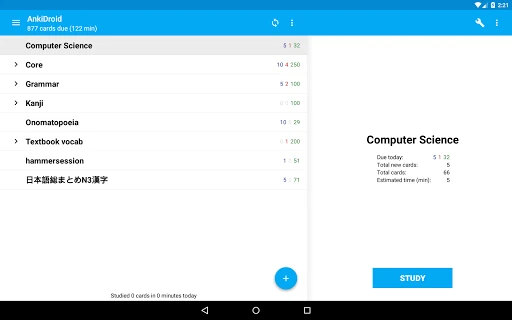
Analysis by Reviewed APKs
AnkiDroid Flashcards is a study app for building and reviewing digital flashcards, with spaced repetition that brings material back as you need to practice it. I’d recommend it to students, language learners and curious people who are comfortable shaping their own study routine. Its big strength is flexibility: you can make cards, use shared decks and sync with Anki. The trade-off is that it feels more like a capable study tool than a guided course.
A little study in spare moments
When I first opened AnkiDroid, I thought about the small gaps in a normal day: a bus ride, a queue or a few minutes before an appointment. Those are natural moments to work through flashcards. Rather than needing to set aside a long session, I could review a few prompts and answers, then return to whatever I was doing. The app is designed around that kind of repeatable practice.
The spaced-repetition approach is the central idea. Cards appear for review according to the SuperMemo 2 algorithm, so the routine is not simply rereading a fixed stack from beginning to end. I like this model for facts that benefit from repeated recall, such as vocabulary or course material. It still asks me to make or find useful cards; AnkiDroid organizes practice, but the quality of the material matters.
A flexible alternative to courses
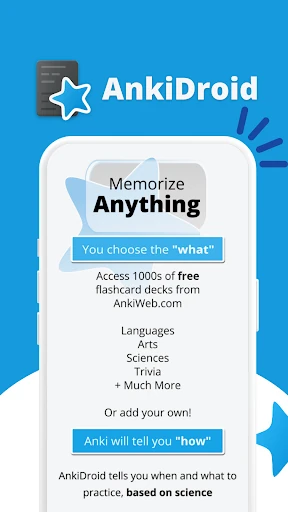
Compared with a language-learning course or a general education app, AnkiDroid is less about following a prepared sequence of lessons and more about reviewing a collection of cards. I can create my own decks or choose from thousands of premade decks covering languages and other topics. That makes it adaptable when I already know what I want to learn, but less immediately directed than an app that teaches through a set curriculum.
I wouldn’t treat it as a reference library, a full classroom platform or a substitute for explanations and practice beyond flashcards. A card can help me recall a definition, image, sound or formula, but the app’s core job is repetition. If I want a structured introduction to a subject, I may need other materials alongside it. AnkiDroid makes most sense when I have specific information I want to remember.
Make the deck work for you
I get more from AnkiDroid when I keep card-making focused. A short prompt and a clear answer are easier to review than a card crowded with several unrelated facts. The editor and card browser give me ways to add and inspect material, while optional written answers can make a review feel more active than simply turning a card over. Small adjustments to a deck can make a daily session easier to stick with.
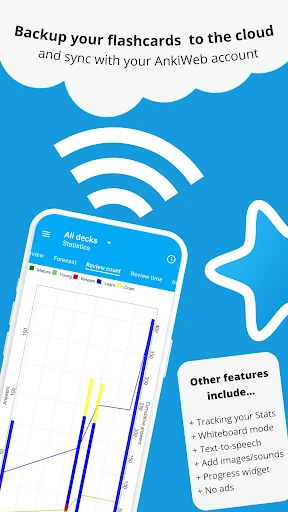
I’d also build review into a routine instead of waiting for a perfect study block. A few cards during a commute or while waiting can make use of otherwise idle time. For a longer-term collection, syncing with AnkiWeb and using the full backup system are useful parts of the workflow. Progress statistics and the home-screen progress widget can help me keep an eye on study without making every session feel like a major event.
More From Our News Desk

Zoom Meetings, Google Meet, or Teams: Which Is Easiest to Join?

How I Build a Free Streaming Lineup With Tubi

Why Crunchyroll Is the Default Anime App for So Many Fans

YouTube TV: A Practical Guide to Cutting Cable

Rummikub and the Small Comfort of Phone Games

TeamViewer Remote Control or AnyDesk for Helping Family?
Who should give it a try
I’d recommend AnkiDroid to learners who like control over what they study and are willing to maintain their own decks. It can suit language learners, students reviewing facts and anyone who wants a reusable collection of prompts. People who already use Anki on a computer may also appreciate having compatible flashcards and synchronization available on Android. Premade decks offer a way to get started without building every card from scratch.
It may be less appealing if you want lessons planned for you, lots of explanatory teaching or a polished course that steadily introduces a subject. AnkiDroid is built around flashcards, so its usefulness depends on the cards you create or choose and the habit you bring to reviewing them. If editing study material feels like a chore, a more guided learning app may be a better fit. For self-directed practice, though, the flexibility is a real advantage.
AnkiDroid Flashcards is an Education app from the AnkiDroid Open Source Team. Google Play shows over 10 million installs and a 4.7-star rating from around 168,000 ratings. The app is free, with no in-app purchases and no ads. Its content rating is Everyone, making the store’s age classification straightforward for a general study tool.
The current version is listed as varying with device, and the last update date shown is October 17, 2026. An Android minimum version and original release date are not included in the supplied app details, so I’ve left those out. AnkiDroid is compatible with Anki, which is also available for Windows, Mac, Linux, ChromeOS and iOS.
How AnkiDroid fits a real study routine
Getting started with a deck
My first impression is that AnkiDroid puts a lot of options in reach. That is useful once I know what I want to study, though a newcomer may need a moment to decide whether to create a deck or look for a premade one. The app supports both approaches, and it can also accept material added through the desktop Anki application. This leaves room to start small and expand later.
When setting up a collection, I’d begin with a narrow goal rather than trying to organize an entire subject at once. The card editor and adder let me work directly in the app, and existing collection files can be imported via Anki Desktop. There is also support for adding material from other applications, including dictionaries. Those options make the setup flexible, but they also mean the experience depends on how I choose to build my study materials.
Reviewing from day to day
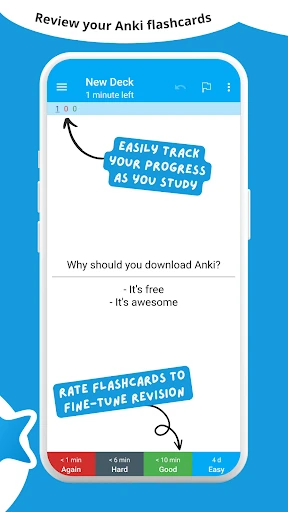
The everyday loop is simple in concept: review the cards AnkiDroid presents, recall the answer, and keep working through the material. Spaced repetition is meant to bring cards back before they are forgotten, rather than asking me to give every item equal attention every time. That suits short, regular sessions. I can use the app in little pockets of time without needing to turn each review into a long sit-down study period.
The available navigation methods help the routine fit personal habits. I can move through cards with swipes, taps or shaking, and the app also offers optional written answers. I would choose whichever interaction feels comfortable for the situation rather than treating every control as essential. A quick review on the move can stay lightweight, while writing an answer may make sense when I want to test recall more deliberately.
More than plain text cards
Text is only one kind of material AnkiDroid can handle. Cards can include images, sounds and MathJax, which opens up different ways to represent what I’m learning. Text-to-speech integration is another useful option, particularly when spoken material matters. I wouldn’t expect these features to turn every deck into a complete lesson, but they give creators more ways to make a prompt fit its subject.
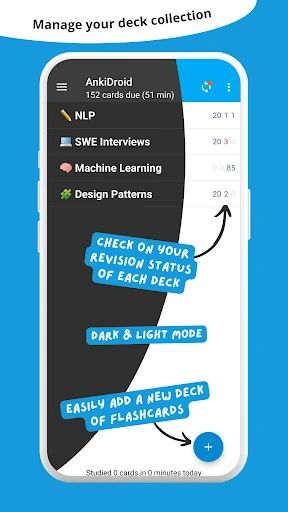
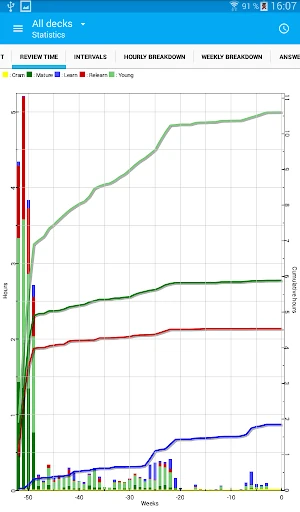
The wider set of tools also includes detailed statistics, a progress widget, custom fonts, a whiteboard and a tablet layout. Dark mode and more than 100 localisations add practical choices around how the app looks and which language it uses. There is a full backup system as well. I appreciate that these features support different workflows without changing the basic idea: the cards remain the center of the experience.
For people who already use Anki elsewhere, compatibility and AnkiWeb synchronization are among the most notable features. AnkiDroid can work with the broader Anki setup, which is available across desktop systems and iOS. That makes it more than an isolated phone flashcard app for someone moving between devices. The app is also open source, a useful part of its identity for people who value that approach to software.
A routine that stays manageable
A practical routine might be to add a handful of cards after a class or reading session, then return to them in short reviews over the following days. I like that this connects the act of learning new material with the later work of recalling it. If I find a useful deck already made by someone else, I can start there instead. Either way, the app gives me a place to keep review material together.
I’d use the statistics and progress widget as gentle indicators, not as a reason to chase a perfect streak. They can help me notice whether I’m keeping up with review and make progress visible outside the app itself. For a larger collection, syncing and backups belong in the routine too. These practical habits make a flexible tool easier to maintain, especially when studying happens in brief sessions throughout the day.
Where flashcards fall short
The main limitation is also the source of AnkiDroid’s flexibility: it does not supply a single guided path through every subject. A premade deck may be a convenient starting point, but a learner still needs to choose suitable material. Creating cards takes time, and poorly framed cards can make review less useful. I’d go in expecting to participate in building the study system rather than simply pressing a button and receiving a complete course.
Flashcards are best at prompting recall, not explaining every connection or developing every skill. AnkiDroid supports varied card content, but the core activity remains reviewing cards. For topics that need fuller instruction, examples or extended practice, I’d pair it with other learning materials. That is not a flaw so much as a boundary worth understanding before choosing it as a primary study app.
The number of features may also take some exploring, particularly for someone who just wants a very simple first session. AnkiDroid offers customization, card management, multiple navigation options and different ways to add content. I find that breadth valuable when I want to tailor a workflow, but a new user may prefer to learn one part at a time. Starting with one deck and a basic review habit keeps the choices manageable.
AnkiDroid is a thoughtful flashcard tool for people who want to decide what they learn and how they review it. Spaced repetition, Anki compatibility and support for varied card content give it more range than a basic stack of digital cards. Its biggest strength is flexibility, and its biggest demand is that I bring useful material and a regular habit.
I’d recommend it to self-directed learners, especially anyone who already uses Anki or is happy to build a deck over time. If you want lessons and explanations delivered in a fixed course, I’d look elsewhere or pair AnkiDroid with another resource. For focused recall in spare moments, it is a capable, free option.
AnkiDroid Flashcards Frequently Asked Questions
What is AnkiDroid Flashcards used for?
AnkiDroid is used to create and review flashcards with spaced repetition, which schedules material to return for practice. Cards can contain text, images, sounds or MathJax. You can make your own decks or download premade decks for languages and other topics. It is geared toward recalling information, rather than providing a complete guided course.
Which devices and platforms support AnkiDroid?
AnkiDroid is the Android app. It is compatible with Anki, which is available for Windows, Mac, Linux, ChromeOS and iOS, and it supports synchronization with AnkiWeb. Device requirements can vary, so check the Google Play store entry for the Android version and compatibility details that apply to your device.
Does AnkiDroid cost money or include purchases?
AnkiDroid is free on Google Play, and the supplied app details show no in-app purchases or ads. Store information can change, so it is worth checking the current Google Play entry before installing if you want to confirm the latest cost and purchase details.
What Android version does AnkiDroid require?
The minimum Android version is not included in the app details provided here, and compatibility can depend on the device. Check AnkiDroid’s Google Play store entry for the current requirement before installing. The version is described as varying with device, so the store is the best place to check details for your phone or tablet.
Is AnkiDroid suitable for beginners?
It can suit beginners who want to learn through flashcards and are comfortable choosing or creating study material. Premade decks can help someone get started, while the app’s many options offer room to customize a workflow. If you want lessons, explanations and a set learning path with little setup, a more guided app may suit you better.
Pros
- Spaced repetition makes it practical to revisit material in short, regular sessions.
- Supports text, images, sounds and MathJax on flashcards.
- Works with Anki and supports synchronization with AnkiWeb.
- Free to use, with no ads or in-app purchases.
Cons
- Creating and maintaining useful decks takes time and effort.
- Flashcards focus on recall rather than delivering a guided course.
- Its range of options may take newcomers time to explore.
- Category
- Education











