AnkiApp Flashcards
Listed on Google Play as “AlgoApp - Flashcards”
- 4.77K
- 4.4
- Installs
- 1.00M
- Price
- Free

Screenshots
Analysis by Reviewed APKs
AlgoApp - Flashcards is a study app for making, organizing, and reviewing cards across subjects that depend on memorization. It suits students, language learners, and anyone who wants short, repeatable study sessions instead of a pile of notes. After looking at how its card creation, spaced repetition, and syncing fit together, my take is that it offers useful depth without making everyday review feel like a project.
A Study Session in Spare Moments
When I have ten minutes between errands, a flashcard app is most useful when I can get straight to reviewing rather than setting up a whole study space. AlgoApp’s dashboard lets me return to recent decks in two taps, and its study system selects cards based on my progress. That makes a quick session feel purposeful: I can focus on material the app thinks needs attention instead of choosing cards at random.
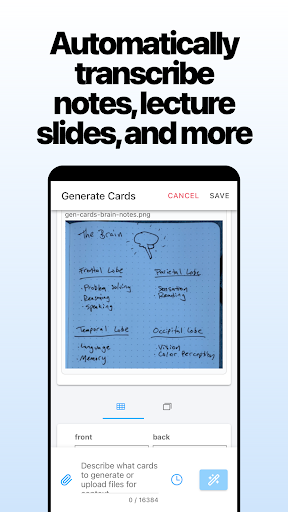
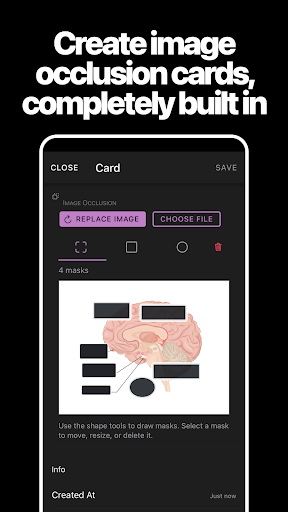
For a new topic, I can add cards from the phone, format the text, and even use a photo from the camera. Later, I can flip a deck to study from the other direction, which is handy when recognizing a term is easier than recalling it. I like that the app is built to work as a full study tool on mobile, not merely as a place to review cards made elsewhere.
More Than a Card Viewer
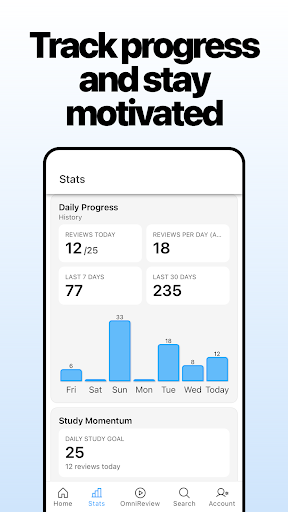
The obvious alternative is a notebook or a stack of paper cards: both are simple, but they do not choose review material based on how I have been doing or sync progress between devices. AlgoApp adds those conveniences, plus detailed stats for decks and individual cards. Its searchable collection of ready-made flashcards can also save the first round of typing when a suitable deck already exists.
Still, this is a memorization tool, not a complete course or a general-purpose note-taking system. The app helps me practice information I have put on cards, but the description does not position it as a place to learn a subject from lessons or lectures. If I need long explanations, project planning, or a guided curriculum, I would pair it with something else rather than expect flashcards to do every job.
Small Habits That Help
I get more from a flashcard routine when I add cards as I encounter material instead of postponing the work until the night before a test. AlgoApp supports creating decks and cards on the go, so a new term or fact can be captured while it is still fresh. A little formatting—colored text, bullets, or underlining—can make the prompt easier to scan without turning each card into a design exercise.
I would also make a habit of checking deck and card statistics now and then, especially when one topic keeps slowing a session down. Offline study is useful during a commute or in a place with unreliable service; new cards and progress sync again when the device is online. For language decks, text-to-speech and translation may help, while Japanese learners can use automatic furigana generation for kanji.
More From Our News Desk

Zoom Meetings, Google Meet, or Teams: Which Is Easiest to Join?

How I Build a Free Streaming Lineup With Tubi

Why Crunchyroll Is the Default Anime App for So Many Fans

YouTube TV: A Practical Guide to Cutting Cable

Rummikub and the Small Comfort of Phone Games

TeamViewer Remote Control or AnyDesk for Helping Family?
Who Might Enjoy AlgoApp
I’d recommend AlgoApp to people who already know that flashcards work for them and want a flexible way to keep them close. It can suit students reviewing course facts, language learners practicing vocabulary or characters, and independent learners building their own decks. The ability to search for existing cards, make custom ones, study offline, and sync across devices gives it room to fit different routines.
It may be less appealing if you prefer to learn through long-form reading, video lessons, or a tightly guided course. Making good cards still takes some thought, and a large deck can be less useful than a carefully selected set of prompts. The adaptive review approach helps organize practice, but it does not remove the need to write clear cards or understand the material behind them.
AlgoApp - Flashcards is an Android education app from AlgoApp Inc. Google Play shows more than 1 million installs and a 4.4-star rating from about 4,770 ratings. The app is free to download, and the supplied store facts show no in-app purchases or ads. Its content rating is Everyone, making the stated rating suitable for a broad audience.
The current version in the supplied facts is 15.8.0. The app was released on September 13, 2013, and its last update is dated November 5, 2026. A minimum Android version is not specified in the facts provided, so check Google Play for compatibility with a particular device. AlgoApp also describes syncing with its web app, desktop, and other phones and tablets.
How AlgoApp Fits a Real Study Routine
A Low-Friction Start
My first impression is that AlgoApp tries to keep the main activity—studying cards—close at hand. The dashboard gives a view of overall progress and shortcuts to recent decks, so returning to a topic does not require hunting through a complicated workflow. That small convenience matters when I have only a few spare minutes and am deciding whether to review or put it off.
Getting started can mean creating a deck from scratch or searching for cards that are already available. For a custom set, I can create cards on the phone and style them with familiar options such as colored text and bulleted lists. More advanced formatting with HTML and CSS is there too, though most people can begin without touching it.
Review Without a Rigid Clock
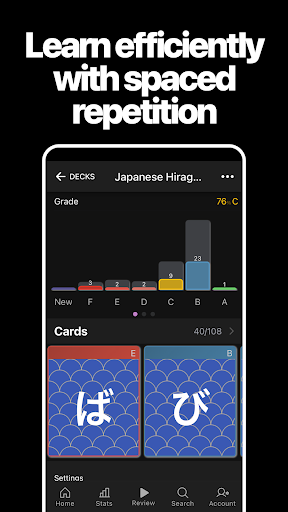
The central experience is a spaced-repetition system that chooses cards according to an analysis of study progress. In practical terms, I do not have to decide which card deserves another look every time I open a deck. That can make a session feel more directed than simply flipping through every card in order, particularly once a deck contains a mix of familiar and difficult material.
AlgoApp does not require study at a fixed schedule, according to its description. I can return when a gap opens in my day, rather than treating the app like an appointment. The dashboard shortcut to recent decks keeps that casual rhythm workable, while the progress view gives me a way to see how my decks are moving along.
Useful Detail for Different Subjects
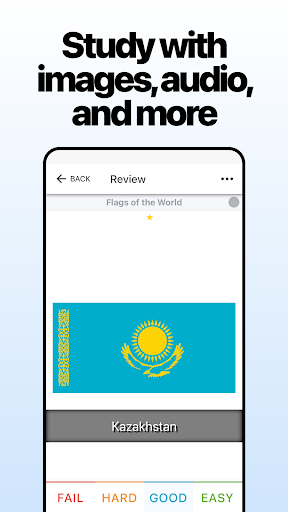
The most distinctive part is the combination of adaptive review and card-level flexibility. I can make a straightforward text prompt, format a more structured answer, or use a camera photo as card material. On the study side, I can reverse a deck with a couple of taps, which changes whether I am practicing recall from a prompt or recognition from its answer.
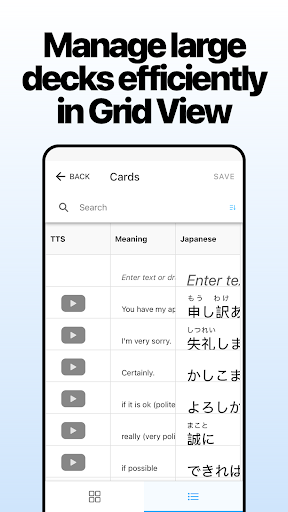
There are also subject-specific conveniences. Text-to-speech can read parts of a card in English or other languages, and automatic translation is available. For Japanese study, the app can generate furigana annotations for kanji. These tools do not replace checking whether a card is accurate, but they give learners more options than plain front-and-back text.
A Routine That Travels
A practical routine could start with adding a handful of cards after a class or reading session, then reviewing a recent deck during a commute or a short break. If I expect to be offline, I can still study; the description says new cards and progress sync once I am connected again. That makes the app less dependent on having a stable connection at the exact moment I want to practice.
At the end of a week, I would look at deck and individual-card statistics to spot material that repeatedly needs attention. I could tidy confusing prompts, add a visual cue with a photo, or use formatting to separate a term from its explanation. Settings sync across devices, and automatic syncing is intended to keep phone, tablet, web, and desktop use aligned.
Keep the Scope in Mind
The app’s strengths depend on having useful cards to study. Searching millions of ready-made flashcards may offer a head start, but a deck still needs to match what I am trying to learn. When I build my own, writing concise prompts takes time. A polished interface cannot make vague cards clear or supply all the context that a larger lesson might provide.
Some features are more relevant to certain learners than others. Furigana generation is a welcome detail for Japanese kanji, but it will not matter to someone studying history. HTML and CSS support gives advanced users control, though beginners can ignore it. I would treat statistics and automated review as helpful guidance, not as a substitute for deciding what I need to understand.
AlgoApp - Flashcards brings together adaptive review, custom card creation, offline study, and syncing in a package that is meant to work well from a phone. I especially like the flexibility around how cards are made and reviewed. Its best use is steady practice in small sessions, supported by clear decks and a habit of adding material as it comes up.
I’d try it if flashcards are already part of how I learn, or if I want a mobile-first way to build that habit. It is less suited to someone looking for a full course or a replacement for detailed notes. For focused memorization across devices, though, AlgoApp offers a thoughtful set of practical tools.
AnkiApp Frequently Asked Questions
What is AlgoApp - Flashcards used for?
AlgoApp - Flashcards is used to create and study decks of flashcards for subjects that involve memorization. Its spaced-repetition system selects cards based on study progress, and users can search for ready-made decks or create their own. It also supports offline study, card formatting, progress statistics, and syncing across supported devices.
Which devices can run AlgoApp - Flashcards?
AlgoApp - Flashcards is an Android app, and its description also says it syncs with a web app, desktop, and other phones and tablets. The minimum Android version can vary by app release and device, so check the Google Play listing for compatibility details before installing it on a particular phone or tablet.
Does AlgoApp - Flashcards cost money?
The supplied Google Play facts describe AlgoApp - Flashcards as free, with no in-app purchases and no ads. Store details can change over time or vary by region, so it is worth checking the current Google Play listing for the latest cost information before downloading.
What Android version does AlgoApp - Flashcards require?
The minimum Android requirement is not stated in the supplied app facts. Compatibility may vary with the current release and device, so check the Google Play listing for the requirement shown for your phone or tablet. The app is described as syncing with other phones and tablets as well as web and desktop.
Who is AlgoApp - Flashcards best suited to?
It is a good fit for learners who want to make or find flashcard decks and review them in short sessions. Its language-learning features include text-to-speech, translation, and Japanese furigana generation. It may be less suitable if you want a full course, long-form explanations, or a study method that does not involve writing and reviewing cards.
Pros
- Adaptive card reviews help direct attention toward material that needs more practice.
- Cards can be created, formatted, reversed, and studied offline from mobile.
- Syncing and progress statistics support study across devices and sessions.
- Language tools include text-to-speech, translation, and Japanese furigana generation.
Cons
- Building clear, useful decks still takes time and careful card writing.
- Flashcards are not a substitute for lessons or long-form explanations.
- Several specialized tools will matter more to some subjects than others.
- Category
- Education
- Version
- 15.8.0











