Amharic to English Translator
- 3.25K
- 4.3
- Installs
- 1.00M
- Price
- Free
Screenshots
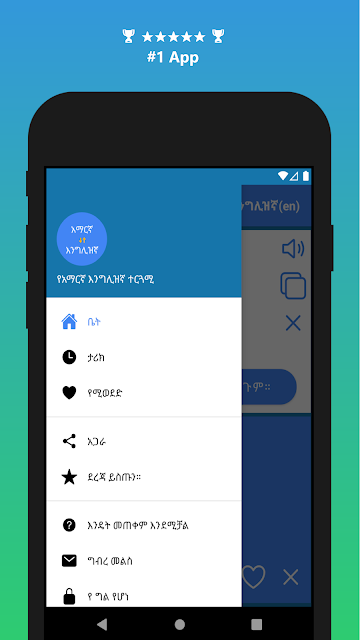
Analysis by Reviewed APKs
Amharic to English Translator is a two-way translation app for people who need to move between Amharic and English in everyday situations. I like that it brings text entry, voice typing, spoken playback, and dictionary-style lookups together without making the basic task feel complicated. It suits quick conversations and short passages best; I would treat it as a practical helper, not a replacement for careful human review.
A Quick Conversation Helper
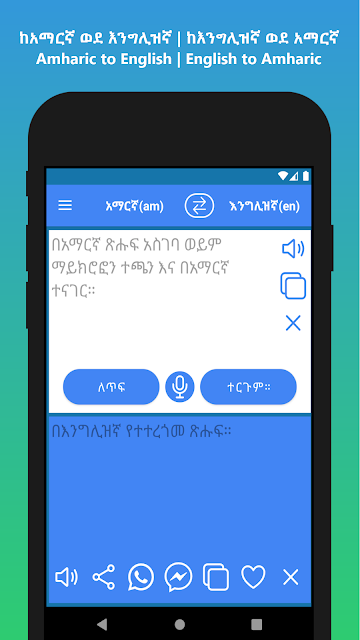
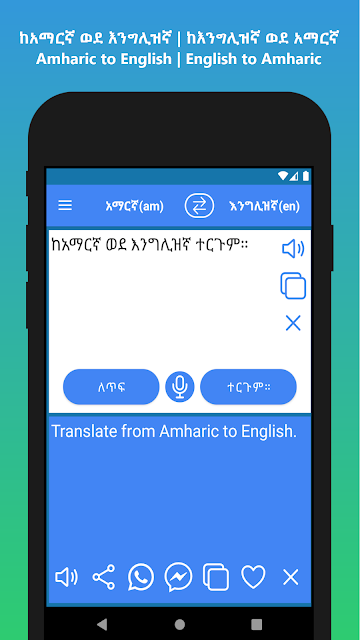
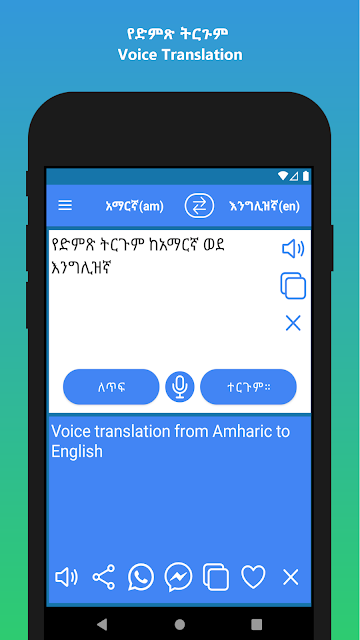
Picture yourself trying to understand a short message from an Amharic-speaking friend while you are out running errands. I would open the app, enter or paste the text, and tap Translate to get an English version. If typing is awkward, voice input offers another way to provide the words. For a reply, I can switch direction and translate from English into Amharic, keeping both sides of a simple exchange in one place.
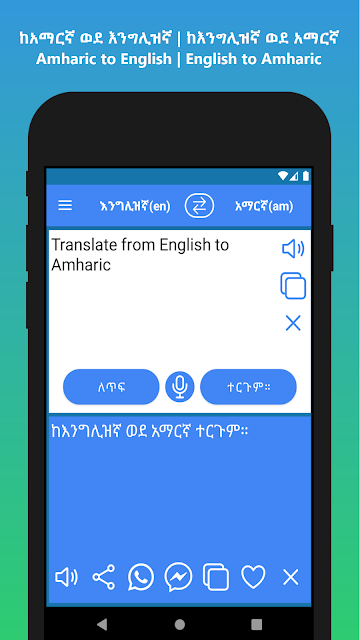
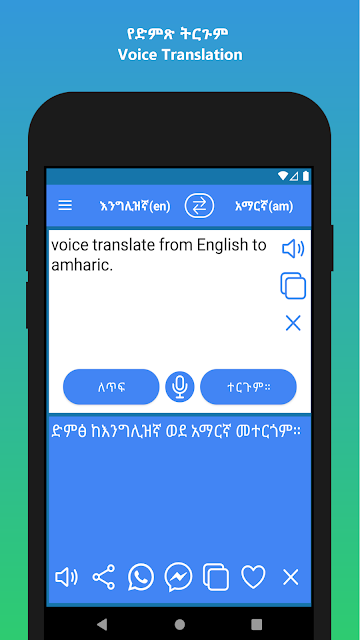
The same setup works in the other direction when someone hands me a short English note and asks what it means in Amharic. I can use the swap control to change languages, enter the text, and request a translation. Once the result appears, the speaker function can read the text aloud. That combination is useful when I need to listen as well as read, or when a spoken phrase is easier to work with than a keyboard.
A Handy Middle Ground
This app sits somewhere between a pocket phrasebook and a general-purpose translation tool. A phrasebook is useful when it already contains the exact expression I need; here, I can enter a word or sentence myself and translate in either direction. The built-in speech recognition and spoken playback add options that a simple bilingual dictionary may not offer, while the dictionary-style use makes quick word lookups feel natural.
I would not use it as a language course or assume that a translated sentence is ready for a formal document. The described tools focus on translating text and voice, looking up words, and sharing results, rather than lessons or long-term study plans. For a casual exchange or a quick sense of a short passage, that focused approach makes sense. For anything where wording matters greatly, I would check the result with a fluent speaker.
Small Habits That Help
I find it helpful to decide which direction I need before entering a longer passage. The swap button changes between Amharic-to-English and English-to-Amharic, so checking that first avoids the easy mistake of translating in the wrong direction. For text already on my clipboard, the Paste button gives me a quicker start than retyping. For a single word, entering it directly keeps the lookup simple.
When I am using voice typing, I would speak the text, review what the recognition has captured, and then tap Translate. The app's instructions describe those as separate steps, so it is worth taking a moment between speaking and translating. If I want to use a result elsewhere, the share function can pass translated text to other apps, including WhatsApp or Facebook Messenger. Listening to the spoken result is another useful check before sharing.
More From Our News Desk

Zoom Meetings, Google Meet, or Teams: Which Is Easiest to Join?

How I Build a Free Streaming Lineup With Tubi

Why Crunchyroll Is the Default Anime App for So Many Fans

YouTube TV: A Practical Guide to Cutting Cable

Rummikub and the Small Comfort of Phone Games

TeamViewer Remote Control or AnyDesk for Helping Family?
Who Will Find It Useful
I would recommend Amharic to English Translator to travelers, families, and anyone who regularly encounters short messages in both languages. It is also a reasonable companion for someone learning individual words or trying to follow a basic conversation, especially because it combines typed input, voice typing, and audio playback. The two translation directions make it more flexible than a tool that only handles Amharic into English.
It may be less suitable for people who want structured language lessons, detailed grammar explanations, or dependable polishing of important writing. The app is built around translating what you enter, not teaching why a phrase is formed a particular way. I would also keep expectations modest when using speech recognition in a noisy place or when a sentence needs precise nuance. For casual help, its mix of input options is more compelling.
Amharic to English Translator is an Education app from Translation and Voice Typing Apps. On Google Play, it has over one million installs and a 4.3-star rating from 3,251 ratings. It is free to download, contains ads, and offers in-app purchases. The listed in-app purchase range is $1.99 to $19.99 per item, so optional purchases may add cost beyond the free download.
Google Play gives the app an Everyone content rating. Its listed version is 20260823, and the recorded release date is October 29, 2021; the last update shown is August 24, 2026. The app description says storage access is used to store translation history. Android requirements can differ by device and app version, so check the Google Play store page for the requirement that applies to your phone.
How Translation Fits Into Everyday Use
A Simple Starting Point
When I first opened the app, the most useful thing to know was that it works in both directions. I can start with Amharic and translate into English, then use the swap control when I want to go from English into Amharic. That keeps the main job easy to understand: provide text, choose the direction, and translate. I would make that direction check part of my first few uses.
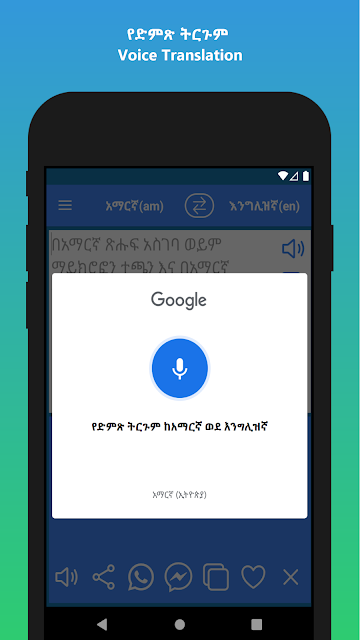
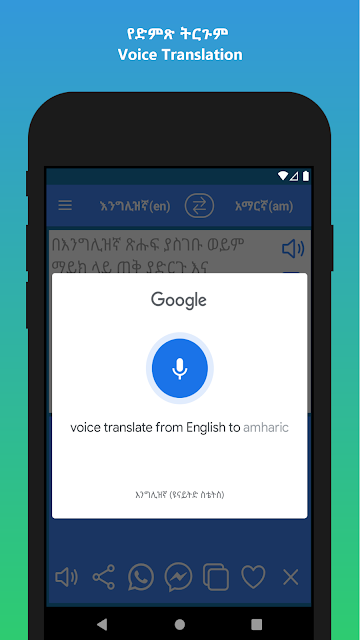
The app supports both typing and voice input, so I would choose whichever is more convenient in the moment. For a copied message, Paste avoids entering the same words twice. For a phrase I am saying aloud, the microphone starts voice typing, followed by a separate Translate step. The process is straightforward, though new users should notice that speaking does not itself complete the translation.
The Everyday Translation Loop
In day-to-day use, the appeal is having several ways to handle the same small task. I can type a sentence, paste text, or use voice recognition to enter it, then translate between Amharic and English. When I want to hear the result rather than just read it, the speaker function reads words or sentences aloud. These options make the app useful across quick lookups and simple conversational moments.
I also appreciate that the app can handle a single word as well as a longer sentence. That gives it a dictionary-like role when I am trying to check a word, without forcing me to switch to a separate tool for every small question. The result can be shared to other apps, which is practical when the translation is meant for someone else. I would still read through it before passing it along.
Useful Extras Beyond Text
Voice typing is the feature I would reach for when my hands are occupied or spelling a phrase is slowing me down. The app describes voice input for both Amharic and English, with translation available after the speech has been entered. It is a helpful alternative to the keyboard, but the separate recognition and translation steps mean I should check the captured text before moving on.
Spoken playback gives the app another role: it can read both Amharic and English words or sentences aloud. That is handy when I want to hear a translation instead of silently scanning the screen. The share option is a small but practical finishing touch, especially for passing a translated message to a contact. Together, these features make the app more than a text box with a translate button.
A Routine for Short Messages
For a short message, I would start by copying the text, open the app, and use Paste. Before tapping Translate, I would confirm that the language direction matches the message. After reading the result, I might tap the speaker to hear it, then share it if someone else needs to see the translation. That sequence keeps the process quick without skipping the basic checks that help avoid an obvious mix-up.
If I am composing a response, I would swap the direction, type or dictate the English text, and translate it into Amharic. The ability to share the translated text is useful at that point, since the app is designed to send results to other apps, including WhatsApp and Facebook Messenger. For a one-word question, I would skip the extra steps and use it as a direct dictionary-style lookup.
Keep Its Scope in Mind
The main limitation is one of scope: the app offers translation, voice typing, playback, and word lookup, but the description does not present it as a structured way to learn a language. I would not expect lessons or grammar instruction from it. Nor would I treat a quick machine translation as the final word when a message is sensitive, formal, or dependent on subtle tone.
Voice recognition can also be less convenient when speaking is impractical, and typing or pasting may be the better choice in those moments. The app contains ads and offers in-app purchases, which are worth bearing in mind if you prefer an entirely uninterrupted experience. These caveats do not undermine its basic usefulness; they simply help set a realistic expectation for a focused translation utility.
Amharic to English Translator makes a sensible everyday tool out of a focused set of features: two-way text translation, voice typing, spoken playback, dictionary-style lookups, and sharing. I like that it offers more than one way to enter a phrase without becoming a language-learning app in disguise.
I would try it if I needed quick help moving between Amharic and English, particularly for short messages and conversations. I would look elsewhere for lessons or rely on a fluent speaker for high-stakes wording. As a convenient translation companion, it earns a place on the shortlist.
Amharic to English Frequently Asked Questions
What is Amharic to English Translator used for?
Amharic to English Translator is used to translate text in either direction between Amharic and English. It also supports voice typing, spoken playback of words or sentences, dictionary-style word lookups, and sharing translated text to other apps. It is aimed at quick translations and everyday language help rather than structured lessons.
Which devices support Amharic to English Translator?
Amharic to English Translator is an Android app distributed through Google Play. The Android version required can vary with the app and device, so check the Google Play store page for the current requirement before installing. The app description covers use on Android and does not establish availability on other platforms.
Is Amharic to English Translator free?
The app is free to download on Google Play, but it contains ads and offers in-app purchases. The listed purchase range is $1.99 to $19.99 per item. What appears as an available purchase can vary, so check the store page for current details before buying anything.
Does Amharic to English Translator work both ways?
Yes. The app translates Amharic text into English and English text into Amharic. A swap control changes the direction, and the app also describes voice typing for both languages. You can listen to translated words or sentences and share translated text to other apps.
Is Amharic to English Translator right for language learners?
It can help learners look up individual words, translate short phrases, and listen to spoken text in either language. It is not described as a course with lessons or grammar instruction, so it may not suit someone seeking a structured study program. For important or nuanced writing, a fluent speaker can provide useful context.
Pros
- Handles Amharic-to-English and English-to-Amharic translation in one app.
- Offers typing, paste, voice input, and spoken playback.
- Dictionary-style lookups make individual words quick to check.
- Translated text can be shared to other apps.
Cons
- Ads and optional in-app purchases may interrupt a free experience.
- Voice typing and translation are separate steps to complete.
- It is a translation utility, not a structured language course.
- Category
- Education
- Version
- 20260823











