amaysim
- 41.70K
- 4.6
- Installs
- 1.00M
- Price
- Free

Screenshots

Analysis by Reviewed APKs
amaysim is an account-management app for people with an amaysim mobile or data-only plan. It brings everyday tasks like checking usage, topping up, changing a plan, and adjusting account settings into one place. I like the practical focus: it is less about exploring a phone service and more about keeping tabs on the one you already have. It should suit customers who prefer handling routine account jobs themselves.
A quick account check
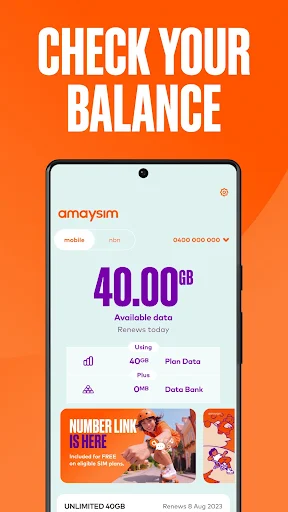
Picture the familiar moment when you are away from home and wonder whether you have enough data left for the rest of the week. With amaysim, I can open the app and check my balance and data usage rather than guess or put off the question until I am back at a computer. The same account-focused approach is useful when I need to review payment history or check details before making a change.
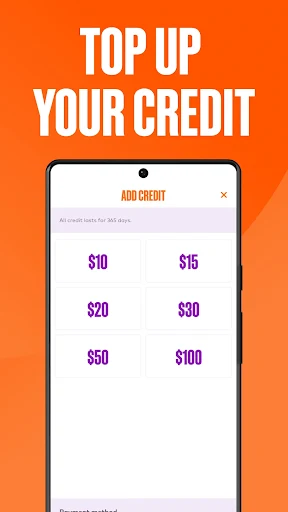
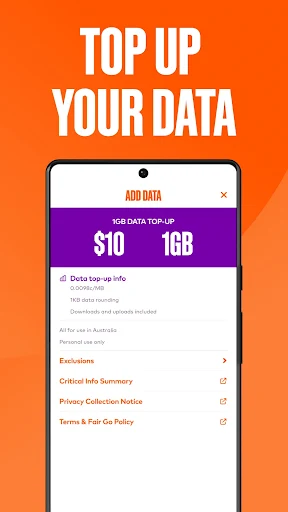
The useful part is that the next steps are close at hand. If my data is running low, I can top it up; if my needs have changed, I can switch plans. I can also update personal or payment details and manage settings such as voicemail, call waiting, and roaming. That makes the app feel like a practical companion to an active account, not just a screen for looking at a balance.
A manager, not a carrier guide
I think of amaysim as the place to manage an amaysim service, rather than a general-purpose phone utility. Its job is to help existing customers handle their mobile or data-only plan: check usage, make account changes, and get answers to questions. New customers can activate a SIM, but the app becomes useful once the amaysim account is active. That distinction matters if you are comparing it with tools meant for broader device management.
It is also not a way to manage a service from another provider or a general phone settings dashboard. The settings described here are tied to amaysim account options, including voicemail, call waiting, and roaming. I would not choose it to organize contacts, manage files, or monitor a household’s unrelated connectivity. If you already use amaysim, its narrow focus is an advantage; if you do not, there is little reason to install it.
Small habits that help
I get the most value from an account app when I check it before a small issue becomes a chore. A quick look at data usage can help me decide whether a top-up is worth doing, while a glance at payment history can answer a basic account question without searching through old notes. These are modest habits, but they make the app more useful than opening it only after something has gone wrong.
It also helps to treat plan changes and account details as occasional maintenance. If my usage pattern shifts, I can review the account and switch plans when appropriate; if payment details change, I can update them in the same place. I would make one change at a time and check the account afterward. That keeps the app’s practical tools easy to follow without turning routine mobile management into a project.
More From Our News Desk

Zoom Meetings, Google Meet, or Teams: Which Is Easiest to Join?

How I Build a Free Streaming Lineup With Tubi

Why Crunchyroll Is the Default Anime App for So Many Fans

YouTube TV: A Practical Guide to Cutting Cable

Rummikub and the Small Comfort of Phone Games

TeamViewer Remote Control or AnyDesk for Helping Family?
Who will find it useful
I would recommend amaysim to customers who want to keep routine mobile-account tasks close by. It is particularly handy for people who like checking data usage themselves, topping up when needed, and making account or plan changes without waiting until they can use another device. New customers may also find the SIM activation option useful, though they can use the app once their amaysim account is active.
It may not suit someone who does not have an amaysim account, since the app is built around managing that service rather than offering general phone tools. It is also not necessary for someone who rarely checks usage or changes account details and is content with other ways of handling those jobs. I would view it as a convenient account companion, not an essential app for every phone owner.
The app is called amaysim, and the developer is also amaysim. It is a free Android app in the Tools category, with no in-app purchases and no ads. Google Play shows a 4.6-star rating from about 41,699 ratings and over one million installs. Its content rating is Everyone. These figures give a useful snapshot of its reach, while the core purpose remains straightforward: managing an amaysim mobile or data-only plan.
The supplied app version is 5.2.0. It was released on January 10, 2012, and the recorded last update is October 27, 2026. A minimum Android version is not provided in the available app details, so check Google Play for the device requirement before installing. The app description says it can be used even when the customer has run out of data, while download charges and international roaming charges may apply in the situations described.
A closer look at everyday account management
A direct first impression
When I first opened amaysim, the appeal was easy to understand: it is meant to keep account jobs in one place. The description lays out a useful mix of quick checks and changes, from viewing a balance to updating payment details. I appreciate that kind of clarity in an app I may only open briefly between other tasks. It gives me a reason to return without asking me to learn a complicated new routine.
For a new customer, the starting point is SIM activation, followed by account use once the amaysim account is active. Existing customers can focus on the tasks that matter to them, whether that is checking usage or managing settings. I would make sure I can access my account before relying on the app for a time-sensitive change. The app is built around account management, so the account itself is central to getting started.
The everyday account loop
Day to day, I would use the app in short visits rather than leave it open. I might check the balance before a busy stretch, look at data usage after a week of travel, or review payment history when I need to make sense of an account charge. The convenience is having these checks alongside the options to respond, such as topping up data or credit when needed.
The app also covers changes that are less frequent but still useful to handle directly. I can switch plans, update personal and payment details, and manage settings such as voicemail, call waiting, and roaming. I like that these jobs belong in the same account tool as usage checks. It makes the app feel relevant both for quick reassurance and for the occasional bit of account housekeeping.
Useful controls in one place
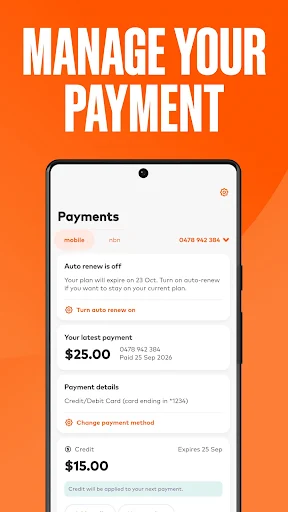
A standout feature for me is the balance of visibility and action. Viewing data usage is helpful on its own, but the option to top up data or credit gives that information a practical follow-through. Likewise, seeing payment history and being able to update payment details puts related account tasks together. I would not call that flashy, but it is the sort of sensible pairing that saves a bit of time.
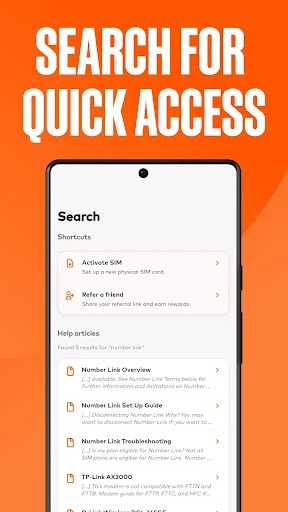
The settings options add another useful layer. The app description specifically mentions call waiting, voicemail, and roaming, so it can handle more than billing and usage checks. There is also a way to get quick answers to questions, which is handy when I need help with an account task. The value is in having several amaysim-related controls available from the same app, not in a long list of unrelated extras.
A simple weekly check-in
A routine I can imagine is opening the app once a week to review data usage and balance, especially if I know the coming days will be busier than usual. If the account suggests I need more data or credit, I can consider a top-up then rather than wait until the moment I need it. A quick look at payment history can fit into the same check-in when I have a reason to review it.
I would leave more consequential account maintenance for a quiet moment. If I need to change a plan or update payment details, I would check the information carefully and confirm that the account reflects the change afterward. Settings like voicemail and roaming are also better reviewed when I have time to consider what I need. Used this way, the app supports small, deliberate account checks rather than last-minute scrambling.
Keep its scope in mind
The biggest limitation is also the clearest part of its design: amaysim is for managing an amaysim service. It is not a general dashboard for every carrier, and its account features will not be useful to someone without an amaysim account. If I need help with a different provider or a phone function outside the described account settings, I would look elsewhere rather than expect this app to cover it.
The app description says it can be used even if the customer has run out of data, which is a thoughtful detail for an account tool. It also notes that charges apply for downloading from Google Play and that international roaming charges apply when using the app overseas. Those details are worth keeping in mind when planning access away from home. The app is convenient, but it does not remove the usual account and connection considerations.
amaysim earns its place as a practical account companion. I like that it combines everyday checks with useful follow-up actions, including top-ups, plan changes, and account settings. The experience is intentionally focused, which makes sense for a service-management app rather than a broader phone toolkit.
If you are an amaysim customer who likes handling account details on your phone, I would recommend giving it a try. If you do not use amaysim, it is unlikely to have much value for you. Its strengths are convenience and a clear purpose, not breadth.
amaysim Frequently Asked Questions
What is the amaysim app used for?
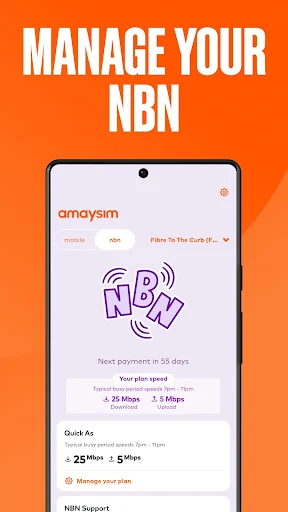
The amaysim app is for managing an amaysim mobile or data-only plan. It can be used to check balance and data usage, top up data or credit, switch plans, view payment history, and update personal or payment details. Customers can also manage settings such as call waiting, voicemail, and roaming, and get quick answers to questions.
Which devices can run the amaysim app?
The supplied app details describe amaysim as an Android app distributed through Google Play. They do not provide a minimum Android version, so check the Google Play page for the current device requirement before installing. The app description says customers can use it after their amaysim account is active, including when they have run out of data.
Does the amaysim app cost anything?
The app is free to download and use, and the supplied facts show no in-app purchases or ads. The app description notes that download charges apply when downloading from the Play Store, and international roaming charges apply when using it overseas. These charges relate to the circumstances described, so check Google Play and your account details for current information.
Can I use amaysim before activating my account?
The app supports SIM activation for new customers, but the description says it can be used once an amaysim account is active. After that, customers can check usage, manage account details, top up, or change plans. If you need to know exactly when a particular account action becomes available, check the app or Google Play information for current guidance.
Is the amaysim app useful if I am not a customer?
The app is designed around managing an amaysim account, so I would recommend it to existing customers or people setting up an amaysim service. It is not presented as a general phone-management tool or a way to manage other providers. For details about current plans or eligibility, check the Google Play page and the information provided by amaysim.
Pros
- Combines balance and data checks with practical options such as topping up and switching plans.
- Includes account, payment, and selected service-setting controls in one focused app.
- Free to use, with no in-app purchases or ads according to the supplied facts.
- Can still be used when an amaysim customer has run out of data.
Cons
- Its account tools are intended for amaysim customers, not users of other providers.
- A minimum Android version is not provided in the available app details.
- Download and international roaming charges may apply in the situations described.
- Category
- Tools
- Version
- 5.2.0











