Adult Coloring Book - Pigment
- 220.08K
- 4.6
- Installs
- —
- Price
- Free
Screenshots
Analysis by Reviewed APKs
Adult Coloring Book - Pigment is a digital coloring book for people who want a creative break without setting up paper, pencils, and a place to spread them out. It suits casual colorers as well as people who want finer control over their strokes. After spending time with its different coloring modes and tools, I see it as a thoughtfully equipped creative pastime, though the full library sits behind a subscription.
A small creative pause
When I first opened Pigment, I thought of the kind of short break that fits between errands or after dinner: choose a page, pick a few colors, and concentrate on filling one small area at a time. The app’s coloring pages give that routine a clear starting point, while its Tap-to-Fill mode makes it easy to begin without learning a drawing tool first.
On a quieter evening, I’d be more inclined to use the freehand tools and work slowly through a detailed illustration. Pigment offers pencils, markers, brushes, and other effects, so coloring can feel closer to choosing materials than repeatedly tapping the same bucket. I like that the app can meet both moods: a quick, simple session or a more deliberate stretch of creative play.
More than a digital coloring book
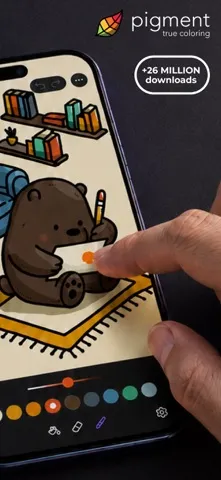
Compared with a basic coloring app built around tapping enclosed shapes, Pigment puts more emphasis on the feel and choice of coloring tools. Its modes range from Tap-to-Fill to Freehand, Automatic, and Advanced, and its description highlights simulated pencil, marker, and paintbrush strokes. That extra range is appealing if you enjoy adjusting how you color, rather than treating each page as a quick puzzle to finish.
Pigment is still a coloring and sketching app, not a general-purpose art course or a replacement for a full desktop illustration program. You can start a blank page as a sketchbook, but its central appeal is coloring illustrations and images. If you mainly want a fast game with scores or challenges, this is not that kind of break; the focus is on making and sharing artwork at your own pace.
Make the tools work for you
A useful habit is to choose your coloring mode before getting absorbed in a page. Tap-to-Fill is a natural starting point for a relaxed, low-effort session, while Freehand or Advanced mode makes more sense when I want to guide individual strokes. Pigment also offers a color wheel, shade control, and professional palettes, so settling on a small group of colors can make a page feel more intentional.
I’d also treat the library as a source of variety rather than a checklist to complete. Browse for a subject that suits the time you have, then save a custom palette if you find a combination you want to return to. With an Apple Pencil or another supported stylus, the app accommodates a more hands-on approach; the Apple Pencil can also respond to pressure, direction, and stroke size.
More From Our News Desk

Zoom Meetings, Google Meet, or Teams: Which Is Easiest to Join?

How I Build a Free Streaming Lineup With Tubi

Why Crunchyroll Is the Default Anime App for So Many Fans

YouTube TV: A Practical Guide to Cutting Cable

Rummikub and the Small Comfort of Phone Games

TeamViewer Remote Control or AnyDesk for Helping Family?
Who will enjoy Pigment
I’d recommend Pigment to adults who enjoy coloring as a quiet, flexible hobby and want more than a single fill tool. The mix of illustrated pages, multiple coloring modes, and a large range of brushes gives curious users room to experiment. It also suits people who like sharing finished work or printing a page, and those who want to bring an Apple Pencil or compatible third-party stylus into the process.
It may be less appealing if you want every page and tool at no cost, since Premium Access is offered as a subscription and unlocks the full library and additional features. Likewise, anyone looking for structured drawing lessons or a competitive game should look elsewhere. Pigment is best when you want to choose your own pace and subject, and are happy to spend time coloring rather than chasing a result.
Pigment is developed by Pixite Inc. and is available for iPhone and iPad through the Apple App Store. The store shows a 4.6-star rating from about 220,000 ratings. It is free to download, with Premium Access offered through in-app subscriptions. The stated US options are $4.99 per week, $9.99 per month, or $59.99 per year; a seven-day free trial is described.
The App Store age rating is 4+, and the listed minimum requirement is iOS 16.0. The current version shown in the supplied facts is 3.16. Pigment was released on December 17, 2015, and its listed last update is October 21, 2026. Subscription prices may differ outside the United States, and Premium renews automatically unless renewal is turned off in time.
A closer look at coloring with Pigment
Getting started
My first impression is that Pigment gives newcomers a forgiving way in without limiting people who want more control. The app includes Tap-to-Fill alongside modes such as Freehand, Automatic, and Advanced. That means a first session can be as simple as selecting a page and filling areas, while a later one can involve choosing a brush and shaping each stroke yourself.
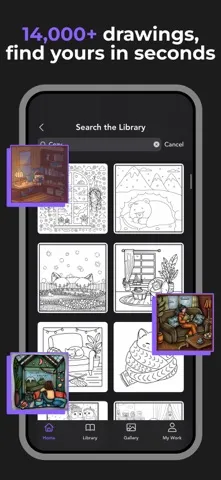
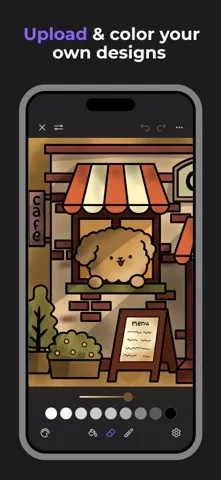
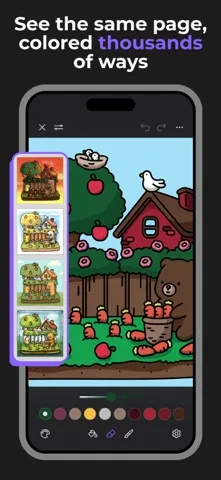
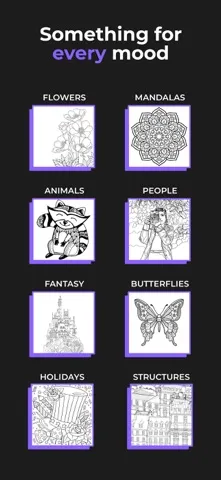
There is plenty to browse: the description says the collection includes illustrations and grayscale images, with subjects such as flowers, animals, landscapes, mandalas, people, and anime. You can also import your own images or open a blank page. I appreciate that the app is not locked to one kind of subject or one way of beginning.
The everyday coloring feel
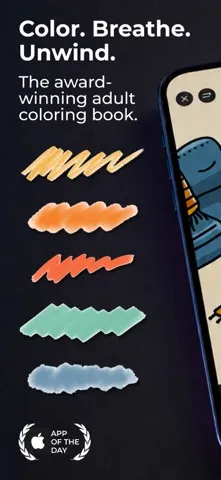
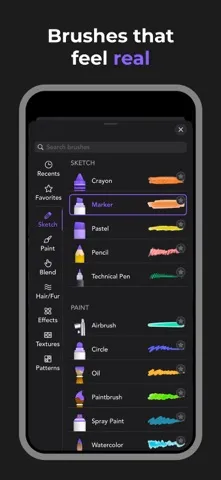
Day to day, the range of tools is what keeps coloring from feeling like a repetitive sequence of taps. Pigment describes more than 30 pencils, markers, and brushes, including watercolor, pastel, airbrush, glitter, and paintbrush options. I would approach that range as an invitation to try a few tools at a time, rather than feeling obliged to explore every option before enjoying a page.
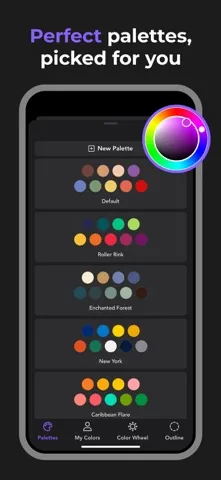
Color choice is flexible, too. The app offers a color wheel and shade control slider, along with professional palettes and the ability to create and save palettes of your own. That combination works well for a casual session: pick a palette when I want a quick start, or adjust shades when I have a particular look in mind.
Tools beyond filling shapes
The standout idea is that Pigment aims to make digital coloring resemble working with familiar art materials. It simulates pencil, marker, and paintbrush strokes, while additional tools include effects such as wood grain, blender, fade, and bloom. Those options give a page more room for personal choices than a simple fill-and-finish approach, especially when using freehand coloring.
The app also offers a community Gallery where people can share work and view pages colored by others. Its description mentions chatting, tagging, learning from other users, and finding tutorials and tips there. For people who enjoy seeing how others approach the same hobby, that adds a social and learning element alongside the solo coloring experience.
A routine that fits
For a short break, I’d pick a page that catches my eye and use Tap-to-Fill with a limited palette. That keeps the decision-making light and makes it easy to stop whenever the rest of the day calls. If I have more time, I’d switch to freehand tools and try a few different brush styles on a page, using the color wheel or a saved palette to keep the choices coherent.
On a device with a stylus, Pigment supports finger, Apple Pencil, and third-party stylus input. The description specifically notes that Apple Pencil can adjust pressure, direction, and stroke size. Once a piece feels finished, options include sharing by email or text, social networks, and the Gallery, as well as printing it. That makes the app useful both for private coloring and for showing the result.
What to keep in mind
The main limitation is the divide between free access and Premium Access. Pigment describes more than 10,000 pages overall and over 800 for free users, with Premium unlocking the full library, premium brushes, and exclusive color palettes. That is a substantial amount to explore without subscribing, but people who want the entire collection should consider the recurring cost before settling into a long-term habit.
The breadth of tools may also be more than a casual colorer needs. If all you want is a quick tap-to-fill page now and then, the more advanced modes and brush choices may go unused. And while importing images and starting blank pages expand the app’s scope, Pigment remains centered on coloring and sketching rather than serving as a complete art-learning or professional design package.
Pigment makes a strong case for digital coloring as an adaptable hobby. I like that a beginner can use Tap-to-Fill while a more involved session can draw on freehand modes, varied brushes, custom palettes, and stylus support. The range feels useful rather than purely decorative, and the option to share or print gives finished pages somewhere to go.
I’d try it if coloring sounds relaxing and you want choices in both artwork and technique. The free access offers a way to get started, while the subscription is worth weighing if you expect to use premium content regularly. For a quick, low-pressure creative routine, Pigment is a capable option; for a full drawing course or a game-like challenge, it is not the right fit.
Adult Coloring Book Frequently Asked Questions
What is Adult Coloring Book - Pigment used for?
Adult Coloring Book - Pigment is used to color illustrated pages and images, with options for Tap-to-Fill, freehand, and other coloring modes. It also lets users import images or start with a blank page as a sketchbook. Finished work can be shared or printed. The app is designed around creative coloring rather than game-style scoring.
Which devices can run Adult Coloring Book - Pigment?
Pigment is available through the Apple App Store for iPhone and iPad, and the supplied requirement is iOS 16.0 or later. It supports finger input, Apple Pencil, and third-party styluses. Apple Pencil features include adjustments for pressure, direction, and stroke size. Check the App Store for current device compatibility before downloading.
Does Adult Coloring Book - Pigment cost money?
Pigment is free to download and offers Premium Access as an in-app subscription. The stated US prices are $4.99 weekly, $9.99 monthly, and $59.99 yearly, with a seven-day free trial described. Subscriptions renew automatically unless canceled in time. Prices and available terms may vary by region, so check the App Store.
What iOS version does Adult Coloring Book - Pigment require?
The supplied App Store facts give iOS 16.0 as the minimum requirement for Adult Coloring Book - Pigment. The current version shown is 3.16. Requirements can change with app updates or device compatibility, so it is worth checking the App Store page on the iPhone or iPad you plan to use.
Is Adult Coloring Book - Pigment suitable for beginners?
Yes. Pigment includes Tap-to-Fill for a straightforward start, alongside more hands-on modes and a wide selection of coloring tools for people who want to experiment. Its free access offers pages to try, while some library content and tools require Premium Access. It may be less suitable if you want a structured art course or every feature at no cost.
Pros
- Several coloring modes make it approachable for beginners and flexible for more deliberate sessions.
- A broad selection of brushes, palettes, and color controls supports varied coloring styles.
- Users can import images, start blank pages, and share or print finished work.
- Stylus support includes Apple Pencil pressure, direction, and stroke-size adjustments.
Cons
- The full library, premium brushes, and exclusive palettes require a recurring subscription.
- The many tools may feel unnecessary for users who only want occasional tap-to-fill coloring.
- Its focus is coloring and sketching, not structured art instruction or competitive play.
- Category
- Lifestyle
- Version
- 3.16











