AARP Now
- 78.59K
- 4.7
- Installs
- 5.00M
- Price
- Free

Screenshots

Analysis by Reviewed APKs
AARP Now brings AARP news, digital publications, membership tools, events, games and discounts together in one Android app. I see it suiting people who want a handy way to keep up with AARP and find useful things to read or do, whether they belong to the organization or not. My overall take is that it has plenty to explore, though its broad mix works best if you take time to tailor it.
A Handy Daily Check-In
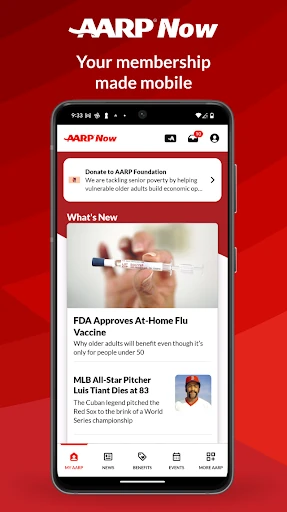
When I first opened AARP Now, I imagined using it during the little gaps in a normal day: a few minutes with coffee, a wait before an appointment, or a quiet evening on the couch. The app brings news, videos, events, benefits and membership tools into one place, so it can be a simple starting point when I want to see what’s new without jumping between separate AARP services.
A practical visit might start with a story on the News section, then turn into saving it to read later or checking an upcoming local event. If I’m already a member, I can also reach my digital membership card and account from My AARP. The app’s appeal is this combination of quick reading and useful errands; I don’t have to make every visit a long browsing session.
More Than a News Feed
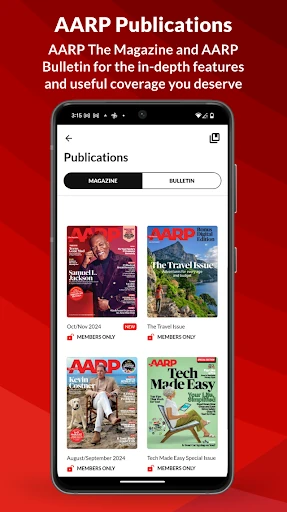
Compared with a dedicated news reader, AARP Now is much broader and more tied to AARP’s own material. Alongside personalized stories, it offers digital editions of AARP The Magazine and AARP Bulletin, member benefits, events, games and membership access. That range is convenient if I want several AARP-related tasks in one app, but someone who only wants a minimalist headline reader may find the extra destinations unnecessary.
It also isn’t simply a membership card app, since reading, events, saved content and games occupy a substantial part of the experience. And while the app includes articles and fitness-related Rewards options, I wouldn’t treat it as a dedicated health tracker or a substitute for a specialist service. AARP membership isn’t required to use AARP Now, although some Members Edition content may require membership.
Make It Your Own
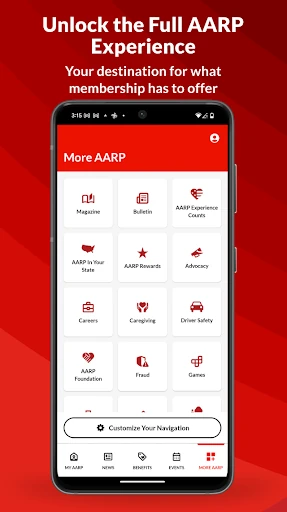
The app becomes easier to revisit when I treat the first few sessions as a chance to shape it. Recommendations draw on previous activity, so spending time with the sections I care about can help make My AARP, News, Benefits and Events feel more relevant. I can also use Customize Your Navigation to put frequently used destinations, such as Games, on the navigation bar rather than hunting for them each time.
Saving is another small habit that makes the mix more manageable. Stories, videos, publications, benefits and events can be saved for later, which suits a quick browse when I don’t have time to finish reading or register. I’d also review notification settings in My Account if I want alerts for news, event reminders or nearby saved benefits without letting every prompt interrupt the day.
More From Our News Desk

Zoom Meetings, Google Meet, or Teams: Which Is Easiest to Join?

How I Build a Free Streaming Lineup With Tubi

Why Crunchyroll Is the Default Anime App for So Many Fans

YouTube TV: A Practical Guide to Cutting Cable

Rummikub and the Small Comfort of Phone Games

TeamViewer Remote Control or AnyDesk for Helping Family?
Who May Enjoy AARP Now
I’d recommend AARP Now to people who already use AARP resources and want their digital membership card, reading, event discovery and benefits close at hand. It also makes sense for curious nonmembers: membership isn’t required to use the app, and its news, publications, games and event listings provide reasons to browse. Anyone who likes having a broad collection of related content in one place may appreciate the variety.
It may be a less natural fit for someone who wants a single-purpose app with very little to explore, or a news service that draws from a wide range of publishers. The personalized sections and many destinations can take a little attention to sort through. People who don’t want alerts or who prefer not to connect fitness activity data can simply manage those choices; connecting a tracker is optional, not a condition of using the app.
AARP Now is a free Lifestyle app from AARP for Android. Google Play shows over five million installs and a 4.7-star rating from about 79,000 ratings. The app contains ads and offers in-app purchases; listed purchase prices range from $20 to $79 per item. It has an Everyone 10+ content rating, so it is not labeled for every age group.
The current version shown is 4.10.0. AARP Now was released on April 29, 2011, and its most recent update is dated October 27, 2026. The minimum Android version is not included in the available app details, so I’d check the Google Play entry on the device where I plan to install it. AARP membership is not required for general app use, though some Members Edition content may require it.
A Closer Look at AARP Now
A Broad First Impression
My first impression is of an app with several jobs, not a narrow tool built around one screen. My AARP combines editor-curated stories and personalized recommendations with routes to events, benefits, videos and games. It also provides access to the digital membership card, Inbox and account. That makes the home experience useful as a hub, though a new user may need a little time to learn where each kind of content lives.
Personalization is part of the setup rather than a separate project. Recommendations are based on previous activity, so I’d expect the app to become more relevant as I use it. The description also points to a More AARP tab where I can tailor the experience and customize navigation. I like that idea in a content-heavy app: it gives regular users a way to put familiar destinations closer to hand.
Reading and Returning
For day-to-day use, AARP Now gives me several ways to pick up where I left off. I can read personalized news, save a story for later, and share it with friends. The publications area includes current and back issues of AARP The Magazine and AARP Bulletin. If I don’t have time to read an article in the moment, saving it—or listening to it through the audio feature—offers another way to return to it.
This is the kind of flexibility I value when a phone session is likely to be interrupted. A quick look can stay quick, while a longer read can wait until I have more time. Saved news, videos and publications sit alongside saved benefits and events, so the app’s save-for-later option has more than one purpose. It helps turn browsing into a small personal queue rather than a string of things I meant to revisit.
Useful Extras in One Place
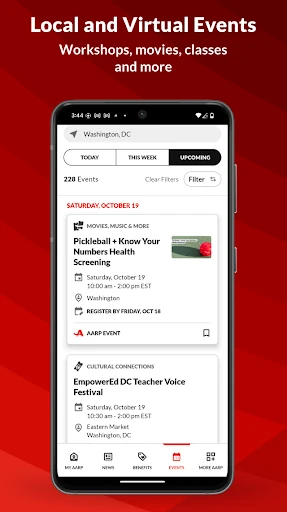
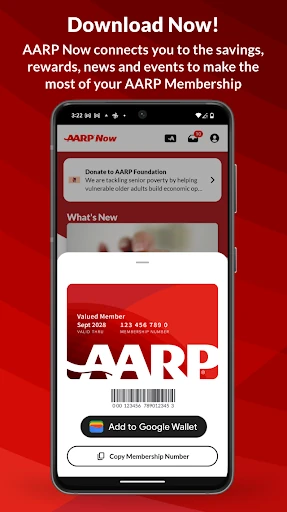
The clearest standout is how many everyday AARP tasks meet in the same app. Members can access a digital card, add it to Google Wallet and manage membership on the go. The events area covers local and online virtual events, including workshops, fitness classes, movies and documentaries, with registration available in the app. These features make AARP Now feel more practical than a publication reader alone.
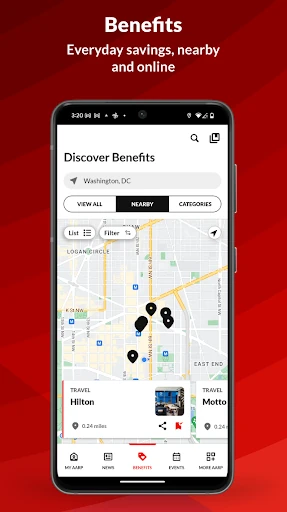
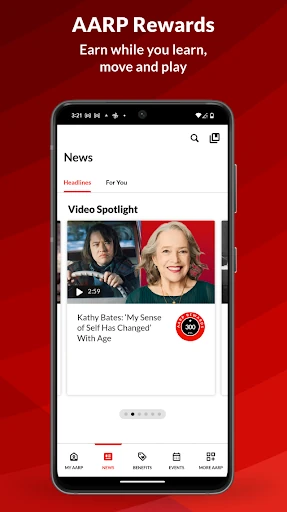
Benefits are another useful part of the mix. The Nearby view puts nearby benefits on a map, and offers are added monthly. There are also AARP games, including word and trivia games, arcade games, solitaire and mahjongg. Rewards adds another optional layer: users can earn points for downloading the app and visiting daily, and eligible fitness activity may count when connected through Health Connect or a favorite fitness tracker.
A Routine That Works
I’d use AARP Now in two short passes rather than trying to explore everything at once. In the morning, I could scan News and save anything that deserves a longer read. Later, I might check Events or the Nearby benefits map when I have a real reason to find something local. Keeping those visits focused would let me benefit from the range without turning every spare moment into an extended scroll.
Once I knew which sections I used most, I’d customize the navigation bar and save events or articles that I wanted to revisit. If reminders are useful, I’d manage notifications for news, upcoming events and nearby saved benefits in My Account. People interested in Rewards can choose to connect activity data, but the app says users can keep using it without connecting Health Connect. That makes this routine adjustable rather than all-or-nothing.
Keep the Scope in Mind
AARP Now’s breadth is also its main trade-off. News, publications, games, benefits, events, membership and Rewards all compete for attention, so it may feel busier than an app with only one purpose. Personalization and navigation customization can help, but they still ask me to spend some time deciding what I want to see. If I’m only opening the app for my card, many of its other sections may be more than I need.
Some boundaries are worth remembering. AARP membership is optional for using the app, but Members Edition material may require it. Rewards-related fitness tracking needs permission and a connected source if I choose to use that feature; it is not necessary for ordinary browsing. Google Play also shows ads and in-app purchases, so the app isn’t presented as an entirely ad-free experience. Those details help set expectations before making it part of a daily routine.
AARP Now works best as a flexible home for AARP reading, membership access and everyday discovery. I like that I can save articles and events, browse publications, find nearby benefits and keep the digital card handy without treating every feature as mandatory. Its variety is useful, but it also means the first visit can feel like an invitation to explore rather than a focused, one-task experience.
I’d recommend giving it a try if AARP news, events, benefits or membership tools already matter in your routine. Nonmembers can use it too, while people who want a simpler, single-purpose app may prefer a narrower option. A little time spent customizing navigation and notifications should make the broad collection easier to live with.
AARP Now Frequently Asked Questions
What is AARP Now used for?
AARP Now brings together personalized news, digital editions of AARP The Magazine and AARP Bulletin, events, benefits, games and membership tools. Users can save content, access a digital membership card and manage membership. It also offers AARP Rewards features, including optional fitness activity connections for eligible activities. Membership is not required for general app use, but some Members Edition content may require it.
Which devices can run AARP Now?
AARP Now is an Android app available through Google Play. The available details do not give a minimum Android version, and compatibility can depend on the device, so check the Google Play entry for your phone or tablet. The app description also mentions adding a digital membership card to Google Wallet. It does not establish availability on other platforms.
What Android version does AARP Now require?
The minimum Android version is not provided in the app details used for this review. Requirements can vary as apps and devices are updated, so check the AARP Now page in Google Play before installing. The current version shown is 4.10.0, but that number does not by itself indicate which Android versions a particular device supports.
Does AARP Now cost money?
AARP Now is free to download, and Google Play indicates that it contains ads and offers in-app purchases. The listed purchase range is $20 to $79 per item. The app can be used without AARP membership, although some Members Edition content may require it. Store prices and available purchase options can change, so check Google Play for current details.
Is AARP Now only for AARP members?
No. AARP says membership is not required to use AARP Now, so nonmembers can explore the app’s available content and features. Some Members Edition content may require membership. It may suit people interested in AARP news, publications, events, games or benefits; those looking for a single-purpose app may find its wide range of sections less appealing.
Pros
- Combines AARP news, publications, events, benefits, games and membership access.
- Lets users save several kinds of content and customize navigation.
- Includes a digital membership card and a Nearby benefits map.
- Fitness activity connections for Rewards are optional.
Cons
- The broad range of sections may feel busy to first-time users.
- Google Play indicates that the app contains ads and in-app purchases.
- Some Members Edition content may require AARP membership.
- Category
- Lifestyle
- Version
- 4.10.0











