Steam Link
- 51.01K
- 3.3
- Installs
- 10.00M
- Price
- Free

Screenshots
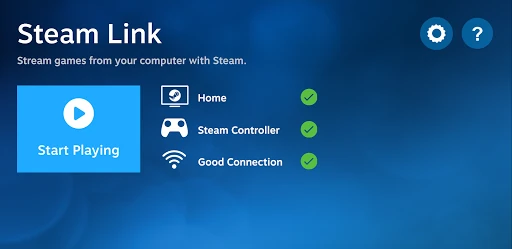
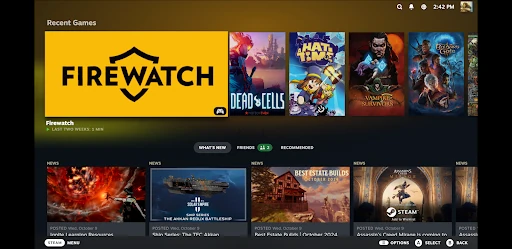

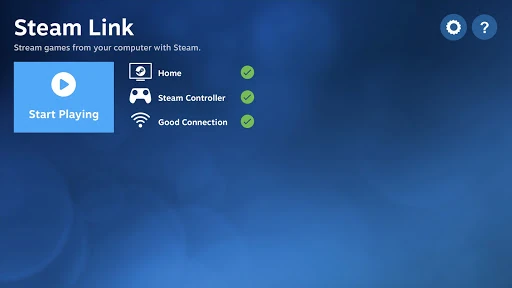
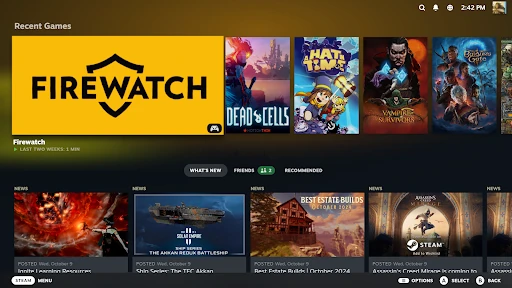

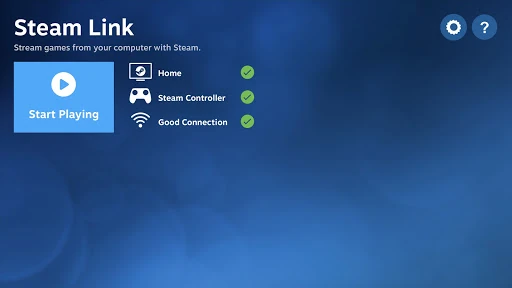
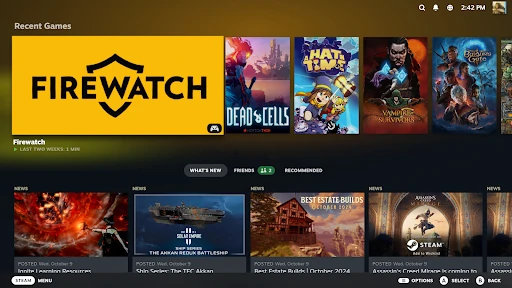
Analysis by Reviewed APKs
Steam Link is for playing games from a computer running Steam on an Android phone, tablet, or TV. It suits people who already have a Steam library and want to play away from their desk, especially if they have a controller and a reliable home network. I like the straightforward idea: use the games and computer you already have, while accepting that streaming quality depends on the connection.
A Game Night Away from the Desk
When I want to play from the couch instead of sitting at my computer, Steam Link offers a simple route: connect an Android device to a computer running Steam, pair a Bluetooth controller or Steam Controller, and stream an existing game. The appeal is practical rather than mysterious. My computer remains the place where the game runs, while the phone, tablet, or Android TV becomes the screen and play position.
That setup makes sense for a relaxed evening when I would rather sit back than stay at the desk. A controller is the most natural fit for that arrangement, and a TV can make the experience feel closer to console play. It is still streaming, though, so I would treat network placement as part of the setup rather than expect the app to make a weak connection disappear.
Streaming, Not a New Game Store
Steam Link is different from an app that supplies its own mobile games: its purpose is to bring games from a computer running Steam to an Android device. That is useful if the games I want are already in my Steam library and I want another place to play them. The app is a companion to that computer, not a replacement for owning or running games there.
It also is not the right choice for someone looking for a standalone Android game collection or a way to play without a suitable computer running Steam. I would not choose it simply because I want a game on my phone with no setup. The best comparison is a way to extend a desktop gaming session around the home, rather than a separate gaming platform.
Small Setup Habits That Help
I would start by pairing the controller before settling in, then check that the computer is running Steam and that the Android device has a solid connection to the home network. Those small steps keep the start of a session from turning into a search for a controller or a round of troubleshooting. The app’s intended flow is short, but the computer and network still need to be ready.
For a phone or tablet, the guidance recommends connecting the computer to a 5 GHz Wi-Fi router by Ethernet, then connecting the Android device to the router’s 5 GHz band and staying within reasonable range. For Android TV, it recommends Ethernet for both the computer and TV. I would use those suggestions as a practical starting point, not as a promise that every home network will behave identically.
More From Our News Desk

Zoom Meetings, Google Meet, or Teams: Which Is Easiest to Join?

How I Build a Free Streaming Lineup With Tubi

Why Crunchyroll Is the Default Anime App for So Many Fans

YouTube TV: A Practical Guide to Cutting Cable

Rummikub and the Small Comfort of Phone Games

TeamViewer Remote Control or AnyDesk for Helping Family?
Who Might Enjoy Steam Link
I would recommend Steam Link to Android users who already play Steam games on a computer and want to move a session to a phone, tablet, or TV. It is especially appealing if a Bluetooth controller is already part of the setup and the computer can connect reliably to the router. The app has a clear job, and the 10 million-plus installs suggest plenty of people are interested in that kind of flexible play.
It may not suit someone who wants a self-contained mobile gaming app, has no computer running Steam, or expects streaming to work well regardless of network conditions. The Google Play rating is 3.3 from about 51,000 ratings, so experiences are mixed. I would go in with realistic expectations: this is a convenient option when the pieces are in place, not a substitute for a stable connection.
Steam Link is published by Valve Corporation and falls under Entertainment on Google Play. It has over 10 million installs and a 3.3-star rating from about 51,000 ratings. The app is free, with no in-app purchases or ads. Its content rating is Everyone, and the stated minimum requirement is Android 5.0.
The current version in the provided app details is 1.3.20. Steam Link was released on May 17, 2018, and was last updated on January 22, 2026. Those dates and version details are useful context for an app that connects Android devices to a computer running Steam; the core experience still depends on having that computer and a suitable network available.
How Steam Link Fits Into Play
Getting Started
My first impression is that Steam Link has a focused purpose: it connects an Android device to a computer running Steam so I can play games I already have. The basic preparation is easy to understand. I need the computer, an Android device, and a controller if I want to play with one; the description specifically mentions pairing a Bluetooth controller or Steam Controller.
The setup is only as convenient as the room and network allow. Before starting a session, I would make sure the computer is connected to the router and the device has a strong connection too. The app’s recent changes include support for more than 700 Android devices and faster connections to remote Steam clients, which points to ongoing compatibility and connection work.
The Everyday Experience
In day-to-day use, the main benefit is changing where I sit without changing the games I play. A phone or tablet can take a session away from the desk, while Android TV suits a larger-screen setup. I can see the appeal after a long workday: keep the desktop game running on the computer, pick up a controller, and settle somewhere more comfortable.
The trade-off is that a streamed session is tied to the quality of the connection between the computer, router, and Android device. The app’s own guidance emphasizes wired Ethernet for the computer and a 5 GHz connection for mobile devices. I would be more confident using it near the router than assuming a distant room will deliver the same experience.
A Focused Feature Set
The standout feature is straightforward streaming from a computer running Steam to an Android device. Rather than asking me to build a separate mobile library, Steam Link is designed to use games I already play on the computer. That gives it a clear role in a household where the desktop is the main gaming machine but not the only comfortable place to play.
Controller support is another practical detail. Pairing a Bluetooth controller or Steam Controller can make a phone or TV setup easier to use for games that suit a gamepad. I would not assume that every game or control arrangement feels equally natural on a small screen; the useful point is that the app supports controller-based play as part of its intended setup.
A Low-Friction Routine
A good routine would begin before I sit down: connect the computer as recommended, check the Android device’s Wi-Fi band and range, and pair the controller. Once those pieces are ready, I can use Steam Link when I want to shift a game from the computer desk to a tablet or TV. That preparation is modest, but it can make the difference between starting a session promptly and fiddling with connections.
For a TV setup, the recommendation is to connect both the computer and Android TV to the router using Ethernet. For a phone or tablet, the computer should connect to a 5 GHz Wi-Fi router by Ethernet, while the Android device uses the 5 GHz band and stays reasonably close. I would follow the version that matches my device rather than treat all setups as identical.
Limits to Keep in Mind
Steam Link does not remove the need for a computer running Steam, and it does not turn a Steam library into a native Android game collection. That distinction matters. If I want to play on a phone without relying on a computer, this is not the app I would reach for. It is most useful when the computer is already part of my gaming routine.
Network quality and device compatibility are also worth considering before making it part of a regular routine. The app gives specific connection advice, but homes differ, and a setup that works well in one room may be less convenient elsewhere. The Google Play rating of 3.3 stars reflects a range of user experiences, so I would test it in the room where I actually plan to play.
Steam Link is a useful, clearly defined companion for Android users who want to stream Steam games from a computer to a phone, tablet, or TV. Its best qualities are the ability to reuse an existing library and the option to play with a controller. Its main condition is equally clear: the computer and network have to be ready.
I would try it if I already have a Steam gaming setup and want more flexibility about where I play at home. I would skip it if I need standalone mobile games or cannot rely on a suitable connection. With a controller and a well-placed network, it offers a practical change of scenery without asking me to start a new library.
Steam Link Frequently Asked Questions
What is Steam Link used for?
Steam Link streams games from a computer running Steam to an Android device. It is intended for playing games already in your Steam library on a phone, tablet, or Android TV, rather than providing a separate collection of Android games. The described setup uses a paired Bluetooth controller or Steam Controller.
Which devices can run Steam Link?
Steam Link is an Android app for Android devices, including phones, tablets, and Android TV. The stated minimum requirement is Android 5.0. Device support can vary, so it is worth checking the Google Play store page for compatibility with a particular device before installing.
Does Steam Link cost money?
Steam Link is free on Google Play and has no in-app purchases or ads, according to the app details provided. Store information can change, so check the current Google Play page for the latest terms. You also need a computer running Steam and games in your Steam library to use its core function.
What Android version does Steam Link require?
The stated minimum is Android 5.0. The app’s recent changes also mention support for more than 700 Android devices, but compatibility depends on the specific device. I would check the Google Play store page for current requirements and device support before relying on it for a particular phone, tablet, or TV.
Is Steam Link a good fit for every mobile gamer?
It is best suited to someone who already has a computer running Steam and wants to play those games on an Android device, ideally with a controller and a reliable network. It may not suit someone looking for standalone mobile games or play without a computer. Whether it works well in a particular home can vary with the setup.
Pros
- Streams games from an existing Steam library to Android phones, tablets, and TVs.
- Supports pairing a Bluetooth controller or Steam Controller for play.
- Free to download, with no in-app purchases or ads.
- Provides practical network recommendations for TV and mobile setups.
Cons
- Requires a computer running Steam; it is not a standalone mobile game library.
- Streaming quality depends on network conditions and device placement.
- A controller and connection setup add preparation before play.
- Category
- Entertainment
- Version
- 1.3.20