Hulu: Stream TV shows & movies
- 1.62M
- 4.5
- Installs
- 100.00M
- Price
- Free

Screenshots
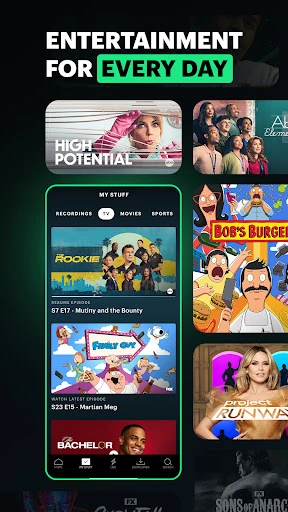
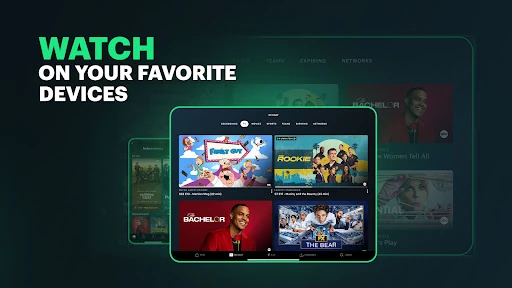

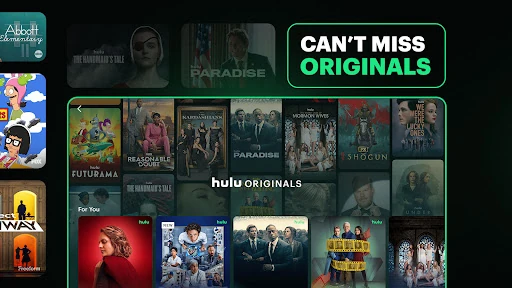

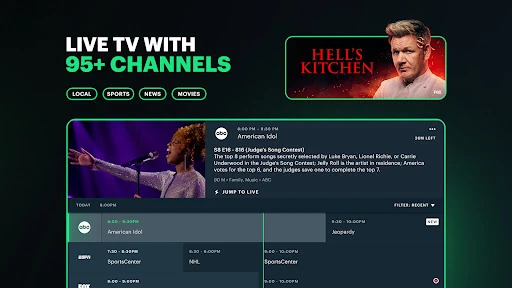
Analysis by Reviewed APKs
Hulu is a streaming app for watching TV series, movies, and, with a Live TV plan, sports, news, and other broadcasts. It suits people who want on-demand entertainment alongside an option for live channels, especially households sharing one screen. After spending time with its mix of browsing, profiles, and watch tracking, I see it as a flexible viewing hub, though the right plan matters as much as the app.
A Night In With Hulu
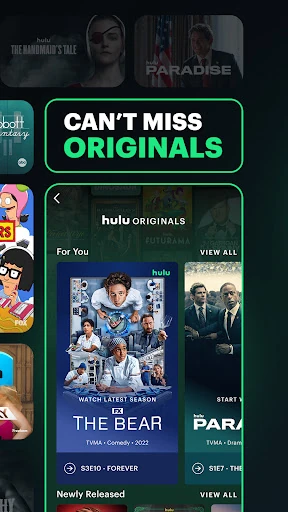
When I first opened Hulu, I had a familiar evening problem: I wanted something to watch but had no particular title in mind. The app’s library spans series, films, and Originals, so I could browse for a new episode or switch gears to a movie without changing services. Tailored recommendations help narrow the field, while the broad selection makes Hulu useful when different moods take turns during the same night.
I also like that the app can keep favorite shows and movies in view rather than making me search from scratch every time. If I am following a series, tracking it makes it easier to return to the next episode when I have a spare half hour. For a household, separate profiles can help keep viewing preferences distinct. The day-to-day appeal is less about a single feature and more about having familiar entertainment gathered in one place.
Streaming, Not Just Live TV
Hulu’s core on-demand library puts it in the same general routine as other video streaming services: browse, pick a show or film, and watch when it suits you. Its Live TV option broadens that role with live sports, news, movies, and events. I would think of the live service as an alternative to adding a separate TV package, not as a requirement for using Hulu’s regular series and movie library.
The distinction matters because Hulu is not simply a live sports app, nor is every plan the same viewing experience. Live sports and channels are tied to Hulu + Live TV, and regional restrictions or blackouts can apply. The service is also for U.S. customers. If your main need is a narrow collection of one-off films, Hulu’s wider subscription library may be more than you need; if you want on-demand shows plus optional live programming, its range makes more sense.
Small Habits That Help
I get more from Hulu when I use profiles deliberately. In a shared home, giving each person a separate profile means recommendations can reflect their own tastes instead of turning into a jumble of everyone’s viewing. Hulu supports up to six profiles, so there is room for a household to keep individual preferences apart. It is a small setup step, but it makes the app feel more personal over time.
Another useful habit is tracking the shows and films I want to revisit. I can add likely picks as I browse instead of trusting myself to remember a title later. When I have a trip or expect a stretch without a reliable connection, I would also check whether the title I want is eligible for offline viewing: downloads are available for select titles with Hulu (No Ads). That eligibility limit is worth remembering before planning around a download.
More From Our News Desk

Zoom Meetings, Google Meet, or Teams: Which Is Easiest to Join?

How I Build a Free Streaming Lineup With Tubi

Why Crunchyroll Is the Default Anime App for So Many Fans

YouTube TV: A Practical Guide to Cutting Cable

Rummikub and the Small Comfort of Phone Games

TeamViewer Remote Control or AnyDesk for Helping Family?
Who Will Enjoy Hulu
I would recommend Hulu to viewers who regularly watch series and movies and want recommendations and tracking to make browsing less of a chore. It is also a good fit for households that value separate profiles, or for viewers who want the option of adding live sports and news through Hulu + Live TV. The range of plans gives people different ways to approach the service, though the plan choice shapes what they can watch.
It may be less appealing if you want a completely ad-free experience but are not interested in paying for the no-ads option, or if you expect every title to be available offline. Live TV viewers should also keep regional restrictions and blackouts in mind. And because Hulu is available to U.S. customers only, it is not a practical choice for someone outside that audience. I would compare the plan details with my actual viewing habits before signing up.
Hulu: Stream TV shows & movies is an Entertainment app from Disney. Google Play shows more than 100 million installs and a 4.5-star rating from about 1.6 million ratings. The app is free to download and contains ads. Its content rating is Teen. The supplied app version is 6.34.0+18552420-google.
The app’s Google Play release date is June 22, 2011, and the supplied last-update date is October 1, 2026. The app description explains that Hulu access uses recurring subscription plans, with plan options including ad-supported Hulu, Hulu (No Ads), and Hulu + Live TV. Premium network add-ons cost extra, and the description says subscriptions renew unless canceled.
How Hulu Fits Into Everyday Viewing
Opening and Getting Oriented
My first impression of Hulu is that it is built around choosing what to watch rather than simply opening into a live channel grid. The service brings together TV shows, films, classics, and Originals, which gives browsing a few different directions. That variety is useful when I arrive with only a vague idea of what sounds good, but it also means a little browsing can become part of the evening.
Before settling in, I would decide which kind of access I need. Hulu’s plans include an ad-supported option, a no-ads option, and Hulu + Live TV, with differences that affect both viewing and extras. A plan choice is not just a billing detail: downloads of select titles are associated with Hulu (No Ads), while live channels and sports belong to Live TV.
The Daily Viewing Rhythm
For ordinary on-demand viewing, the useful rhythm is simple: browse, choose a series or film, then keep track of the titles I want to return to. Personalized recommendations can surface options based on viewing interests, while tracking helps me avoid losing a show among the rest of the library. I appreciate that these are practical helpers rather than features I need to manage constantly.
The experience also changes depending on the plan. Hulu (With Ads) includes advertising, while Hulu (No Ads) is described as an uninterrupted option. The latter also allows downloads for select titles, which is handy for planning ahead but not a promise that every program can be saved. In a typical week, I would use the service mostly for on-demand viewing and treat downloads as a title-by-title convenience.
Profiles and Live Options
Profiles are one of Hulu’s more useful household features. Up to six can be created, giving different viewers their own space and more relevant recommendations. That can make a shared subscription feel less chaotic: a family member’s interest in reality television does not have to define what another person sees next. I would set profiles up early, before everyone starts browsing under the same account space.
Live TV is the bigger distinction from a basic on-demand routine. Hulu + Live TV offers live and on-demand programming, including sports and news, and the description names leagues and sports such as NFL, NBA, MLB, NHL, golf, Formula 1, and soccer. It also notes that regional restrictions and blackouts apply. For me, that makes Live TV worth considering when live events are part of the routine, not merely as a bonus label.
A Practical Weekly Routine
A simple way I would use Hulu is to browse once when I have time, track a few promising shows or films, then return to those picks during the week. That cuts down on the familiar cycle of opening a streaming app, scanning for ages, and forgetting what caught my eye. Recommendations can fill the gaps when my saved choices do not match my mood.
For a shared household, I would pair that habit with individual profiles and a quick plan check. If someone wants a live game, they should know whether the household has Hulu + Live TV and whether regional availability or a blackout affects that event. If someone wants to watch offline, they should check whether the selected title is among the downloads available with Hulu (No Ads). A little planning prevents mismatched expectations.
Limits to Keep in Mind
The most important limitation is that the experience depends on the plan. Ads are part of Hulu (With Ads), and ad-free viewing requires the separate Hulu (No Ads) option. Live TV and premium network add-ons also involve their own subscription terms or extra monthly fees. I would look at the current plan details before committing, especially if I only want one particular feature.
Downloads are limited to select titles, and Live TV can be affected by regional restrictions and blackouts. Hulu is described as available to U.S. customers only, which narrows its usefulness for travelers or households elsewhere. These are not reasons to dismiss the app, but they do make it important to match the service to where I live and how I actually watch.
Hulu works best as a flexible home for shows and films, with profiles, recommendations, and tracking smoothing out the everyday browsing. The option to add live sports and news gives it a broader role, but it also makes plan selection more important. I would treat its extras as choices to weigh, not assume every feature comes with every subscription.
I recommend Hulu to U.S. viewers who watch regularly and like having both on-demand entertainment and a possible live-TV option. It is less compelling if ads are a dealbreaker and the no-ads plan does not suit your budget, or if you need every title to be downloadable. Check current plan terms and availability before deciding.
Hulu Frequently Asked Questions
What is Hulu used for?
Hulu is used to stream TV series and films, including Originals and other library titles. With Hulu + Live TV, subscribers can also watch live programming such as sports and news. The app offers profiles, tailored recommendations, and title tracking to help people organize what they watch. The available experience depends on the plan selected.
What devices and platforms support Hulu?
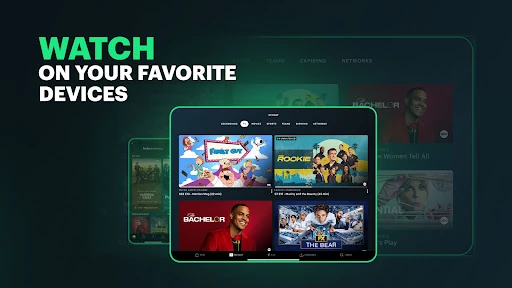
Hulu is an Android app available through Google Play, and its description says viewers can watch and browse on their favorite devices at home or on the go. The service is for U.S. customers. Compatible devices and current requirements can vary, so it is worth checking the Google Play store details and Hulu’s current service information.
What Android version does Hulu require?
The Android requirement can vary with the current app release and device. Check the Hulu page on Google Play for the requirement that applies to your phone or tablet before installing or updating. The supplied app version is 6.34.0+18552420-google, but that version detail does not by itself describe which Android releases are supported.
Does Hulu cost money, and are there in-app purchases?
Hulu is free to download, but watching its subscription library requires a plan. Options described include Hulu (With Ads), Hulu (No Ads), and Hulu + Live TV; premium network add-ons have an additional monthly fee. Subscription terms and prices can vary, so check the current Google Play and Hulu plan details before subscribing.
Is Hulu suitable for families and shared households?
Hulu can suit shared households because it supports up to six profiles, helping viewers keep recommendations and preferences separate. Its content rating is Teen, so families should consider whether the service’s available programming fits their household. Separate profiles do not change the plan’s features, such as ads, live access, or download availability.
Pros
- Combines an on-demand library of series, movies, and Originals in one viewing app.
- Up to six profiles help household members keep recommendations and preferences separate.
- Live TV plan adds sports and news for viewers who want more than on-demand shows.
- Recommendations and title tracking make it easier to find and revisit viewing choices.
Cons
- The experience depends on the plan, with ads included in the ad-supported option.
- Offline downloads are limited to select titles and require Hulu (No Ads).
- Live programming can face regional restrictions or blackouts, and Hulu serves U.S. customers only.
- Category
- Entertainment
- Version
- 6.34.0+18552420-google