Pluto TV: Watch Free Movies/TV
- 811.47K
- 3.8
- Installs
- 100.00M
- Price
- Free
Screenshots

Analysis by Reviewed APKs
Pluto TV: Watch Free Movies/TV is an entertainment app for people who want a mix of on-demand movies and shows and live channels without paying a subscription. I like the choice between picking something specific and simply tuning in to whatever is on. Ads are part of the deal, but the broad mix makes Pluto TV an easy option for casual viewing and background TV.
A quick evening watch
When I first opened Pluto TV, I imagined using it at the end of a busy day, when I wanted something on but did not have a particular show in mind. The live TV channels suit that mood: I can browse options across comedy, news, sports, crime, and other categories, then settle into whatever catches my eye. It feels closer to flipping through channels than building a carefully planned watch session.
On another evening, I could go straight to the on-demand library instead. That is a better fit when I have a specific movie or show in mind, or want to choose something that suits the time I have. Pluto TV brings live channels and on-demand viewing together, so I do not have to decide between a scheduled-TV feel and selecting a title myself before I start.
A different kind of streaming
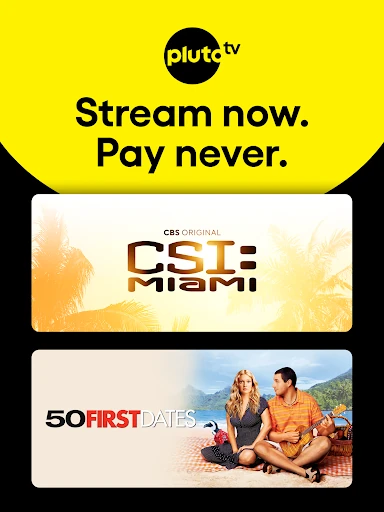
I see Pluto TV as an alternative to paying for a subscription when my goal is simply to find something enjoyable to watch. It combines live channels with movies and shows on demand, and the app describes its programming as free. That makes it useful for casual browsing, revisiting familiar entertainment, or keeping a channel on in the background. The tradeoff is that advertising is part of the viewing experience.
It is not the same proposition as a service built around a paid subscription or one specific show. Pluto TV emphasizes a broad mix of channels and an on-demand library rather than promising that a particular title will always be available. I would use it for low-pressure discovery and free viewing, not as a substitute for every other entertainment service or as a way to watch without ads.
Small ways to make it easier
The Favorites list is worth using if I find live channels I return to often. Saving those channels gives me a more personal starting point than browsing the full selection each time. For on-demand viewing, I can add movies and shows to a Watchlist, which helps when I spot something interesting but am not ready to watch it right then.
I would also make a habit of checking the curated hubs when I am stuck choosing. They offer another route into the library besides scrolling through titles at random. If I register for free, Pluto TV says I can pick up where I left off across devices. Together, these small habits make the app feel more useful over time without turning viewing into a project.
Reads About Pluto TV
More From Our News Desk

Zoom Meetings, Google Meet, or Teams: Which Is Easiest to Join?

Why Crunchyroll Is the Default Anime App for So Many Fans

YouTube TV: A Practical Guide to Cutting Cable

Rummikub and the Small Comfort of Phone Games

TeamViewer Remote Control or AnyDesk for Helping Family?

Gmail, Yahoo Mail and Outlook: A Calmer Phone Inbox
Who may enjoy Pluto TV
I would recommend Pluto TV to viewers who like having options without committing to a paid subscription. It suits someone who enjoys channel surfing, wants a movie to put on casually, or likes moving between live news, sports, and entertainment. The Favorites and Watchlist tools are handy for people who want a little organization while still keeping the experience relaxed and exploratory.
It may be a weaker match for someone who finds ads disruptive or expects a particular program to be available whenever they want it. The live-channel approach can also feel less direct than opening an app for one specific show. I would treat Pluto TV as a flexible extra in my viewing routine, rather than assuming it will replace every service or satisfy every highly specific viewing preference.
Pluto TV: Watch Free Movies/TV is an Entertainment app from Pluto, Inc. Google Play shows more than 100 million installs and a 3.8-star rating from about 811,000 ratings. The app is free to download and use, and the provided store details say it contains ads. There are no in-app purchases reported in those details, so the viewing model is ad-supported rather than based on an in-app purchase.
The app has a Teen content rating. The current version in the provided facts is 17.2.0. Pluto TV was released on March 31, 2014, and the most recent update date provided is October 27, 2026. An Android minimum version is not included in the available app facts, so it is sensible to check the Google Play app page on the device you plan to use.
How Pluto TV Fits a Real Viewing Routine
Opening the app
My first impression is that Pluto TV is built around choice rather than a single viewing mode. The app brings together live television and an on-demand library, which gives me two different ways to start. I can browse channels when I want the familiar feel of turning on TV, or look for a movie or show when I would rather choose the content myself.
I would begin by browsing the categories that match my mood, then save any live channels I expect to revisit. The Watchlist is useful for titles I notice while exploring but want to leave for later. Registration is described as free, and it enables picking up where I left off across devices. That gives me a simple way to make the experience more personal.
Day-to-day viewing
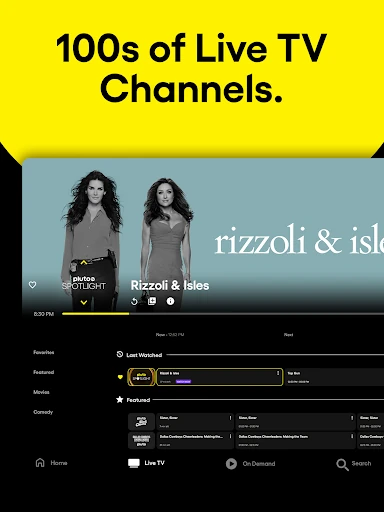
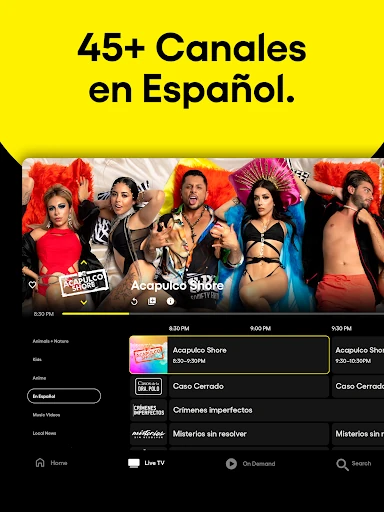
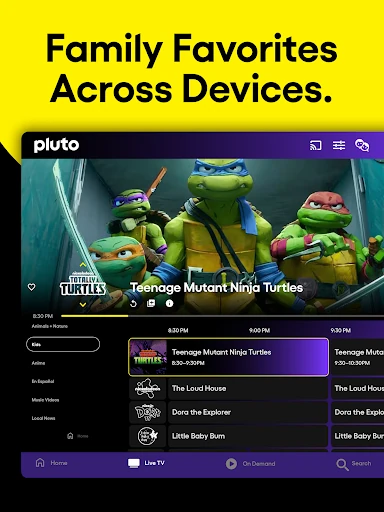
On an ordinary day, the live channels are the feature I would reach for when I want entertainment without making a decision first. Pluto TV describes channels covering areas such as comedy, anime, crime, sports, and news. That variety gives browsing a chance to lead somewhere unexpected, whether I have a few minutes to fill or want something playing in the background.
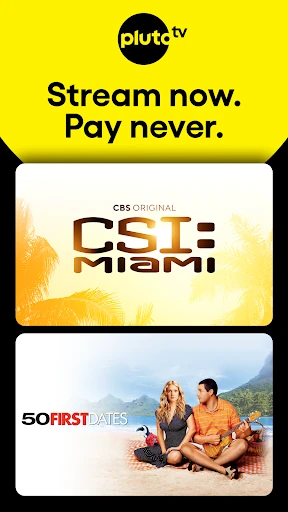
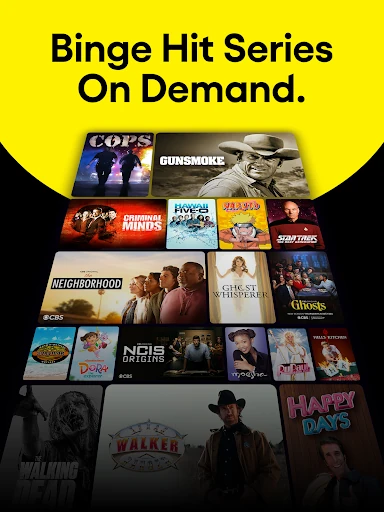
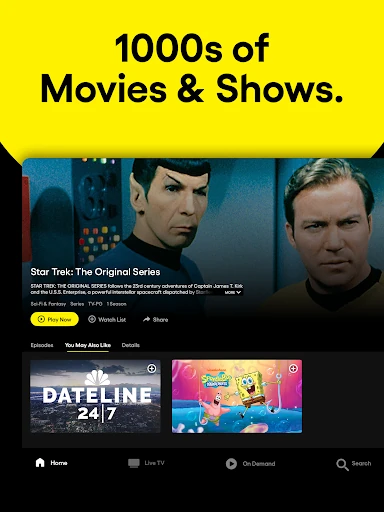
When I have more time or a particular mood, the on-demand section changes the rhythm. I can choose from movies and shows rather than join a channel already in progress. The app describes its library as spanning genres including action, romance and drama, sci-fi, reality, and family favorites. I appreciate having both approaches in one place, especially when my plans change from one day to the next.
The useful extras
Favorites and Watchlist are small features, but they address two different kinds of repeat viewing. Favorites helps me return to live channels, while the Watchlist keeps movies and shows I want to find again. I like that distinction because a live channel is something I tune into, while a title is something I choose to watch on demand.
Curated hubs provide another way to explore without relying only on search or endless scrolling. Pluto TV also says it adds channels regularly and updates its movie and TV selection often. I would not assume that a particular title will stay available indefinitely, but the changing selection gives me a reason to check back when I want something new to browse.
A practical routine
A routine I can picture is opening Pluto TV after dinner and checking a live channel first. If nothing suits me, I can switch to an on-demand movie or show. When I spot a title that looks promising but do not have time for it, adding it to the Watchlist keeps it in reach for another evening.
For a longer viewing habit, I would save a few live channels I genuinely enjoy and use the curated hubs when I want a change. If I register and use more than one device, the app says I can resume where I left off. That makes it easier to return to a show without having to remember exactly where I stopped.
Limits to keep in mind
The clearest compromise is advertising. Pluto TV is free, but ads are part of the experience, so I would not pick it when uninterrupted viewing is my priority. The live channels also have a different feel from choosing a title directly: they are useful for casual viewing, but less suited to someone who wants complete control over what starts and when.
The breadth of the library is appealing, but it does not mean every movie or show will be available whenever I look. Pluto TV describes a changing selection and encourages viewers to check back for new additions. I would use the app for variety and discovery, and keep my expectations flexible when searching for one particular title.
Pluto TV works best when I treat it as a free, ad-supported place to browse rather than a precise catalogue for a specific show. Its combination of live channels, on-demand entertainment, Favorites, and a Watchlist makes casual viewing straightforward. The mix is broad enough to suit different moods, while the ads and changing selection are real tradeoffs.
I recommend giving Pluto TV a try if you enjoy channel surfing or want another no-subscription option for movies and shows. It is less appealing if ads quickly spoil a viewing session or you need a specific title on demand. For relaxed browsing and background entertainment, it earns a useful spot in my rotation.
Pluto TV Frequently Asked Questions
What is Pluto TV: Watch Free Movies/TV used for?
Pluto TV is for watching movies and shows on demand, as well as browsing live TV channels. The channel mix includes areas such as news, sports, comedy, crime, anime, and more. It also offers Favorites for live channels and a Watchlist for movies and shows, making it useful for both casual channel surfing and choosing a title.
What devices can I use Pluto TV on?
The provided app information identifies Pluto TV as an Android app on Google Play. Its description says viewers can use it across devices and resume where they left off after registering for free. Device availability and compatibility can vary, so check the Google Play page for the device you plan to use.
What Android version does Pluto TV require?
The minimum Android version may vary by device and app release. Check the Google Play app page from your Android device for the requirement that applies to your setup. The provided app details identify version 17.2.0 as the current version, but do not give a minimum Android version.
Does Pluto TV cost money or have in-app purchases?
Pluto TV is free to download and use, and the provided Google Play details report no in-app purchases. The app contains ads, so free viewing comes with advertising. Store details can change over time, so it is worth checking the Google Play page for the latest information before installing.
Is Pluto TV a good fit for every viewer?
It is a good fit for people who enjoy browsing live channels or want movies and shows without a subscription. The mix includes on-demand viewing and live programming, with Favorites and a Watchlist to help organize what you like. Viewers who dislike ads or want a specific title available on demand may prefer a different fit.
Pros
- Combines live channels with on-demand movies and shows in one free app.
- Favorites and Watchlist make repeat viewing easier to organize.
- Curated hubs offer another way to discover entertainment by mood or genre.
- Free registration can help resume viewing across devices.
Cons
- Advertising is part of the free viewing experience.
- The changing selection may not always include a particular title.
- Live channels offer less control than choosing an on-demand title.
- Category
- Entertainment
- Version
- 17.2.0











