Clapper: Video, Live, Chat
- 102.71K
- 4.5
- Installs
- 10.00M
- Price
- Free

Screenshots


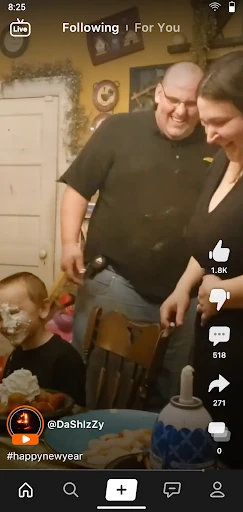



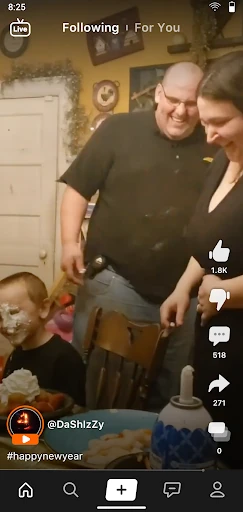

Analysis by Reviewed APKs
Clapper: Video, Live, Chat is a social app for sharing short videos, joining live conversations and finding people discussing local life or common interests. It suits creators who want to speak on camera as well as viewers who like opinions and community alongside entertainment. I like the mix of video, live audio and groups, though its emphasis on open social sharing will not appeal to everyone.
A quick window into local life
When I picture Clapper fitting into an ordinary day, it is during a spare moment when I want to see what people nearby or creators I follow are talking about. Short videos are the starting point: someone can share a bit of daily life, an opinion or a talent, and viewers can respond. The local angle gives browsing a community flavor rather than making every visit about polished, faraway entertainment.
If I have something to say myself, I can record a video of up to three minutes and add text, trim it, or use music and effects. That makes the app workable for a quick thought as well as a small performance. The point is not to produce a carefully edited film; it is to put a voice or moment into a social feed and invite a response.
Social, not a private diary
Clapper sits in the broad territory of short-video social networks, but its combination of video, live streams, audio rooms and groups gives it more than one way to participate. A viewer can follow people and join a conversation, while a creator can post clips or host a live session. The Clapback feature is specifically about expressing a view and seeing opinions that support or oppose it.
That makes it a poor fit if what I want is simply a private camera roll, a quiet one-to-one messaging tool, or a video editor with no social side. Clapper is built around sharing and interaction, including public-facing opinions and community discussion. Its focus on real-life content and open expression may be refreshing for some people, but anyone looking to avoid social feeds and debate may prefer a more limited tool.
Small ways to use it well
I would get more from Clapper by treating it as a place to follow people whose opinions I actually want to hear, rather than scrolling without a purpose. Following friends and creators gives the app a clearer social center. When a topic catches my attention, Clapback offers a direct way to make a point and see how other people respond, including those who disagree.
For posting, a simple habit is to decide on one idea before recording. A short clip can be trimmed, given text or music, and kept within the three-minute limit, so there is room to shape a thought without turning it into a production. For a longer exchange, a live stream or audio room may suit the moment better; a group can give a smaller community a place to interact.
More From Our News Desk

Zoom Meetings, Google Meet, or Teams: Which Is Easiest to Join?

How I Build a Free Streaming Lineup With Tubi

Why Crunchyroll Is the Default Anime App for So Many Fans

YouTube TV: A Practical Guide to Cutting Cable

Rummikub and the Small Comfort of Phone Games

TeamViewer Remote Control or AnyDesk for Helping Family?
Who may enjoy Clapper
I would recommend Clapper to people who like sharing everyday moments, talking through opinions, or discovering creators outside a purely polished entertainment feed. It also has several modes for participation: post a short video, join a live stream, speak or listen in an audio room, or build a group around a community. That range helps if you want both casual viewing and ways to contribute.
It may be less suitable for someone who wants social media to stay private, prefers passive entertainment without discussion, or does not enjoy encountering strong opinions. Clapper's Mature 17+ content rating is also worth keeping in mind when deciding who should use it. The app's emphasis is on open social connection, so the experience depends in part on whether that style of community feels comfortable to you.
Clapper: Video, Live, Chat is developed by Clapper Media Group Inc. On Google Play, it has over 10 million installs and a 4.5-star rating from around 103,000 ratings. It is free to download and contains in-app purchases, with listed items ranging from $0.99 to $249.99. Google Play says it contains no ads.
The app has a Mature 17+ content rating and requires Android 5.0 or later. Its current version is 13.5.0. It was released on July 4, 2020, and was last updated on February 4, 2026. Store details can change, so I would check Google Play for the latest version and purchase information before installing.
How Clapper Makes Room for Conversation
An easy idea to grasp
When I first consider Clapper, the basic promise is straightforward: share a short video, watch what other people post, and connect through conversation. That is a friendly starting point for someone who does not want a complicated creative project just to join in. The option to follow friends and creators also gives browsing a social purpose beyond looking for whatever happens to appear.
The format leaves room for more than one kind of post. A clip can be a quick update, an opinion or a talent, and the built-in options include adding text, trimming video, music and other effects. I like that this supports a range of effort: a person can keep a post simple or spend a little time shaping it before sharing.
More than watching clips
Day to day, Clapper's appeal is the choice between watching and joining in. Short videos are the foundation, but live streams add real-time interaction between creators and viewers. If a subject is easier to discuss than show, Radio offers an audio-only room where people can listen or speak. These different formats mean a conversation does not have to begin and end with a recorded clip.
The social side also includes following people and responding to opinions. Clapback is designed to make support and opposition visible, which can turn a post into a discussion rather than a one-way broadcast. I would use that deliberately: it can be useful when I want to hear different reactions, but it is not the same as a quiet, private conversation.
Formats with distinct jobs
Radio stands out because it shifts the focus away from video. The description says a room can have up to 2,000 listeners and up to 20 speakers, making it suited to a larger audio conversation with a smaller set of people talking. That is a different social shape from a video post, where one person records and others respond afterward.
Groups offer another kind of connection, aimed at a creator's community of fans and interaction within that group. Meanwhile, short videos can run for up to three minutes, with tools for text, trimming, music and effects. I appreciate that the app is not asking every creator to use one format for every idea; a clip, a live session, an audio room and a group each serve different kinds of exchange.
A practical evening routine
A useful routine might start with a quick browse of videos from people I follow, then a check of local content when I want a sense of what is happening around my area. Clapper says it aggregates local material based on location, which can make the feed feel connected to a community rather than only to broad trends. I would treat that as one way to discover conversations, not a reason to expect every visit to be personally relevant.
If I have a thought worth sharing, I can record a short clip, trim it and add text or music before posting. Later, I might respond to a post through Clapback, or choose a live stream or audio room when I would rather take part in real time. The routine stays flexible: viewing, posting and conversation are all available without making every session a major commitment.
Keep the social trade-offs in view
Clapper's open, opinion-led character is both a reason to try it and a possible drawback. Seeing people express different views can make the app feel lively, but it may not be the relaxed experience someone wants after a long day. Since connection and response are central to the product, the best fit is a person who is comfortable with social participation rather than someone looking for a purely private utility.
There is also a practical difference between having several formats and needing to use all of them. A person who only wants to watch short videos may not care about Radio, groups or live streams, while a creator who prefers audio may spend little time on video tools. Clapper gives these options room, but the value comes from finding the formats that suit your own habits.
Finally, the Mature 17+ rating is an important consideration for households deciding whether the app is appropriate. The app is free to download, but it offers in-app purchases, and individual item prices span a wide range. I would review the current Google Play details and decide how purchases fit into my use rather than treating every feature as automatically part of a free experience.
Clapper brings short videos, live streams, audio rooms, groups and opinion-sharing into one social app. Its strongest idea is giving people several ways to be heard, from a quick recorded thought to a live conversation. I find that more interesting than a feed built around watching alone, though it also makes the app a better match for active social users.
I would suggest trying Clapper if you want to share everyday life or join creator and community discussions. If you prefer private, low-interaction apps, it may not become a regular stop. The free download makes it approachable, but check the in-app purchase details and Mature 17+ rating before deciding.
Clapper Frequently Asked Questions
What is Clapper: Video, Live, Chat used for?
Clapper is a social app for sharing short videos, watching live streams, following people and joining conversations. It also has Clapback for expressing opinions, audio-only Radio rooms and groups for creator communities. The app is focused on social sharing and interaction, rather than serving as a private camera roll or standalone video editor.
Which devices can run Clapper: Video, Live, Chat?
Clapper is available for Android, and Google Play lists Android 5.0 or later as the minimum requirement. The provided app details do not establish availability on other platforms, so check the relevant store if you are looking for a different device. Version requirements and availability can change over time.
How much does Clapper: Video, Live, Chat cost?
Clapper is free to download on Google Play and contains in-app purchases. Listed purchase prices range from $0.99 to $249.99 per item, and the app is marked as containing no ads. Prices and purchase options may vary or change, so check the current Google Play page for details before buying.
What Android version does Clapper: Video, Live, Chat require?
Google Play lists Android 5.0 as the minimum version for Clapper. If you are unsure which Android version your device uses, check the device settings and compare them with the current store requirements. Compatibility can change with updates, so the store page is the best place to verify before installing.
Is Clapper: Video, Live, Chat right for me?
Clapper may suit you if you enjoy short videos, sharing opinions, live conversations or creator communities. It may be a less comfortable fit if you want a private or low-interaction app, since social participation is central to the experience. Its Google Play content rating is Mature 17+, which is worth considering when choosing who should use it.
Pros
- Combines short videos with live streams, audio rooms and creator groups.
- Video posts can include text, trimming, music and other effects.
- Clapback makes it easy to express a view and see opposing opinions.
- Local content and followed creators give browsing a community focus.
Cons
- The open, opinion-focused social experience may not suit everyone.
- In-app purchase prices span a wide range.
- Its Mature 17+ rating may limit who it suits.
- Category
- Social
- Version
- 13.5.0