Zip | Buy now, pay later
- 108.91K
- 4.7
- Installs
- 5.00M
- Price
- Free

Screenshots
Analysis by Reviewed APKs
Zip | Buy now, pay later is a shopping app for splitting eligible U.S. purchases into installments, whether you are buying online or paying in person. It also lets you add bills and track upcoming payments. I see its appeal for people who want payment timing options and reminders in one place, but the fees and repayment terms deserve a close look before a purchase.
A purchase split into steps
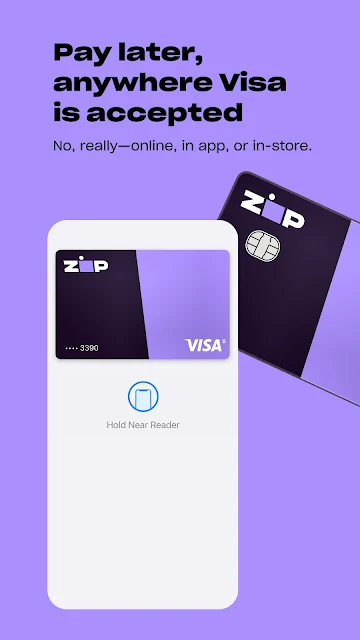
When I first considered how Zip might fit into an ordinary week, I pictured a grocery run followed by an online order for something the household needed. The app is designed to let you pay with a virtual card at many places that accept Visa, rather than limiting the service to a short list of checkout partners. For in-store shopping, the app can generate a virtual card to add to Apple Wallet or Google Pay for tapping at the register.
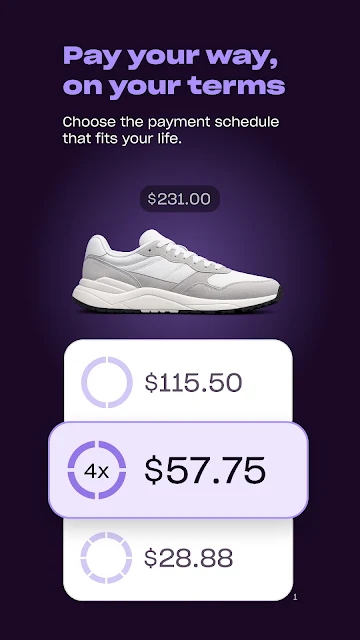
The key decision comes before I commit: pick a plan and understand what each installment will cost. Zip describes options with two, four, or eight payments, generally scheduled every two weeks. The first payment is due at purchase, and the examples include origination fees. I would pause at checkout, compare the schedule with money already due, and make sure the total repayment—not just the smaller installment—works for me.
More flexible than checkout-only
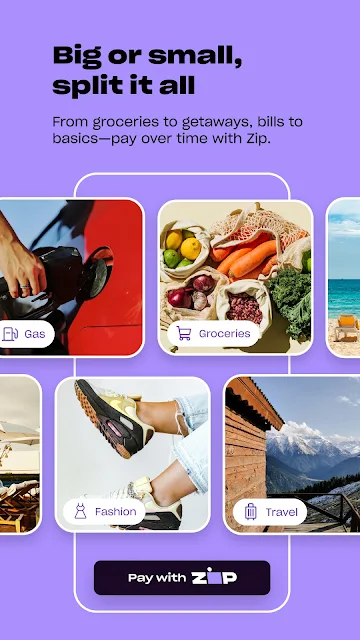
A conventional credit card is the obvious comparison, but Zip is built around dividing a particular purchase into scheduled payments. Its virtual card approach is also meant to work across online and in-person shopping, including local businesses and everyday categories such as gas or groceries. That gives it a different feel from a store-specific payment option that only appears at one retailer’s checkout.
Zip is not a budgeting app that makes a purchase cheaper, and installment payments still create obligations that need room in a spending plan. It is also not a universal payment method: the service is for U.S. purchases, restrictions apply, and each transaction is separately reviewed. I would treat it as a way to arrange payment timing, not as extra spending power or a substitute for checking the full cost.
Build a payment-check habit
I would get more from Zip by checking the installment dates before placing an order, then returning to the app when a reminder arrives. That small routine turns the payment schedule into something I can plan around instead of a detail I forget after checkout. Zip says reminders are sent automatically, and the app can show bills that I add, including utilities, phone, internet, and streaming services.
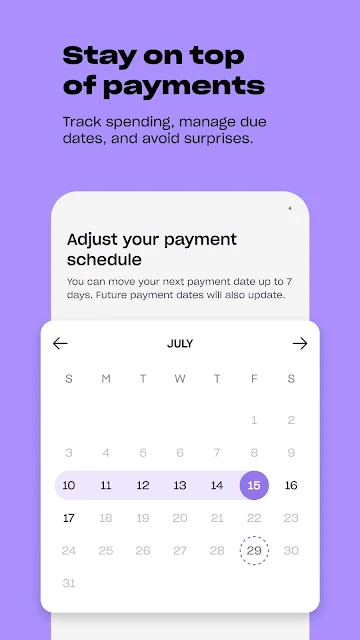
For a larger purchase, I would compare the two-, four-, and eight-payment choices side by side and focus on the total due as well as the amount due today. If a payment date needs to move, Zip offers rescheduling for an upcoming installment, though a fee may apply. I would check the terms for that change rather than assuming flexibility is free.
More From Our News Desk

Zoom Meetings, Google Meet, or Teams: Which Is Easiest to Join?

How I Build a Free Streaming Lineup With Tubi

Why Crunchyroll Is the Default Anime App for So Many Fans

YouTube TV: A Practical Guide to Cutting Cable

Rummikub and the Small Comfort of Phone Games

TeamViewer Remote Control or AnyDesk for Helping Family?
Who may find Zip useful
I would recommend Zip to shoppers who already have a clear purchase in mind and want to see whether spreading its cost across installments suits their cash flow. The option to use a virtual card in person or online, plus the ability to add bills and receive reminders, could be useful for someone who prefers keeping those payment commitments visible in one app.
It may be a poor fit for anyone who tends to lose track of future due dates, is already stretched by regular bills, or expects every plan to be available at every merchant. Approval and repayment options can differ, and fees affect the total. If I could pay without installments and preferred a simpler payment routine, I would compare that option before choosing Zip.
Zip, Co. is the developer. On Google Play, Zip has more than 5 million installs and a 4.7-star rating from about 109,000 ratings. The app is free to download, with no in-app purchases or ads reported in the supplied store facts. Its content rating is Everyone.
The supplied app version is 1.257.4. Zip was released on May 24, 2019, and its listed last update is October 29, 2026. A minimum Android version was not included in the supplied facts, so I would check the Google Play page for device compatibility before installing.
The details behind paying over time
A quick first impression
When I first opened an app like Zip, the useful question would be whether it can handle the kind of purchase I actually make, not just a polished example. Its stated scope is broad: online and in-store purchases at many places that accept Visa, plus bills entered into the app. The basic idea is easy to grasp: arrange a purchase, choose an installment plan, and keep track of what comes due.
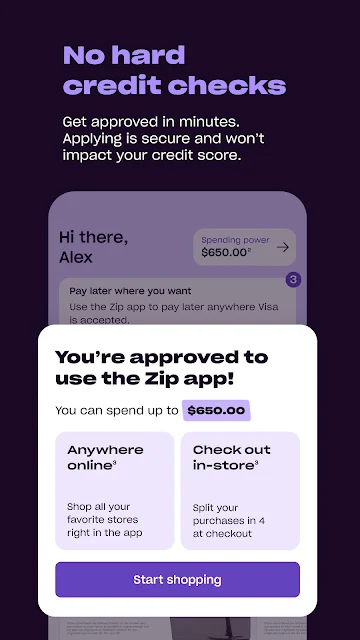
The first setup decision is about eligibility and the transaction, not simply browsing products. Zip says users can check eligibility and receive a decision in minutes, but that does not guarantee every purchase or plan will be approved. I would treat any estimated spending power as an estimate, not an open credit line, and review the offer presented for the specific transaction.
Keeping the plan visible
Day to day, the app’s value depends on whether I remember to look at the schedule. Zip says installment reminders are sent automatically, which can help when several payments fall on different dates. I would still check the app before making another purchase, especially if other bills are due around the same time. A reminder is a prompt to review a payment, not a reason to assume the budget has room.
The bill feature gives the app a role beyond shopping checkout. I can add expenses such as electricity, water, phone, internet, or streaming subscriptions, then use the app to track what is due and receive reminders. That could make a scattered set of upcoming payments easier to see, though I would still compare the total commitments with my own records.
Plans and payment tools
The standout feature is the choice among two, four, or eight installments, with the description framing them as payment schedules generally spaced two weeks apart. Two payments mean a quicker payoff; four are presented as the common choice; and eight spread a larger purchase across more payments. Those labels do not tell the whole story, so I would compare the actual dates, fees, and total for the offer in front of me.
For in-person use, Zip describes generating a virtual card in the app and adding it to Apple Wallet or Google Pay to tap at a register. It also offers a physical Zip card for people who prefer one. That makes the service more adaptable than an online-only checkout button, while still leaving the same basic question: what will this purchase cost by the time it is fully paid?
A sensible weekly routine
A practical routine would start before I shop. I would decide what I need, check whether the merchant and purchase are eligible, and review the payment schedule before authorizing anything. If the app shows several repayment choices, I would compare the total payable and the first payment due today instead of judging the plan by its smallest installment.
Afterward, I would check upcoming dates alongside rent, utilities, and other regular expenses. Zip says it can send reminders and lets users reschedule an upcoming installment, but a fee may apply to changing a date. I would use that option as a contingency to understand in advance, not as a normal way to make a plan seem affordable.
Costs and boundaries matter
The main limitation is that paying in installments does not remove the cost of a purchase. Zip’s examples show origination fees, with the fee prepaid as a finance charge in the first payment; the actual amount can vary and is shown at checkout. The examples also describe different APRs for different plans. I would read the transaction terms carefully and make the total repayment part of my decision.
There are other boundaries to keep in mind. Zip is for U.S. purchases, some merchants and products are restricted, and all loans are subject to credit approval. Not every customer qualifies for every repayment option, and each transaction is reviewed separately. The app’s broad acceptance language is useful context, but I would not assume every card-accepting merchant or every purchase will work.
Zip combines installment plans, virtual-card shopping, bill tracking, and payment reminders in one app. I like that its intended use extends beyond a single retailer, but the convenience only helps if I stay attentive to dates, fees, and the full repayment amount.
I would try it for a planned purchase when a specific schedule genuinely suits my budget, after checking the offer and terms. I would skip it if I wanted a way to spend more without adding future obligations. The app makes payment timing flexible; it does not make the bill disappear.
Zip Frequently Asked Questions
What is Zip | Buy now, pay later used for?
Zip is used to split eligible U.S. purchases into two, four, or eight installments, including online and in-person purchases where its payment options work. The app also lets users add bills, track what is due, and receive payment reminders. Merchant, product, and service restrictions apply, and each transaction is reviewed separately.
Which phones and devices can run Zip?
Zip is an Android app available through Google Play. The supplied information does not give a minimum Android version, so check the Google Play page for the current compatibility details for your device. The app describes adding its virtual card to Apple Wallet or Google Pay for in-person use where supported.
Does Zip cost money, and are there in-app purchases?
Zip is free to download, and the supplied store facts report no in-app purchases or ads. That does not mean every installment plan is free: the description gives examples with origination fees, and actual fees and repayment terms can vary by purchase. Review the terms shown at checkout before agreeing.
Does Zip work at every store?
Zip says it can be used online and in person at many places that accept Visa, with a virtual card for supported purchases. It is limited to U.S. purchases, and restrictions apply to some merchants, products, goods, and services. Check the app or store details for current availability, and do not assume every transaction will be approved.
Who is Zip best suited for?
Zip may suit shoppers who want to split an eligible purchase into scheduled payments and are comfortable keeping track of future obligations. It may not suit someone who wants a simple one-time payment or has little room for additional bills. Approval and plan availability vary, and the full cost, including any fees, is worth reviewing first.
Pros
- Offers two-, four-, and eight-installment plans for eligible purchases.
- Designed for online and in-person shopping, including virtual-card use.
- Can track added bills and send reminders for upcoming payments.
- Includes an option to reschedule an upcoming installment.
Cons
- Origination fees can raise the total cost of a purchase.
- Eligibility, approval, and available repayment plans vary by transaction.
- Payment date changes may involve a fee.
- Category
- Shopping
- Version
- 1.257.4











