eBay online shopping & selling
- 5.03M
- 4.5
- Installs
- 100.00M
- Price
- Free

Screenshots


Analysis by Reviewed APKs
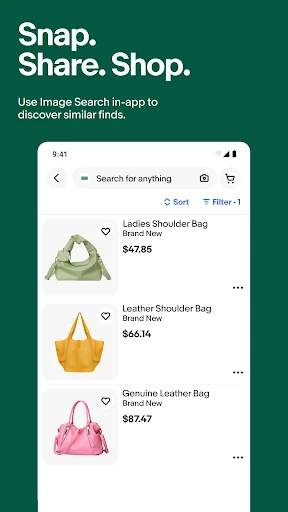
eBay online shopping & selling is a marketplace app for finding new, used, vintage, and hard-to-find items, as well as listing things you no longer need. I find it most useful when I have a specific item in mind or want to keep an eye on an auction, but it also invites casual browsing. It packs buying, selling, and live shopping into one app, so it can feel busy at first.
A Useful Marketplace Errand
When I first opened eBay to look for a replacement accessory, the appeal was having different kinds of listings in one place: new, pre-loved, and vintage options all appear across the marketplace. I could compare what sellers were offering rather than settle for the first result. The app also supports saved searches and listing alerts, which make sense when I am not ready to buy right away and want to revisit the search later.
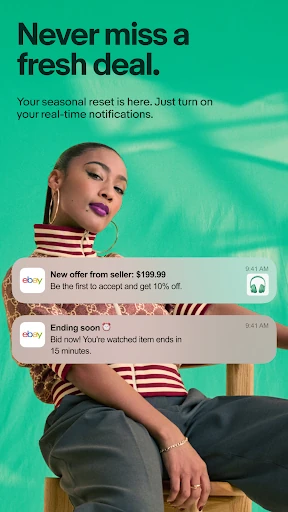
For an auction item, I would save the listing and check back instead of trying to keep the page in mind during a busy day. Notifications can help flag updates, while flexible delivery choices and local pickup give shoppers options to consider. That routine suits the way eBay works: finding something is only part of the task, and keeping track of a listing or choosing how to receive it can matter just as much.
More Than a Shop Window
Compared with a conventional retailer app, eBay is a marketplace with many sellers and a wide mix of conditions, prices, and item types. I would use it to compare listings for a specific collectible, browse pre-loved clothing, or look for an older model that may be hard to find elsewhere. The combination of auction bidding and shopping listings makes it useful when I am open to either a timed sale or a more direct purchase.
It is not the simplest choice if I only want to reorder the same everyday product from one store. A large marketplace means comparing individual listings and seller details is part of the experience. Nor is the app only for shopping: sellers can create listings and manage orders, while eBay Live adds streamed shopping and bidding. That breadth is handy, but anyone wanting a quiet, single-purpose catalog may find the extra activity distracting.
Small Habits That Help
I get more out of eBay by starting with a focused search rather than scrolling without a plan. When I find a promising result, saving the search or watching the listing gives me a way back to it. Price comparisons are useful here, especially when several sellers offer similar items. Personalized recommendations can help with discovery, but I treat them as a side path rather than a substitute for checking the exact listing I had in mind.
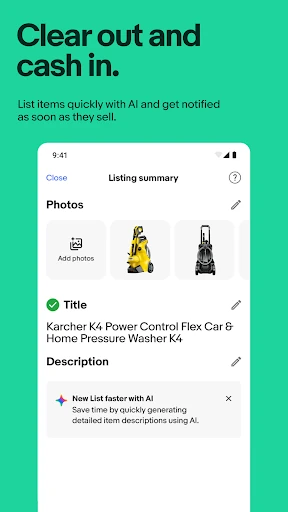
For selling, a small bit of preparation makes the mobile process easier. I would take clear photos, write a useful description, then use the app's listing assistance to get started. The app can help create a listing from photos and an item description, and seller tools support listing and order management. Following sellers or joining a live event can also make sense when I am interested in a particular category rather than browsing everything.
More From Our News Desk

Zoom Meetings, Google Meet, or Teams: Which Is Easiest to Join?

How I Build a Free Streaming Lineup With Tubi

Why Crunchyroll Is the Default Anime App for So Many Fans

YouTube TV: A Practical Guide to Cutting Cable

Rummikub and the Small Comfort of Phone Games

TeamViewer Remote Control or AnyDesk for Helping Family?
Who May Enjoy eBay
I would recommend eBay to people who like comparing offers, hunting for unusual or older items, or buying pre-loved goods alongside new products. Collectors may appreciate the mix of trading cards and other collectibles, while shoppers can browse fashion, electronics, home goods, and more. It is also a practical option for someone clearing out belongings, since the same app supports creating listings and keeping track of orders.
It may be less comfortable for anyone who wants every purchase to feel identical and immediate, because marketplace listings can differ and auctions involve timing. The range of categories and live content can also make casual browsing a little sprawling. I would approach it with a particular search, seller, or collecting interest in mind. If you enjoy discovering unexpected listings, though, that variety is part of the attraction rather than a drawback.
eBay online shopping & selling is a free shopping app from eBay Mobile. Google Play shows over 100 million installs and a 4.5-star rating from about 5 million ratings. The app is marked as containing ads, and its content rating is Teen. These figures give a sense of its broad reach, though the app's usefulness still depends on what you are shopping for or hoping to sell.
The Android version is listed as varying by device, and no single minimum Android version is specified in the supplied app details. The app was released on February 17, 2010, and its listed last update is October 30, 2026. It is free to install, with no in-app purchases shown in the supplied facts. Device compatibility can differ, so checking Google Play on the device you plan to use is sensible.
A Marketplace That Rewards a Little Patience
Opening and Getting Oriented
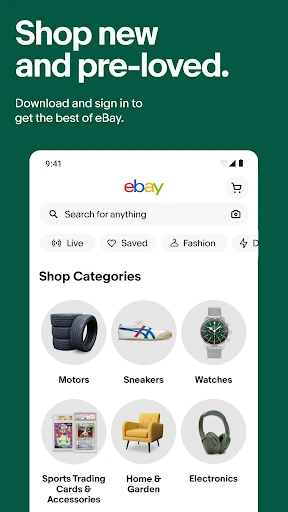
My first impression was that eBay is trying to serve several kinds of users at once. Someone looking for a particular pair of shoes can search listings, while a collector can explore cards and a seller can work on a listing. Categories such as clothing, electronics, watches, home goods, and auto parts give the app plenty of directions to go. That range is useful, though it means I prefer starting with a clear purpose.
The practical setup is less about learning a complicated tool and more about deciding how I want to use the marketplace. I might begin by searching for an item, saving a query for later, or looking at a seller I already follow. The app also presents recommendations and live shopping, so there is always more to explore than a single search result. I found it easier to stay focused when I treated those extras as optional.
The Daily Shopping Rhythm
Day to day, eBay works well as a place to compare listings and keep tabs on things I may want. Saved searches and push notifications can bring me back when there is activity, while watching listings helps me avoid relying on memory. The experience is not just a static catalog; auction listings and live bidding introduce a sense of timing. I would check details and delivery options before deciding whether a listing suits my needs.
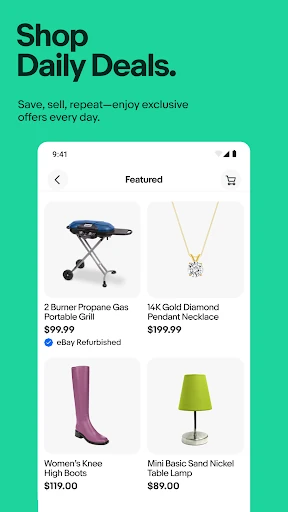
The breadth is especially noticeable when I search for something that might be available in several forms. I can come across brand-new, refurbished, pre-loved, or vintage options, depending on the item. That can make comparison worthwhile, but it also asks me to pay attention to the particulars of each offer. Personalized recommendations and deals add discovery to the routine, although I still prefer a direct search when I know what I want.
Live Events and Selling Tools
eBay Live is one of the features that gives the app a different feel from a standard shopping catalog. Users can watch video streams, follow sellers, chat during live events, and take part in live bidding. The format is aimed at categories such as collectibles, fashion, sneakers, watches, and trading cards. I can see the appeal when the item and seller are part of a hobby I already follow, rather than as a replacement for ordinary searching.
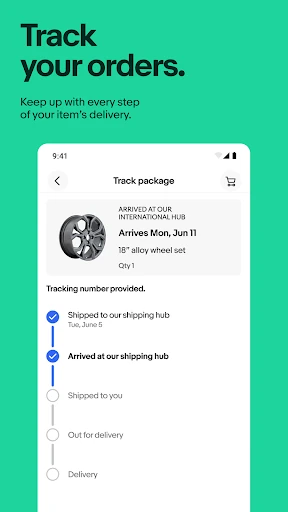
Selling is another substantial part of the app. The description highlights mobile listing, listing management, inventory and order tracking, and the option to create a listing with help from AI after adding photos and an item description. I like that this supports both occasional decluttering and more regular selling without making the app solely a seller dashboard. The tools are useful to know about even if buying is my main reason for opening eBay.
A Practical Weekly Check-In
A routine I would use is to save a few searches for items I am genuinely considering, then check the resulting alerts when I have time. If one result looks promising, I can compare its price with similar listings and decide whether to watch it, bid, or move on. This turns the app into a lightweight shopping shortlist instead of an endless scroll. It also helps separate a real need from the temptation to browse every recommendation.
For a seller, a weekly check-in could mean reviewing active listings and orders, then preparing photos and descriptions for anything new. The app supports creating listings and managing them on mobile, while Seller Center is another option mentioned for listing management. For a collector, following a favorite seller or joining a relevant live event offers a more community-oriented routine. Each use has a different pace, but all fit within the same marketplace.
What to Keep in Mind
The main trade-off is that a marketplace is only as straightforward as the listings being compared. Similar items can come from different sellers and may be new, used, refurbished, or vintage, so I would take time to read what is actually being offered. eBay describes buyer protections and authenticity checks for selected categories, but those features do not remove the need to review the individual purchase details.
The app's many roles can also make it feel crowded. Shopping, bidding, live streams, seller tools, alerts, and recommendations are all part of the broader experience. Someone who only wants a basic store app may not need that much choice. I also would not treat a recommendation as a complete search, or assume every category uses the same buying process. A little patience and a focused search make the app easier to use.
eBay is at its best when I want choice: a rare find, a secondhand alternative, an auction to follow, or a place to list something I no longer use. Its mix of shopping, selling, and live events gives it more range than a single-store app, though the experience can feel busy if I only want a quick, predictable purchase.
I would recommend it to curious shoppers, collectors, and occasional or regular sellers who are comfortable comparing listings. People who prefer a tightly controlled catalog may find the marketplace format less convenient. My practical advice is to start with one search or category, then use saved searches and alerts to make the app work around your routine.
eBay Frequently Asked Questions
What is eBay online shopping & selling used for?
It is a marketplace app for shopping across new, pre-loved, vintage, and collectible items, as well as creating listings and managing selling activity. It also includes eBay Live, where users can watch streams, follow sellers, chat, and participate in live bidding. The exact experience depends on the items and sellers available in the marketplace.
What devices can run eBay online shopping & selling?
The app is available for Android through Google Play. The supplied details say its version varies by device, and device compatibility can differ. Check the Google Play page on the Android device you plan to use for current compatibility information. The app is also described here as an Android app, so I would not assume availability on another platform from these details.
What Android version does eBay online shopping & selling require?
A minimum Android version is not specified in the supplied app facts. Compatibility can vary by device and app release, so the most practical step is to check the current Google Play information from the device you want to use. The listed app version varies with device.
Does eBay online shopping & selling cost money?
The app is free to install, and the supplied facts show no in-app purchases. Google Play marks it as containing ads. Purchases made through the marketplace are separate from installing the app, and item prices and delivery choices depend on the listings. Check Google Play and the relevant listing for current details.
Is eBay online shopping & selling a good fit for me?
It may suit people who enjoy comparing marketplace listings, searching for vintage or hard-to-find items, collecting, or selling things from a phone. It may feel like more than you need if you prefer a simple store catalog and a uniform shopping experience. The app covers several activities, so your comfort with browsing and comparing is worth considering.
Pros
- Combines shopping, auctions, live events, and mobile selling in one marketplace app.
- Saved searches and listing alerts help keep track of items without relying on memory.
- A broad mix of new, used, vintage, refurbished, and collectible listings.
- Seller tools support mobile listing and order management.
Cons
- The wide range of features can make the experience feel busy for simple shopping.
- Marketplace listings require comparing seller offers and item details carefully.
- Live events and recommendations may distract users who prefer a focused catalog.
- Category
- Shopping