Walgreens
- 1.42M
- 4.6
- Installs
- 10.00M
- Price
- Free

Screenshots
Analysis by Reviewed APKs
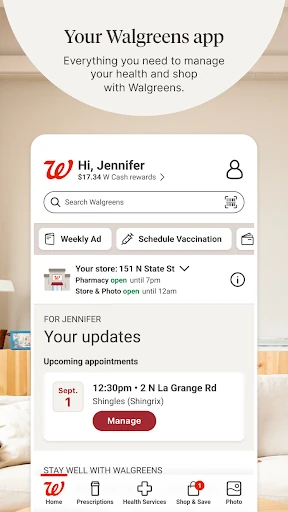
Walgreens brings pharmacy tasks, shopping, savings, photo orders, and some health services into one Android app. I see its appeal for people who already use Walgreens and would rather handle a refill or check a coupon on their phone than make a separate trip just to get organized. The range is useful, though the app makes most sense as a companion to Walgreens, not a replacement for every health or shopping service.
A Pharmacy Errand, Simplified
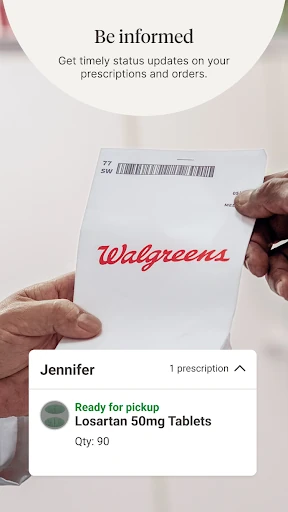
Picture noticing a prescription bottle is nearly empty while getting ready for work. With Walgreens, you can scan the bottle to request a refill, then use the app for refill updates and order status. If you manage prescriptions for family members, the app also supports tracking orders for the whole family. That makes it easier to check the practical next step during a busy day instead of waiting until you are standing at the pharmacy counter.
Refills are only one part of that routine. Walgreens offers auto refills and daily medication reminders, and Pharmacy Chat connects users with a pharmacy expert for prescription and general health advice. I like that these tools sit alongside ordinary pharmacy tasks rather than requiring a separate app for each one. The important distinction is that an app reminder or chat is a convenience; it does not replace a conversation with a healthcare professional when one is needed.
More Than a Store App
Compared with a basic shopping app, Walgreens covers more ground: pharmacy management, health services, photo products, coupons, and everyday essentials share the same home. That combination is most valuable if Walgreens is already part of your routine. You can handle a prescription task, browse the Weekly Ad, or order a photo gift without switching between several separate services, although each job still has its own practical details.
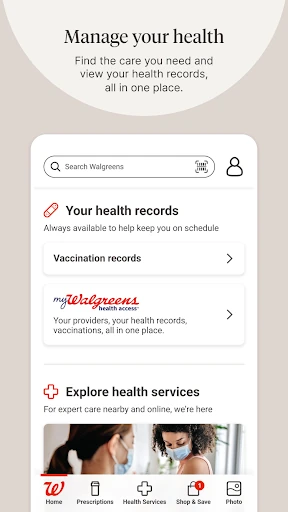
It is not a general-purpose medical record, a substitute for a clinician, or a shopping marketplace for every retailer. The health offerings include virtual visits for most non-emergency conditions, vaccination booking, and test scheduling, but those features are tied to the services Walgreens provides. Likewise, photo printing and store pickup are useful when a nearby Walgreens location suits your plans. If you rarely shop or fill prescriptions there, much of the app may be beside the point.
Small Habits That Help
A little upkeep can make the pharmacy side more useful. When a prescription needs attention, scan its bottle to start a refill request, then check the app for updates rather than relying on memory alone. If auto refills suit your situation, they can help keep routine refills from slipping through the cracks. Daily medication reminders offer another prompt, while the app's family order tracking can help when you are coordinating more than one person's prescriptions.
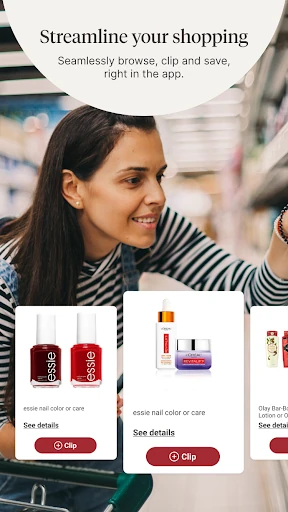
For shopping, I would make coupon clipping part of the planning rather than something to remember at checkout. Browse the Weekly Ad and available offers before deciding what to pick up, then use delivery or pickup when it fits the errand. Photo orders benefit from a similar bit of forethought: choose the pictures and product before you need a last-minute gift. Deals and pickup timing can vary, so check the current options in the app.
More From Our News Desk

Zoom Meetings, Google Meet, or Teams: Which Is Easiest to Join?

How I Build a Free Streaming Lineup With Tubi

Why Crunchyroll Is the Default Anime App for So Many Fans

YouTube TV: A Practical Guide to Cutting Cable

Rummikub and the Small Comfort of Phone Games

TeamViewer Remote Control or AnyDesk for Helping Family?
Who Gets the Most From It
I would recommend Walgreens to people who already use its pharmacy or stores and want a single place to manage routine tasks. Prescription refills, status updates, reminders, family order tracking, and pharmacy chat are the most compelling reasons to keep it handy. It can also suit someone who often shops for essentials there, checks weekly offers, or wants to order prints and pick them up locally.
It may be less useful if you do not have a Walgreens nearby or prefer to keep pharmacy, shopping, and photo orders in separate services. The app offers a broad set of options, so someone looking only for a simple medication reminder may find more here than they need. Health features also have specific purposes: virtual visits are described for most non-emergency conditions, not as a catch-all replacement for in-person care.
Walgreens is developed by Walgreen Co. On Google Play, it has over 10 million installs and a 4.6-star rating from around 1.4 million ratings. It is free to download, with no in-app purchases or ads indicated in the store facts. The content rating is Everyone, and the listed Android requirement is Android 10.
The listed version is 109.0. Walgreens first appeared on June 3, 2010, and its most recent update in the supplied store facts was January 21, 2026. The app description notes that wireless-provider rates and other account-related fees may still apply. Pickup, delivery, and service availability can depend on the relevant Walgreens details and restrictions.
How Walgreens Fits Into Daily Routines
Opening With a Clear Purpose
When I first think about opening Walgreens, I picture a specific task: refill a prescription, check an order, or see what is on offer before a store run. That clarity matters in an app with several different jobs. Its scope stretches from pharmacy management to photo products and health services, but the central promise is convenience for people who already interact with Walgreens.
The first useful setup step is choosing which part of that range actually belongs in your routine. A person managing prescriptions may care most about scanning a bottle and getting refill updates. Someone planning a photo gift may head straight to photo products instead. The app also uses permissions for functions such as location, camera, and photo access, so those requests make most sense when you use the related feature.
The Everyday Pharmacy Loop
The pharmacy experience is built around keeping an order moving: scan a prescription bottle to request a refill, follow updates, and track order status. Auto refills and daily medication reminders add a more ongoing layer for people who want prompts in their routine. For family care, being able to track orders for the whole family is a practical detail, because it keeps related pharmacy tasks within the same app.
I appreciate that Walgreens also offers Pharmacy Chat for prescription and general health advice. It gives users a way to ask a pharmacy expert a question without treating a shopping screen as a source of medical certainty. The feature is a useful point of contact, but the app description does not make it a substitute for every kind of care. Keeping that boundary clear helps set sensible expectations.
A Surprisingly Broad Toolkit
The health services make Walgreens more than a refill tracker. The app can be used to book vaccinations for family members, schedule COVID-19 and flu tests, and check eligibility for antiviral prescription treatment. It also offers virtual visits with a healthcare provider around the clock for most non-emergency conditions, as well as support related to areas such as diabetes, pain management, and mental health.
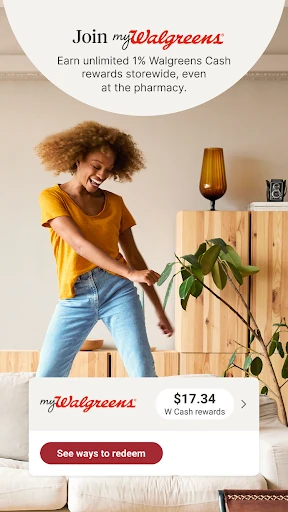
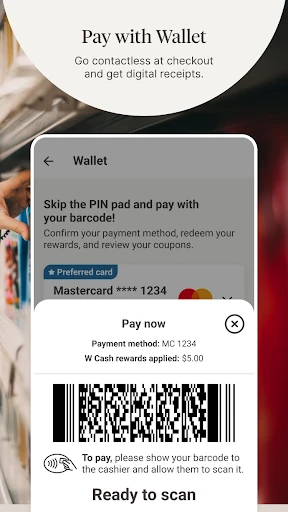
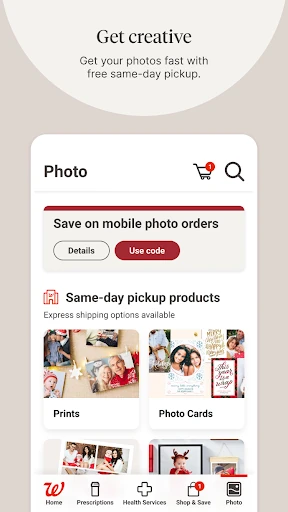
Photo ordering is another distinct part of the experience. Users can upload pictures from their device and make prints, posters, calendars, cards, and photo gifts. Passport and visa photos are also mentioned as an in-store option. On the shopping side, the app brings together essentials, delivery or pickup, clipped coupons, cash rewards, personalized offers, and the Weekly Ad. Those are separate reasons to open it, gathered in one place.
A Better Errand Routine
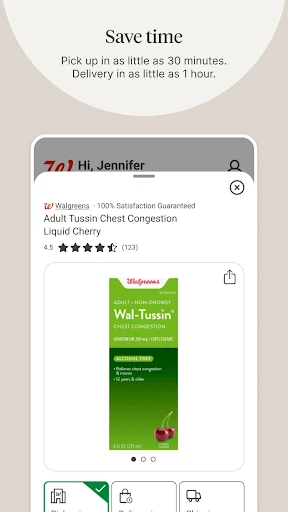
One practical routine is to check the app before heading out for a pharmacy or household errand. Review prescription updates first, then look at the Weekly Ad and clip any relevant coupons before shopping. If you are short on time, the app describes delivery or pickup for essentials, with options that may be available in as little as 30 minutes. Availability and restrictions are worth checking for the specific order.
Photo orders can fit into the same weekly planning habit. Upload pictures and choose prints or a calendar when you have a few quiet minutes, rather than trying to make those decisions while rushing to a store. Walgreens describes same-day pickup for photo orders and photo products available in as little as one hour at a local store. Those timings make planning easier, but checking the current local option is still sensible.
Limits Behind the Convenience
The broad feature set is also the main thing to keep in perspective. Not every user needs pharmacy management, photo printing, shopping offers, and virtual care in one place. If you install it for one narrow task, other parts may feel like extra material rather than a benefit. And while the app can help with order status and reminders, the real-world usefulness of those tools depends on the relevant Walgreens service and your own routine.
Some features need access to phone functions: location can help find nearby stores and enable in-store savings, while camera and photo access support scanning and picture uploads. Microphone and other device permissions are described for voice search and live consultations. These requests relate to specific features, but it is still worth considering which tools you plan to use. Delivery times, pickup options, and photo availability can also carry restrictions.
Walgreens is a practical, wide-ranging companion for people who already rely on the retailer. Its strongest everyday case is the combination of prescription refills, order updates, reminders, and shopping tools, with photo and health services as useful additions. I would not install it expecting a universal health app or a one-stop shop for every retailer.
If Walgreens is part of your pharmacy or shopping routine, I think the app is worth trying: the free download brings several useful errands together. If you only need one basic function, its breadth may be unnecessary. Check current service availability and restrictions before planning around a particular pickup, delivery, photo order, or health appointment.
Walgreens Frequently Asked Questions
What is the Walgreens app used for?
Walgreens combines prescription tasks, shopping, savings, photo orders, and selected health services. You can request refills by scanning a prescription bottle, get refill updates, track family orders, and use reminders. The app also supports coupon clipping, the Weekly Ad, photo products, vaccination booking, test scheduling, and virtual visits for most non-emergency conditions.
Which devices can run the Walgreens app?
The supplied store information is for the Android app, which requires Android 10. The app description also refers to phone features such as the camera, location, and access to stored photos for particular functions. Details for other platforms or device compatibility can vary, so check the relevant store listing for current information.
How much does the Walgreens app cost?
The Walgreens app is free to download, and the supplied store facts indicate no in-app purchases or ads. The app description says wireless-provider rates and other fees noted in a Walgreens account agreement may still apply. Check the Google Play listing and relevant Walgreens terms for current details that could affect a particular service.
What Android version does Walgreens require?
The listed minimum requirement is Android 10. The current version in the supplied store facts is 109.0, but requirements can change as the app is updated. If you are checking an older phone or a newer release, the Google Play listing is the best place to confirm compatibility.
Is the Walgreens app a good fit for me?
It is most useful if you fill prescriptions at Walgreens, shop there, or want to use its photo and health services. Family order tracking and refill reminders may help people coordinating recurring pharmacy tasks. If you do not use Walgreens or want only a single-purpose app, the range may be more than you need. Service availability can vary.
Pros
- Combines prescription refills, updates, reminders, and family order tracking.
- Includes shopping savings, photo products, and selected health services.
- Offers pharmacy chat and virtual visits for most non-emergency conditions.
- Free to download, with no ads or in-app purchases indicated.
Cons
- Its many categories may feel excessive if you only need one basic tool.
- Pickup, delivery, photo timing, and health service availability can vary.
- Some functions rely on permissions such as location, camera, or photo access.
- Category
- Shopping
- Version
- 109.0