VTube Studio
- 10.87K
- 3.5
- Installs
- 1.00M
- Price
- Free

Screenshots
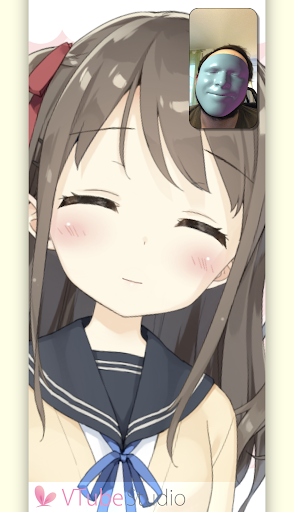
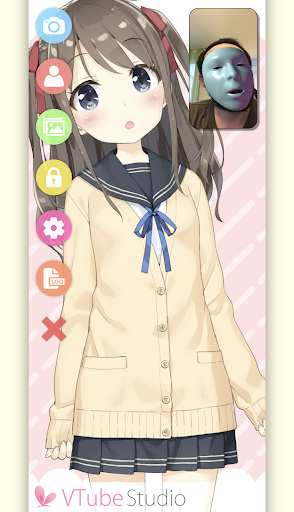
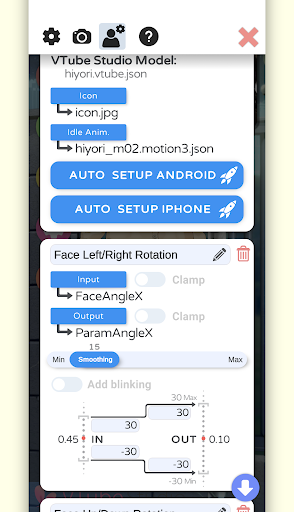
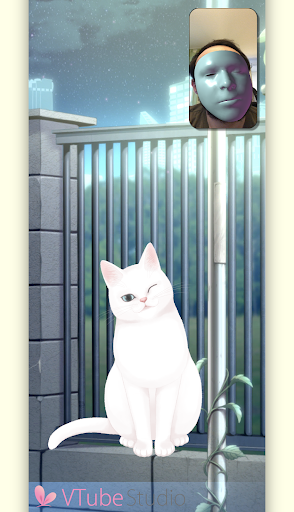


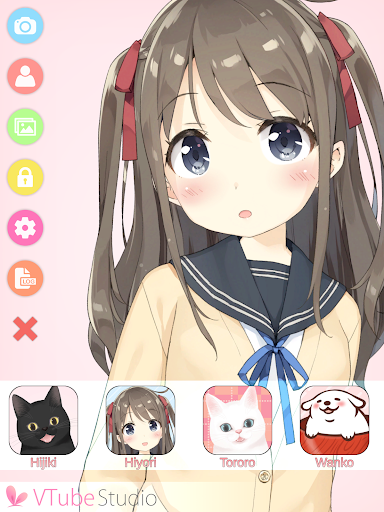
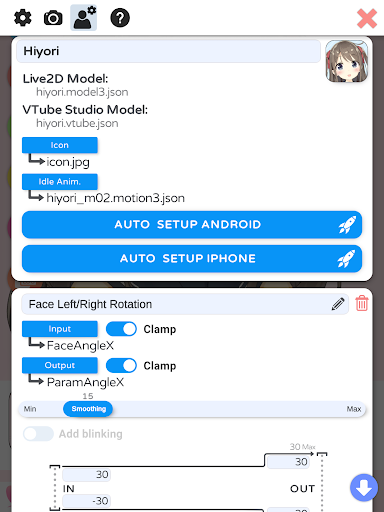
Analysis by Reviewed APKs
VTube Studio is a face-tracking app for animating Live2D models, aimed at people who want a virtual on-screen presence for videos or livestreams. On Android, it can track your face and load your own models; it can also send tracking data to a computer running the desktop version. I like its focused creator workflow, though Android tracking has a stated trade-off compared with iPhone and iPad.
A Face on Your Screen
When I picture using VTube Studio on an ordinary evening, the appeal is simple: I can open the app, load a Live2D model I already have, and let face tracking make it move with me. That gives a video call, recording session, or practice run a different kind of on-screen presence. The Android app is built around that direct connection between my expressions and the character, rather than around editing a finished video.
The distinction matters if, like me, you are trying to get a feel for virtual content creation before building a complicated setup. VTube Studio can be part of that first experiment, and its desktop versions can receive face-tracking data from a phone to animate a model on a computer. I would think of the phone as a tracking source and the Live2D model as something to bring along, not something the app promises to create for me.
A Focused Creator Tool
The obvious alternative is using a real camera view, or another way of tracking a face for a virtual character. VTube Studio is for people who specifically want to drive a Live2D model with face tracking. That narrower job is a strength when it matches what I want, but it also means I would not choose it as a general video editor, a model-making package, or an all-purpose streaming studio.
I also keep the Android version in perspective. The app's description says its tracking is not quite as good as the iPhone and iPad version, so someone who cares most about tracking quality may want to compare those options. On Android, the phone must support ARCore face tracking. And if I want to animate a model on my computer, I need the desktop version in the workflow rather than assuming the phone app does everything.
Make Tracking a Habit
A useful habit is to check the basics before a planned recording: have the model I want to use ready, make sure the phone supports ARCore face tracking, and decide whether I am using the phone on its own or sending tracking data to a computer. That small bit of preparation helps keep experimentation from turning into a last-minute scramble. It also clarifies whether I am testing the character itself or the wider desktop workflow.
I would start with short, low-pressure sessions rather than expecting a polished stream on the first try. A few minutes of watching how the model responds to my face can tell me whether this setup suits my routine. If I regularly create on a computer, sending the phone's tracking data there may fit better than trying to make the phone the whole production setup. The more clearly I separate those jobs, the easier the app is to evaluate.
More From Our News Desk

Zoom Meetings, Google Meet, or Teams: Which Is Easiest to Join?

How I Build a Free Streaming Lineup With Tubi

Why Crunchyroll Is the Default Anime App for So Many Fans

YouTube TV: A Practical Guide to Cutting Cable

Rummikub and the Small Comfort of Phone Games

TeamViewer Remote Control or AnyDesk for Helping Family?
Who Might Enjoy It
I would recommend VTube Studio to Android users who already have a Live2D model and want to animate it through face tracking. It also makes sense for someone exploring virtual video or livestreaming who is willing to check device compatibility and try a focused tool. The desktop connection is useful for a creator whose model animation will happen on a Mac or Windows computer while the phone supplies tracking data.
It may be a poor fit if I expect to design a character, edit video, or manage every part of a livestream inside one Android app. The Android version also comes with a tracking-quality caveat compared with iPhone and iPad, which may matter to people who are especially particular about facial response. And without an ARCore-compatible phone, the central Android use case is not a match.
VTube Studio is an Entertainment app from Denchi. On Google Play it has over one million installs and a 3.5-star rating from 10,867 ratings. The app is free to download and contains no ads. Its content rating is Everyone. The current Android version shown is 1.32.71, released on July 9, 2020, with its last update dated November 1, 2025.
The app offers in-app purchases, with listed items priced from $12.99 to $13.99 each. The Android version requires a phone that supports ARCore face tracking. VTube Studio is also available for macOS and Windows, where the desktop software can receive tracking data from the phone and animate a model. The Android version's tracking is described as not quite as good as the iPhone and iPad version.
Putting Face Tracking to Work
First Steps and Setup
My first question before opening VTube Studio would be whether my Android phone supports ARCore face tracking. That requirement is not a small technical footnote; face tracking is the point of this version. I would also have a Live2D model ready to load, since the app is described as letting users load their own models rather than build them from scratch.
Once those pieces are in place, the basic idea is refreshingly easy to understand: the phone tracks my face and the model follows. If I plan to animate the model on a computer, I would also decide whether to use the macOS or Windows version and send the tracking data there. Thinking through that setup in advance makes the app's role clearer and avoids expecting the phone to be a complete desktop production environment.
The Everyday Experience
Day to day, VTube Studio is most compelling when I want a character to respond while I am in front of the phone. The practical rhythm is to open the app for a quick test, see how face tracking drives the Live2D model, and decide whether the result works for a recording or livestream workflow. That is a more specific routine than simply opening a camera app, but it is also the reason to use this one.
For a computer-based session, the phone can serve another role: it sends face-tracking data to VTube Studio on the computer, where the model is animated. I like that the same general setup can fit a casual experiment or a more involved creator routine. Still, the phone's tracking is not described as matching the iPhone and iPad version, so expectations should stay realistic.
The Live2D Focus
The defining feature is the link between face tracking and a Live2D model. Rather than treating the avatar as a static picture, VTube Studio uses the phone's tracking to make the model respond. That gives the app a clear purpose for virtual creators, while the option to send tracking data to a desktop version extends the workflow to a computer-based setup.
I also appreciate that the app is explicit about working with models users bring to it. That makes it easier to understand what VTube Studio contributes: tracking and model animation, not a promised character-design suite. The description says users can load their own Live2D models on Android, and that desktop versions for macOS and Windows can animate the model using data from the phone.
A Practical Session
For a simple routine, I would use a short test before a planned video or stream. I would open VTube Studio, load the model I intend to use, and give the tracking a few minutes so I can see how the character responds. If I want the model animated on a computer, I would have the desktop version in the plan and use the phone to send its tracking data there.
That quick run-through is useful even when I am not ready to publish anything. It lets me see whether the model and phone fit the kind of content I want to make, without turning every experiment into a full production. I would also make device compatibility part of the routine, especially if I am switching phones or helping someone else set up the same workflow.
Limits to Keep in Mind
The biggest practical limit is compatibility: the Android phone must support ARCore face tracking. Another is the stated difference in tracking quality, with the Android version not quite matching the iPhone and iPad version. Those are important considerations for anyone choosing a device or deciding how much to rely on the phone for a polished performance.
There is also a clear boundary around what the app does. VTube Studio works with Live2D models, but the described workflow is to load your own model, not create one in the app. And while the desktop versions can animate a model using phone tracking data, that means computer-based use involves a desktop version too. I would treat it as a focused component of a creator setup, not an everything-in-one production tool.
VTube Studio has a clear job: use face tracking to animate a Live2D model, either on an Android phone or through a desktop workflow. I like that the phone-to-computer option gives creators room to build a setup around the app. Its strongest appeal is to people who already have a model and know they want this particular kind of virtual presence.
I would try it if my Android device supports ARCore and I am comfortable bringing my own model. I would look elsewhere if I need model creation, general video editing, or the strongest tracking available across platforms. For the right creator, it is a focused starting point; for everyone else, its specific requirements are worth checking first.
VTube Studio Frequently Asked Questions
What is VTube Studio used for?
VTube Studio uses face tracking to animate Live2D models. On Android, users can load their own models on a phone that supports ARCore face tracking. The app can also send tracking data to its macOS or Windows version so the model can be animated on a computer for videos or livestreams.
Which devices and platforms support VTube Studio?
VTube Studio is available for Android, macOS, and Windows, and an iPhone and iPad version is also referenced in the app description. For Android face tracking, the phone must support ARCore. The Android version's tracking is described as not quite as good as the iPhone and iPad version.
What Android version does VTube Studio require?
The Android requirement stated for VTube Studio is that the phone must support ARCore face tracking. If you are unsure whether a particular phone or software setup meets that requirement, check the Google Play store information and your device's compatibility details before relying on it.
Does VTube Studio cost money?
VTube Studio is free to download on Google Play and contains no ads. It offers in-app purchases, with listed items priced from $12.99 to $13.99 each. Prices and purchase details can vary, so check the store listing for the current information before buying.
Is VTube Studio right for a beginner?
It can suit a beginner who wants to try face-tracking a Live2D model and is willing to bring a model of their own. The Android phone also needs ARCore face-tracking support. It may not suit someone looking for a character-creation or general editing app, or someone who expects the Android tracking to match the iPhone and iPad version.
Pros
- Uses Android face tracking to animate Live2D models users bring to the app.
- Can send phone tracking data to VTube Studio on macOS or Windows.
- Free to download and contains no ads.
- Has a focused purpose for virtual video and livestream workflows.
Cons
- Android face tracking requires a phone that supports ARCore.
- Android tracking is described as not quite as good as iPhone and iPad tracking.
- Users need to bring their own Live2D model.
- Category
- Entertainment
- Version
- 1.32.71











