VIZIO Mobile
Listed on Google Play as “VIZIO | WatchFree+”
- 87.41K
- 4.3
- Installs
- 10.00M
- Price
- Free

Screenshots
Analysis by Reviewed APKs
VIZIO | WatchFree+ combines free live TV on a phone with tools for finding entertainment and controlling compatible VIZIO devices. I found its appeal clearest when I wanted a channel to put on without choosing a paid streaming subscription first. It suits casual viewers and VIZIO owners who want one mobile hub, though it is less useful if you only want a dedicated on-demand library.
A channel for spare moments
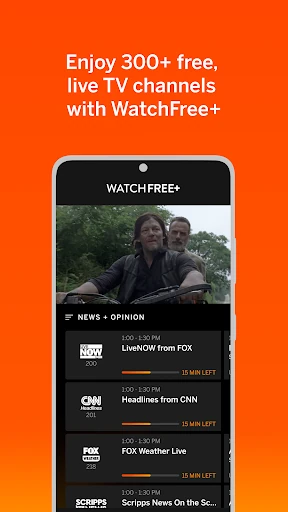
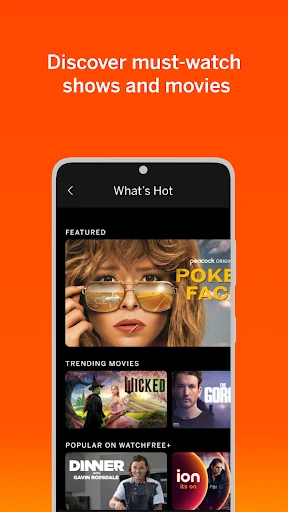
When I first opened VIZIO | WatchFree+, I thought about the little gaps in an ordinary day: a few minutes before dinner, a quiet lunch break, or the time spent waiting for someone to arrive. The app offers more than 300 free live channels, including news, sports, movies, and shows, so I could browse for something to watch rather than settle on a particular title in advance.
The category jump feature helps make that browsing less meandering. I could head toward the kind of programming I wanted instead of treating the channel lineup as one long list. After finding a channel I liked, I could add it to a favorites list for easier access later. A free VIZIO account is part of getting started, and the app is designed to let people watch on mobile without owning a VIZIO TV.
Live TV, not a box set
The closest comparison is a live-TV channel guide on a phone, rather than a subscription streaming library built around picking a specific movie or episode. WatchFree+ puts channels and their categories at the center, with recommendations and favorites to help narrow the choices. That makes it a useful option when I want something to watch now, but it is a different habit from searching for a particular show and pressing play.
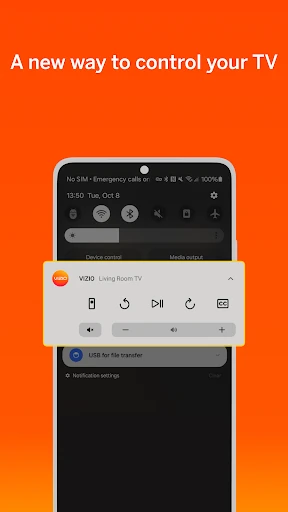
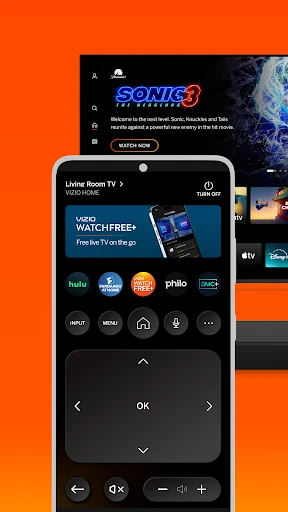
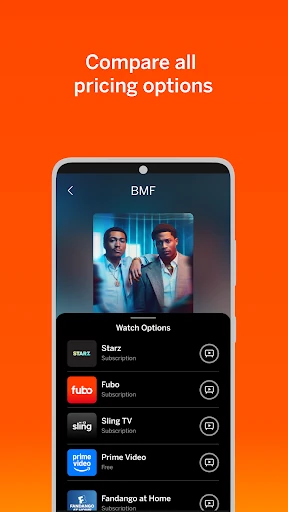
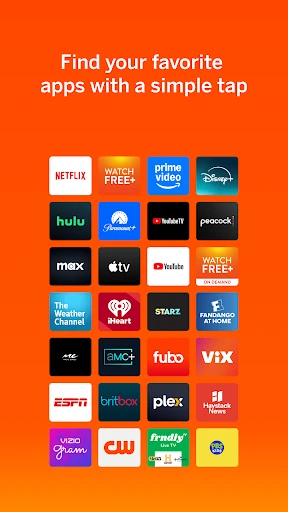
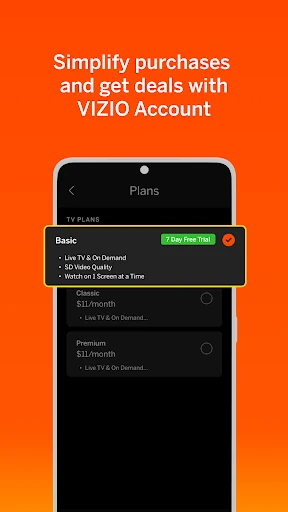
It also reaches beyond live channels into VIZIO device control and entertainment discovery. Universal search can look across streaming services, and the app includes recommendations, voice control, and tools for organizing apps and managing subscriptions. Those options make it more of a companion for a VIZIO entertainment setup than a standalone guide to every service. I would not treat it as a replacement for every streaming subscription or as an on-demand catalog.
Small ways to make it smoother
I would start by saving a few channels I actually expect to revisit. A short favorites list is more practical than trying to remember a channel number or repeating the same broad browse each time I open the app. The category jump option is another handy shortcut: it can move me toward news, sports, movies, or shows when I already have a rough idea of what I want.
For VIZIO households, the app's other tools can fit into the same routine. I could use universal search when I am unsure which service has something, then use voice control to launch apps or find content. If I am watching on a VIZIO TV, the app also supports picking up where I left off when switching devices. These are useful extras, although they make the app's value depend partly on the devices and services in a household.
More From Our News Desk

Zoom Meetings, Google Meet, or Teams: Which Is Easiest to Join?

How I Build a Free Streaming Lineup With Tubi

Why Crunchyroll Is the Default Anime App for So Many Fans

YouTube TV: A Practical Guide to Cutting Cable

Rummikub and the Small Comfort of Phone Games

TeamViewer Remote Control or AnyDesk for Helping Family?
Who may enjoy WatchFree+
I would recommend VIZIO | WatchFree+ to people who like channel surfing, want free live programming on a phone, or already use VIZIO devices and would welcome some control tools in one app. The mix of channels, favorites, categories, and recommendations is especially suited to viewers who enjoy browsing rather than arriving with a precise title in mind.
It may be a weaker fit for someone who mainly wants a carefully curated on-demand collection or expects every streaming service to work identically through one interface. The app includes ads, and its broader device-control features are most relevant to people with compatible VIZIO equipment. Even without a VIZIO TV, the mobile live channels are part of its stated offering, so TV ownership is not a prerequisite for that use.
VIZIO | WatchFree+ is an Entertainment app from VIZIO. On Google Play, it has over 10 million installs and a 4.3-star rating from about 87,000 ratings. The app is free to download and use, contains ads, and does not offer in-app purchases. Its content rating is Teen, so it is worth considering that rating when choosing an app for a younger viewer.
The Android requirement is Android 10 or later. The current version is 4.11.1.rc-1.20251215.22.release. VIZIO | WatchFree+ was released on March 21, 2016, and its latest update was December 18, 2025. The recent update notes mention bug fixes and performance enhancements.
A closer look at the everyday experience
A straightforward first start
When I first opened the app, its two roles stood out: watch free live channels on a phone, or use the phone to explore and control a VIZIO entertainment setup. That distinction matters because a person can start with mobile viewing without a VIZIO TV, while the control tools are intended for VIZIO devices. To begin watching, the app asks users to create a free VIZIO account.
I like that the basic promise is easy to understand. It is not necessary to begin by connecting the app to a television just to explore its mobile channel offering. The first practical decision is simply whether I want to browse live programming or use the app as a companion for devices and services. That flexibility makes the setup feel approachable, even if some of the extra tools will matter more to VIZIO households.
Browsing in daily use
The live channel experience is built around choosing a category and seeing what is on, rather than building a watchlist of individual titles. I can imagine opening it while making breakfast and looking for news, or browsing for a movie channel later in the evening. More than 300 free live channels give that sort of casual browsing room to roam without requiring me to start with a specific program.
Favorites help with repeat visits, while personalized recommendations are meant to make discovery easier. I would use those features to reduce the amount of browsing over time, not expect them to replace knowing what I like. The app's ad-supported approach is part of the experience, so viewers who prefer an uninterrupted, paid viewing environment may find the trade-off less appealing.
More than live channels
The app's broader entertainment tools are what separate it from a simple mobile channel lineup. Universal search can help find what to watch across streaming services, while smart recommendations offer another route to discovering shows and movies. Voice control can launch apps or find content hands-free. Together, these features position the phone as a remote-style entertainment hub as well as a screen for live channels.
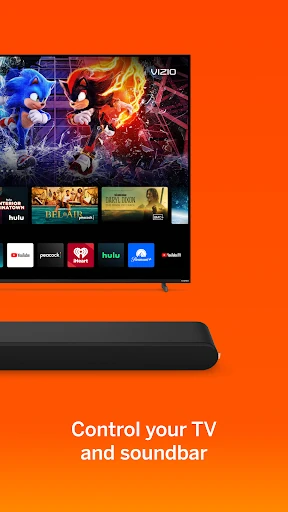
VIZIO owners also get soundbar controls for adjusting volume, bass, and treble, along with preset sound modes and options such as ClearDialog and Night Mode. The app also supports casting photos and videos to a TV with VIZIOgram. These features are specific to the broader VIZIO ecosystem, so they are most compelling when there is compatible equipment to use them with.
A practical evening routine
A routine I can picture is checking the channel categories after work, saving a couple of favorites, and putting on a live program while preparing dinner. If nothing catches my attention, I could use universal search to look across streaming services instead of bouncing between apps without a plan. That gives the app a useful role at the start of an evening, when I want to decide what to watch but have not settled on a title.
In a home with VIZIO equipment, I could then use the phone for a quick audio adjustment or to launch an app with voice control. If I started watching on a VIZIO TV and needed to move to another device, the app supports picking up where I left off. I would keep the routine simple: use mobile channels for casual viewing, then reach for the control features when they fit the setup.
Limits to keep in mind
The app's strongest distinction is also a limitation: live channels suit browsing, but they are not the same as choosing any title from a deep on-demand catalog. The description emphasizes live programming and discovery tools, so I would not install it expecting a complete replacement for services built around specific shows and movies. It is better understood as another viewing option than as the only entertainment app a household needs.
Some of its extra controls are tied to VIZIO devices, and streaming services or content can have their own terms, fees, and availability. A broadband internet connection is required for streaming. The app contains ads, too, which is worth factoring in if uninterrupted viewing is important to you. Those practical limits do not erase the appeal of free live channels, but they help set expectations before making it part of a regular routine.
VIZIO | WatchFree+ is a useful mix of free live mobile TV and VIZIO-focused entertainment controls. I like its fit for casual channel browsing, and the favorites and category shortcuts give that use a little structure. The universal search and device features add value for people already using compatible VIZIO equipment.
I would try it if free live channels sound appealing or I wanted a mobile companion for a VIZIO setup. I would look elsewhere for an on-demand-first experience or an ad-free one. Overall, it is a practical extra viewing option, with the best fit depending on how much of its VIZIO ecosystem you can use.
VIZIO Mobile Frequently Asked Questions
What is VIZIO | WatchFree+ used for?
VIZIO | WatchFree+ lets users stream more than 300 free live channels on a mobile device, including news, sports, movies, and shows. It also offers entertainment discovery and control features for VIZIO devices, such as universal search, recommendations, voice control, and soundbar adjustments. A VIZIO TV is not required to use the mobile live-channel offering.
Which devices and platforms support VIZIO | WatchFree+?
The app is available for Android devices, and the Android requirement is version 10 or later. Its description also covers controlling VIZIO devices and continuing to watch across devices when starting on a VIZIO TV. For the most current device compatibility details, check the Google Play store listing.
Does VIZIO | WatchFree+ cost money?
VIZIO | WatchFree+ is free to download and use, and it does not offer in-app purchases. The app contains ads. Some third-party applications or content accessed through the broader entertainment features may have their own fees or subscription charges, so check the relevant service and the Google Play listing for current details.
What Android version does VIZIO | WatchFree+ need?
VIZIO | WatchFree+ requires Android 10 or later. Requirements can change as the app is updated, so check the Google Play store listing on your device for the current compatibility details before installing.
Who is VIZIO | WatchFree+ best suited to?
It is a good match for people who enjoy browsing live TV channels, want free programming on a phone, or use VIZIO devices and want mobile control tools. It may be less suitable if you mainly want a large on-demand catalog or prefer viewing without ads. The app's store content rating is Teen.
Pros
- More than 300 free live channels cover news, sports, movies, and shows.
- Favorites and category jumps make casual channel browsing easier.
- Includes search, voice control, recommendations, and VIZIO device controls.
- Mobile live-channel viewing does not require a VIZIO TV.
Cons
- The app contains ads, which may interrupt the viewing experience.
- Live channels are not a substitute for a broad on-demand library.
- Several control features are most useful with compatible VIZIO devices.
- Category
- Entertainment
- Version
- 4.11.1.rc-1.20251215.22.release











