TV Listings Guide USA
Listed on Google Play as “TV & Streaming Guide America”
- 2.17K
- 4.6
- Installs
- 100.00K
- Price
- Free

Screenshots
Analysis by Reviewed APKs
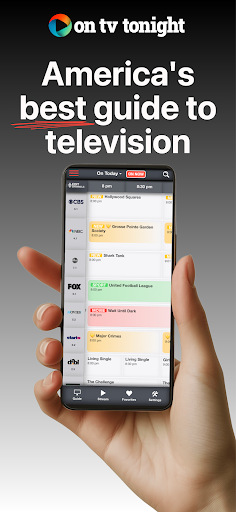
TV & Streaming Guide America brings live television schedules and streaming availability into one place, so it suits anyone who spends too long deciding what to watch. I like the idea of checking what is on now, searching for a title, and keeping up with favorite shows without bouncing between separate guides. It is a practical discovery tool, though ads are part of the experience.
A Quicker Evening Search
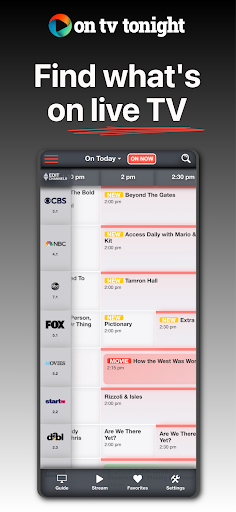
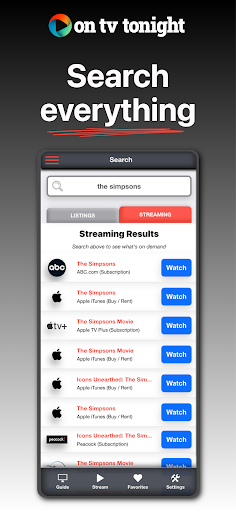
When I first opened TV & Streaming Guide America, I pictured the familiar end-of-day routine: dinner is done, the remote is nearby, and nobody can agree on a show. The guide gives that moment some structure. I can look through live listings, check what is airing now, or search for a show or movie to see whether it is on television or available through a streaming service.
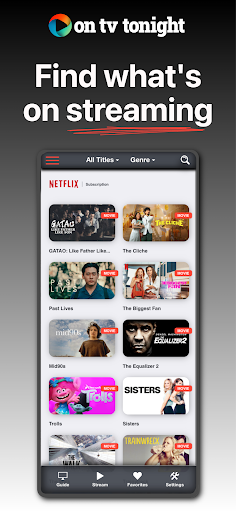
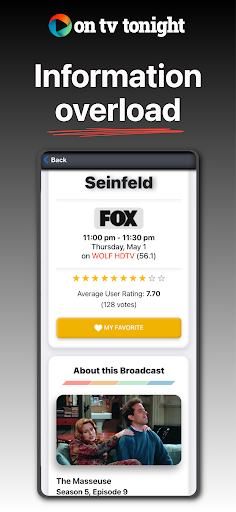
That search-first approach is useful when I have a title in mind but cannot remember where to find it. For a more open-ended evening, the streaming guide and live schedule give me places to browse instead. Show details, including episode descriptions, cast information, and upcoming air dates, can help me decide whether a listing is worth a closer look before I settle in.
A Guide, Not a Player
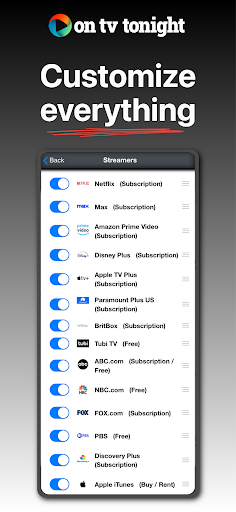
The useful distinction is that this is a discovery and listings app, not a replacement for a television service or streaming subscription. It brings schedules and availability information together for browsing, with listings for live TV and popular platforms such as Netflix, Hulu, Prime Video, Disney+, and Max. That makes it a handy companion when I am comparing what is on, rather than a place to watch the programs themselves.
Compared with checking a channel guide and several streaming apps one by one, a combined search can reduce some of the back-and-forth. I would still open the relevant service or use my television to watch something. The app is not a recommendation engine based on viewing history, nor should I expect it to play content or replace the subscriptions and equipment I already use.
Small Habits That Help
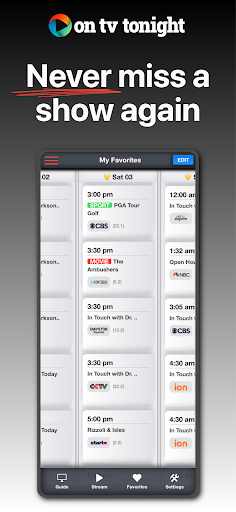
I get more out of a guide like this by saving shows I already know I want to follow. The Favorites section lets me keep those titles together, and alerts can remind me shortly before a favorite is due to air. That is especially practical for a series I watch live but do not have a reliable habit of checking for each week.
A quick scan of On Now can be a useful first step when I have no specific plan. If nothing catches my eye, I can search for a film or series, then check its listing and details. I would also make a habit of checking upcoming air dates for favorites rather than relying on memory. These small checks turn the app into a useful reference without making it another place to spend an entire evening scrolling.
More From Our News Desk

Zoom Meetings, Google Meet, or Teams: Which Is Easiest to Join?

How I Build a Free Streaming Lineup With Tubi

Why Crunchyroll Is the Default Anime App for So Many Fans

YouTube TV: A Practical Guide to Cutting Cable

Rummikub and the Small Comfort of Phone Games

TeamViewer Remote Control or AnyDesk for Helping Family?
Who Might Find It Useful
I would recommend TV & Streaming Guide America to people who watch a mix of live television and streaming services and want one place to browse what is available. It is also a sensible fit for anyone who regularly forgets when a favorite show airs. The search, schedule, show details, and reminder features each address a small but familiar part of choosing and keeping up with TV.
It may be less useful if you watch through only one service and already know exactly what you want, or if you expect an app to stream programs directly. People who dislike ad-supported apps should also weigh that trade-off. The guide is at its best as a companion to existing viewing habits: it helps with finding and tracking titles, while the actual watching happens elsewhere.
On Google Play, TV & Streaming Guide America is published by On TV Tonight Pty Limited. It is listed in the Entertainment category and has more than 100,000 installs. Its rating is 4.6 out of 5 from around 2,200 ratings, giving prospective users a useful snapshot of how it has been received.
The app is free to download and contains ads; it does not offer in-app purchases. Google Play gives its content rating as Everyone. The current version is listed as varying with device, and the app was released on June 6, 2018. The Android version requirement is not included in the available app details.
Making the Most of a TV Guide
Opening the Guide
My first impression is that the app has a clear job: help me answer the everyday question of what to watch. Its combination of live listings and streaming browsing makes sense for a household that moves between regular television and on-demand services. The description also calls out a refreshed interface, but the more important test is whether I can get from a question to a useful listing without much fuss.
I would start by exploring the live schedule and the streaming guide, then search for a familiar title to see what information appears. There is no complicated setup routine described as necessary to use those core guide features. If I already have a few shows I follow, saving them in Favorites is a sensible early step, particularly if I want the app to send reminders.
Browsing Day to Day
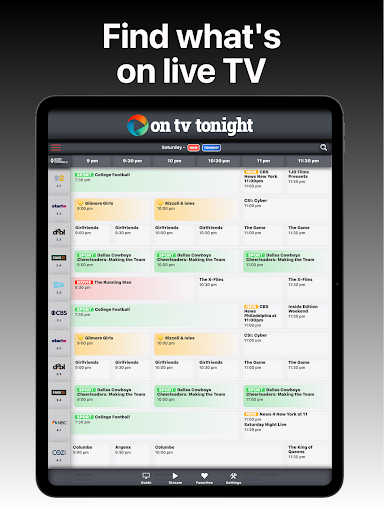
The live schedule covers a full 24-hour span across major channels, which gives the app a traditional TV-guide role as well as a broader streaming one. When I want something right away, On Now highlights what is currently airing. When I am planning ahead, browsing the schedule gives me a way to see what is coming without checking each channel separately.
The all-in-one search is the feature I would reach for when I have a specific title in mind. It is intended to show where a program is airing live or available to stream. That kind of lookup is more direct than opening each service and searching repeatedly. The guide is still a reference, though; it helps me find a viewing option rather than play the title inside the app.
Details Beyond Listings
A schedule entry is more helpful when it gives me enough context to decide whether to watch. TV & Streaming Guide America includes expanded episode descriptions and full cast lists, along with upcoming air dates. I can use those details to distinguish an episode I have already seen from one I might want to catch, or simply remind myself who is in a show.
Favorites and alerts are the other features that stand out in day-to-day use. Saving a show gives me a place to keep track of titles that matter to me, while a reminder shortly before the program airs can reduce the chance that I miss it. The app’s mix of lookup, detail, and reminder tools is more useful than a bare channel grid.
A Simple Weekly Routine
A practical routine would be to check Favorites once or twice during the week, then use the upcoming air dates to see what is on the calendar. If a reminder is useful, I can rely on the app’s alert feature for a favorite show rather than trying to remember its time. Before a relaxed evening, I might scan On Now or search for a movie I have been meaning to find.
For a weekend when I do not have a particular title in mind, I would browse live listings and streaming options separately, then use show details to narrow the choices. This keeps the app in a supporting role instead of turning it into another endless feed. It is a small workflow, but it combines the guide’s main strengths: finding, checking, and remembering.
Trade-Offs to Remember
The most obvious compromise is advertising: the app is free, but it is ad-supported. That may be a fair exchange for someone who only needs a quick schedule lookup, while frequent browsing can make ads more noticeable. I would keep that in mind if I expect to open the guide several times a day or prefer an uninterrupted interface.
The other limit is the app’s role. It brings listings and streaming availability together, but it does not replace the services or television access needed to watch. Its usefulness also depends on the kind of viewing I do: people with a narrow routine may not need a broad guide, while those who switch between live TV and several streaming platforms have more reason to keep it around. The Android version requirement is worth checking on Google Play.
TV & Streaming Guide America makes a practical case for itself by combining a 24-hour live schedule, streaming browsing, search, show details, favorites, and reminders. I would use it as a quick reference before choosing what to watch, not as a player or a substitute for streaming services. Ads are the clear trade-off for a free app.
I recommend it to viewers who regularly move between live television and streaming and want a little help keeping track of titles. If you already know what you are watching and dislike ads, the added guide may not earn a place in your routine. For everyone else, the search and reminder tools give it a useful everyday purpose.
TV Listings Guide Frequently Asked Questions
What is TV & Streaming Guide America used for?
TV & Streaming Guide America is for browsing live TV listings and streaming availability in one app. You can check what is airing now, search for a show or movie, read show details, and save favorites with reminders before they air. It is a guide for finding what to watch, not a service for playing the programs.
Which devices can run TV & Streaming Guide America?
TV & Streaming Guide America is an Android app available through Google Play. The available app details do not specify a minimum Android version, so check the Google Play page on your device for the current compatibility information. That is the best way to confirm whether it will work with your particular phone or tablet.
Does TV & Streaming Guide America cost anything?
TV & Streaming Guide America is free to download and contains ads. It does not offer in-app purchases according to its Google Play details. If you are checking costs related to the streaming services whose availability it shows, those can vary by service and are separate from the guide app.
Does TV & Streaming Guide America stream shows?
No. TV & Streaming Guide America helps you find live listings and check where shows or movies are available to stream, but it is a guide rather than a video player. You will need to watch through the relevant television channel or streaming service. Its search and schedule are intended to make that choice easier.
Who should use TV & Streaming Guide America?
It is a good fit for people who mix live TV with streaming and want a central place to browse listings, search titles, and follow favorite shows. It may be less useful if you watch through only one service or expect content to play inside the app. Its free, ad-supported model is also worth considering if you prefer an ad-free experience.
Pros
- Combines live TV schedules and streaming availability in a single browsing guide.
- Search helps locate where a show or movie is airing or streaming.
- Favorites, upcoming air dates, and alerts help track shows to watch.
- Show pages include episode descriptions and cast details.
Cons
- Ads are part of the free experience and may interrupt frequent browsing.
- The app is a guide, so watching still requires a TV channel or streaming service.
- Viewers with a simple, single-service routine may not need a combined guide.
- Category
- Entertainment











